Skip to content
Trio Travel guide

Contacts and leads

On this page
  1. Owner and contact information
  2. Source and qualification
  3. Additional information and save
  4. Edit and review the description
  5. Search contacts
  6. Show only my leads
  7. Review the deletion confirmation

Contacts records potential customers, follow-up ownership, sources and interests. Open CRM, then Contacts. These records feed Contacts when adding an inquiry.
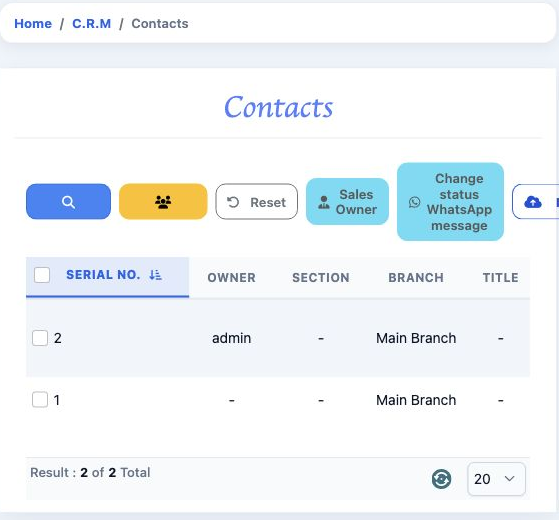
1 The list shows the owner, section and branch. Horizontal scrolling reveals the remaining columns. Use the add-contact button to open the for...
The list shows the owner, section and branch. Horizontal scrolling reveals the remaining columns. Use the add-contact button to open the form.

Columns include the name, phone, mobile, country, city, email, Source, Status, Rating and Interested In. Converted displays the conversion indicator; messaging columns display their list statuses.

Owner and contact information

Open Add contact and select Sales Owner for the follow-up owner. Section identifies the section; Customer links an existing customer when needed. Enter First name, Last name and Title, plus Email, Phone and Web site when available.
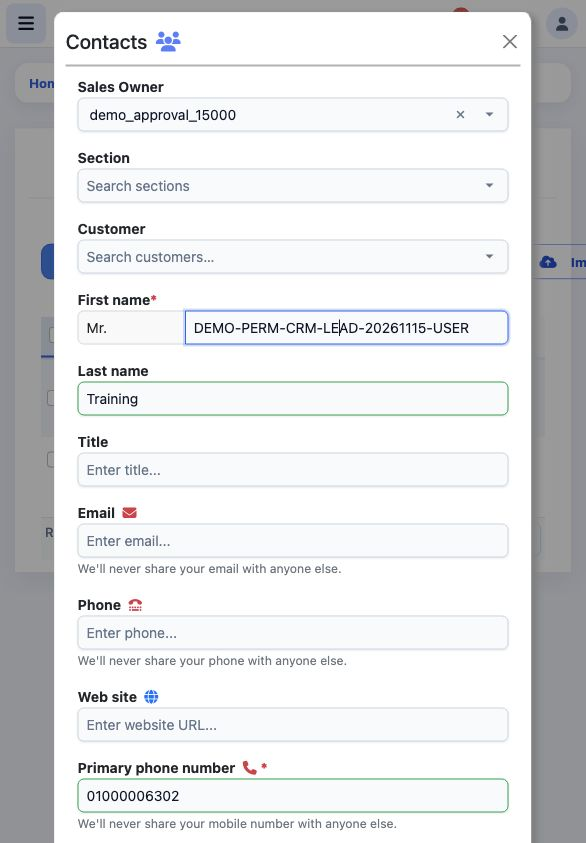
2 Sales Owner is demo_approval_15000. The first name is DEMO-PERM-CRM-LEAD-20261115-USER, Last name is Training, and the training Primary phon...
Sales Owner is demo_approval_15000. The first name is DEMO-PERM-CRM-LEAD-20261115-USER, Last name is Training, and the training Primary phone number is 01000006302.

Source and qualification

Enter Primary phone number and Secondary phone number when needed. Choose Lead source, Lead status, Interested In and Rating from values defined in CRM settings. Required fields are starred: First name, Primary phone number and those four reference selections.
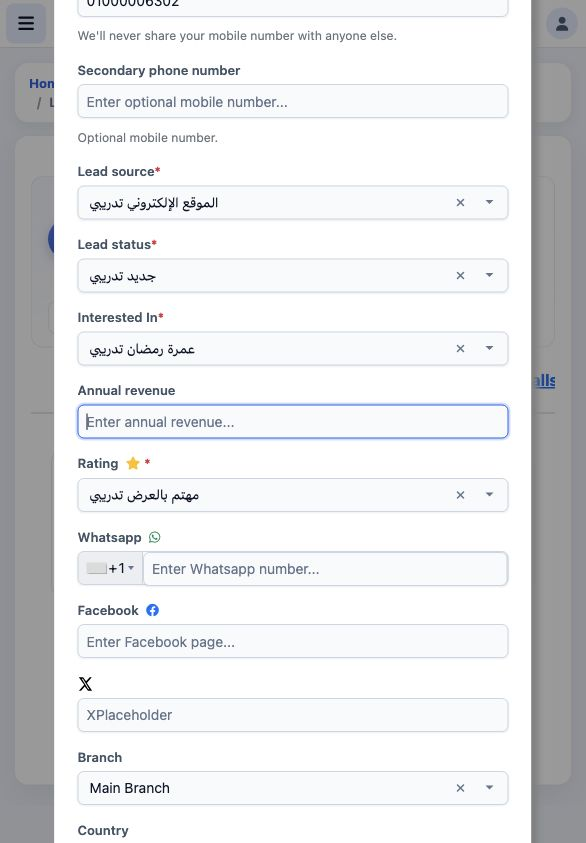
3 The saved values are source الموقع الإلكتروني تدريبي, status جديد تدريبي, interest عمرة رمضان تدريبي and rating مهتم بالعرض تدريبي.
The saved values are source الموقع الإلكتروني تدريبي, status جديد تدريبي, interest عمرة رمضان تدريبي and rating مهتم بالعرض تدريبي.

These values classify contacts for follow-up. Select a defined list value for each required field.

Additional information and save

Annual revenue records annual revenue; Whatsapp, Facebook and X hold social channel details. Choose Branch, Country, City and Region when needed, then add Description. Select Save to save or Close to leave the form. The example leaves optional contact channels empty.
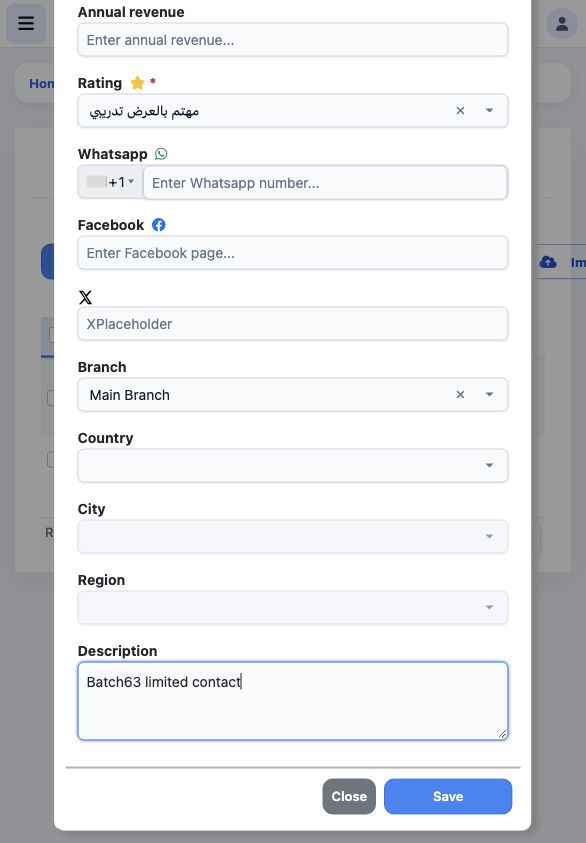
4 Main Branch is selected and Description is Batch63 limited contact. The visible optional fields remain empty. Saving creates contact serial...
Main Branch is selected and Description is Batch63 limited contact. The visible optional fields remain empty. Saving creates contact serial 3.

Edit and review the description

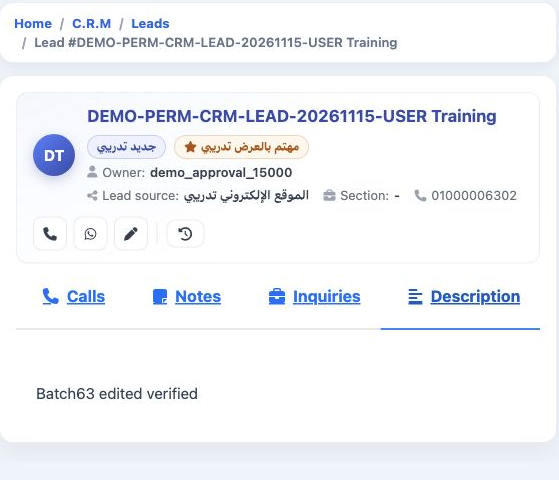
Open your saved contact and its edit form. Change Description, then select Save. Reopen the record and select Description to review the saved text. The example confirms Batch63 edited verified.
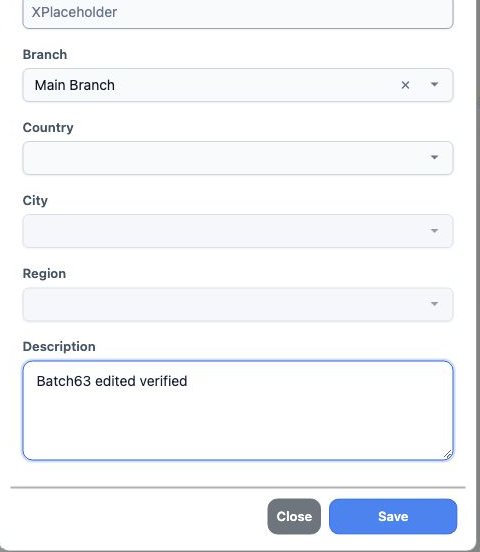
5 Description is changed to Batch63 edited verified, then Save is selected.
Description is changed to Batch63 edited verified, then Save is selected.
6 After reopening, the Description tab displays the saved text. The contact name, owner and source appear at the top of the card.
After reopening, the Description tab displays the saved text. The contact name, owner and source appear at the top of the card.

Search contacts

Open Search and enter First name, then run the search. The example uses the prefix DEMO-PERM-CRM-LEAD-20261115 to find the two training contacts. Search fields also include Owner, Rating, Converted, date range, Section, Branch, names and phone details.
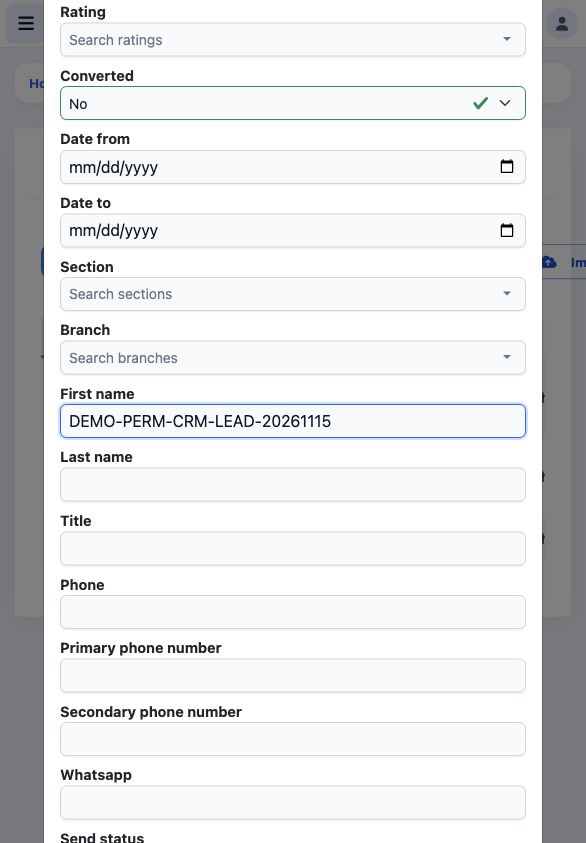
7 First name contains the search prefix. Converted is No in this example. Use Reset to remove list filters.
First name contains the search prefix. Converted is No in this example. Use Reset to remove list filters.

Show only my leads

With View Only My Leads enabled, only the user’s contact appears. Searching for the admin contact returns no result, as does filtering Owner to admin.
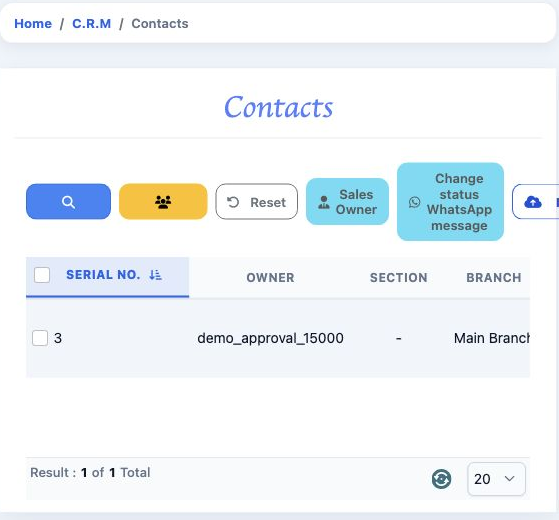
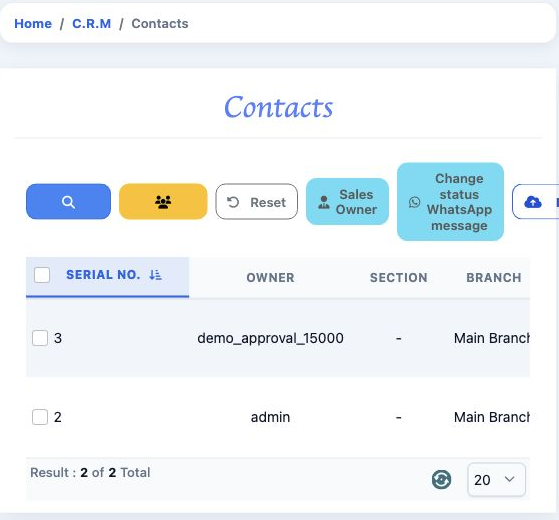
8 With View Only My Leads enabled, only serial 3 owned by demo_approval_15000 appears.
With View Only My Leads enabled, only serial 3 owned by demo_approval_15000 appears.
9 After disabling the restriction and signing in again, the same search returns serials 2 and 3, owned by admin and demo_approval_15000.
After disabling the restriction and signing in again, the same search returns serials 2 and 3, owned by admin and demo_approval_15000.

Review the deletion confirmation

Choose Delete from your contact’s menu to review the confirmation. The example chooses Cancel, retaining the record.
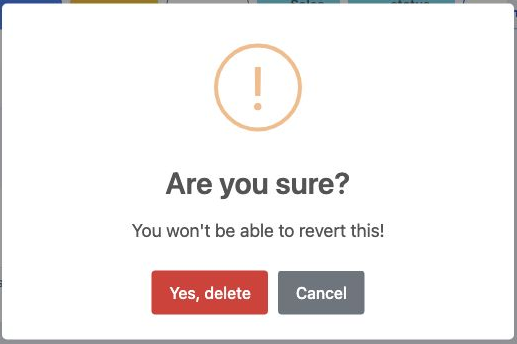
10 The dialog asks Are you sure? and warns that the action cannot be undone. Select Cancel to leave without deleting.
The dialog asks Are you sure? and warns that the action cannot be undone. Select Cancel to leave without deleting.

The toolbar provides Excel Actions, Import Excel and Sales Owner controls. Calling and messaging icons are separate from saving the contact details.

Sign in to record the lessons you have read. Sign in