View bank transactions
Open Bank Recipt & Payment in Accounting at https://portal.etolv.net/acc/accounting/bank/banks-receipts-payments. Use it to review existing bank receipt and payment vouchers.
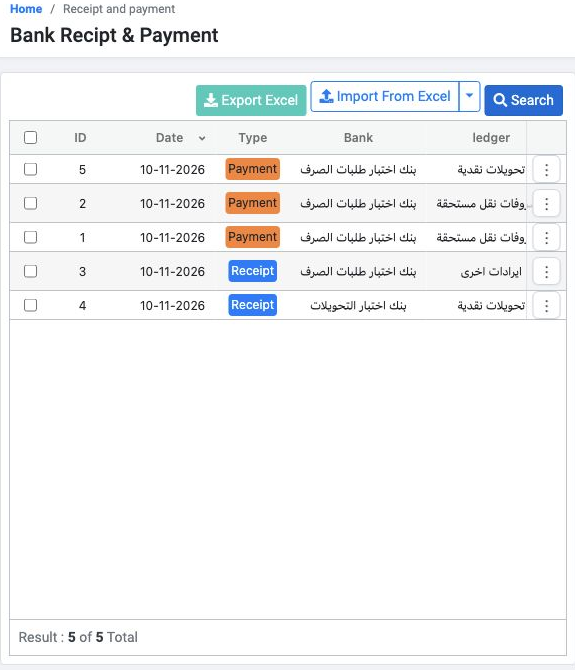
Visible columns include ID, Date, Type, Bank and ledger. Scroll horizontally to review Amount, Details, Confirm Status, Number, currency, entry number, reference, branch and Queue Status.
Find an existing voucher
Select Search. Choose a Recipt/Payment type or All for both types. Search fields include Entry Number, Number, Process Id, transaction date range, creation date range, Bank and ledger.
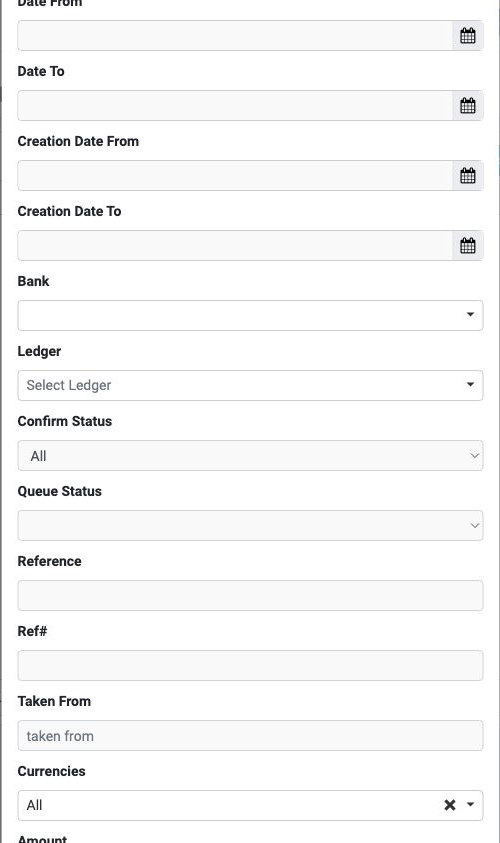
The default Not Confirmed view can be empty even when confirmed vouchers exist. Set Confirm Status to All and run the search to review all statuses.
Choose a preview template
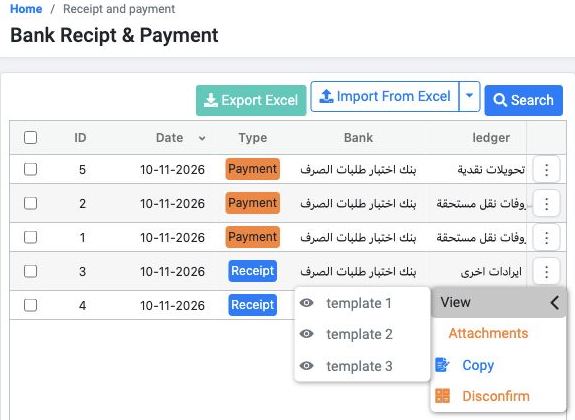
Find the receipt row and open Actions. Hover over View to reveal the submenu, then select template 1. Voucher preview requires View Bank Operations.
Review the receipt preview
Review the voucher number, bank, date, amount, currency, exchange rate, payer, details and reference.
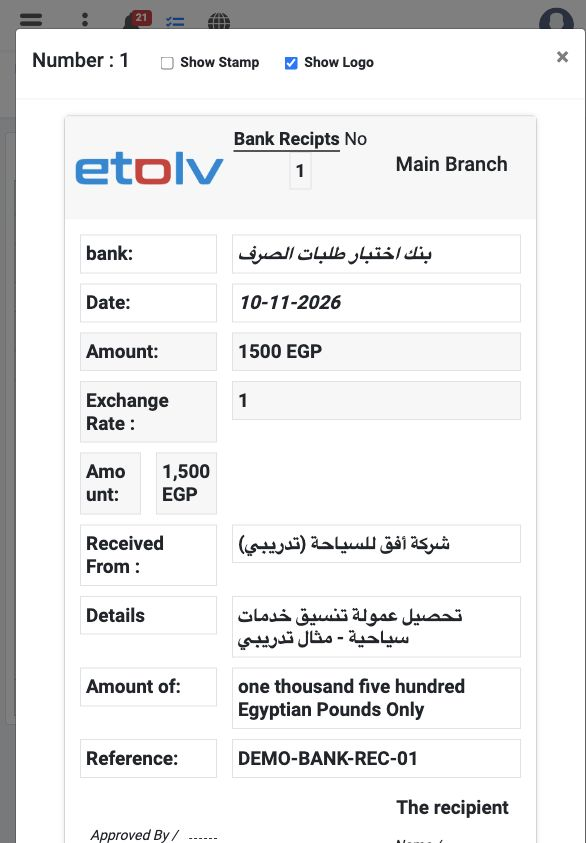
Show Stamp and Show Logo appear at the top as display options. Close the preview with × to return to the list.
Sign in to record the lessons you have read. Sign in