Skip to content
Trio Travel guide

Restaurant setup and permissions guide

On this page
  1. Add a restaurant
  2. Edit restaurant details
  3. Deletion and prices

Define a restaurant under Settings, Restaurants. The example uses Demo Documentation Review. Meals and prices have a separate guide and permissions.
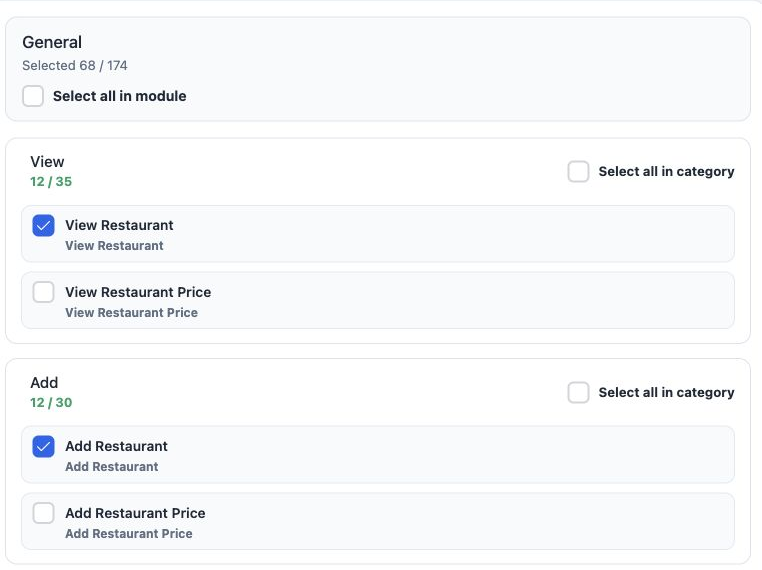
1 1  Open Roles, Permissions, General and search Restaurant. Select restaurant definition permissions and save. The image shows View and Add w...
1 Open Roles, Permissions, General and search Restaurant. Select restaurant definition permissions and save. The image shows View and Add while price permissions remain off at this stage.

View Restaurant — read restaurant details.

Add Restaurant / Edit Restaurant — create and change restaurant details.

Delete Restaurant — delete the selected restaurant.

Export Restaurant / Print Restaurant — export and print permissions.

Add a restaurant
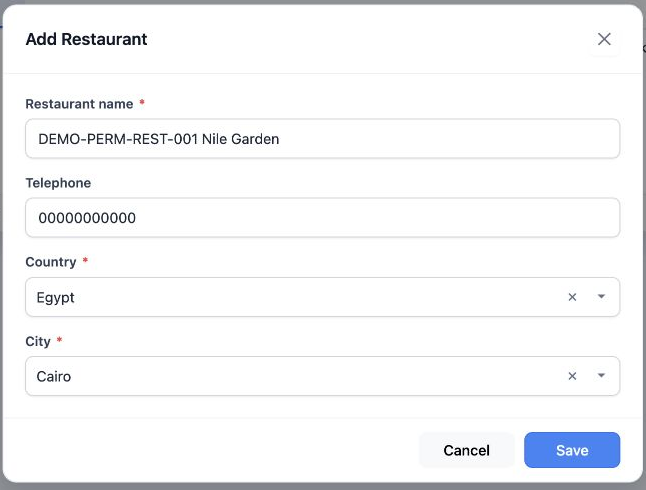
2 2  Select Add. Restaurant name, Country and City are required; Telephone is optional. Select Save.
2 Select Add. Restaurant name, Country and City are required; Telephone is optional. Select Save.

DEMO-PERM-REST-001 Nile Garden was saved as serial 2 with Egypt, Cairo and dummy phone 00000000000. The Arabic add image is a cancelled draft; actual saving used English.

Type the country name and choose the result, then select the city.

Edit restaurant details
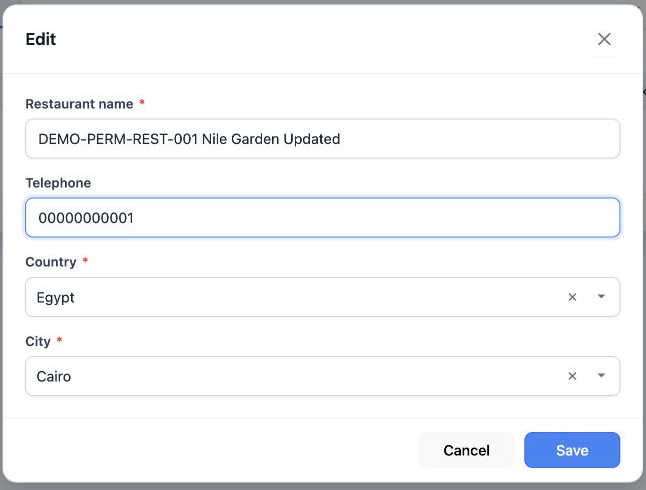
3 3  Choose Edit from the row menu. Updated was appended and the dummy phone changed to 00000000001, then saved. Reopening in Arabic confirmed...
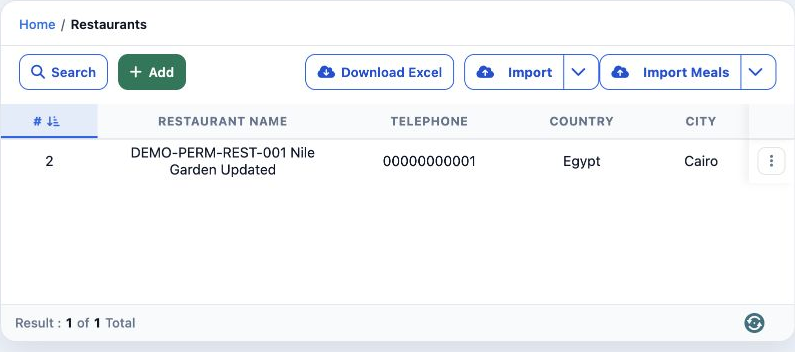
3 Choose Edit from the row menu. Updated was appended and the dummy phone changed to 00000000001, then saved. Reopening in Arabic confirmed the changes.
4 4  Select Search, enter DEMO-PERM-REST-001 in Restaurant name and run Search. Download Excel produced an XLSX with one data row containing I...
4 Select Search, enter DEMO-PERM-REST-001 in Restaurant name and run Search. Download Excel produced an XLSX with one data row containing ID, name, phone, country and city.

Deletion and prices

5 5  Choose Delete. No cancels; Yes confirms. Deletion was cancelled first. After the meal test and its cleanup, only test restaurant 2 was de...
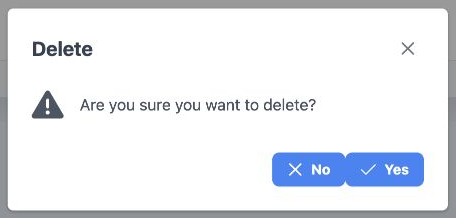
5 Choose Delete. No cancels; Yes confirms. Deletion was cancelled first. After the meal test and its cleanup, only test restaurant 2 was deleted.
6 6  Original restaurant 1, مطعم النيل التدريبي, remained unchanged. To define meals, open Prices from the restaurant menu after granting Rest...
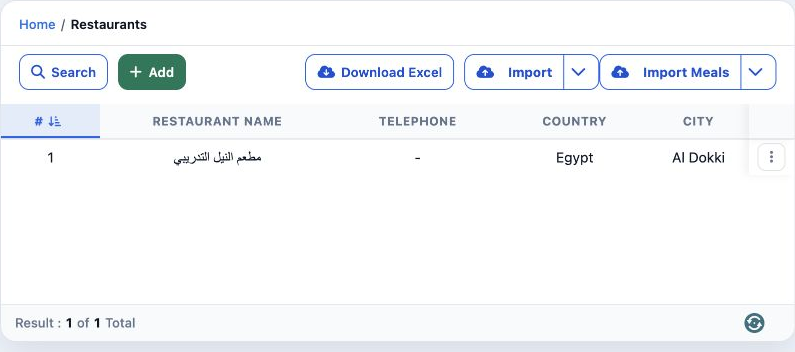
6 Original restaurant 1, مطعم النيل التدريبي, remained unchanged. To define meals, open Prices from the restaurant menu after granting Restaurant Price permissions.

Sign in to record the lessons you have read. Sign in