Skip to content
Trio Travel guide

Departments and permissions guide

On this page
  1. Add and edit
  2. Search and delete

Path: Human Resources, Settings, Managements (Departments). The example creates, edits, finds and deletes a disposable training department.
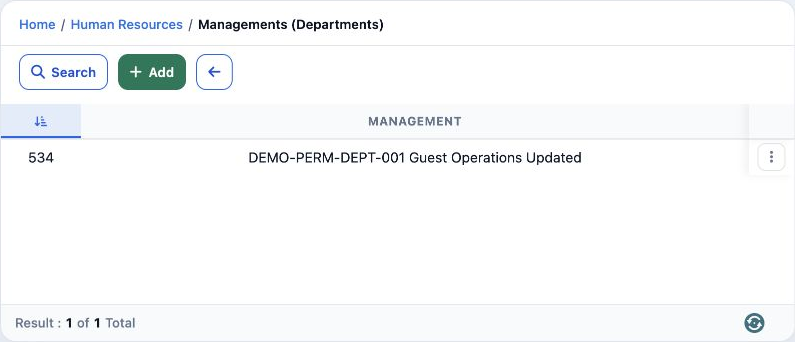
1 1  The list shows the department identifier, name and action menu. The example received identifier 534.
1 The list shows the department identifier, name and action menu. The example received identifier 534.

In Roles, Permissions, General, search Department, select the required permissions and save.

View Department — read departments.

Add Department / Edit Department — create departments and change their names.

Delete Department — delete the selected department.

Export Department / Print Department — export and print permissions.

Add and edit
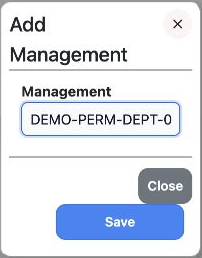
2 2  Select Add, enter Management and select Save. DEMO-PERM-DEPT-001 Guest Operations was saved as 534. The Arabic add image is a cancelled d...
2 Select Add, enter Management and select Save. DEMO-PERM-DEPT-001 Guest Operations was saved as 534. The Arabic add image is a cancelled draft; actual saving used English.
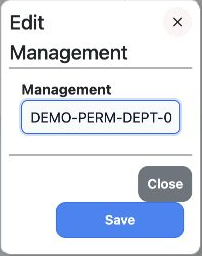
3 3  Choose Edit from the row menu, change the name and Save. Updated was appended; reopening in Arabic confirmed the change.
3 Choose Edit from the row menu, change the name and Save. Updated was appended; reopening in Arabic confirmed the change.

The input is narrow; the saved full name appears in the list. Close dismisses the form without saving a change.

Search and delete
4 4  Select Search and enter the full name DEMO-PERM-DEPT-001 Guest Operations Updated in Name, then run the search. This returned one record.
4 Select Search and enter the full name DEMO-PERM-DEPT-001 Guest Operations Updated in Name, then run the search. This returned one record.
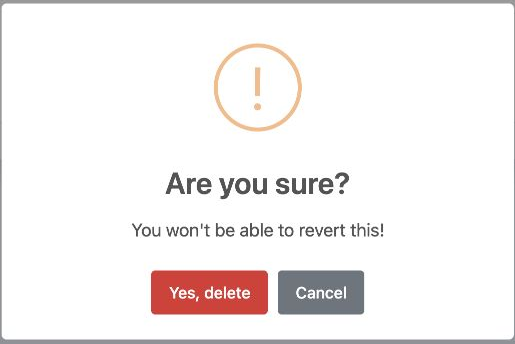
5 5  Choose Delete from the row menu. Cancel keeps the record; Yes, delete confirms permanent deletion. Deletion was cancelled first, then onl...
5 Choose Delete from the row menu. Cancel keeps the record; Yes, delete confirms permanent deletion. Deletion was cancelled first, then only test department 534 was deleted.
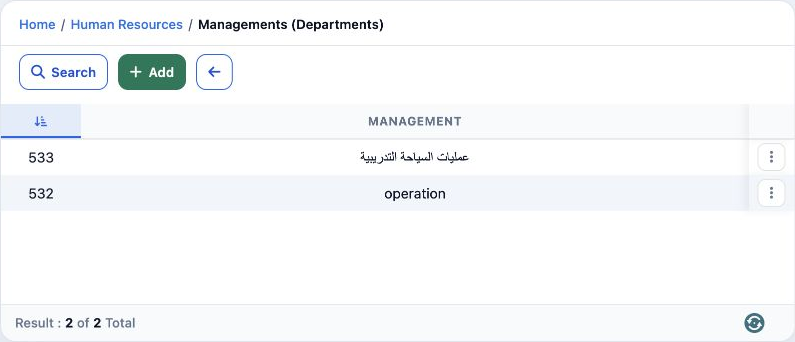
6 6  After reloading, the original departments 533 and 532 remained unchanged.
6 After reloading, the original departments 533 and 532 remained unchanged.

Sign in to record the lessons you have read. Sign in