Skip to content
Trio Travel guide

Sightseeing settings permissions guide

On this page
  1. Add a sightseeing record
  2. Edit and search
  3. Delete and review the list

A practical example of adding, editing, finding and deleting a sightseeing record using demo_approval_15000 and Demo Documentation Review.
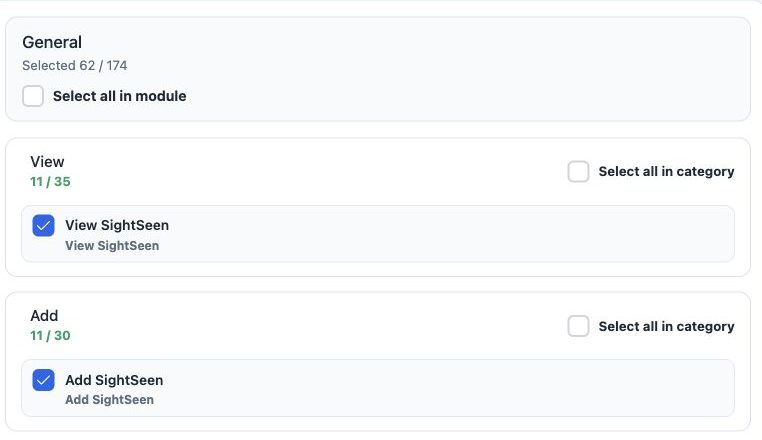
1 1  Open Roles and Permissions. Under General, search Sight, expand the action categories, select the required permissions and Save Changes....
1 Open Roles and Permissions. Under General, search Sight, expand the action categories, select the required permissions and Save Changes. The image shows View and Add.

View SightSeen — read sightseeing records.

Add SightSeen — add a record with costs and prices.

Edit SightSeen — change a record.

Delete SightSeen — delete the selected record.

Export SightSeen / Print SightSeen — export and print permissions in Other.

Add a sightseeing record
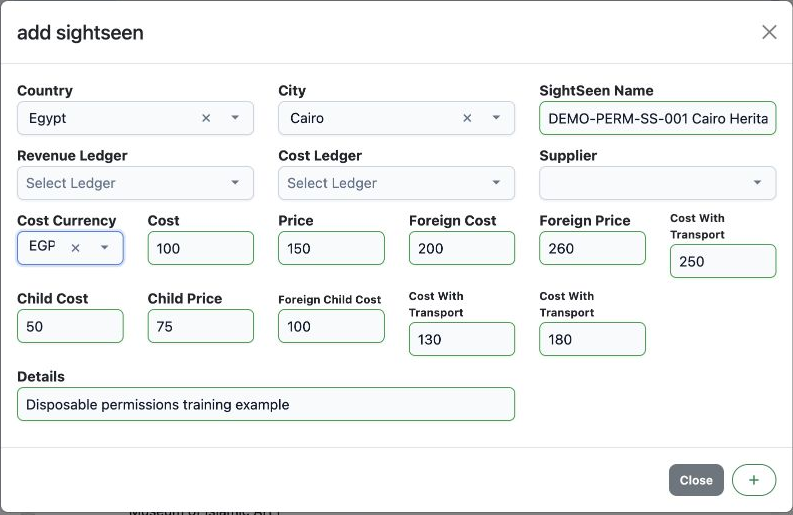
2 2  Open Settings, Sight Seeing and Add. Select Country, City and Cost Currency, enter the name, costs and selling prices, then use the + but...
2 Open Settings, Sight Seeing and Add. Select Country, City and Cost Currency, enter the name, costs and selling prices, then use the + button at the bottom to save.

Example DEMO-PERM-SS-001 Cairo Heritage Walk was saved as serial 53, with Egypt, Cairo and EGP. The Arabic image is a cancelled illustrative draft; actual saving used the English interface.

Example values: adult cost 100, price 150, cost with transport 250; child cost 50, price 75, cost with transport 180; foreign adult cost 200 and price 260; foreign child cost 100 and price 130.

To load country, city or currency options, type the name in the selector, use Search, then choose the result.

Edit and search
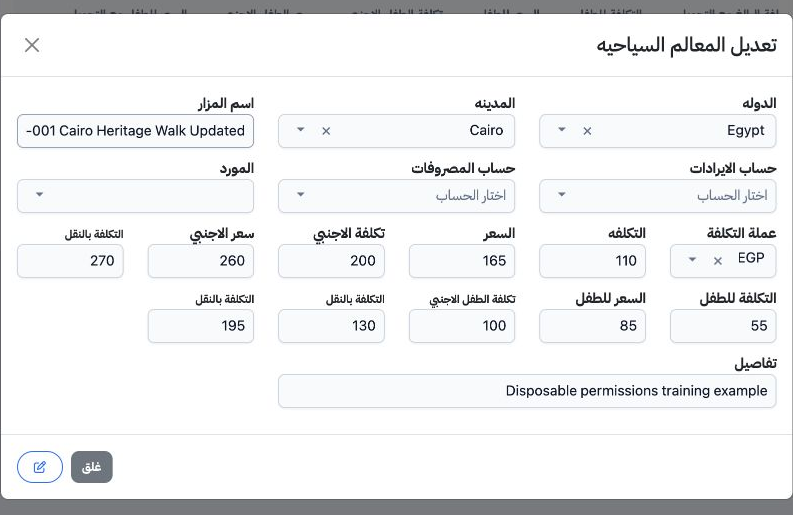
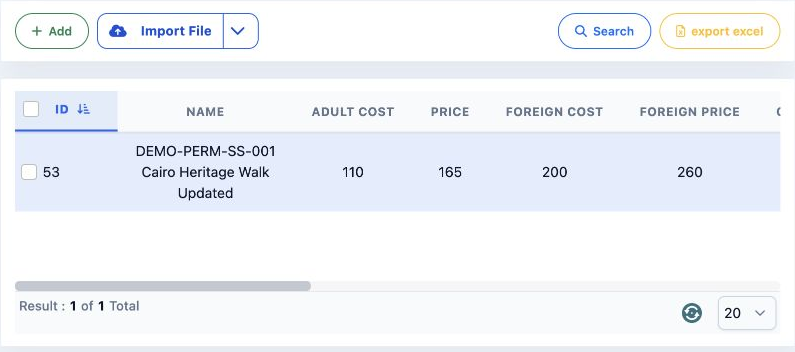
3 3  Choose Edit from the row menu. Updated was appended; adult cost became 110, price 165 and cost with transport 270. Child cost became 55,...
3 Choose Edit from the row menu. Updated was appended; adult cost became 110, price 165 and cost with transport 270. Child cost became 55, price 85 and cost with transport 195. Save with the edit icon at the bottom. The Arabic reopening shown here confirms all saved values.
4 4  Select Search, enter DEMO-PERM-SS-001 in SightSeen Name and run Search. One result appears. Reopening confirmed the saved values.
4 Select Search, enter DEMO-PERM-SS-001 in SightSeen Name and run Search. One result appears. Reopening confirmed the saved values.

Delete and review the list

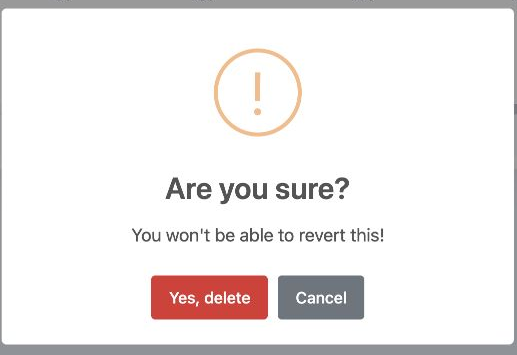
5 5  Choose Delete from the row menu. Cancel keeps the record; Yes, delete confirms deletion. Only test record 53 was deleted.
5 Choose Delete from the row menu. Cancel keeps the record; Yes, delete confirms deletion. Only test record 53 was deleted.
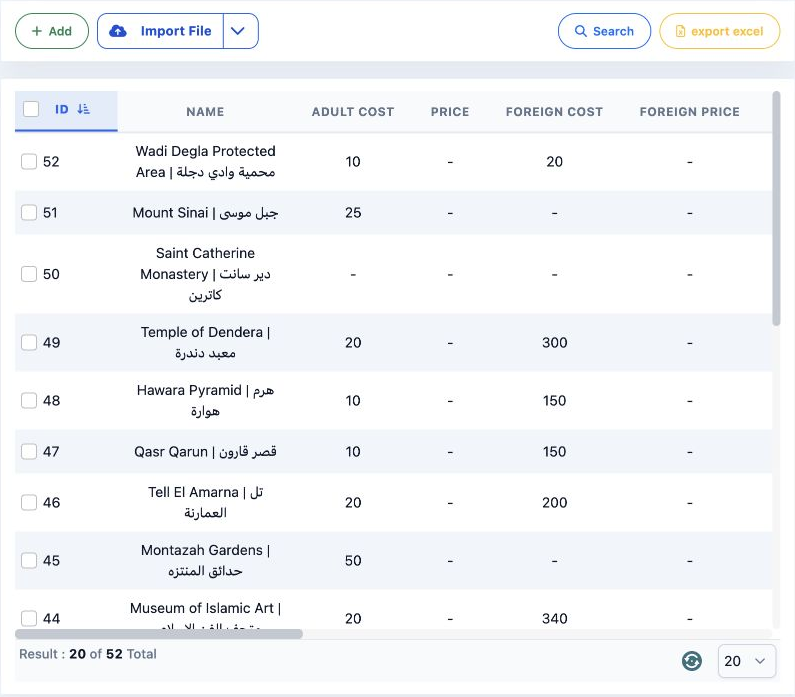
6 6  After reloading, the total returned to 52 records; the first page shows 20.
6 After reloading, the total returned to 52 records; the first page shows 20.

Sign in to record the lessons you have read. Sign in