Skip to content
Trio Travel guide

Hotel prices and permissions guide

On this page
  1. Add a tariff and its period
  2. Child pricing
  3. Edit a tariff
  4. Search tariffs
  5. Copy and delete

Open Settings, Hotels, then the hotel row menu and Hotels Prices. The example uses Madinah Hilton in the demo organization.
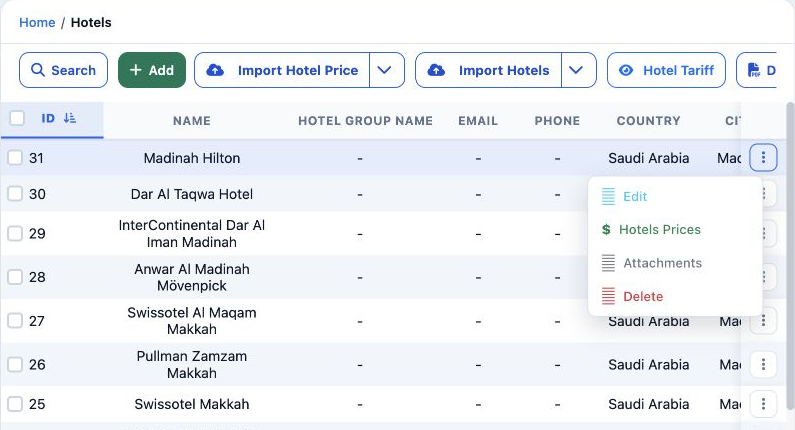
1 1  Hotels Prices appeared after granting the Hotel Prices group. These permissions are separate from hotel definition permissions.
1 Hotels Prices appeared after granting the Hotel Prices group. These permissions are separate from hotel definition permissions.

In Roles, Permissions, General, search Hotel Prices and save the required permissions.

View Hotel Prices — read hotel tariffs.

Add / Edit Hotel Prices — create and change tariffs.

Delete Hotel Prices — delete the selected tariff.

Export / Print Hotel Prices — export and print permissions.

Add a tariff and its period
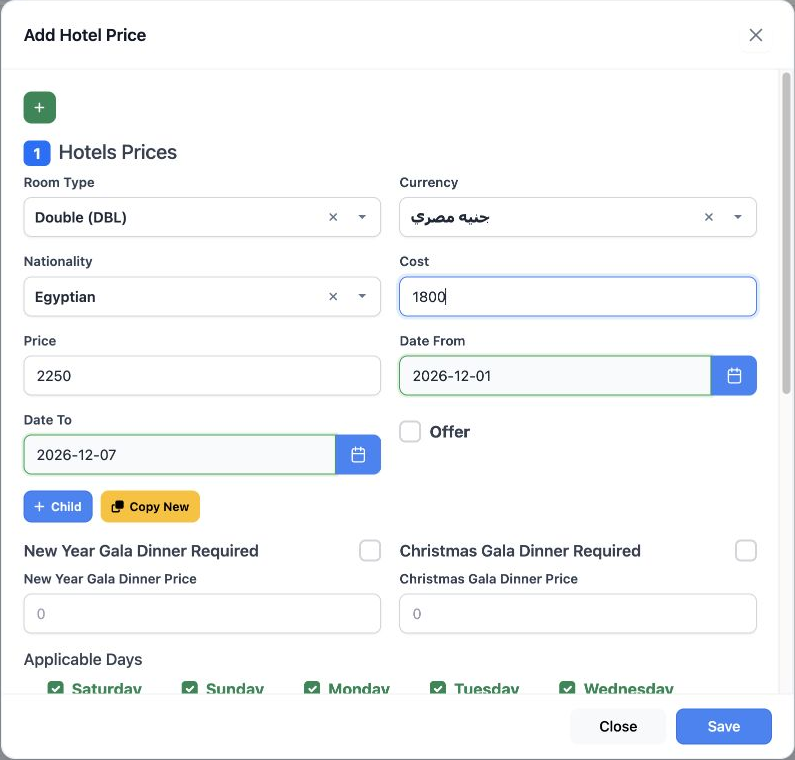
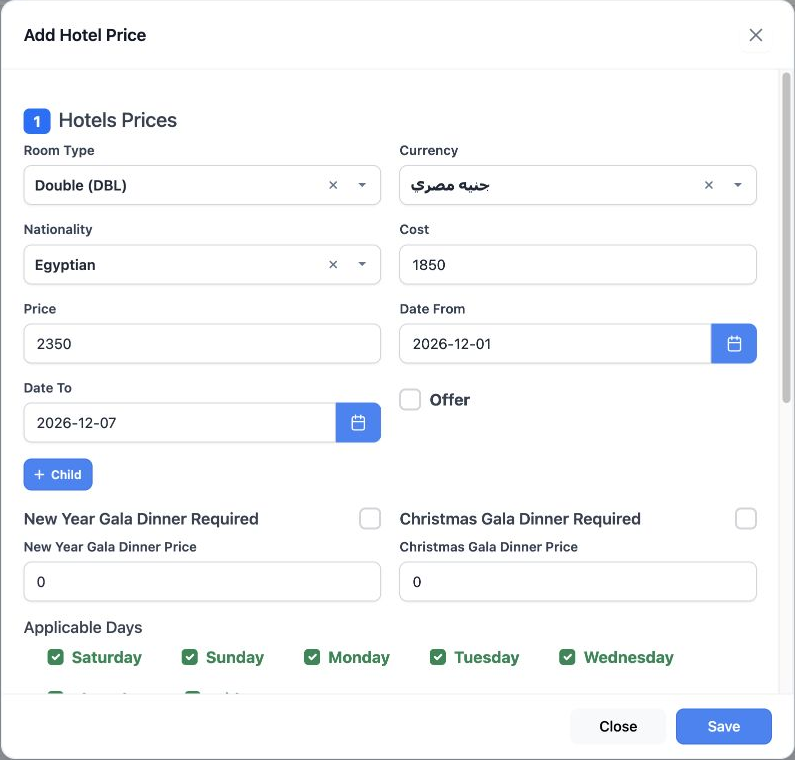
2 2  Select Add New. Choose Double (DBL), EGP and Egyptian. Enter cost 1800, price 2250 and 1–7 December 2026. This is the actual English add...
2 Select Add New. Choose Double (DBL), EGP and Egyptian. Enter cost 1800, price 2250 and 1–7 December 2026. This is the actual English add form.

Choose both dates from the calendars and select applicable weekdays. All seven days were selected. Offer and both gala dinner options were left off.

The form has separate required flags and prices for New Year and Christmas gala dinners.

Child pricing
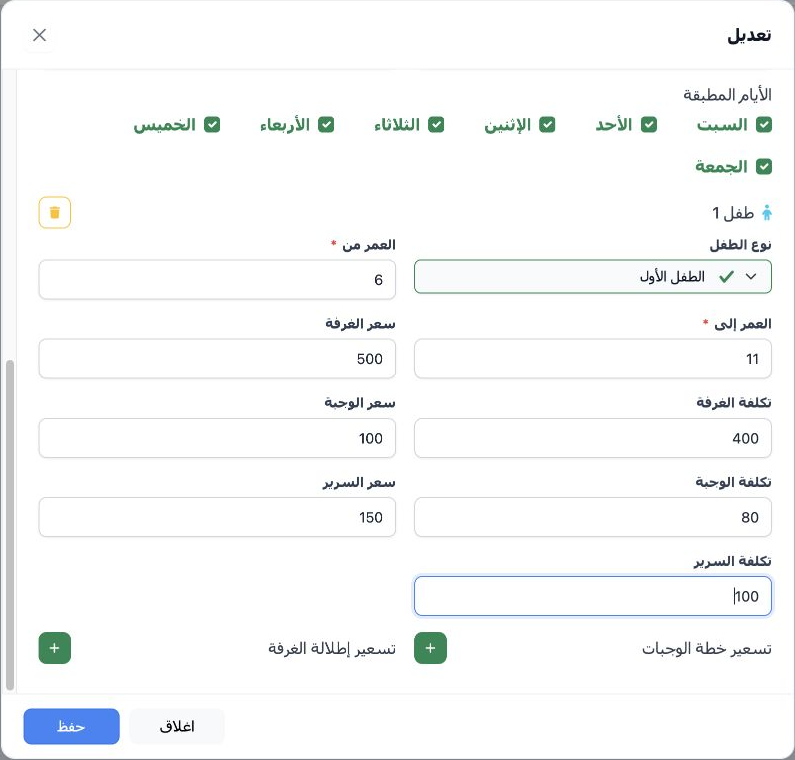
3 3  Select + Child. Explicitly choose First Child, enter ages 6–11 and the prices and costs, then save the tariff. This Arabic reopen image c...
3 Select + Child. Explicitly choose First Child, enter ages 6–11 and the prices and costs, then save the tariff. This Arabic reopen image confirms the saved child values.

Example: room price/cost 500/400, meal price/cost 100/80 and bed price/cost 150/100. Child Type offers First Child or Second Child.

Below the form are separate sections for Meal Plan Pricing and Room View Pricing.

Edit a tariff
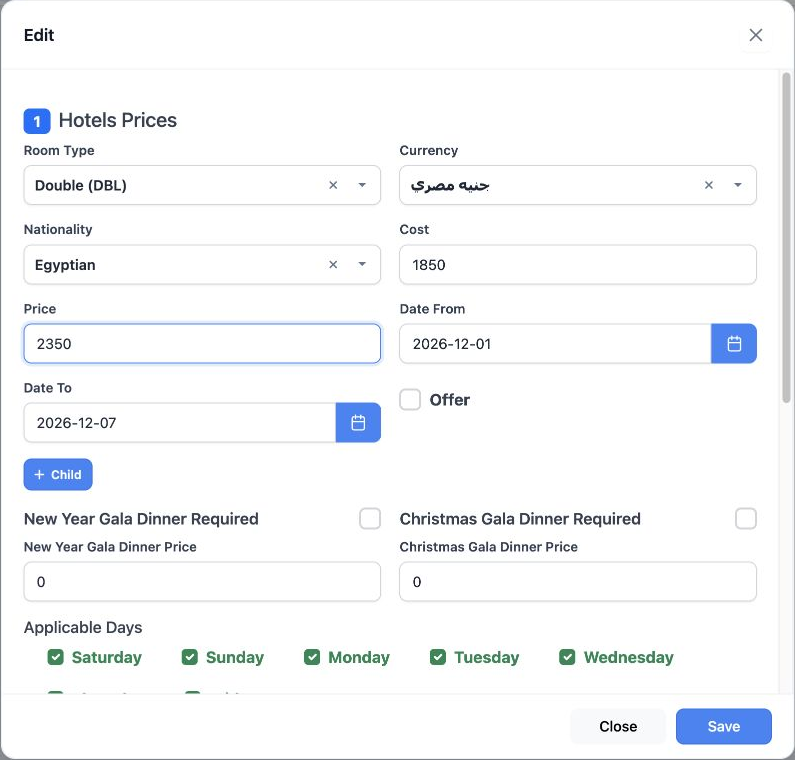
4 4  Select the row Edit icon. Change cost to 1850 and price to 2350, then Save. Reopening in Arabic confirmed the tariff and child values.
4 Select the row Edit icon. Change cost to 1850 and price to 2350, then Save. Reopening in Arabic confirmed the tariff and child values.
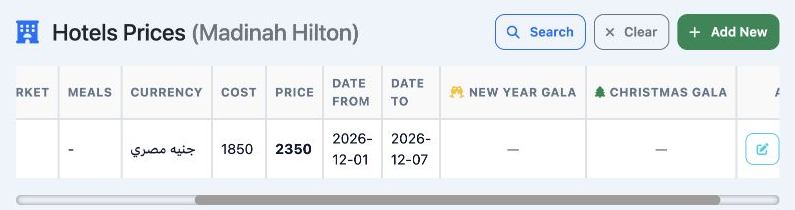
5 5  The updated cost and price appear with the currency and period. Scroll horizontally to see all columns and actions.
5 The updated cost and price appear with the currency and period. Scroll horizontally to see all columns and actions.

Search tariffs

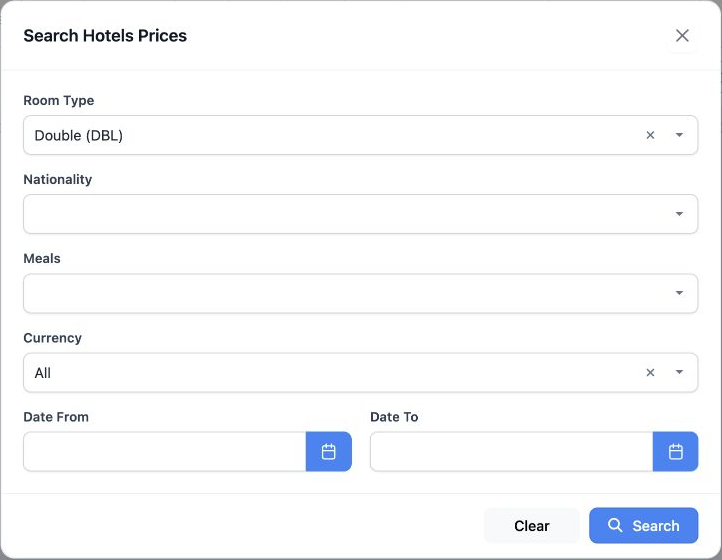
6 6  Select Search. Filters include Room Type, Nationality, Meals, Currency and dates. Choose Double (DBL), then Search.
6 Select Search. Filters include Room Type, Nationality, Meals, Currency and dates. Choose Double (DBL), then Search.
7 7  The search returned the updated tariff. Clear removes the filters.
7 The search returned the updated tariff. Clear removes the filters.

Copy and delete

8 8  The Copy icon opens an add form containing the tariff and child values. The draft was closed without saving a second copy.
8 The Copy icon opens an add form containing the tariff and child values. The draft was closed without saving a second copy.
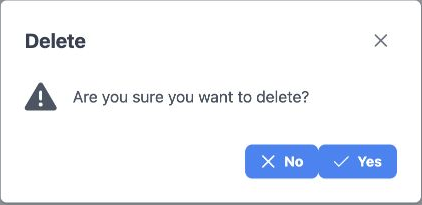
9 9  Select Delete. No cancels; Yes confirms. Deletion was cancelled first, then only this test tariff was deleted and its removal verified af...
9 Select Delete. No cancels; Yes confirms. Deletion was cancelled first, then only this test tariff was deleted and its removal verified after reloading.

The hotel definition and other hotels remained unchanged.

Sign in to record the lessons you have read. Sign in