Skip to content
Trio Travel guide

Ledger Report and its permissions

On this page
  1. Enable the report entry for a role
  2. Allow reading the journal data
  3. Find an existing bank receipt
  4. Reconcile debit and credit

Ledger Report lists journal lines with their account, debit, credit, journal number and currency. Open Ledger Reports in Accounting, then use Filter to locate the transaction you want to review.
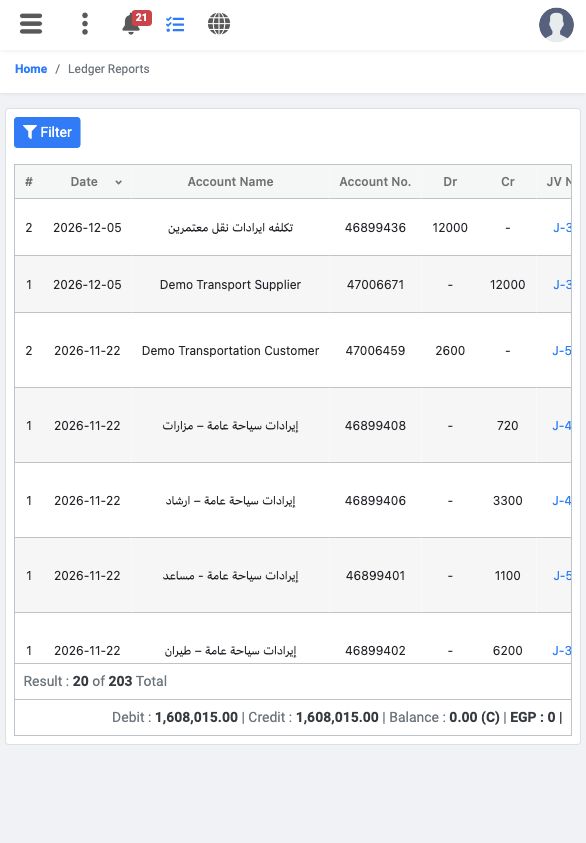
1 The example initially displays 20 of 203 lines. Dr and Cr show the debit and credit amounts; scroll horizontally for the remaining columns....
The example initially displays 20 of 203 lines. Dr and Cr show the debit and credit amounts; scroll horizontally for the remaining columns. The unfiltered report total is not the balance of one bank.

Enable the report entry for a role

Using an account authorized to manage roles, open Management, Roles and the intended role’s permissions. Under Accounting, search for View ledger report, select it and choose Save Changes.
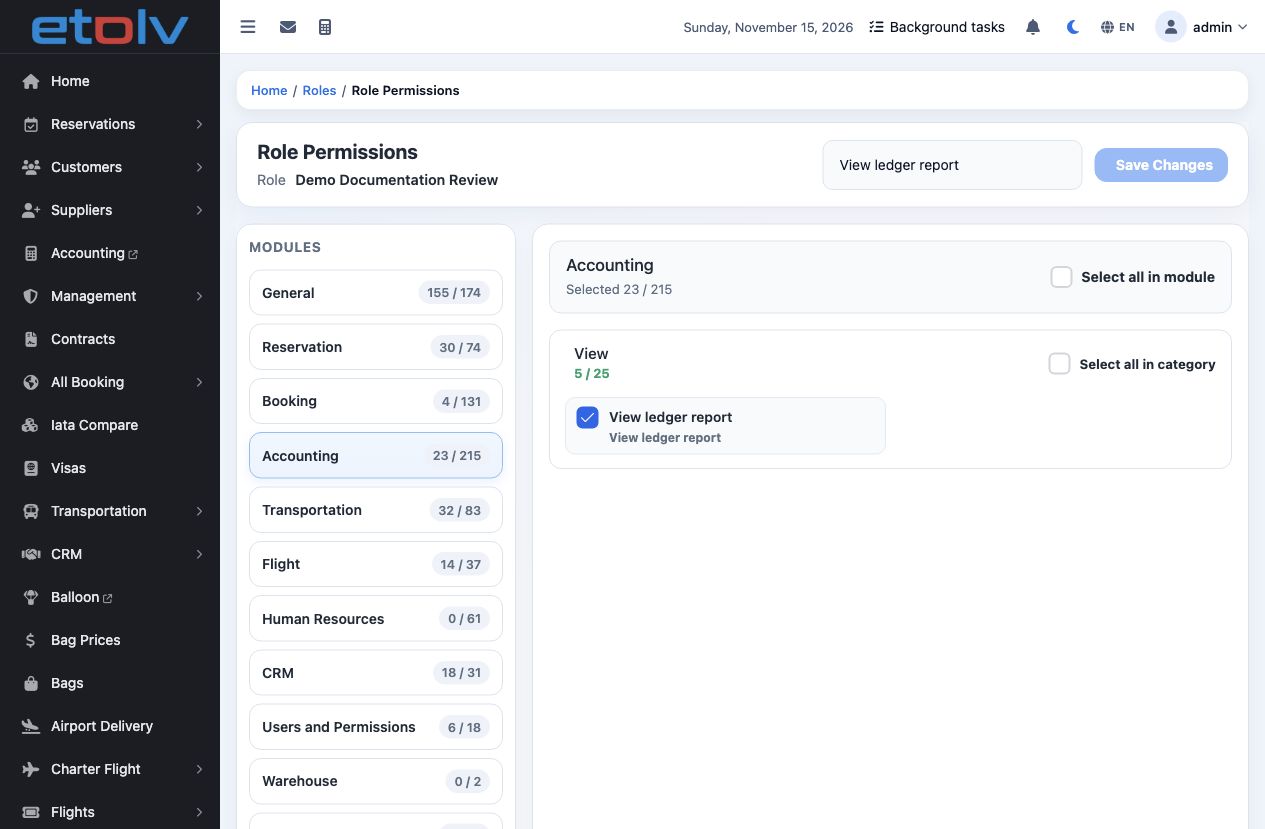
2 View ledger report is selected for the demo role. Reopen the role permissions to verify the saved selection, then sign in again as the user....
View ledger report is selected for the demo role. Reopen the role permissions to verify the saved selection, then sign in again as the user. The report navigation entry appeared after activation.

Allow reading the journal data

In Accounting permissions, also locate Get Entry. This permission is required to read the report data in the tested workflow. Save the selection and verify it after reloading the role page.
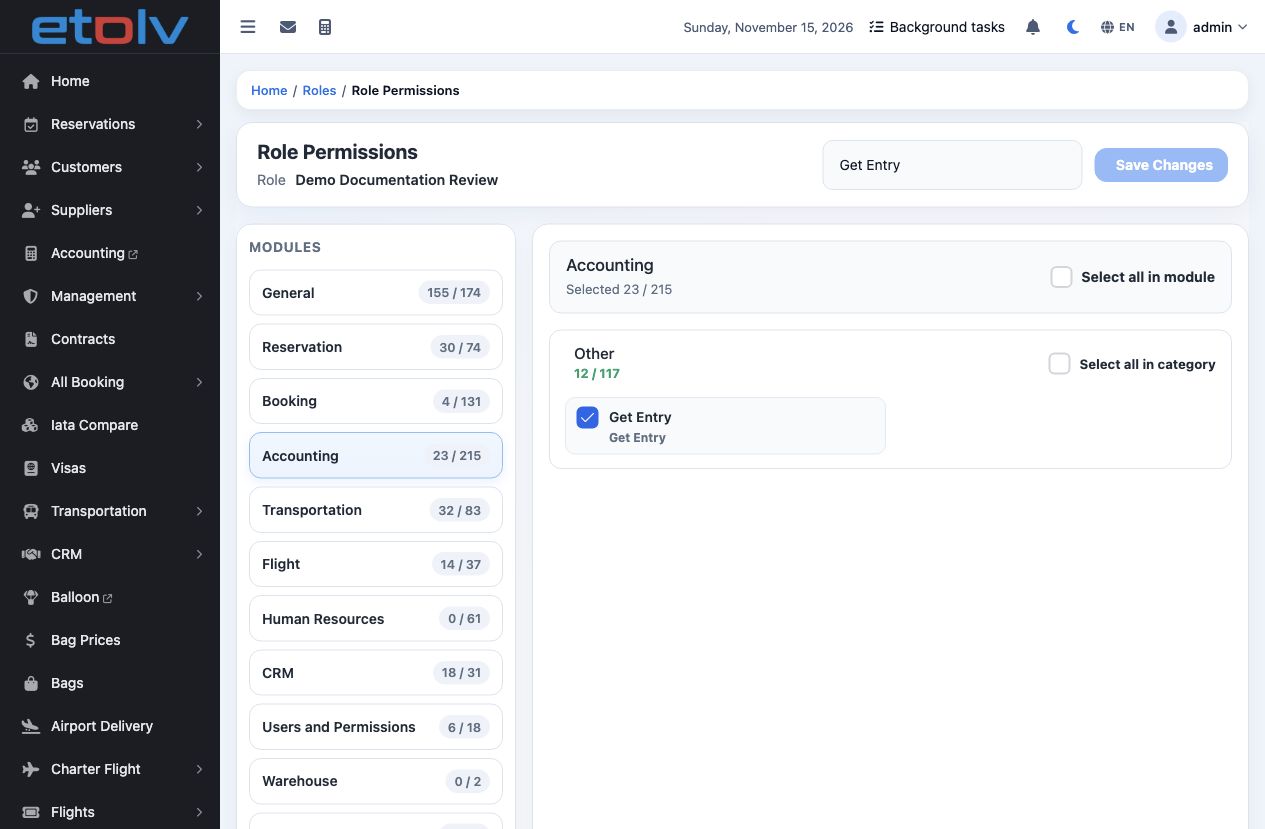
3 Get Entry is restored in the example. After a fresh user sign-in, the report data loaded again. If you receive a message saying you do not h...
Get Entry is restored in the example. After a fresh user sign-in, the report data loaded again. If you receive a message saying you do not have permission for get entry, ask the role administrator to review this permission.

Find an existing bank receipt

Open Filter. For this example, enter 1 in JV No. and set both Date From and Date To to 10-11-2026. Leave Ref# and Ledger blank, enter عمولة تنسيق خدمات سياحية in Notes, and select Apply Filter.
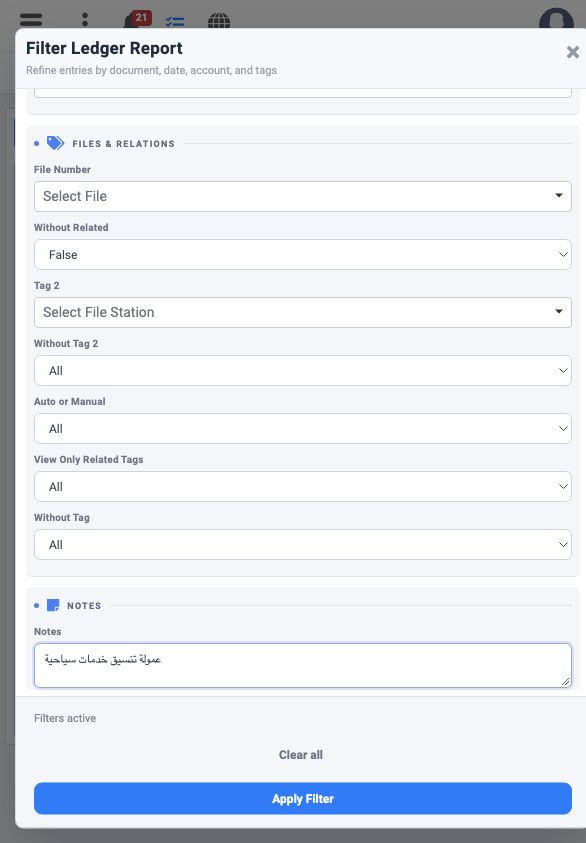
4 The image shows Notes and Apply Filter at the bottom of the form. Combine the journal number, date and description to narrow the results; nu...
The image shows Notes and Apply Filter at the bottom of the form. Combine the journal number, date and description to narrow the results; number 1 alone does not uniquely identify the transaction.

Reconcile debit and credit

Review the two accounts and amounts after filtering. This report displays the example’s journal label as R-1. Its currency is EGP and its exchange rate is 1.
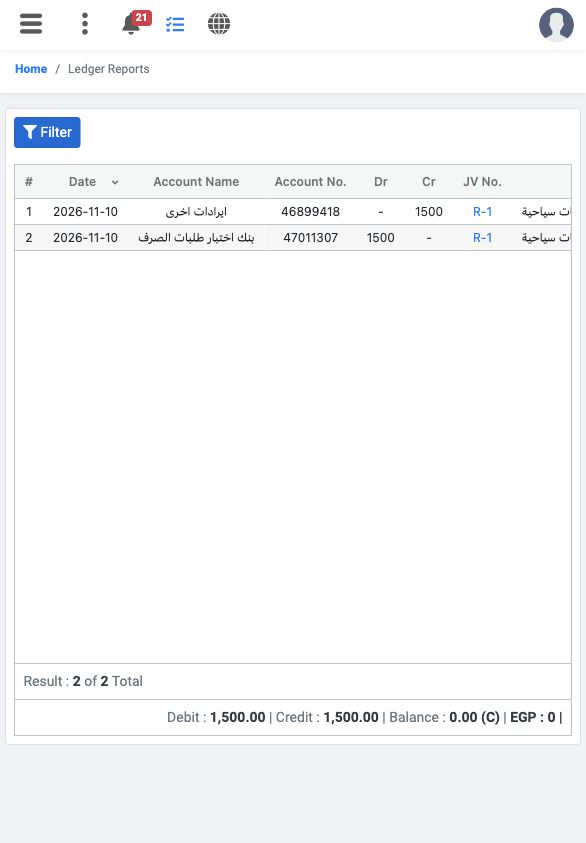
5 The results contain two lines: EGP 1,500 debit to بنك اختبار طلبات الصرف and EGP 1,500 credit to ايرادات اخرى. Total debit and credit are ea...
The results contain two lines: EGP 1,500 debit to بنك اختبار طلبات الصرف and EGP 1,500 credit to ايرادات اخرى. Total debit and credit are each 1,500 and the difference is zero. This reviews a previously posted transaction; it does not require a new receipt.

Sign in to record the lessons you have read. Sign in