Skip to content
Trio Travel guide

User Management

On this page
  1. 1 List and row actions
  2. 2 User details

Find a user and review their role, branch and management actions.

1 List and row actions
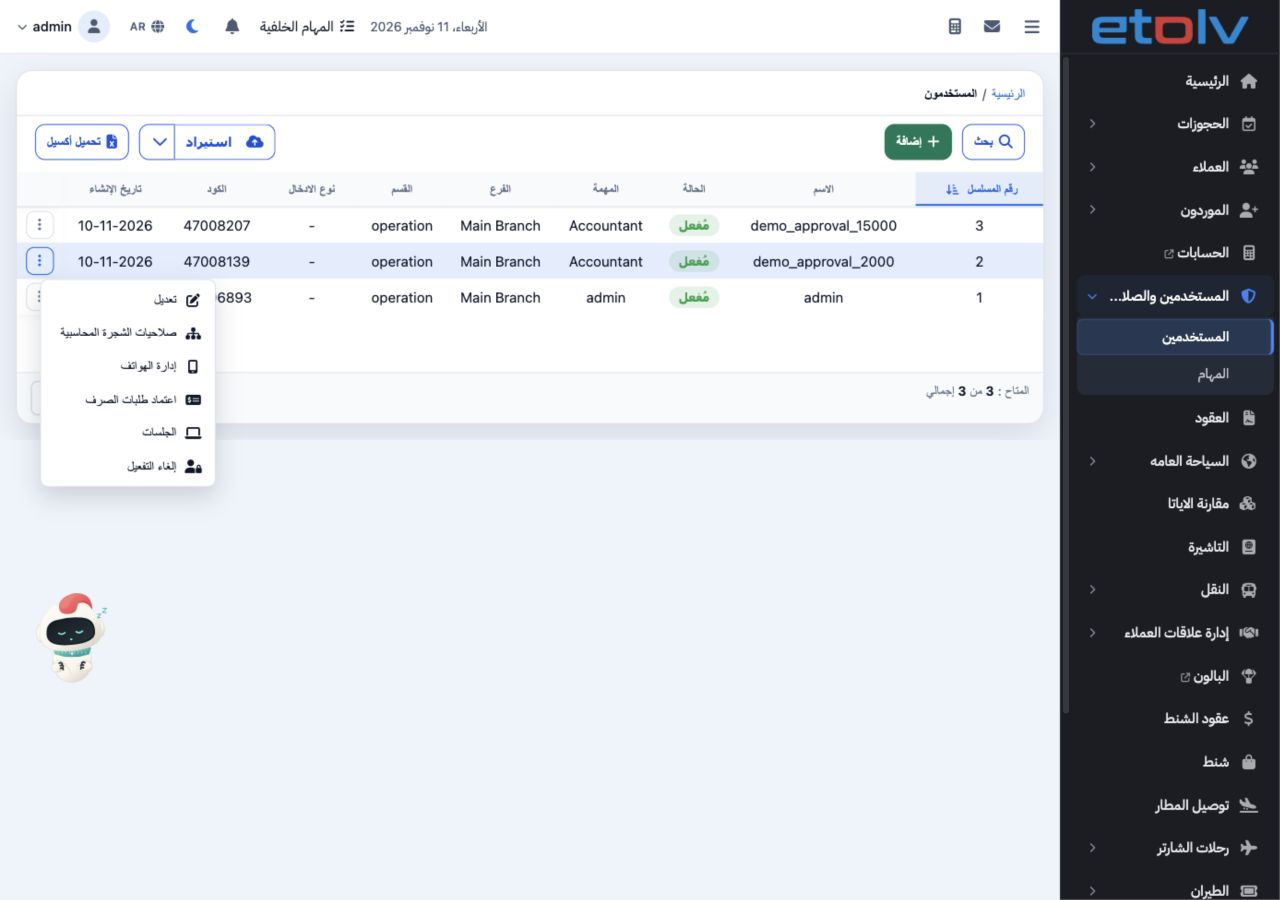
1 Open Users and Permissions, then Users. The list shows the username, active status, role, branch, department, code and creation date. Open t...
Open Users and Permissions, then Users. The list shows the username, active status, role, branch, department, code and creation date. Open the row menu for Edit, Chart of Accounts Permissions, Phone Management, Payment Request Approval, Sessions and Deactivate.

2 User details

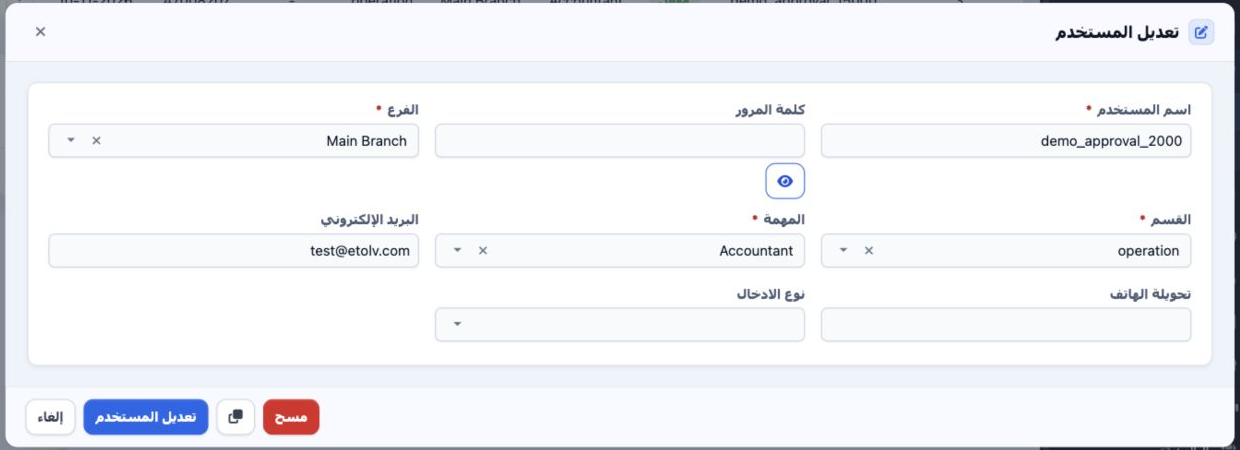
2 Choose Edit to open user details. Review the username, branch, department and role; fields marked with an asterisk are required. Email, phon...
Choose Edit to open user details. Review the username, branch, department and role; fields marked with an asterisk are required. Email, phone extension and entry type are also available. Cancel closes the form without saving, while Edit User applies the reviewed data.

Sign in to record the lessons you have read. Sign in