Skip to content
Trio Travel guide

Reservation payment list and add permissions

On this page
  1. Permission to open the payment list
  2. Comparing access before and after enabling
  3. Recognizing the add payment form
  4. Opening the list without add permission
  5. Restoring add permission

Permission to open the payment list

This guide distinguishes access to the reservation payment list from availability of the add-payment form on the legacy Reservation screen. The example uses training reservation 47271228.

Open the permissions for the user’s assigned role. Under Reservation and Edit, enable Edit Payment Order. Save, then reopen the role permissions to check the saved selection.
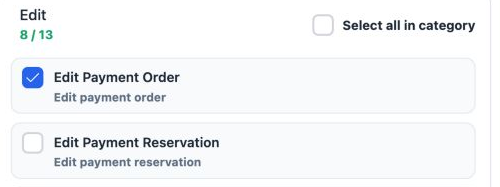
1 The current screen label is Edit Payment Order. In this test it enabled access to Payments. Edit Payment Reservation remains a separate, unc...
The current screen label is Edit Payment Order. In this test it enabled access to Payments. Edit Payment Reservation remains a separate, unchecked permission.

Add Payment Reservation enables the add-payment form inside the list. Keep it distinct from Edit Payment Order and Edit Payment Reservation.

After saving, end the user’s session and sign in again, then reopen the same reservation.

Comparing access before and after enabling
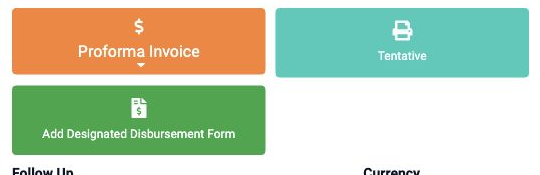
2 Earlier comparison image of the same reservation: Add Payment Reservation was enabled and Edit Payment Order disabled; no Payments button ap...
Earlier comparison image of the same reservation: Add Payment Reservation was enabled and Edit Payment Order disabled; no Payments button appeared.
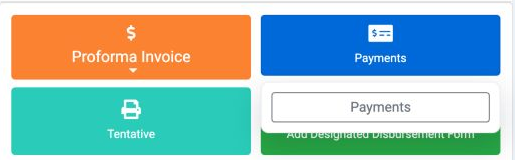
3 After enabling Edit Payment Order and starting a fresh training-user session, Payments appeared with a Payments option inside.
After enabling Edit Payment Order and starting a fresh training-user session, Payments appeared with a Payments option inside.

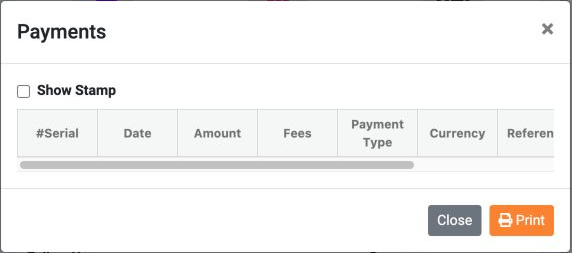
Click Payments, then select Payments from its menu to open the payment window. The payment list and available fields depend on the user’s permissions.

In the current comparison only Edit Payment Order was changed to expose the entry, while Add Payment Reservation remained enabled.

Recognizing the add payment form
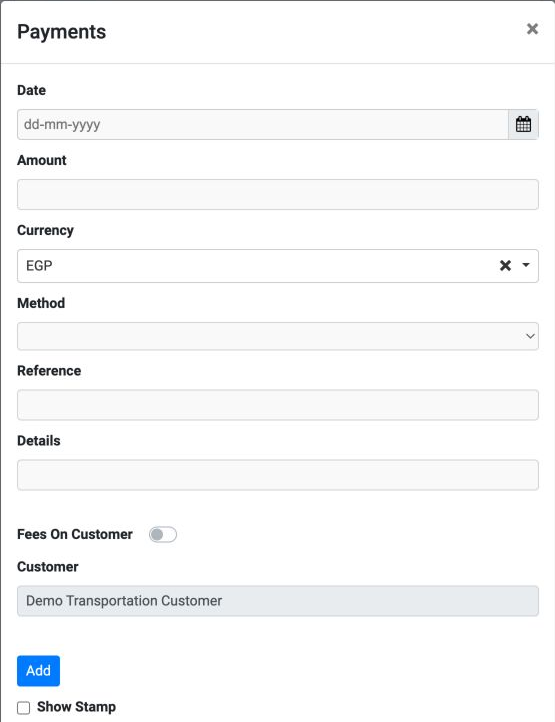
4 With both entry and add permissions enabled, the payment fields and Add button appeared. EGP and the customer are prefilled in this example.
With both entry and add permissions enabled, the payment fields and Add button appeared. EGP and the customer are prefilled in this example.

Date is the payment date, Amount the value, Currency the currency, Method the payment method, Reference its reference, Details its description, and Customer the reservation’s customer.

Fees On Customer is the option for charging fees to the customer. No payment was entered and Add was not pressed during this comparison; the window was closed without saving.

Opening the list without add permission
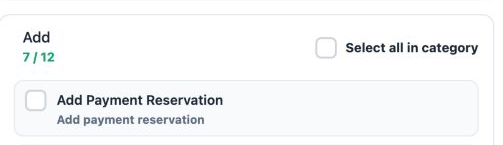
5 Only Add Payment Reservation was disabled, while Edit Payment Order remained enabled. The permissions were saved and checked.
Only Add Payment Reservation was disabled, while Edit Payment Order remained enabled. The permissions were saved and checked.
6 After a fresh sign-in, Payments and its payment list opened, but no add form or Add button appeared. The example list is empty.
After a fresh sign-in, Payments and its payment list opened, but no add form or Add button appeared. The example list is empty.

Opening the list and adding a payment are separate actions. The presence of Close and Print does not mean that adding is available.

Restoring add permission

Re-enable Add Payment Reservation and save. Reopen the permissions to check them, then sign in again as the user. Open the same reservation and select Payments.
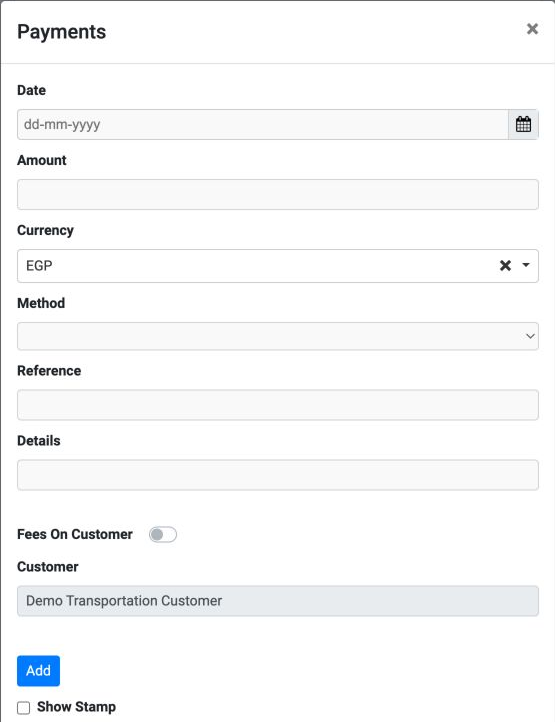
7 The payment form and Add button returned after add permission was restored. This is the final verification image.
The payment form and Add button returned after add permission was restored. This is the final verification image.

Final state: Edit Payment Order and Add Payment Reservation are enabled; Edit Payment Reservation is disabled. The payment list remains empty. This example does not include saving or confirming a payment.

Sign in to record the lessons you have read. Sign in