Skip to content
Trio Travel guide

Currency definitions

On this page
  1. Add a training currency
  2. Edit the currency name
  3. Review and cancel deletion
  4. Export the result to CSV

Open Currencies at https://portal.etolv.net/newportal/settings/currencies. The screen lists defined currencies and their name, code, symbol and local-currency flag.
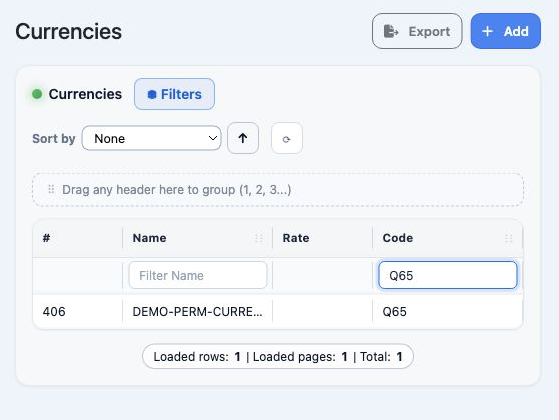
1 The visible columns are the record number, Name, Rate and Code. Horizontal scrolling reveals the remaining columns. Filter Code contains Q65...
The visible columns are the record number, Name, Rate and Code. Horizontal scrolling reveals the remaining columns. Filter Code contains Q65 to show the example currency only.

Filter Name filters the name; Filter Code filters the code. The footer reports loaded rows, loaded pages and the total.

Add a training currency

Select Add and enter Currency Name, Currency Code and Currency Symbol. All three are required and starred. Local Currency marks the local currency; it remains unchecked in this example.
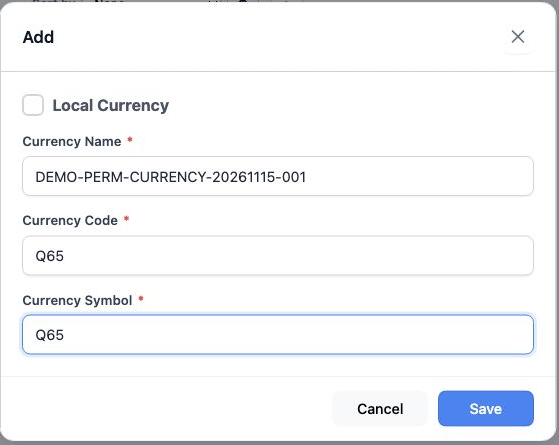
2 The name is DEMO-PERM-CURRENCY-20261115-001; code and symbol are Q65, a training marker for this example. Select Save to save, or Cancel or...
The name is DEMO-PERM-CURRENCY-20261115-001; code and symbol are Q65, a training marker for this example. Select Save to save, or Cancel or × to close.
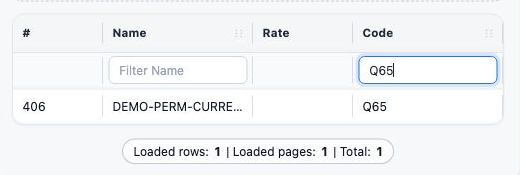
3 After saving and reloading, record 406 appears; filtering by the code returns one result.
After saving and reloading, record 406 appears; filtering by the code returns one result.

Edit the currency name

Right-click your currency and choose Edit. Update Currency Name and select Save. Reload the list and reopen Edit to review the saved values.
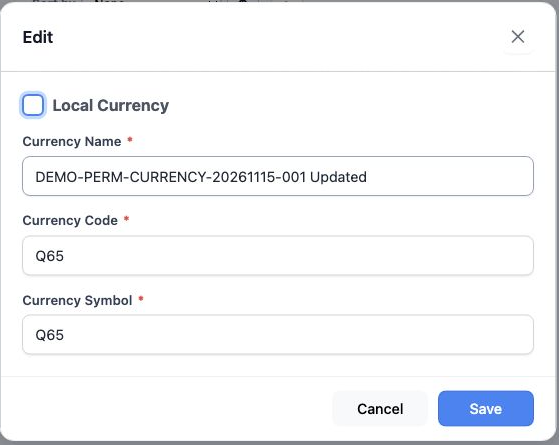
4 The saved name is DEMO-PERM-CURRENCY-20261115-001 Updated. Code and symbol remain Q65; Local Currency remains unchecked.
The saved name is DEMO-PERM-CURRENCY-20261115-001 Updated. Code and symbol remain Q65; Local Currency remains unchecked.

Review and cancel deletion

Choose Delete from the right-click menu to display the confirmation.
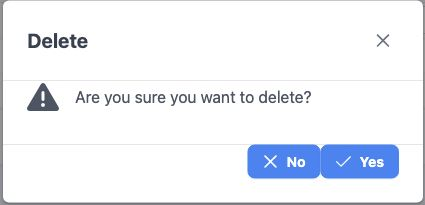
5 The dialog asks Are you sure you want to delete? and offers No and Yes. Select No to cancel deletion; this is the option used in the example...
The dialog asks Are you sure you want to delete? and offers No and Yes. Select No to cancel deletion; this is the option used in the example.
6 Record 406 remains after No. Filter Code set to Q65 shows one result.
Record 406 remains after No. Filter Code set to Q65 shows one result.

Export the result to CSV

Enter Q65 in Filter Code to select the example currency, then select Export. A CSV file downloads and can be opened in Excel.

7 The filtered export contains one record, ID 406.
The filtered export contains one record, ID 406.

The file fields are ID, Name, Rate, Code, Simple and Local. In this example file, ID is 406, Name is the edited name, and Code and Simple are both Q65. Rate and Local are empty.

Sign in to record the lessons you have read. Sign in