Reservation flight permissions
On this page
Opening the flight service
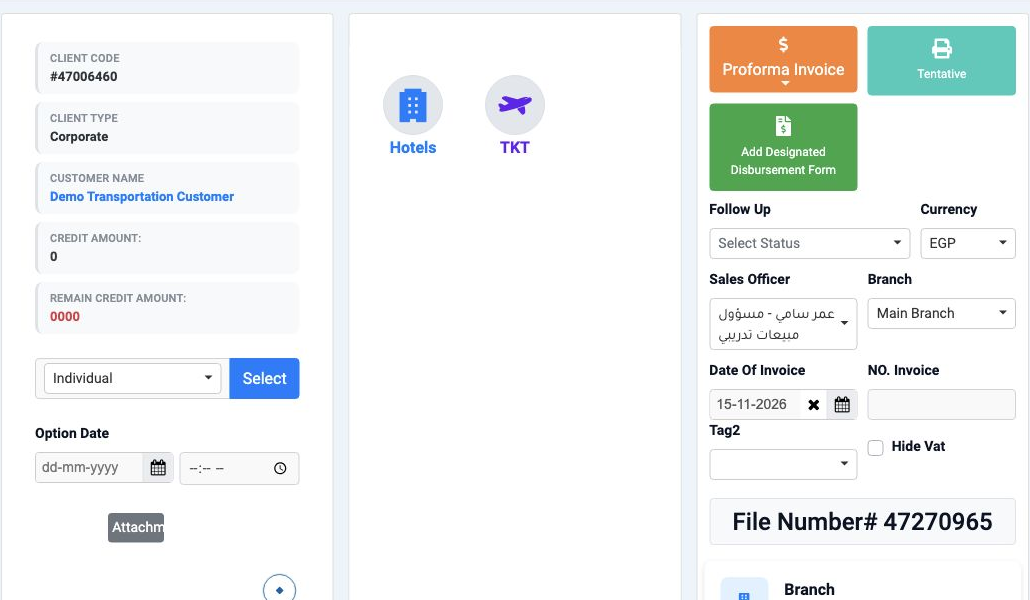
This guide covers entering and editing a flight service inside a Reservation and opening deletion confirmation. Open Reservations, then Reservations, select the file number and select TKT.
Route and passenger details
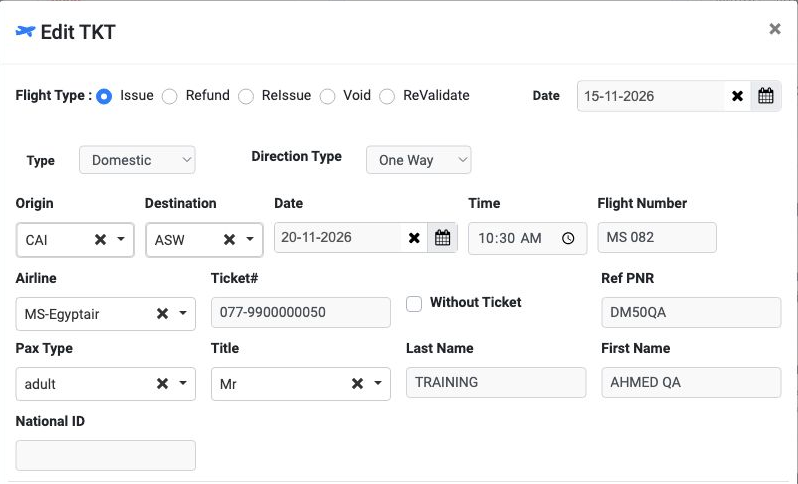
Flight Type offers Issue, ReIssue, Refund, Void and ReValidate. This example uses Issue to enter a flight service.
Set the transaction Date and choose International or Domestic under Type. Select One Way, Round Trip or Multi City under Direction Type.
Select Origin and Destination, then enter the flight date, Time, Flight Number and Pax count. Select the airline under Airline.
Enter Ticket# and the booking reference Ref PNR. Without ticket and Ticket Group options appear beside the ticket details.
Select Pax Type and Title, then enter Last Name, First Name and National ID in their respective fields.
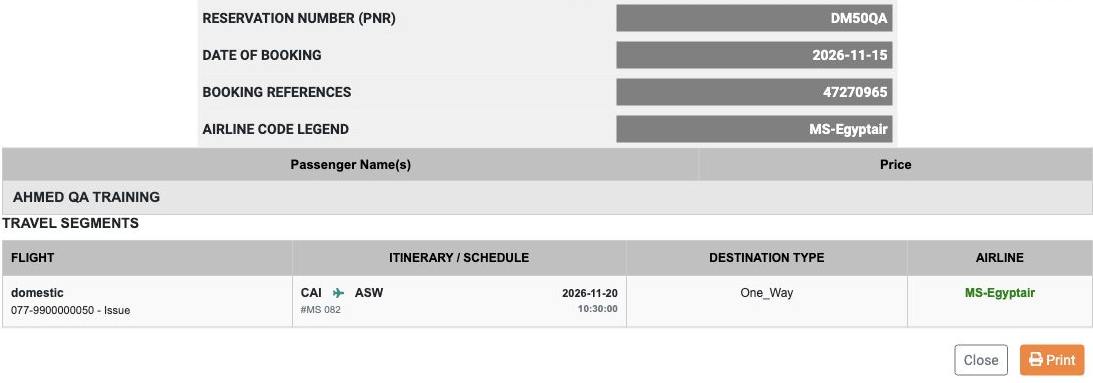
The example uses Domestic and One Way from CAI to ASW on 20 November 2026 at 10:30, flight MS 082 and airline MS-Egyptair.
Supplier cost and client price
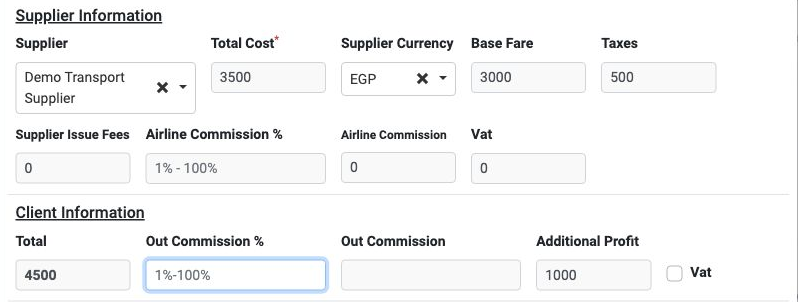
Under Supplier Information, select the supplier and review Supplier Currency and its displayed exchange rate. Enter Total Cost, Base Fare, Taxes and Supplier Issue Fees according to the supplier details.
Airline Commission has separate percentage and amount fields. The supplier section also contains Vat.
Under Client Information, enter Total Price and review the percentage and amount for Out Commission. The section also contains additional profit and a Vat option.
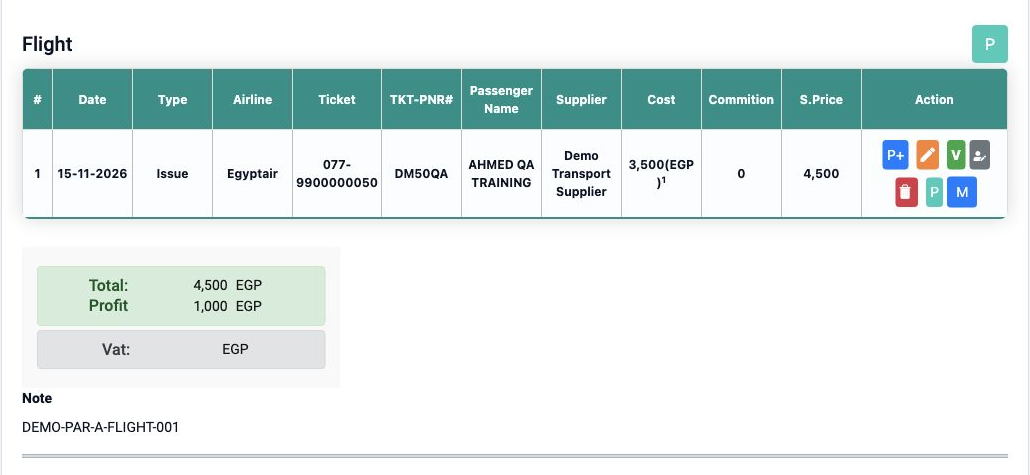
The example uses Demo Transport Supplier, EGP, cost 3500, Base Fare 3000 and Taxes 500. After changing the sale price to 4500, the displayed profit became 1000 EGP.
Review the client price again after changing the cost, then check selling price and Profit before saving.
Other details and saving
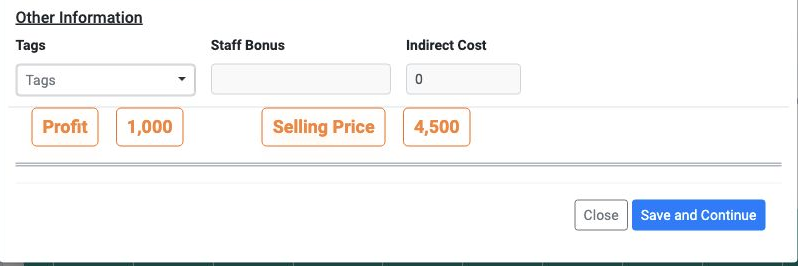
Other Information contains Tags, staff Bonus and Indirect Cost, followed by Profit and selling price. Review total selling price at the bottom of the form before saving.
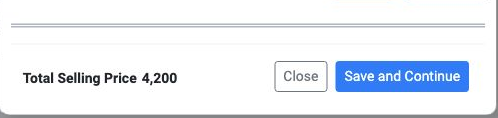
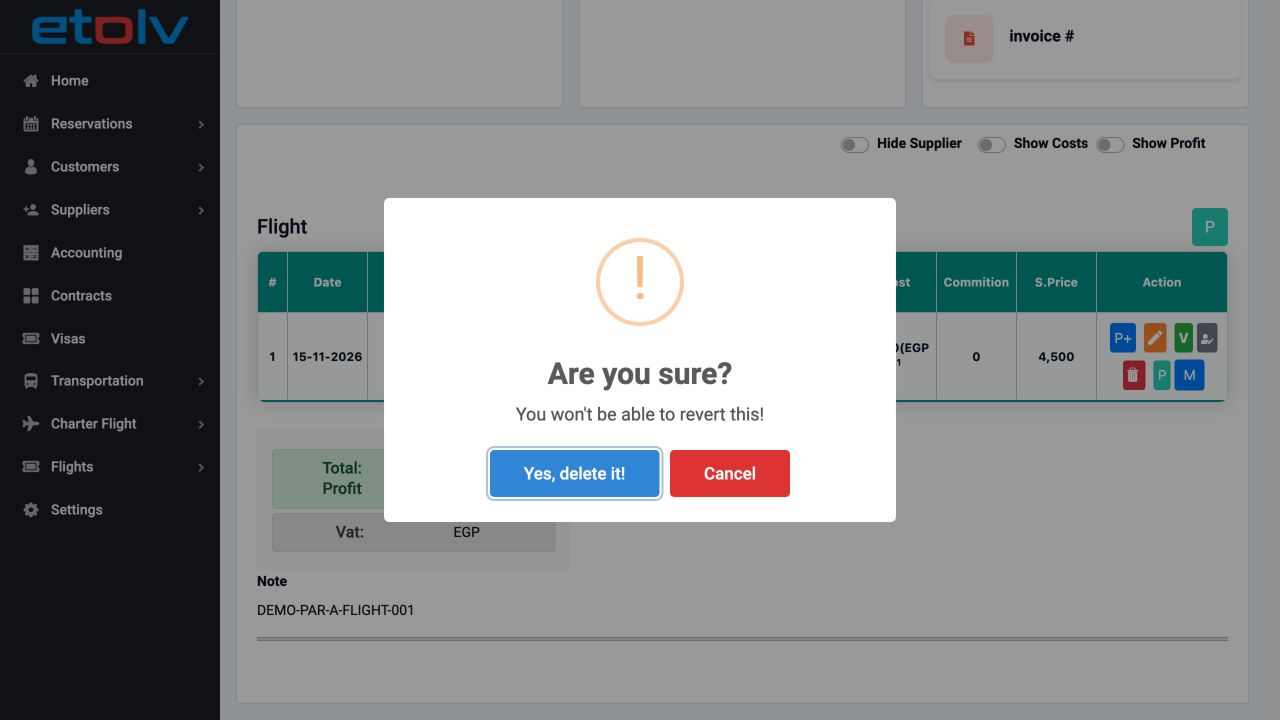
After saving, review the Flight table: date, transaction type, airline, ticket, PNR, passenger, supplier, Cost, Commition and S.Price.
The Add form also displays Add New, Auto Fill, Copy and Remove. The controls displayed differ between Add and Edit.
Editing the flight service
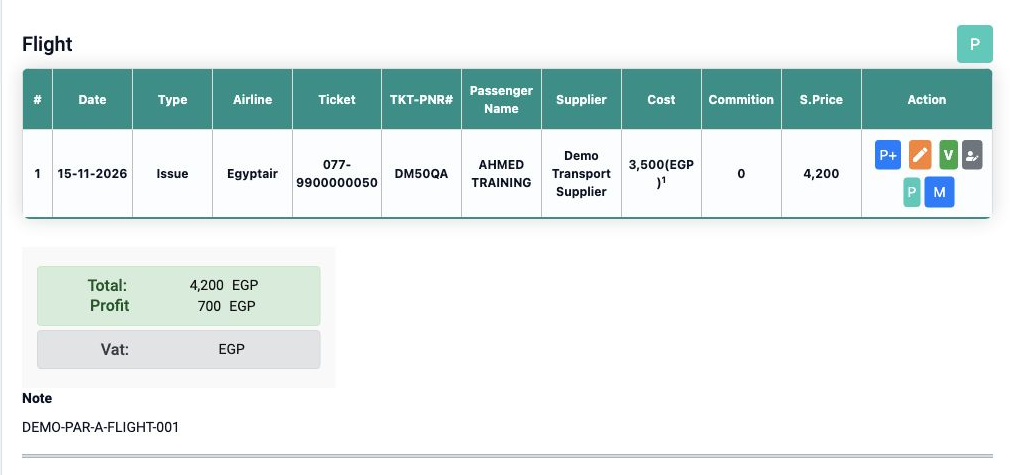
In the example, First Name was changed to AHMED QA and the client price to 4500. After saving, reopen the file to review the updated row.
Reviewing the row and voucher
Deletion confirmation and cancellation
Sign in to record the lessons you have read. Sign in