Skip to content
Trio Travel guide

Reservation confirmation and disconfirmation

On this page
  1. Confirming a reservation and following progress
  2. Status and entries linked to the file
  3. Insurance cost and revenue entries
  4. Other service cost and revenue entries
  5. Disconfirming the reservation
  6. Checking entries after disconfirmation
  7. Viewing the general note

Confirming a reservation and following progress

This guide explains reservation confirmation, disconfirmation, the general note field and the journal entries generated by its services. The example uses file 47271228 for Demo Transportation Customer: Other selling price 900 and cost 500, plus Insurance selling price 700 and cost 400 EGP.

Open Reservations, then Reservations, and select the file number. Review the customer, branch, currency and saved services, then select Confirm. The example has total selling price 1600 and selling price less cost of 700 EGP.
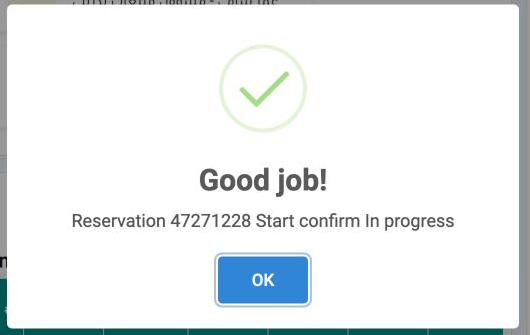
1 Start confirm In progress means processing has started. Select OK, then follow the file status in the list.
Start confirm In progress means processing has started. Select OK, then follow the file status in the list.

Do not rely on the start message alone. Return to the reservation list, refresh the data, then check Confirm Status and Progress for the same file. In the example they became Confirmed and Complete.

Status and entries linked to the file

2 File 47271228 appears as row 13 in the reservation list.
File 47271228 appears as row 13 in the reservation list.
3 After horizontal scrolling, the first row shows 1600 EGP and Confirmed. Also check Progress to verify processing has completed.
After horizontal scrolling, the first row shows 1600 EGP and Confirmed. Also check Progress to verify processing has completed.

Open Accounting, then Journal Entries. Search using the reservation reference under Relative and enter 47271228, then run the search.

4 The search returned four entries for reference 47271228: J-78 and J-79 for Insurance, and J-80 and J-81 for Other.
The search returned four entries for reference 47271228: J-78 and J-79 for Insurance, and J-80 and J-81 for Other.

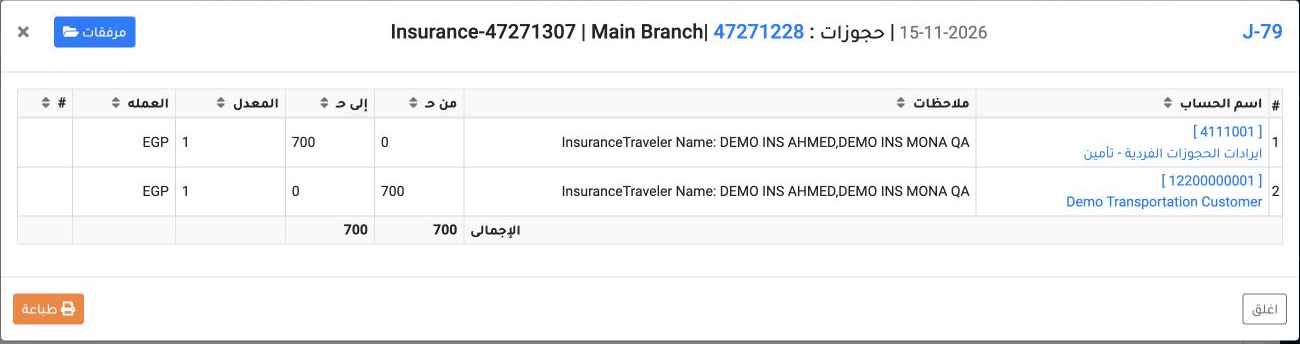
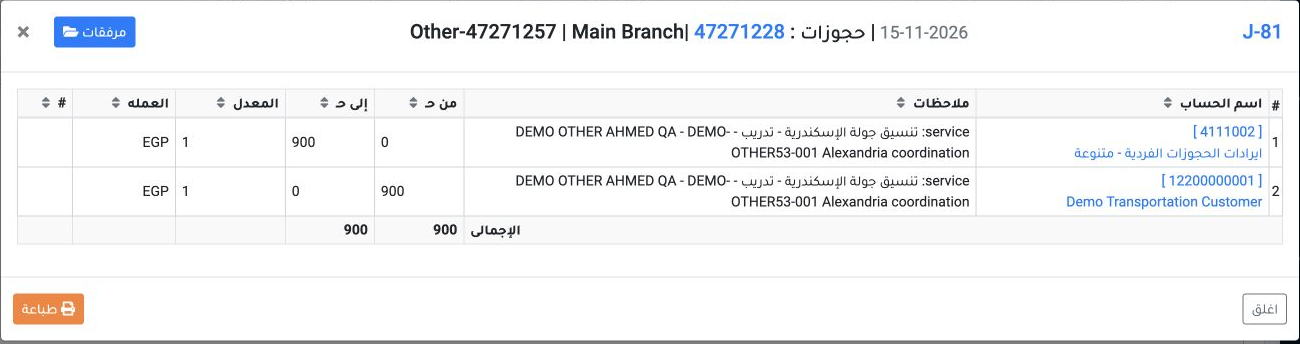
Open each journal number to review its accounts and amounts. Insurance cost is 400 in J-78 and revenue is 700 in J-79. Other cost is 500 in J-80 and revenue is 900 in J-81.

Check the date, reference, source and equal debit and credit totals. All example entries use EGP at rate 1.

These entries recognize revenue and cost. No receipt or payment was recorded in this step.

Insurance cost and revenue entries
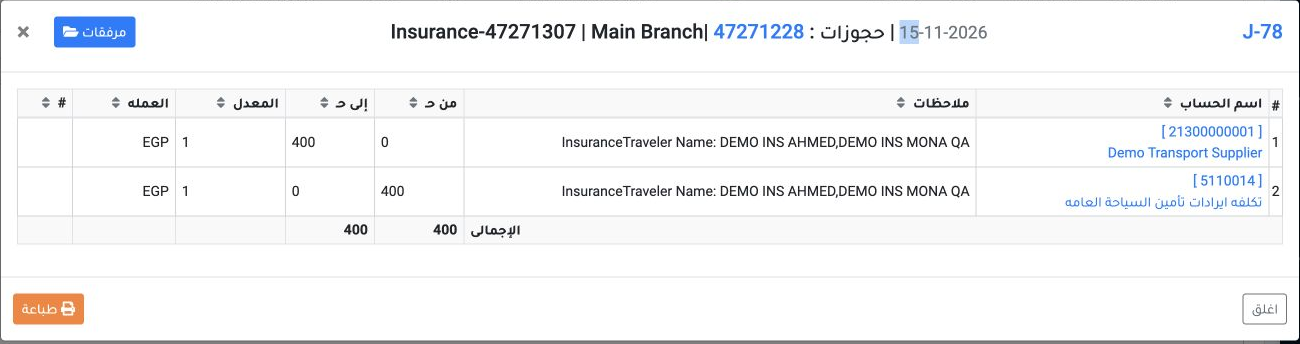
5 J-78 debits account 5110014 by 400 and credits supplier account 21300000001 by 400 EGP. The heading links Insurance-47271307 to reservation...
J-78 debits account 5110014 by 400 and credits supplier account 21300000001 by 400 EGP. The heading links Insurance-47271307 to reservation 47271228.
6 J-79 debits customer account 12200000001 by 700 and credits Insurance revenue account 4111001 by 700 EGP.
J-79 debits customer account 12200000001 by 700 and credits Insurance revenue account 4111001 by 700 EGP.

After reviewing the entry, select Close to return to the list.

Other service cost and revenue entries
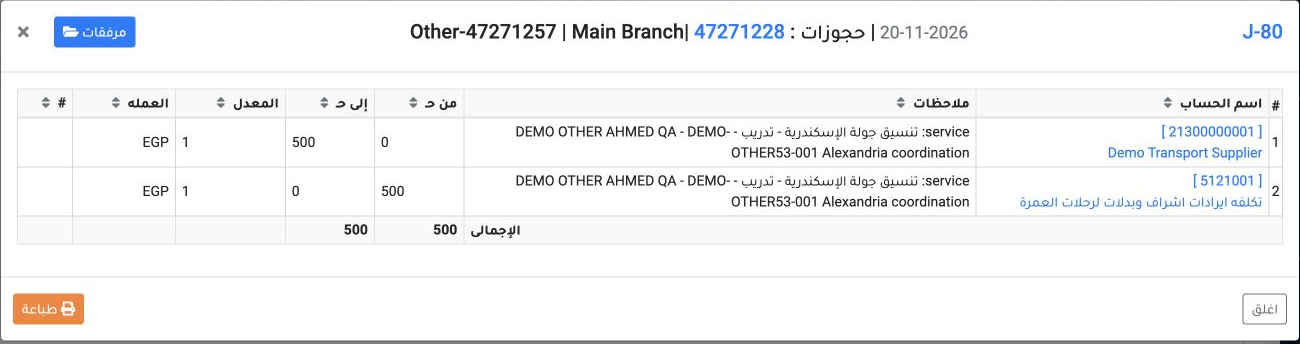
7 J-80 debits account 5121001 by 500 and credits supplier account 21300000001 by 500 EGP. The heading shows reference Other-47271257.
J-80 debits account 5121001 by 500 and credits supplier account 21300000001 by 500 EGP. The heading shows reference Other-47271257.
8 J-81 debits customer account 12200000001 by 900 and credits revenue account 4111002 by 900 EGP.
J-81 debits customer account 12200000001 by 900 and credits revenue account 4111002 by 900 EGP.

Together the two services have revenue of 1600 and cost of 900, a difference of 700 EGP.

Disconfirming the reservation

Open confirmed file 47271228 and select DisConfirm to undo its confirmation. When processing finishes, select OK to return to the file.
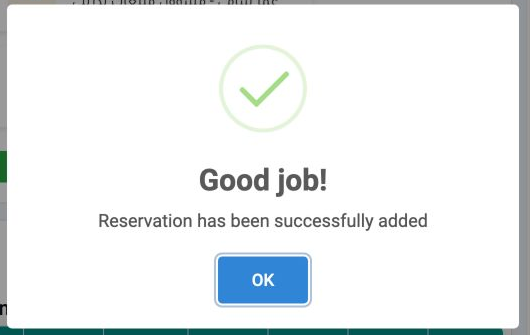

9 This message appeared after selecting DisConfirm. Close it using OK, then verify the file status in the list.
This message appeared after selecting DisConfirm. Close it using OK, then verify the file status in the list.
10 After disconfirmation, the first row shows Unconfirmed and 1600 EGP.
After disconfirmation, the first row shows Unconfirmed and 1600 EGP.

Return to the file to review the retained services and amounts. The example still displayed total selling price 1600 and profit 700 EGP.

Checking entries after disconfirmation

After disconfirmation, repeat the Journal Entries search using the same reference 47271228.
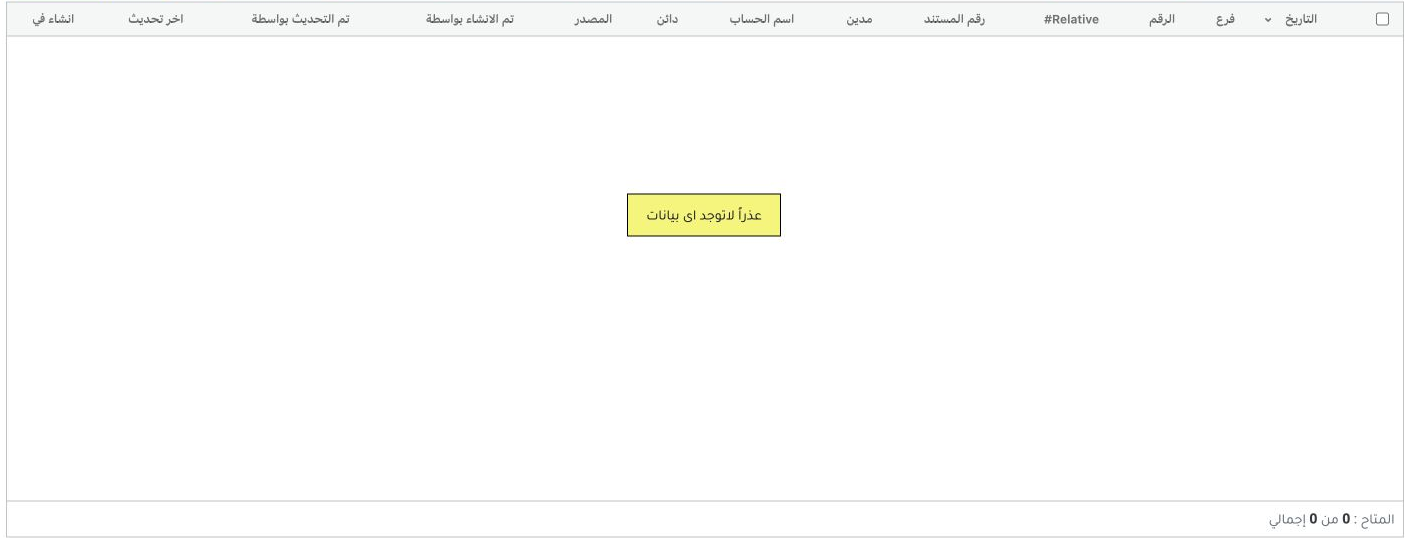
11 After reloading the search, the four earlier entries were no longer returned for this reference. The list showed 0 of 0.
After reloading the search, the four earlier entries were no longer returned for this reference. The list showed 0 of 0.

Compare the search result with the reservation status and the entries reviewed earlier. DisConfirm was executed once for the file in this example.

Viewing the general note

At the bottom of the reservation file, review Note to read the general note. Its value in the example is DEMO-PAR-A-OTHER-001.
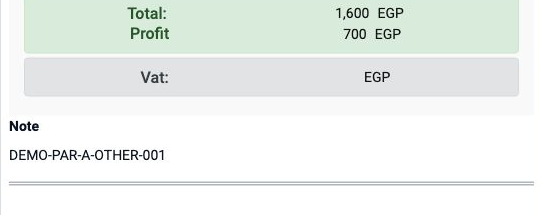
12 The Note text appears below the totals.
The Note text appears below the totals.

When the general note view permission is available to the user, a Note text area also appears with the saved value.
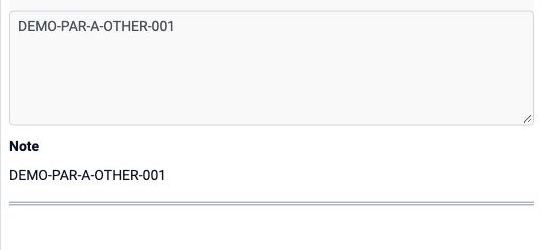
13 The Note text area and the text beneath it show the same value. This step does not include editing or saving the note.
The Note text area and the text beneath it show the same value. This step does not include editing or saving the note.

Sign in to record the lessons you have read. Sign in