Skip to content
Trio Travel guide

Booking Visa Service

On this page
  1. 1 Define the visa type
  2. 2 Enter traveler and travel details
  3. 3 Track the application status
  4. 4 Enter cost and selling total
  5. 5 Edit and review deletion confirmation
  6. 6 Lock the file and review cost
  7. 7 Review visa revenue
  8. 8 Review profit and remaining balance

Add a visa to a General Tourism Booking file, update its status and review its accounting impact.

1 Define the visa type
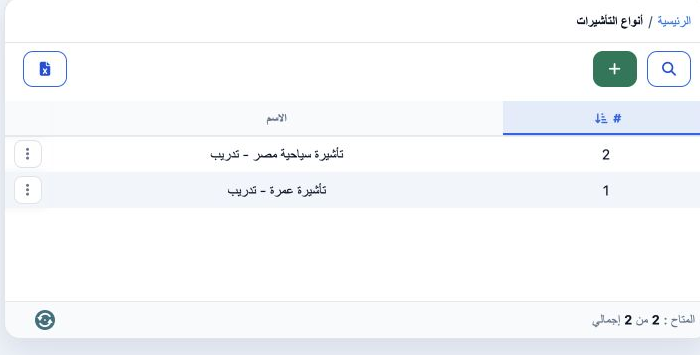
1 Open Settings → Visa Types (انواع التاشيرة), select Add, enter the name and save. The example saved تأشيرة سياحية مصر - تدريب as serial 2. R...
Open Settings → Visa Types (انواع التاشيرة), select Add, enter the name and save. The example saved تأشيرة سياحية مصر - تدريب as serial 2. Return to the Booking file and refresh after saving your work, then open Add Visa and select the type. This example uses Incoming file 202611000004, code 47081243, in EGP.

2 Enter traveler and travel details

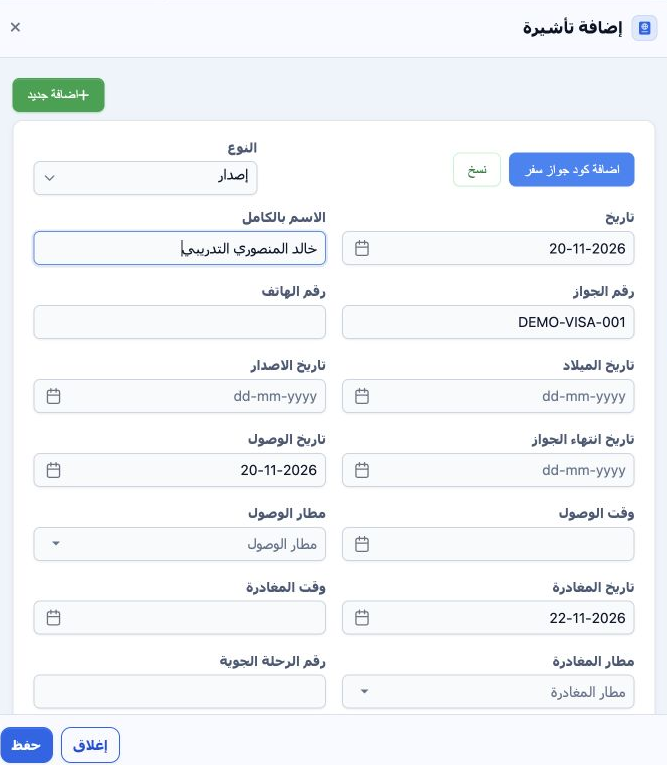
2 In Add Visa, select Issue (إصدار), review the date and enter the traveler name, passport number and phone. Fields are available for birth, p...
In Add Visa, select Issue (إصدار), review the date and enter the traveler name, passport number and phone. Fields are available for birth, passport issue and expiry dates. Review arrival and departure dates and complete times, airports and flight number when available. This example uses a fictional traveler and passport DEMO-VISA-001. It tests one visa within a six-adult group file.

3 Track the application status

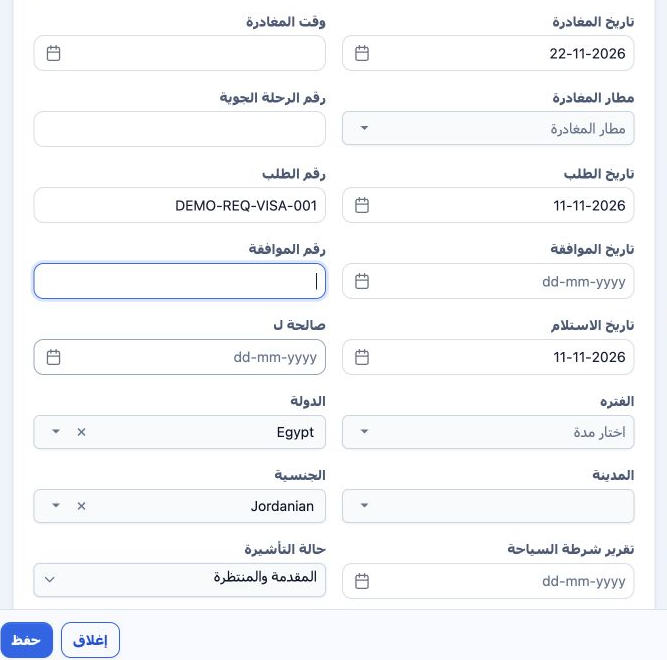
3 Enter the application date and number; update approval date and number, receipt and validity from the documents. Choose country, city, natio...
Enter the application date and number; update approval date and number, receipt and validity from the documents. Choose country, city, nationality and visa status. This example uses Egypt, Jordanian and DEMO-REQ-VISA-001. Actions → Edit changed the saved status to المقدمة والمنتظرة. Other displayed statuses include Not Yet Applied, Not Needed, Done and Rejected. Application status is separate from accounting confirmation.

4 Enter cost and selling total

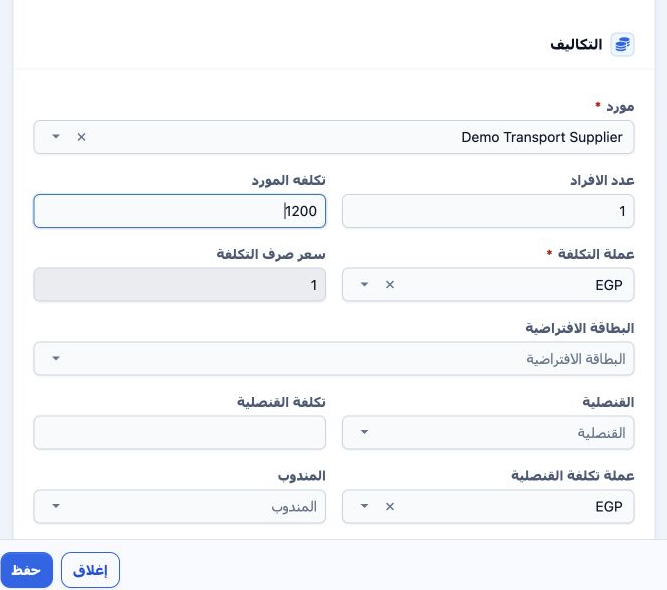
4 Choose supplier, person count, supplier cost, cost currency and exchange rate. This test uses Demo Transport Supplier, one person, cost 1,20...
Choose supplier, person count, supplier cost, cost currency and exchange rate. This test uses Demo Transport Supplier, one person, cost 1,200 EGP and rate 1. Selling total was entered as 1,500 in الإجمالى and both taxes were None. Review the cost and selling summary, add notes and Save. Separate consulate and representative selections, costs and currencies are available but were not used here. The record was saved as 47081436.

5 Edit and review deletion confirmation
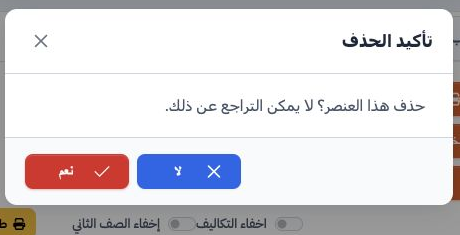
5 Choose Actions → Edit, update the data, then save and review the row. The submitted-and-pending status persisted after saving. For deletion,...
Choose Actions → Edit, update the data, then save and review the row. The submitted-and-pending status persisted after saving. For deletion, choose Actions → Delete. The message states that deletion cannot be undone; choose No to cancel or Yes to confirm removal of the intended item. Deletion was cancelled here, preserving the visa for locking and journal review.

6 Lock the file and review cost

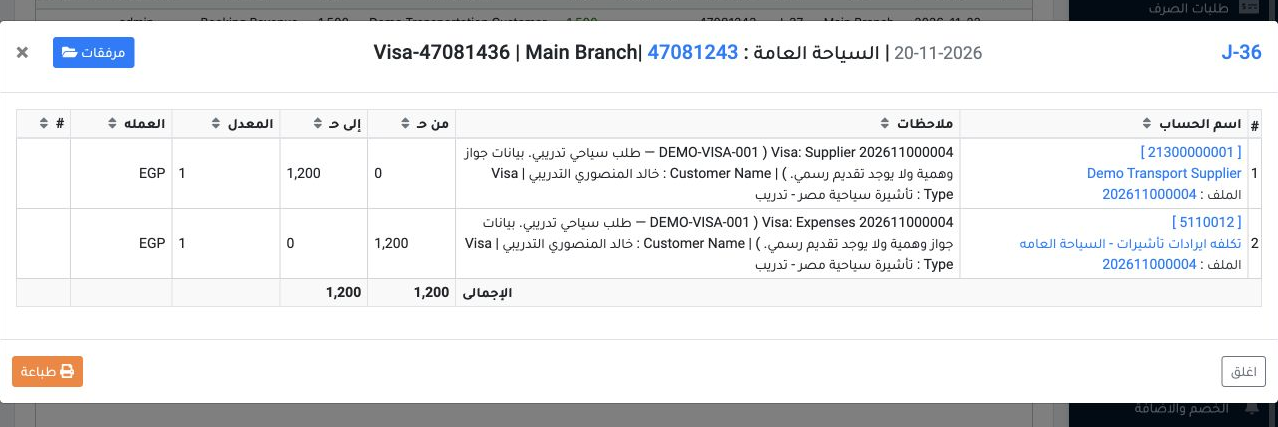
6 Select Lock in the file and confirm Yes. The visa became accounting-confirmed while its application status remained submitted and pending. I...
Select Lock in the file and confirm Yes. The visa became accounting-confirmed while its application status remained submitted and pending. In Accounting → Journal Entries, search Relative# for 47081243 and view J-36. It is dated 20 November 2026, source Visa. Debit is 1,200 EGP to cost account 5110012; credit is 1,200 EGP to supplier account 21300000001.

7 Review visa revenue

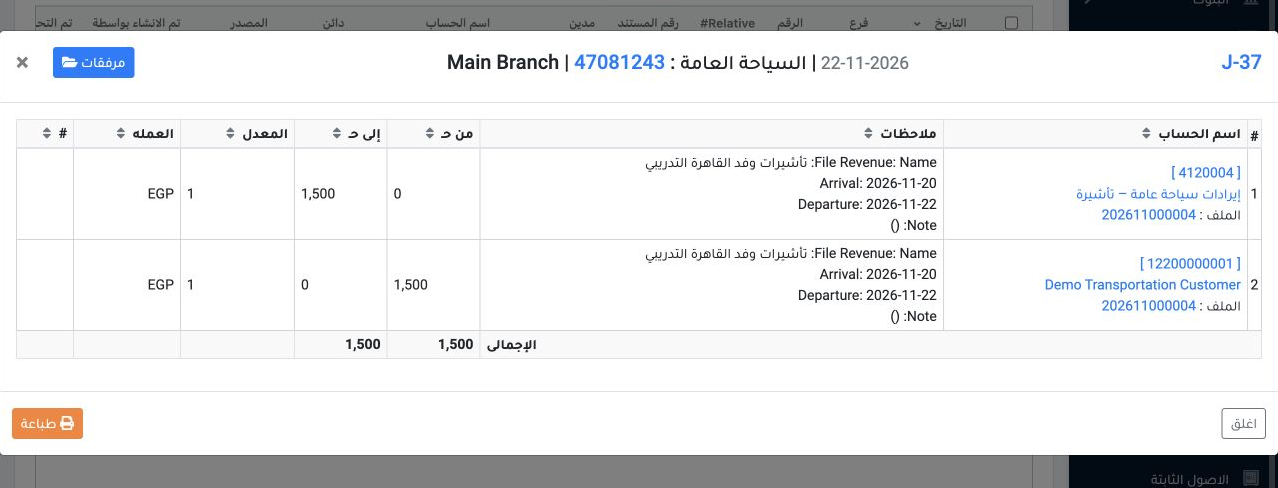
7 View J-37 for the same reference. It is dated 22 November 2026, source Booking Revenue. Debit is 1,500 EGP to customer account 12200000001,...
View J-37 for the same reference. It is dated 22 November 2026, source Booking Revenue. Debit is 1,500 EGP to customer account 12200000001, and credit is 1,500 EGP to visa-revenue account 4120004. Check equal totals and the file reference in the narrative. No payment or invoice conversion was performed for this file.

8 Review profit and remaining balance
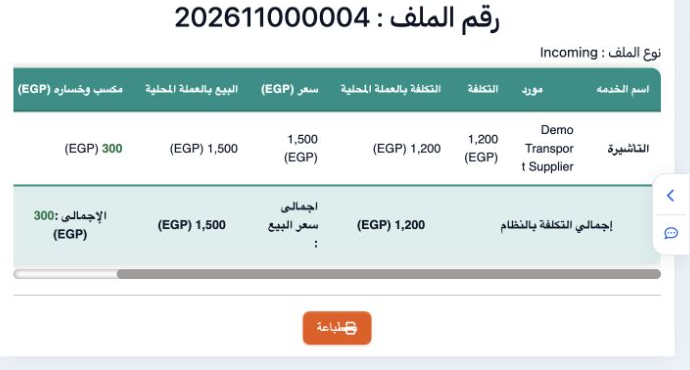
8 Open Profit and Loss in the file. The example shows cost 1,200, sale 1,500 and profit 300 EGP. The displayed 25% is calculated on cost. Cust...
Open Profit and Loss in the file. The example shows cost 1,200, sale 1,500 and profit 300 EGP. The displayed 25% is calculated on cost. Customer remaining is 1,500 because no payment was entered. Review application status, accounting confirmation and settlement as separate states.

Sign in to record the lessons you have read. Sign in