Skip to content
Trio Travel guide

Booking Nationality Summary

On this page
  1. 1 Set the file nationality
  2. 2 Open Nationalities and choose a period
  3. 3 Review the summary
  4. 4 PDF and Excel controls

1 Set the file nationality

1 Set Visitor Nationality 1 and the number of people when creating the General Tourism file. Saved example 202611000014 has Egyptian nationali...
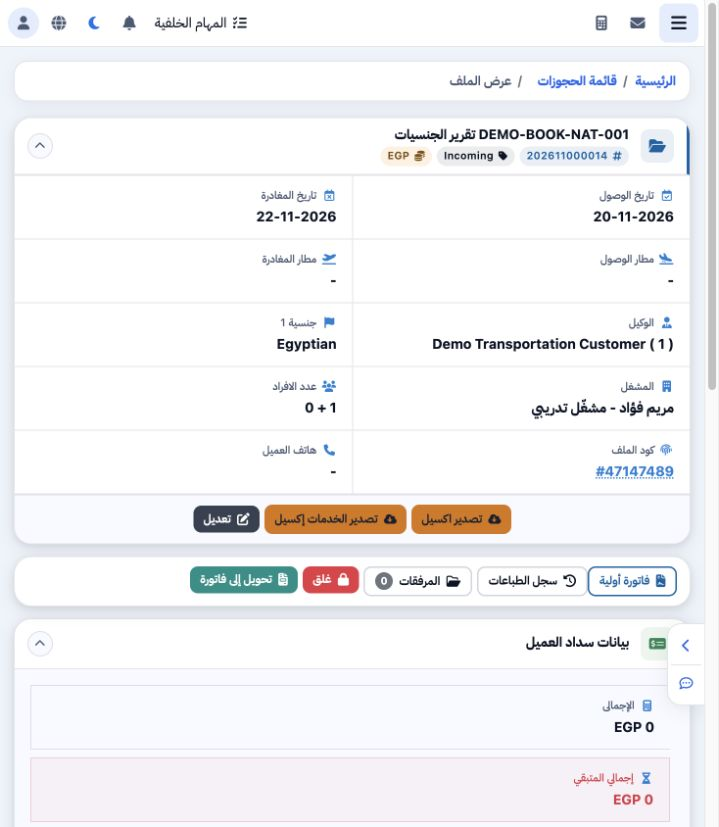
Set Visitor Nationality 1 and the number of people when creating the General Tourism file. Saved example 202611000014 has Egyptian nationality, one adult, arrival on 20 November and departure on 22 November. Review the nationality in the file header before using the summary report.

2 Open Nationalities and choose a period

2 Open General Tourism → Nationalities, then Search. Review From and To. The initial period ran from the start of the month through the curren...
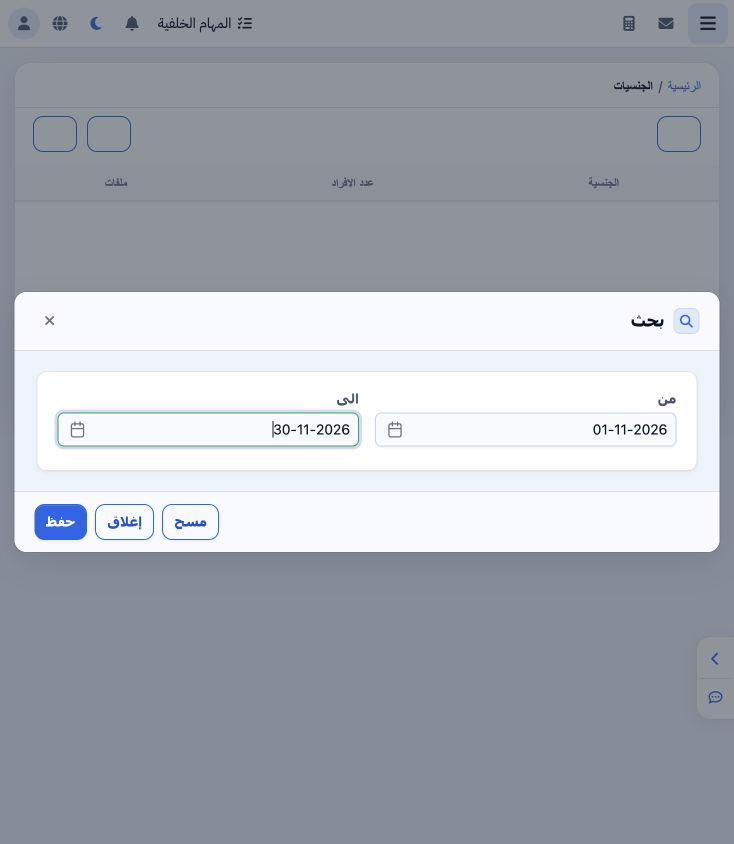
Open General Tourism → Nationalities, then Search. Review From and To. The initial period ran from the start of the month through the current date. To include the future-arrival example, the trial selected 1–30 November 2026. Select Save to apply the period or Close to leave without applying.

3 Review the summary

3 The result shows one Egyptian row: one person and one file, matching the training file. The footer displays the number of nationality rows,...
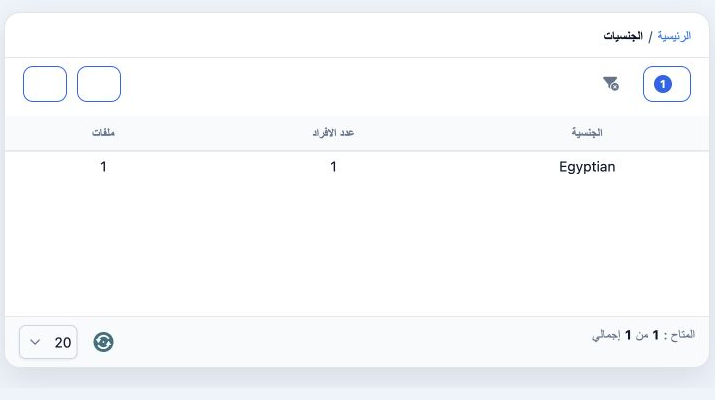
The result shows one Egyptian row: one person and one file, matching the training file. The footer displays the number of nationality rows, and the page-size control changes the number of rows shown. Use Clear Filters to return to the default scope.

4 PDF and Excel controls

4 Select the PDF icon above the list. The trial generated an actual Nationality Report in a new tab for 1–30 November, with one nationality, o...
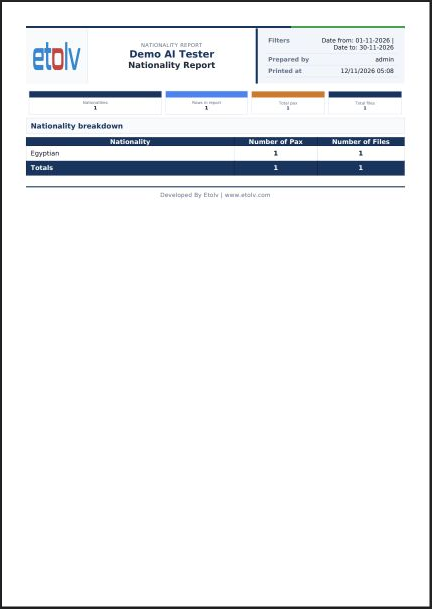
Select the PDF icon above the list. The trial generated an actual Nationality Report in a new tab for 1–30 November, with one nationality, one person and one file. Review filters and totals before printing. An Excel icon is also available to request a data file.

Sign in to record the lessons you have read. Sign in