Skip to content
Trio Travel guide

Booking Flight Service

On this page
  1. 1 Open the file and add a flight
  2. 2 Traveler and itinerary
  3. 3 Ticket cost and selling price
  4. 4 Save and edit the service
  5. 5 Review deletion confirmation
  6. 6 Lock the file
  7. 7 Review flight cost entry
  8. 8 Review flight revenue entry
  9. 9 Match profit and remaining balance

1 Open the file and add a flight

1 From General Tourism → Files, open the required Booking file, then select Add Flight Tickets (اضافة تذاكر طيران). This example uses طيران وف...
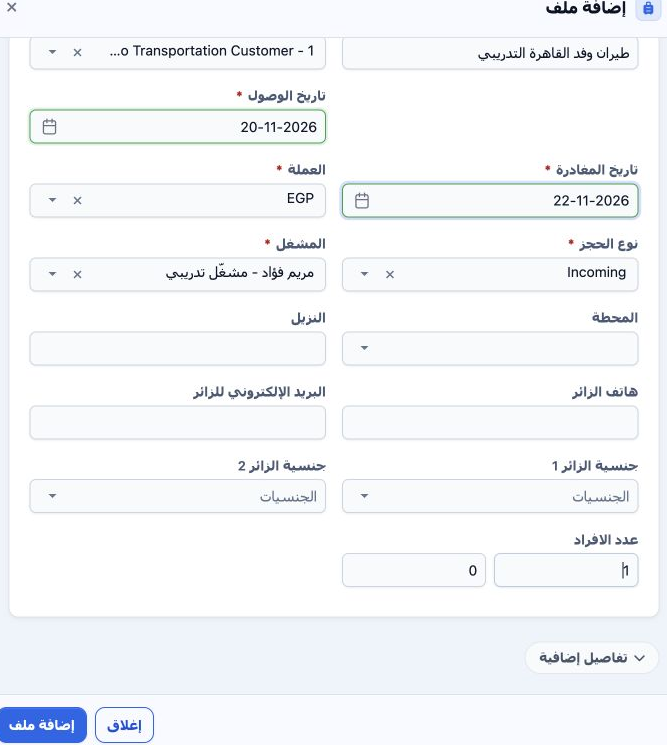
From General Tourism → Files, open the required Booking file, then select Add Flight Tickets (اضافة تذاكر طيران). This example uses طيران وفد القاهرة التدريبي, file 202611000005, internal code 47134411, Incoming, EGP, one adult, 20–22 November 2026. The image shows the file definition before saving.

2 Traveler and itinerary

2 Enter the date, full name and flight number. Select airline, supplier, cost currency and exchange rate. Choose departure and arrival airport...
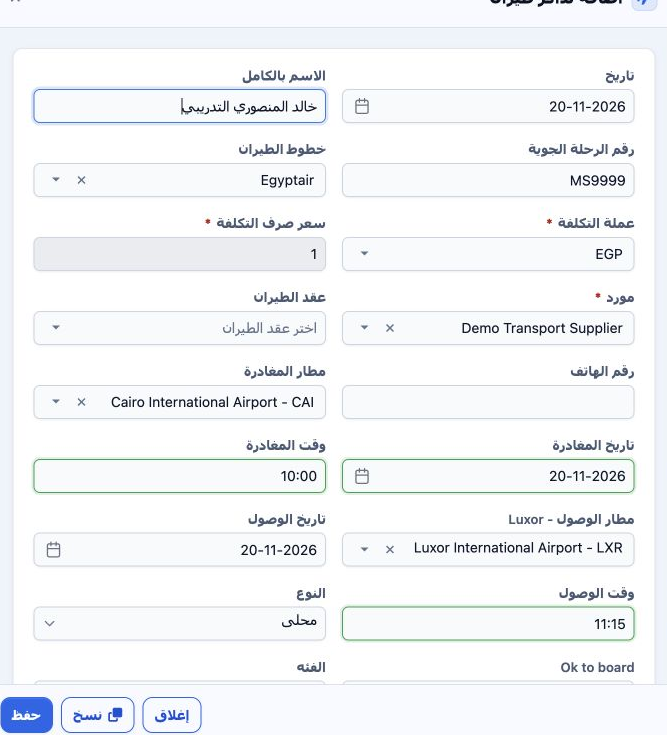
Enter the date, full name and flight number. Select airline, supplier, cost currency and exchange rate. Choose departure and arrival airports and review both dates and times. The example uses Egyptair, Demo Transport Supplier, fictional flight MS9999, CAI → LXR, 20 November, 10:00–11:15, EGP at rate 1. An airline contract selection and phone field are also available.

3 Ticket cost and selling price

3 Select Domestic or International, travel class and passenger category in the field currently labelled نوع المقعد. Economy and adult were use...
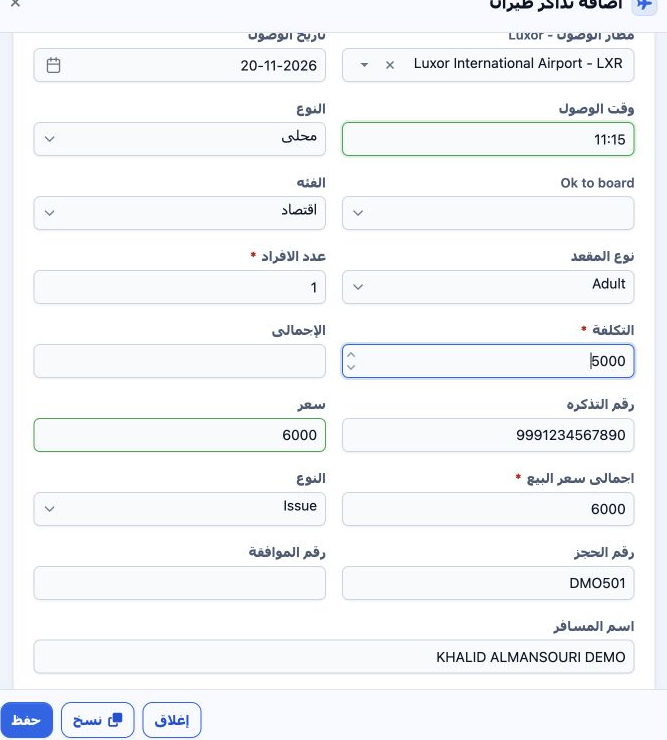
Select Domestic or International, travel class and passenger category in the field currently labelled نوع المقعد. Economy and adult were used for one person. Enter cost, ticket number and selling price, then review totals. Initial values were cost 5,000, sale 6,000 EGP, fictional ticket 9991234567890, Issue and PNR DMO501. Complete the Latin passenger name. Approval number and Ok to board are separate fields.

4 Save and edit the service

4 Review input and output taxes, meal and notes, then Save. The form also includes guest linking, itinerary and nationality controls. The serv...
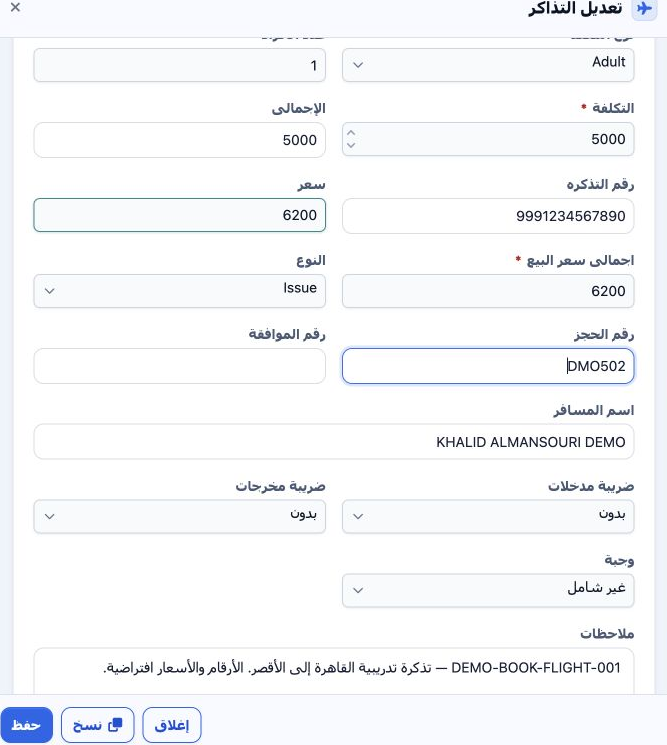
Review input and output taxes, meal and notes, then Save. The form also includes guest linking, itinerary and nationality controls. The service was saved as 47134769. To edit, choose Actions → Edit. Selling price was changed to 6,200 and PNR to DMO502; both persisted after saving. Cost remained 5,000, taxes None and meal Not Included.

5 Review deletion confirmation

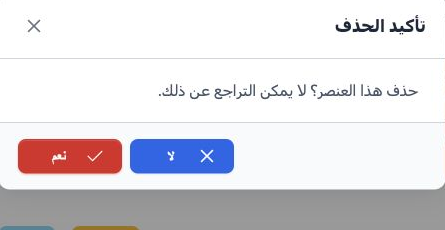
5 Choose Actions → Delete. The confirmation states that deletion cannot be undone. Select No to cancel or Yes to confirm deletion of the inten...
Choose Actions → Delete. The confirmation states that deletion cannot be undone. Select No to cancel or Yes to confirm deletion of the intended item. No was selected in this example, preserving the ticket for locking and journal review.

6 Lock the file

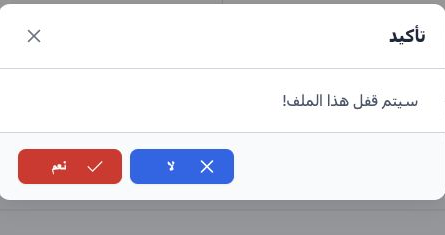
6 After reviewing the service, select Lock and confirm Yes. The button changed to Unlock and the Flight accounting status became Confirmed. Ad...
After reviewing the service, select Lock and confirm Yes. The button changed to Unlock and the Flight accounting status became Confirmed. Add-service buttons and the service Edit and Delete options became disabled. Review the two entries in Accounting → Journal Entries using file Relative# 47134411.

7 Review flight cost entry

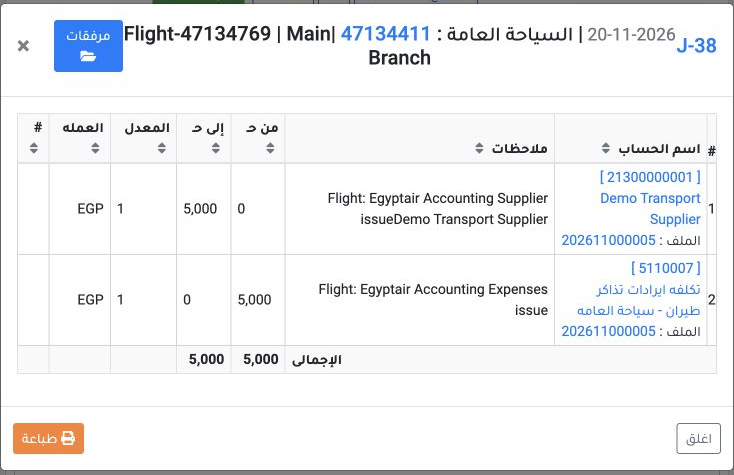
7 Right-click J-38 and select View. It is dated 20 November 2026, source Flight, service reference 47134769. Debit is 5,000 EGP to flight-cost...
Right-click J-38 and select View. It is dated 20 November 2026, source Flight, service reference 47134769. Debit is 5,000 EGP to flight-cost account 5110007; credit is 5,000 EGP to Demo Transport Supplier account 21300000001. Both sides balance in EGP at rate 1.

8 Review flight revenue entry

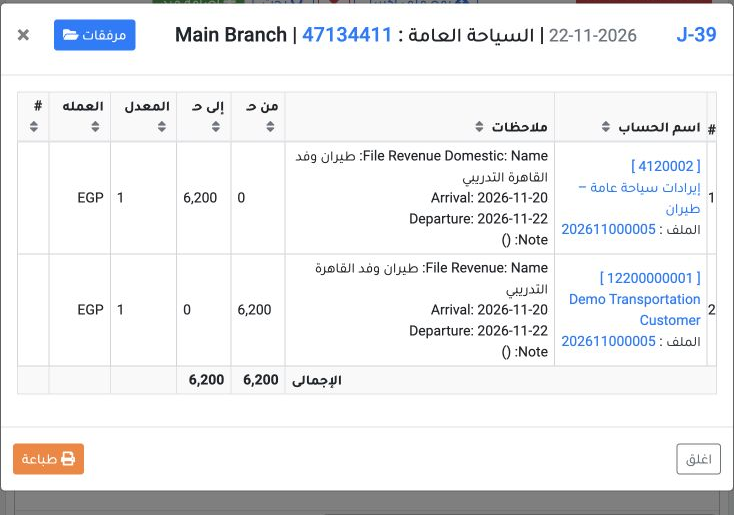
8 View J-39 for the same file reference. It is dated 22 November 2026, source Booking Revenue. Debit is 6,200 EGP to Demo Transportation Custo...
View J-39 for the same file reference. It is dated 22 November 2026, source Booking Revenue. Debit is 6,200 EGP to Demo Transportation Customer account 12200000001; credit is 6,200 EGP to flight-revenue account 4120002. Check the file number in the narrative and equal totals.

9 Match profit and remaining balance

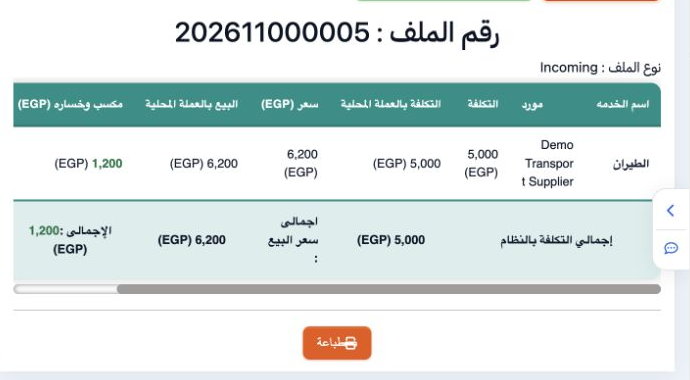
9 Open Profit and Loss. Cost is 5,000, sale 6,200 and profit 1,200 EGP. The displayed 24% is calculated on cost. Customer remaining is still 6...
Open Profit and Loss. Cost is 5,000, sale 6,200 and profit 1,200 EGP. The displayed 24% is calculated on cost. Customer remaining is still 6,200 because no payment was recorded. Locking the file and confirming journals do not mean that the amount has been collected.

Sign in to record the lessons you have read. Sign in