Skip to content
Trio Travel guide

General Tourism Guest List

On this page
  1. 1 Guest list
  2. 2 Search
  3. 3 Review results and open the file

1 Guest list

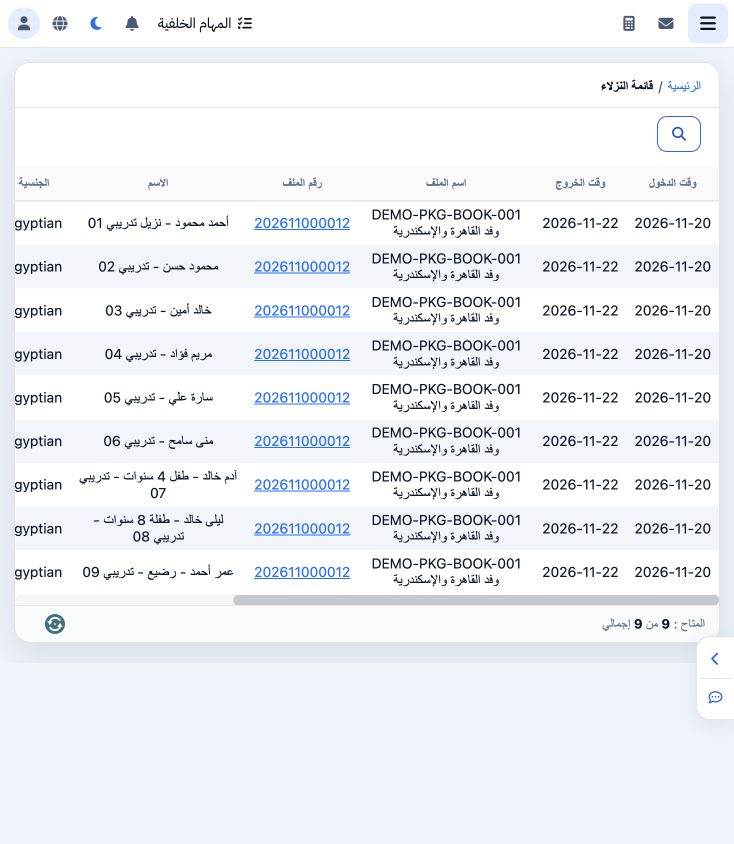
1 Open General Tourism → Guest List. Columns include check-in and check-out dates, file name and number, guest name, nationality, passport and...
Open General Tourism → Guest List. Columns include check-in and check-out dates, file name and number, guest name, nationality, passport and notes. Scroll horizontally to view all columns. The nine saved training guests appear here.

2 Search

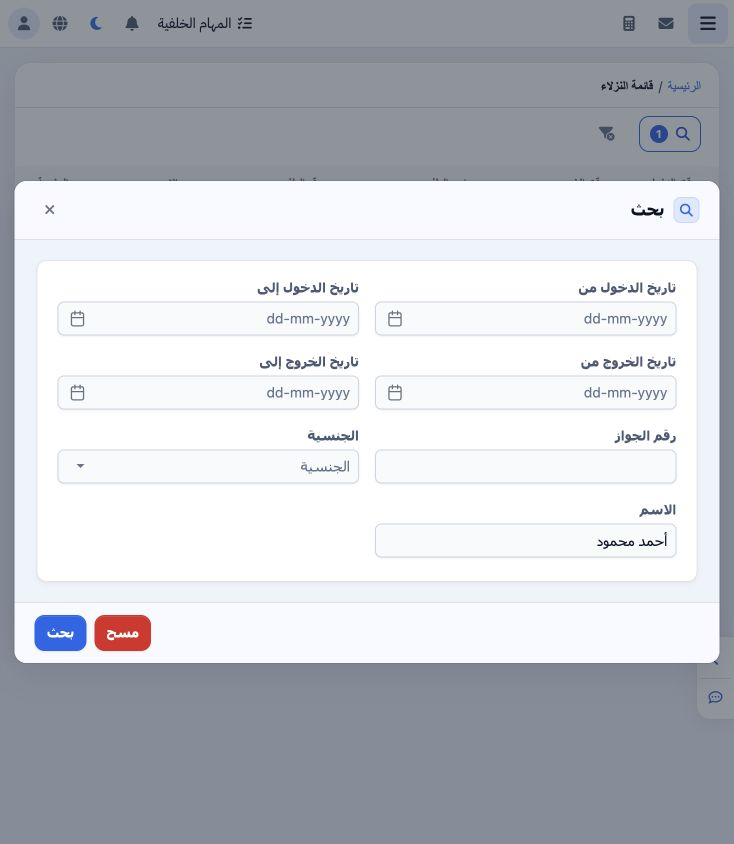
2 Select Search. The dialog offers check-in and check-out date ranges, passport number, nationality and name. Enter Ahmad’s name as illustrate...
Select Search. The dialog offers check-in and check-out date ranges, passport number, nationality and name. Enter Ahmad’s name as illustrated and select Search. Clear empties the search fields.

3 Review results and open the file

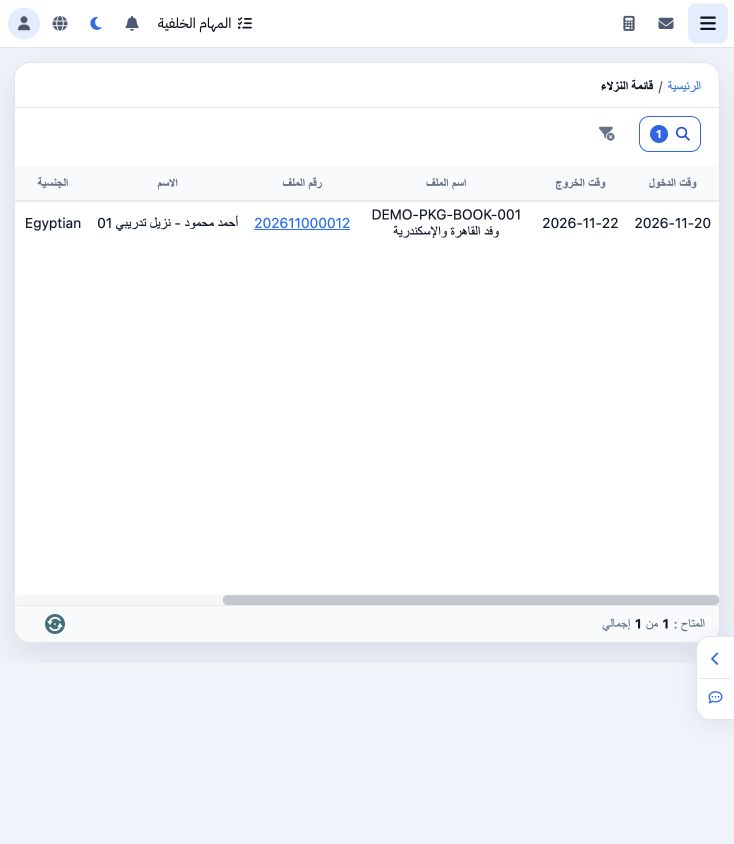
3 The name search returns one row from file 202611000012. Verify the file number and dates, then click the file number to open its details. Ed...
The name search returns one row from file 202611000012. Verify the file number and dates, then click the file number to open its details. Edit guest data through Actions → Edit in that file’s Guests section. Remove the active filter to restore the full list.

Sign in to record the lessons you have read. Sign in