Skip to content
Trio Travel guide

General Tourism Package Definition

On this page
  1. 1 Open the package list
  2. 2 General information and price
  3. 3 Daily itinerary
  4. 4 Add package services
  5. 5 Copy and edit
  6. 6 Search fields
  7. 7 Delete and manage availability

1 Open the package list

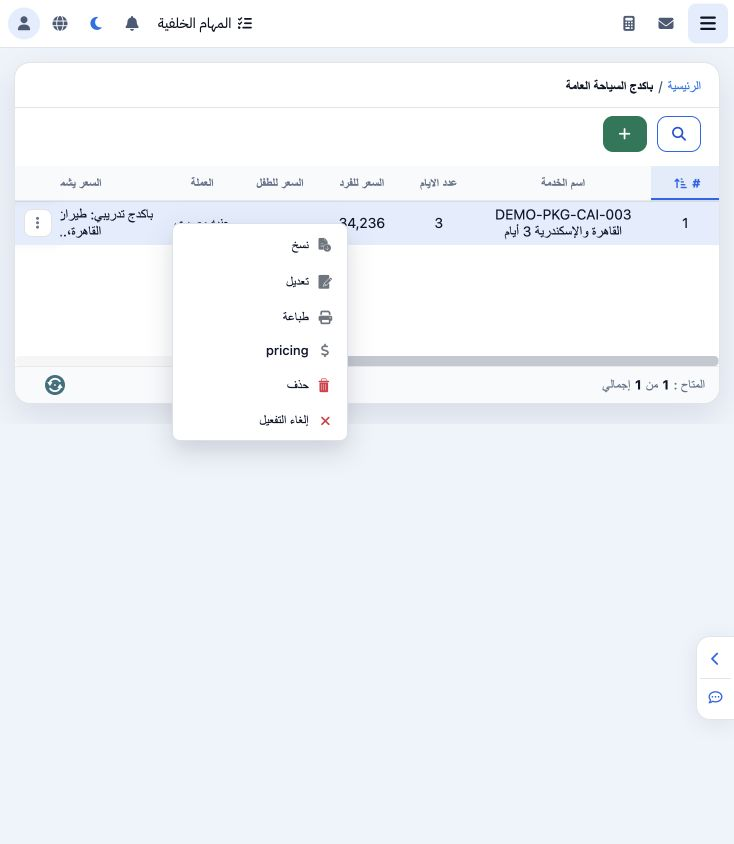
1 Open General Tourism → General Tourism Packages. Choose + to create a package. Right-click a saved row or use its three-dot menu to access C...
Open General Tourism → General Tourism Packages. Choose + to create a package. Right-click a saved row or use its three-dot menu to access Copy, Edit, Print, pricing, Delete and Disable. The example is DEMO-PKG-CAI-003, a three-day training package in EGP.

2 General information and price

2 Enter the package name, day count, currency and exchange rate. Add its services before reviewing cost and selling price. This example displa...
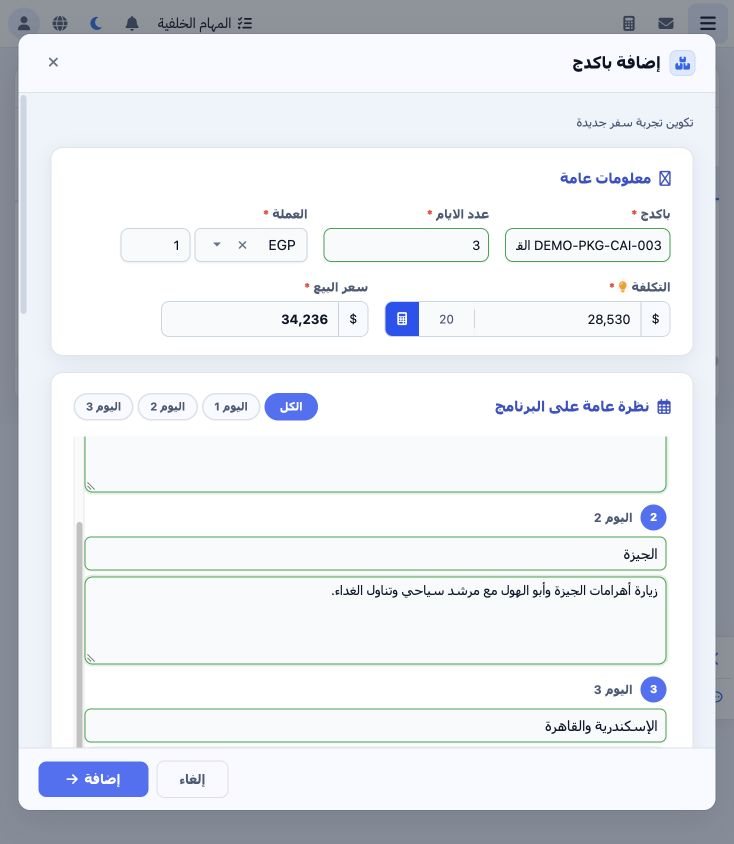
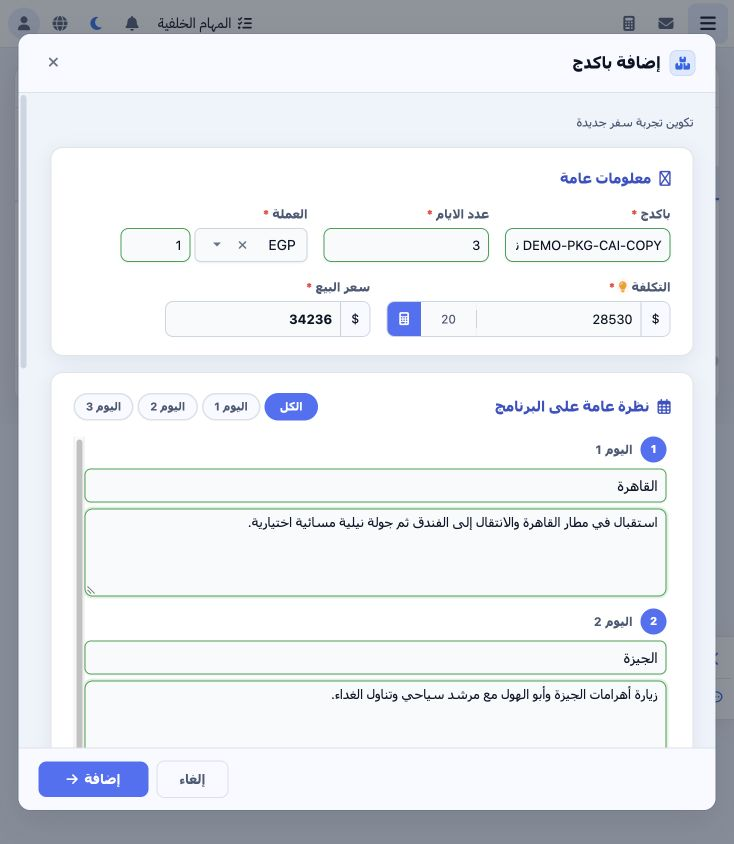
Enter the package name, day count, currency and exchange rate. Add its services before reviewing cost and selling price. This example displayed cost 28530. Entering 20 in the percentage field and clicking the calculator set selling price to 34236. Recheck the calculation after changing services and before saving. These are training values.

3 Daily itinerary

3 Entering three days creates three daily program fields. Enter each location and activity description; use All or an individual day button to...
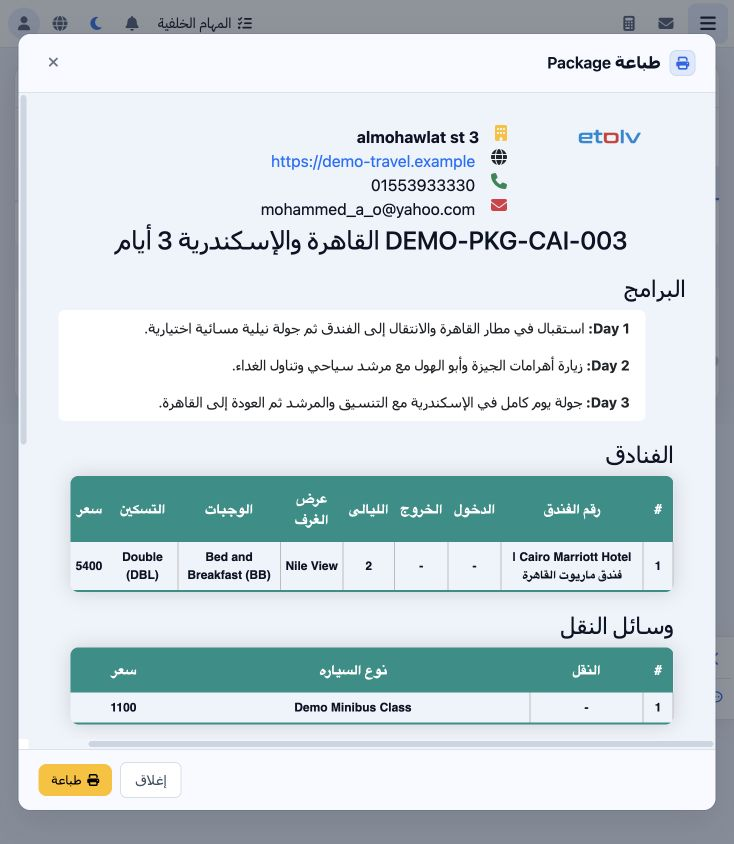
Entering three days creates three daily program fields. Enter each location and activity description; use All or an individual day button to review them. The example includes Cairo arrival, the pyramids and an Alexandria excursion with return. Print preview shows the saved itinerary text.

4 Add package services

4 Use the plus beside a service to create a card. The sections are Accommodation, Sightseeing, Transportation, Extra Services, Guide, Flight,...
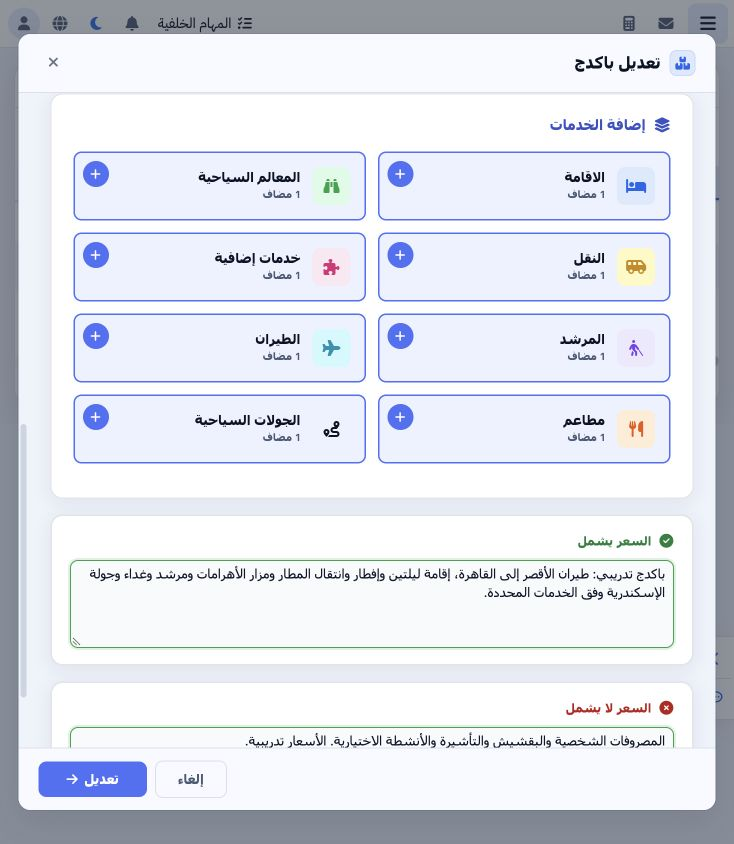
Use the plus beside a service to create a card. The sections are Accommodation, Sightseeing, Transportation, Extra Services, Guide, Flight, Restaurants and Tours. Click a section name to open its saved cards. Counters show item counts; Incomplete Data identifies a card requiring attention. Each service has its own guide in this package folder.

5 Copy and edit

5 Choose Copy to open an Add form containing the package data and services. Give the copy a distinct name, review it and save. DEMO-PKG-CAI-CO...
Choose Copy to open an Add form containing the package data and services. Give the copy a distinct name, review it and save. DEMO-PKG-CAI-COPY was saved as serial 2. Use Edit to update the original package, and Cancel to discard unsaved changes.

6 Search fields

6 Open Search to access the package name, day count, adult/child prices, currency and inclusion/exclusion text filters. Enter the required cri...
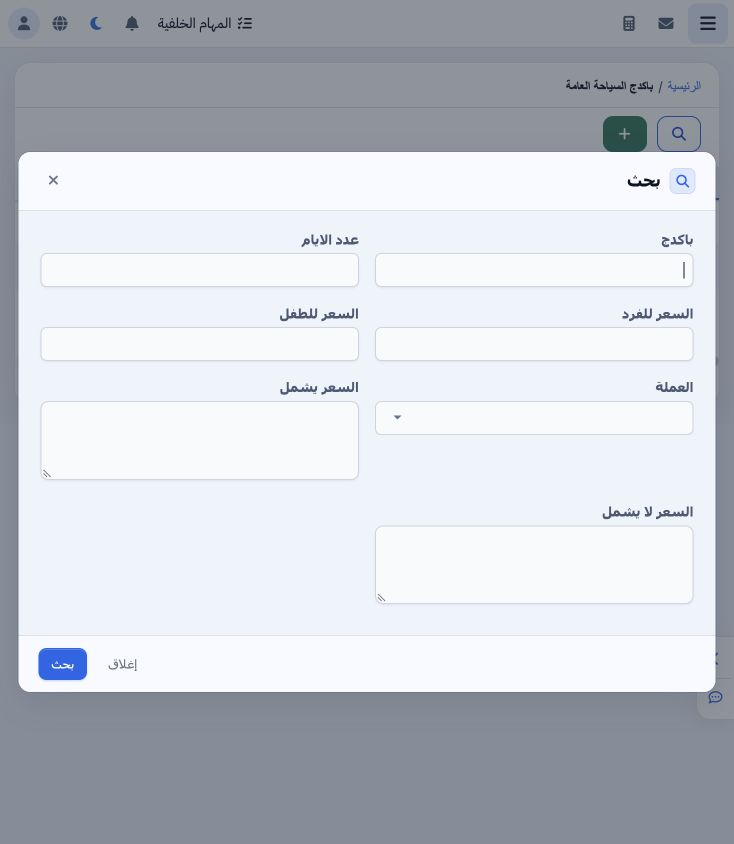
Open Search to access the package name, day count, adult/child prices, currency and inclusion/exclusion text filters. Enter the required criteria, choose Search and review the resulting list. Match the package name and serial before applying a row action.

7 Delete and manage availability

7 Delete opens an irreversible-deletion confirmation. Choose No to keep the package; no package was deleted in this example. Disable is availa...
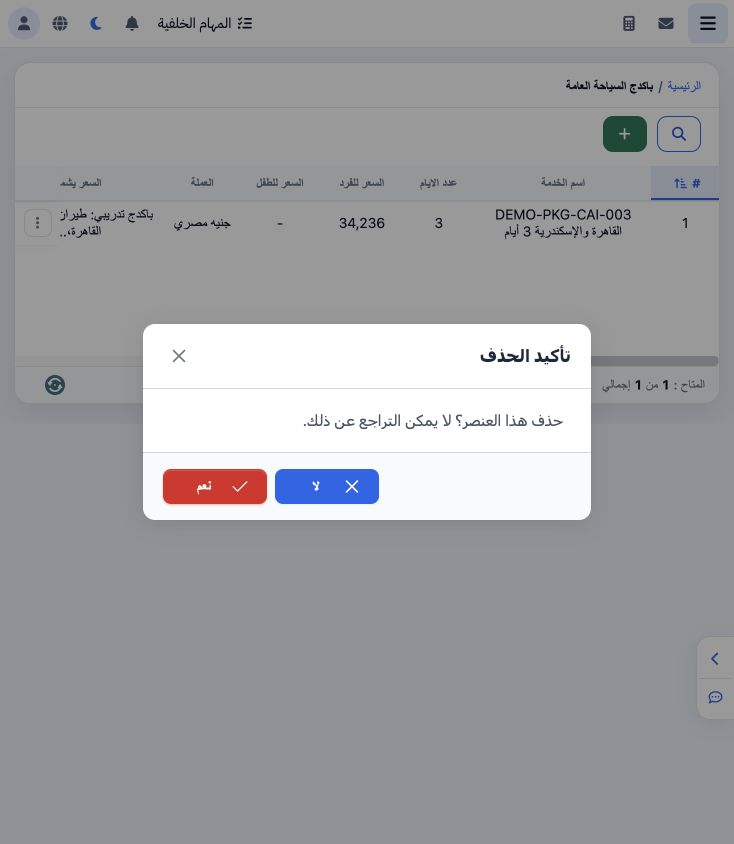
Delete opens an irreversible-deletion confirmation. Choose No to keep the package; no package was deleted in this example. Disable is available in the row menu; inspect Enabled after any availability action. Package definition precedes pricing and package reservation, each covered in a separate guide.

Sign in to record the lessons you have read. Sign in