Skip to content
Trio Travel guide

Attraction Ticket Movements

On this page
  1. 1 Receive attraction tickets
  2. 2 Review the receipt
  3. 3 Receipt journal entry
  4. 4 Issue tickets to a file
  5. 5 Edit a saved movement
  6. 6 Delete confirmation
  7. 7 Search fields

1 Receive attraction tickets

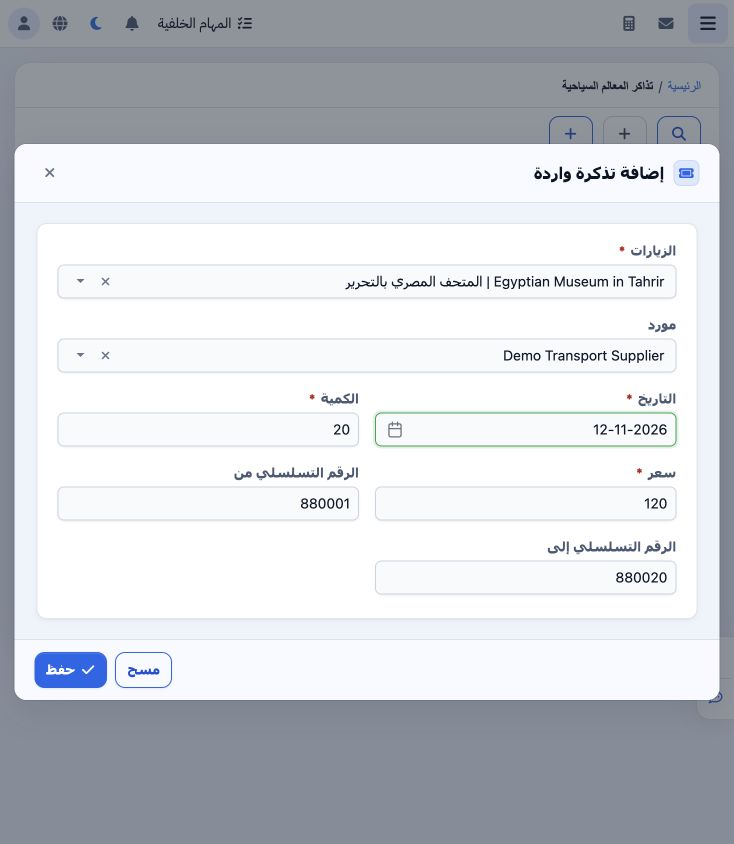
1 Open General Tourism → Attraction Tickets and Incoming Ticket. Select attraction and supplier, then date, quantity, price and serial range a...
Open General Tourism → Attraction Tickets and Incoming Ticket. Select attraction and supplier, then date, quantity, price and serial range and Save. The example receives 20 Egyptian Museum in Tahrir tickets at 120 each, serials 880001–880020, from Demo Transport Supplier.

2 Review the receipt

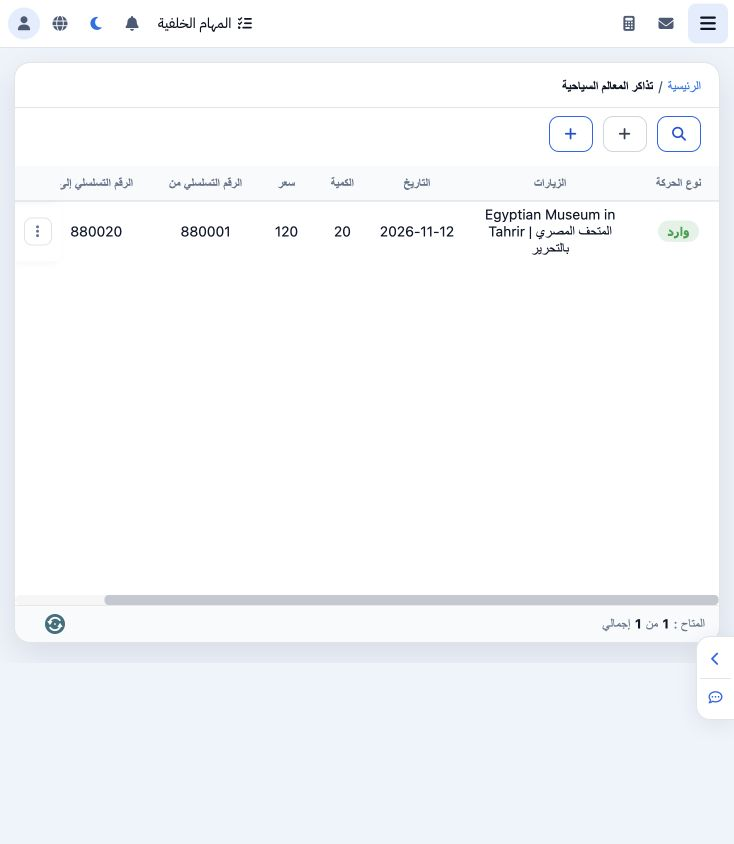
2 The saved Incoming row shows 12 November 2026, quantity 20 and price 120. Match the attraction, quantity and serial range with the received...
The saved Incoming row shows 12 November 2026, quantity 20 and price 120. Match the attraction, quantity and serial range with the received batch. Its value is 20 × 120 = 2,400.

3 Receipt journal entry

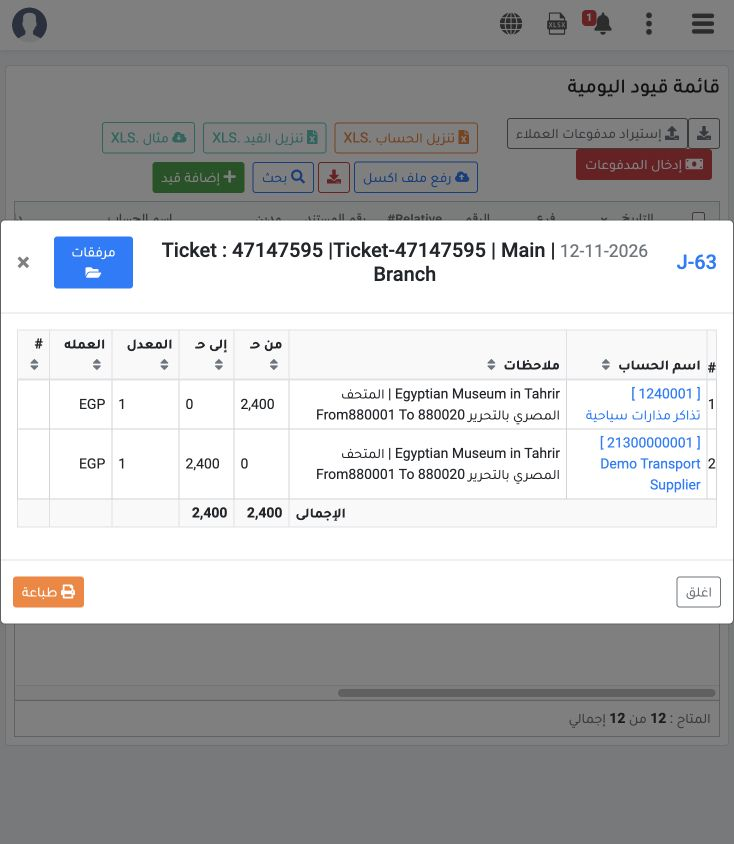
3 Saving the receipt created J-63, reference Ticket-47147595: debit attraction tickets account 1240001 for 2,400 and credit supplier 213000000...
Saving the receipt created J-63, reference Ticket-47147595: debit attraction tickets account 1240001 for 2,400 and credit supplier 21300000001 for 2,400. The entry balances in EGP at rate 1 and includes the serial range in its notes.

4 Issue tickets to a file

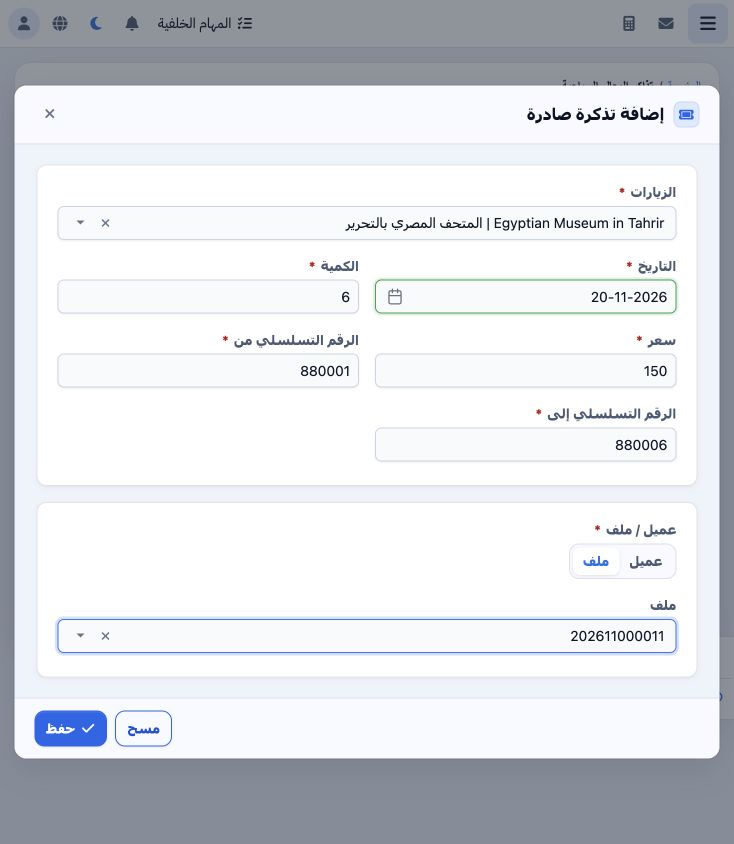
4 Choose Outgoing Ticket and enter attraction, date, quantity, price and serial range. Select File, choose its number and Save. Six tickets we...
Choose Outgoing Ticket and enter attraction, date, quantity, price and serial range. Select File, choose its number and Save. Six tickets were issued to file 202611000011 for 20 November, serials 880001–880006, initially priced at 150. A Customer option is also available.

5 Edit a saved movement

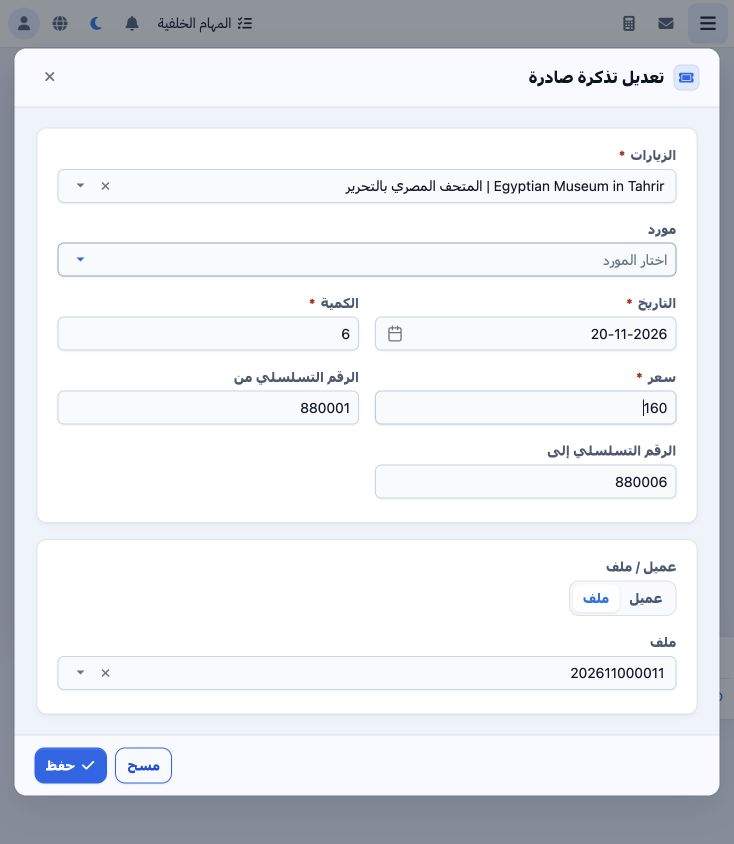
5 Choose Edit from the movement menu, review values and Save. The example changes the outgoing ticket price from 150 to 160, keeping quantity...
Choose Edit from the movement menu, review values and Save. The example changes the outgoing ticket price from 150 to 160, keeping quantity six, the file and serial range.

6 Delete confirmation

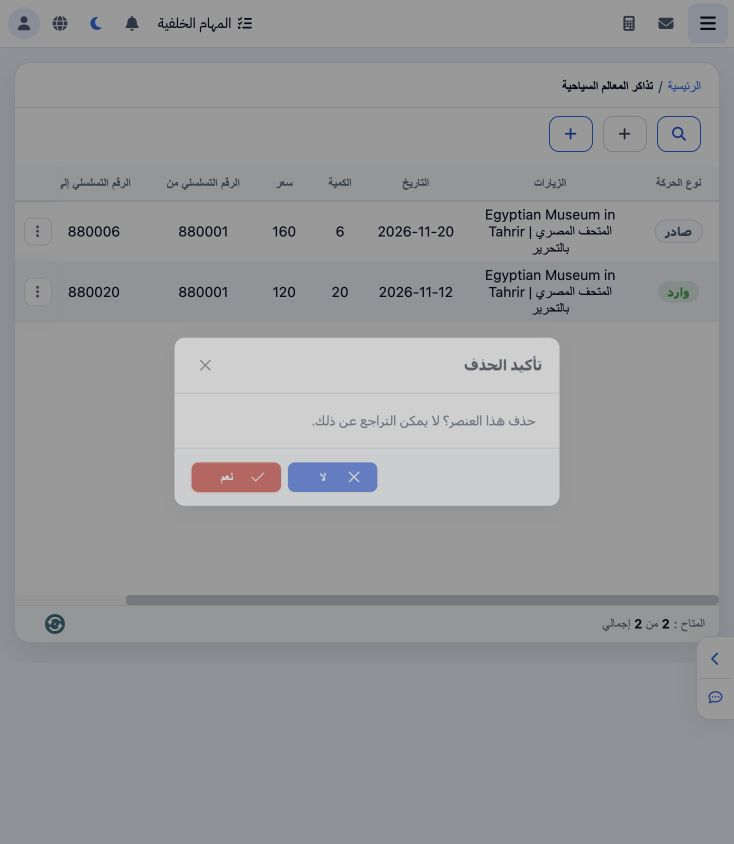
6 Choose Delete from the row menu to display confirmation. The message states that deletion cannot be undone. Choose No to cancel and retain t...
Choose Delete from the row menu to display confirmation. The message states that deletion cannot be undone. Choose No to cancel and retain the movement. Deletion was cancelled in this example and both records remain saved.

7 Search fields

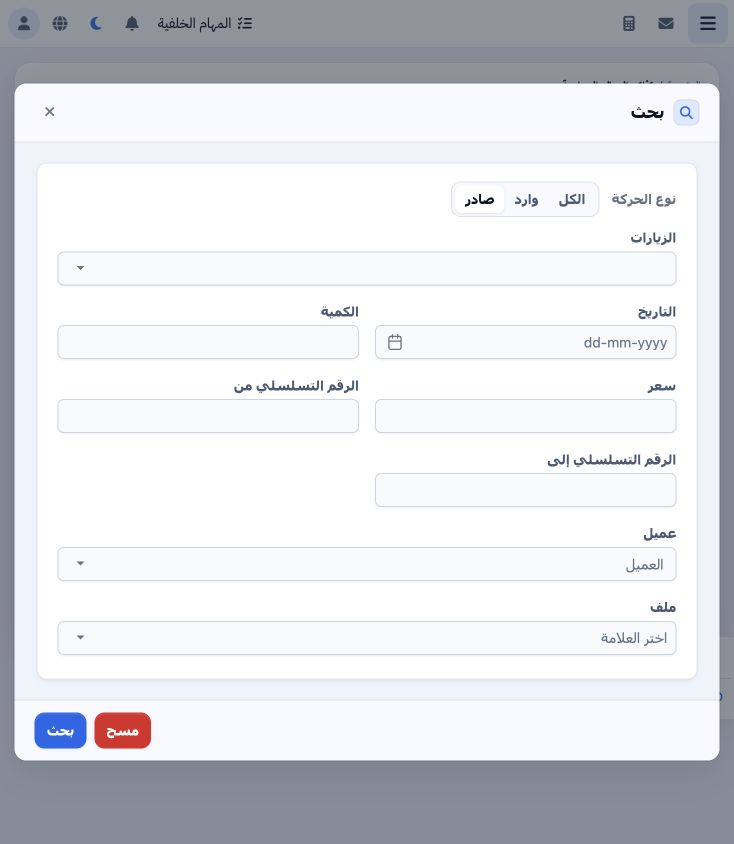
7 Search fields include movement type, attraction, date, quantity, price, serial range, customer and file. Set the required criteria and selec...
Search fields include movement type, attraction, date, quantity, price, serial range, customer and file. Set the required criteria and select Search. Clear removes the criteria.

Sign in to record the lessons you have read. Sign in