Skip to content
Trio Travel guide

Booking Package Report

On this page
  1. 1 Open the Package report
  2. 2 Search by file number
  3. 3 Review the Package item
  4. 4 Row actions
  5. 5 Choose output columns

1 Open the Package report

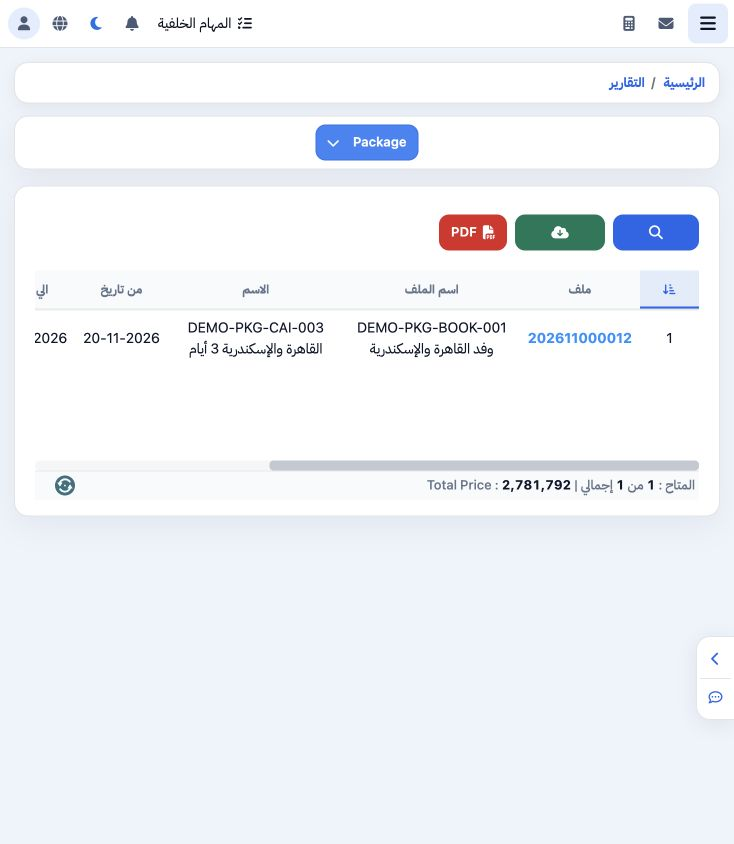
1 Open General Tourism → Reports → Reports and select Package. The report lists Package items added to files, with file/package name, dates, o...
Open General Tourism → Reports → Reports and select Package. The report lists Package items added to files, with file/package name, dates, operator and selling total.

2 Search by file number

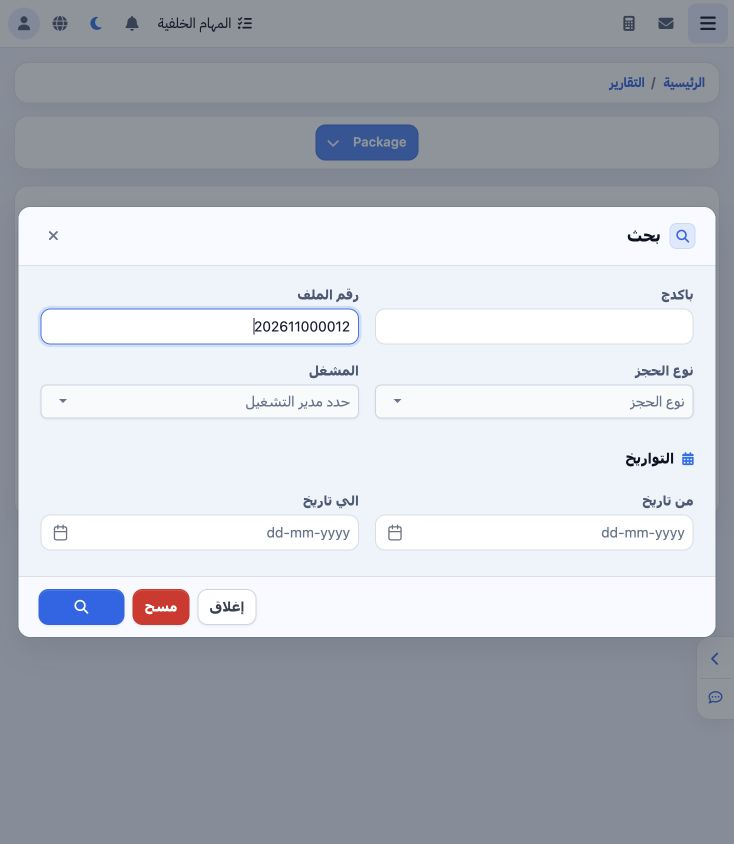
2 Open Search and enter 202611000012 in File Number. Package text, booking type, operator and date range are also available. Select the Search...
Open Search and enter 202611000012 in File Number. Package text, booking type, operator and date range are also available. Select the Search icon at the bottom. Clear removes the criteria and Close leaves the dialog.

3 Review the Package item

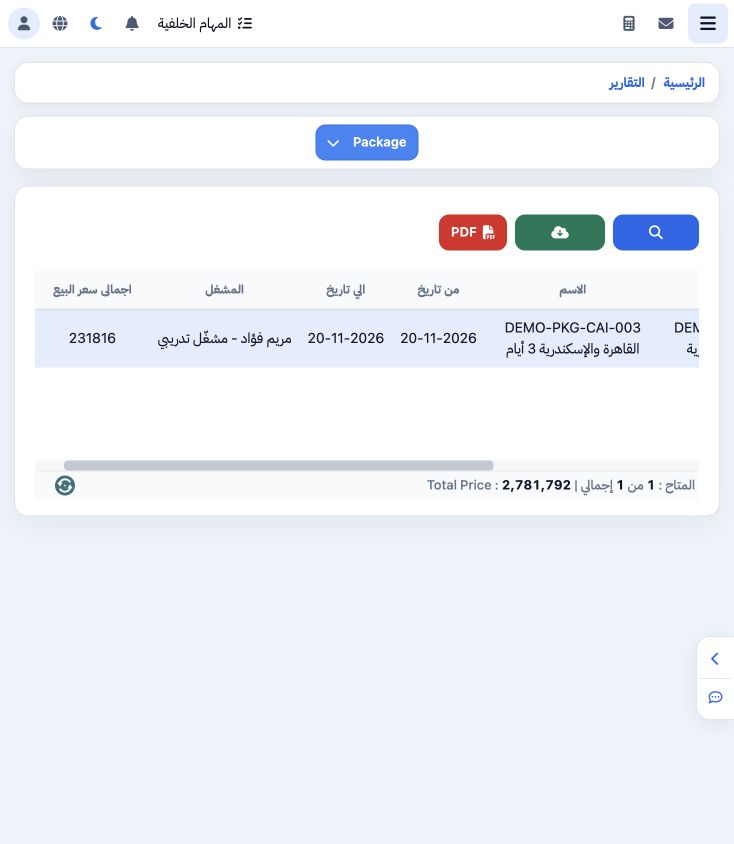
3 The search returned one DEMO-PKG-CAI-003 item. Its row Selling Total is EGP 231816. Reconcile file number, package name and dates with the P...
The search returned one DEMO-PKG-CAI-003 item. Its row Selling Total is EGP 231816. Reconcile file number, package name and dates with the Package item inside the file. This view covers the Package item; review its detailed components in their respective service reports.

4 Row actions

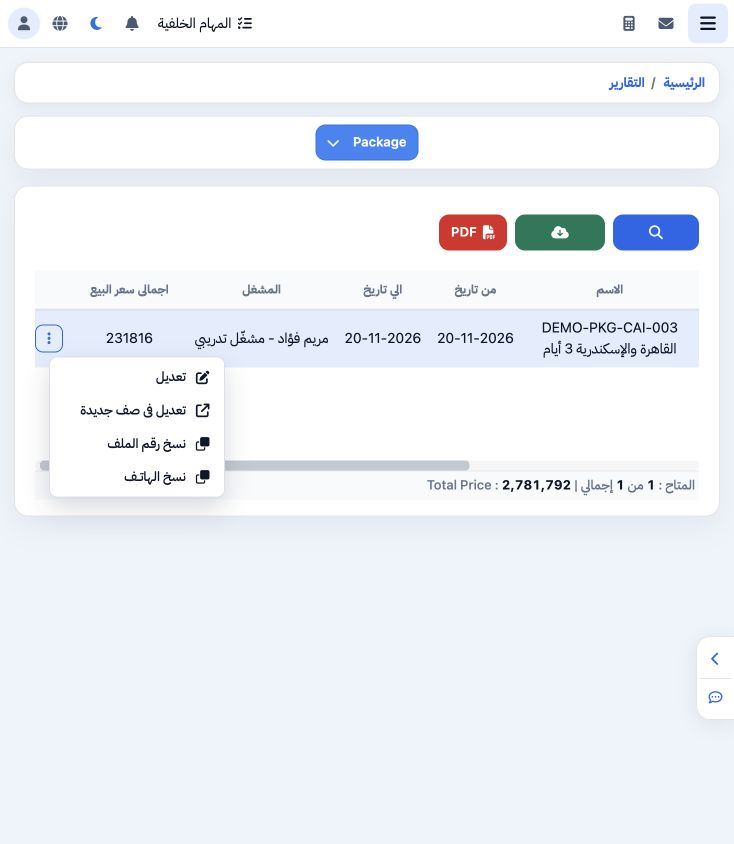
4 Open the row’s three-dot menu for Edit, Edit in New Page, Copy File Number and Copy Phone. The example successfully copied 202611000012.
Open the row’s three-dot menu for Edit, Edit in New Page, Copy File Number and Copy Phone. The example successfully copied 202611000012.

5 Choose output columns

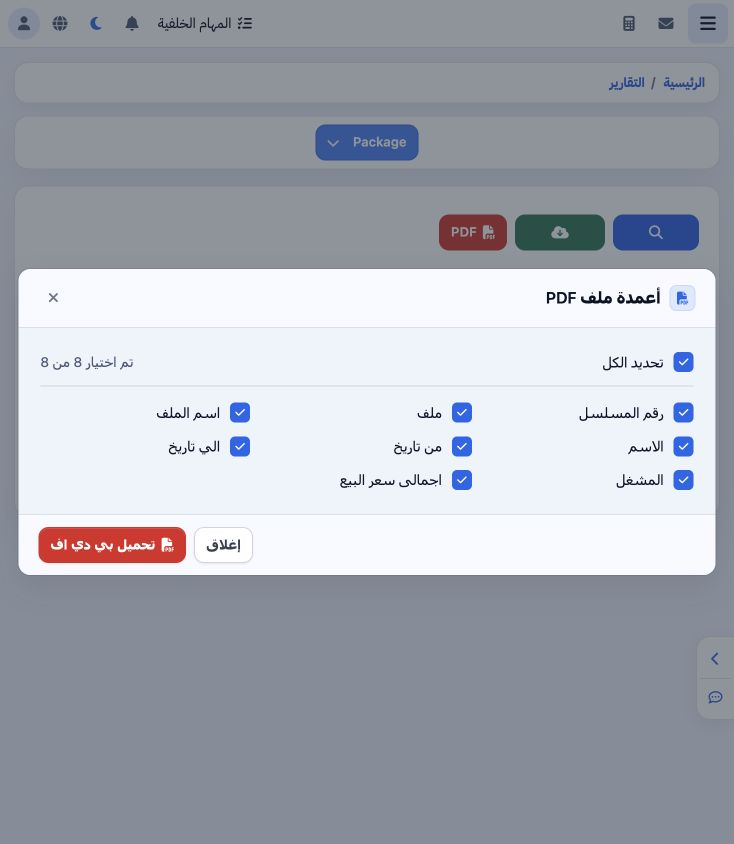
5 Select PDF to open the eight-column list: serial, file, file name, package name, start/end dates, operator and selling total. Use Select All...
Select PDF to open the eight-column list: serial, file, file name, package name, start/end dates, operator and selling total. Use Select All or choose individual columns. Download PDF appears at the bottom.

Sign in to record the lessons you have read. Sign in