Skip to content
Trio Travel guide

Booking Restaurant Service

On this page
  1. 1 Define the restaurant
  2. 2 Open restaurant prices
  3. 3 Save a menu item and price
  4. 4 Select the restaurant and retrieve cost
  5. 5 Complete details and save
  6. 6 Edit the saved service
  7. 7 Review deletion confirmation
  8. 8 Lock the file
  9. 9 Review restaurant cost entry
  10. 10 Review restaurant revenue entry
  11. 11 Review profit and remaining balance

1 Define the restaurant
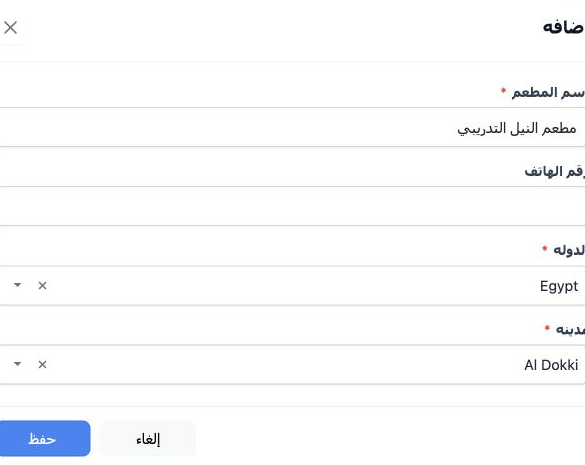
1 Open Settings → Restaurants (مطاعم) and select +. Enter the restaurant name, select country and city from the lists, optionally add a phone...
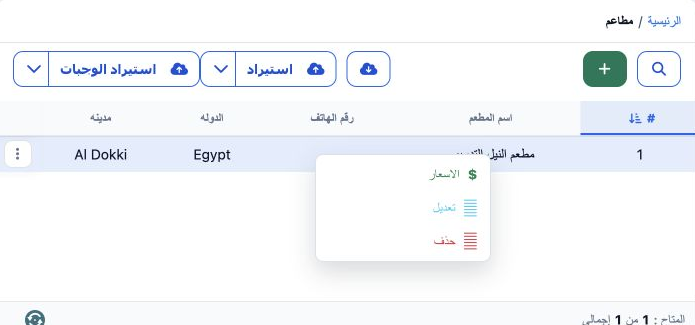
Open Settings → Restaurants (مطاعم) and select +. Enter the restaurant name, select country and city from the lists, optionally add a phone number, then Save. مطعم النيل التدريبي was saved as serial 1 in Egypt, Al Dokki. Prepare the restaurant and its menu prices before selecting them within a Booking file.

2 Open restaurant prices

2 Right-click the restaurant row and choose Prices (الاسعار). The restaurant price page opens for the selected restaurant. Select Add New to d...
Right-click the restaurant row and choose Prices (الاسعار). The restaurant price page opens for the selected restaurant. Select Add New to define a menu item and its price.

3 Save a menu item and price

3 Enter the menu item name, select its currency and enter the price, then Save. غداء وفد القاهرة - تدريب was saved in EGP at 450. Its name, cu...
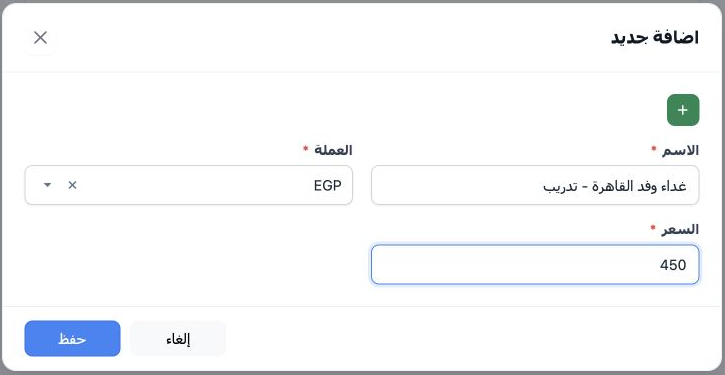
Enter the menu item name, select its currency and enter the price, then Save. غداء وفد القاهرة - تدريب was saved in EGP at 450. Its name, currency and price appeared in the restaurant list after saving. Selecting this menu item in the service retrieves the price into the cost field.

4 Select the restaurant and retrieve cost
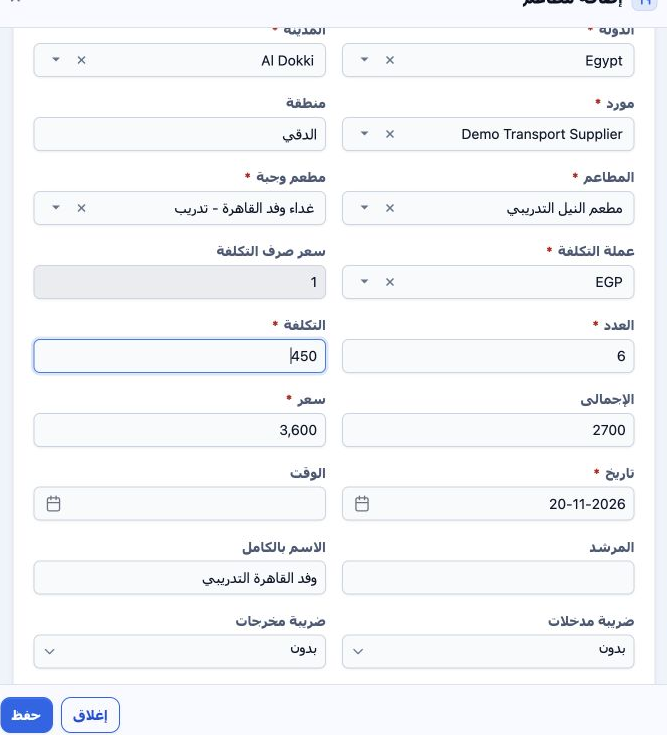
4 Open the Booking file and select Add Restaurants. This example uses file 202611000006, code 47136602, six adults, Incoming, EGP. Choose Egyp...
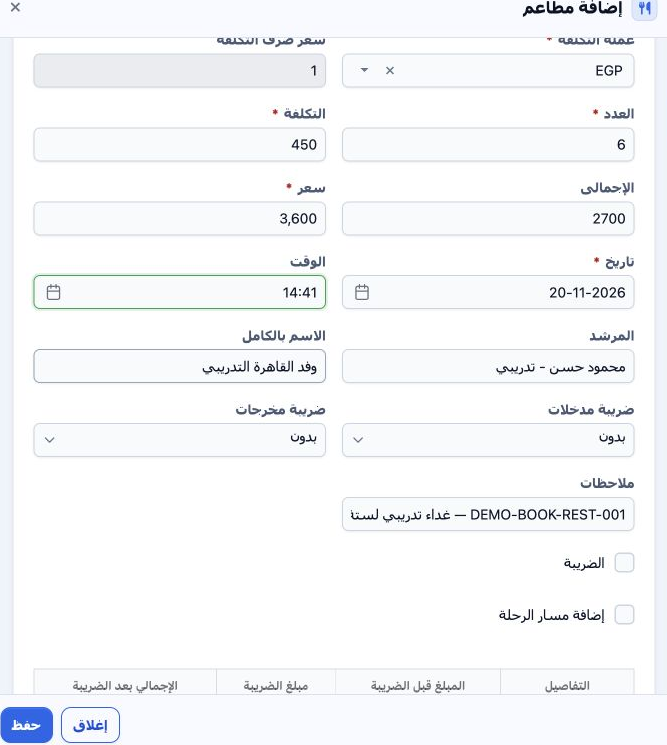
Open the Booking file and select Add Restaurants. This example uses file 202611000006, code 47136602, six adults, Incoming, EGP. Choose Egypt, Al Dokki, the restaurant and its menu item. Cost 450 and currency EGP were retrieved automatically. Select Demo Transport Supplier and review exchange rate 1. Quantity 6 produced total cost 2,700. Enter 3,600 in Price as the service selling total.

5 Complete details and save

5 Complete area, date, time, guide and full name as needed. The example uses Dokki, 20 November 2026, 14:41, the training group name and a fic...
Complete area, date, time, guide and full name as needed. The example uses Dokki, 20 November 2026, 14:41, the training group name and a fictional guide. Review input/output taxes and the totals, add notes and Save. Both taxes remained None. The form also includes Tax and Add Itinerary checkboxes. The saved service reference is 47136943.

6 Edit the saved service

6 In the restaurant row, choose Actions → Edit. Update the required fields, Save and review the row. Price was changed from 3,600 to 3,900 EGP...
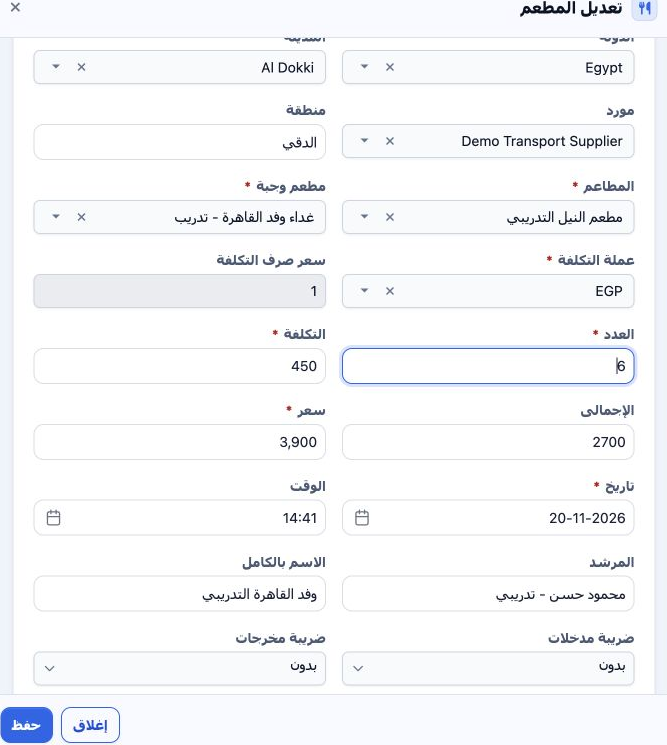
In the restaurant row, choose Actions → Edit. Update the required fields, Save and review the row. Price was changed from 3,600 to 3,900 EGP and the notes updated. The saved row showed selling total 3,900, with quantity 6, unit cost 450 and total cost 2,700 unchanged.

7 Review deletion confirmation

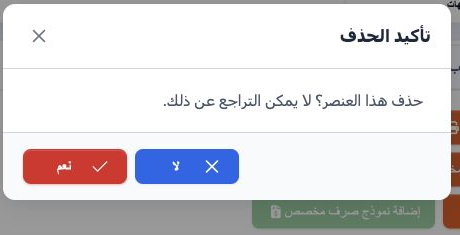
7 Choose Actions → Delete. The message states that deletion cannot be undone. Choose No to cancel or Yes to confirm removal of the intended it...
Choose Actions → Delete. The message states that deletion cannot be undone. Choose No to cancel or Yes to confirm removal of the intended item. No was selected here; the restaurant record remained for locking and journal review.

8 Lock the file

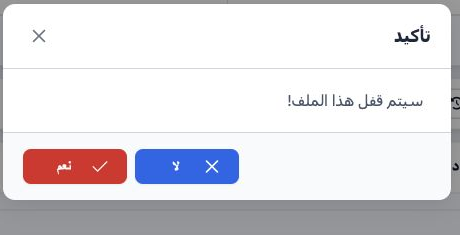
8 After reviewing the data, select Lock and confirm Yes. The restaurant accounting status became Confirmed and Unlock appeared. In Accounting...
After reviewing the data, select Lock and confirm Yes. The restaurant accounting status became Confirmed and Unlock appeared. In Accounting → Journal Entries, search Relative# 47136602 to review the cost and revenue entries.

9 Review restaurant cost entry

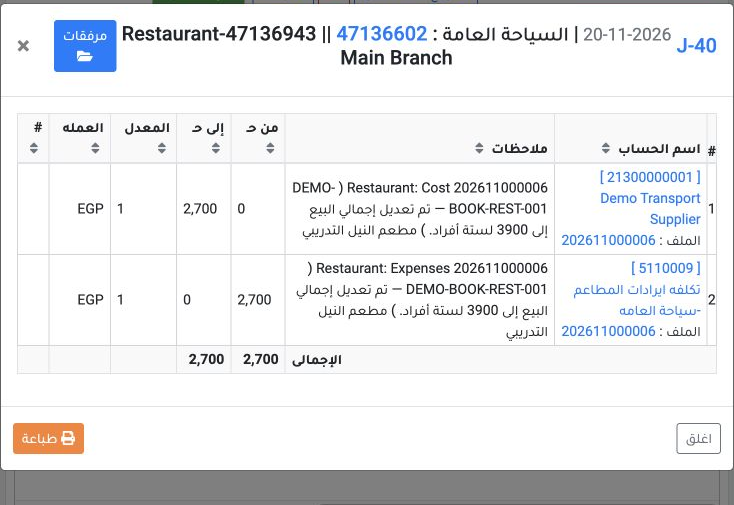
9 Right-click J-40 and select View. It is dated 20 November 2026, source Restaurant, service reference 47136943. Debit is 2,700 EGP to restaur...
Right-click J-40 and select View. It is dated 20 November 2026, source Restaurant, service reference 47136943. Debit is 2,700 EGP to restaurant-cost account 5110009; credit is 2,700 to supplier account 21300000001. Both sides balance in EGP at rate 1.

10 Review restaurant revenue entry

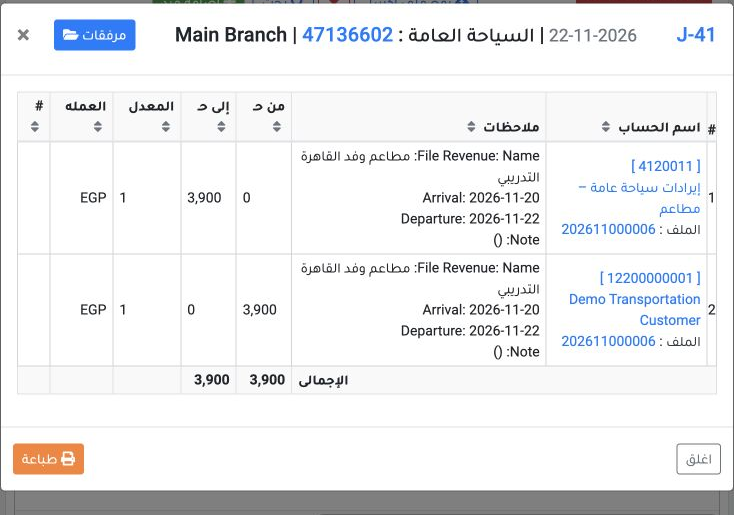
10 View J-41 for the same file reference. It is dated 22 November 2026, source Booking Revenue. Debit is 3,900 EGP to Demo Transportation Custo...
View J-41 for the same file reference. It is dated 22 November 2026, source Booking Revenue. Debit is 3,900 EGP to Demo Transportation Customer account 12200000001; credit is 3,900 to restaurant-revenue account 4120011. Check the file number in the narrative and equal totals.

11 Review profit and remaining balance
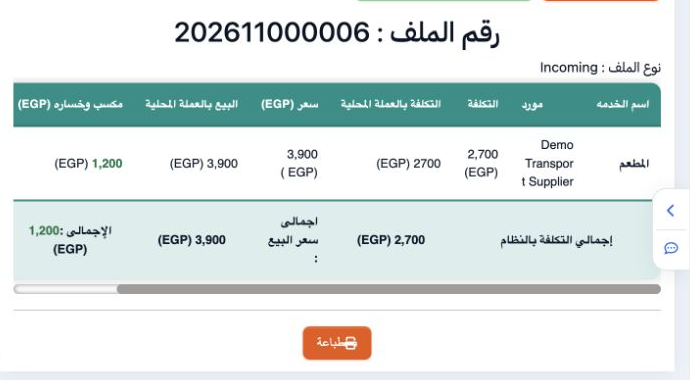
11 Open Profit and Loss. Match amounts to the service and journals: cost 2,700, sale 3,900 and profit 1,200 EGP. Customer remaining is still 3,...
Open Profit and Loss. Match amounts to the service and journals: cost 2,700, sale 3,900 and profit 1,200 EGP. Customer remaining is still 3,900 because no payment was recorded for this file. Accounting confirmation does not mean that the amount has been collected.

Sign in to record the lessons you have read. Sign in