Skip to content
Trio Travel guide

Booking Transportation Report

On this page
  1. 1 Open the Transportation report
  2. 2 Select a file in Search
  3. 3 Reconcile the service total
  4. 4 Row actions
  5. 5 Review source cost details
  6. 6 Choose output columns

1 Open the Transportation report

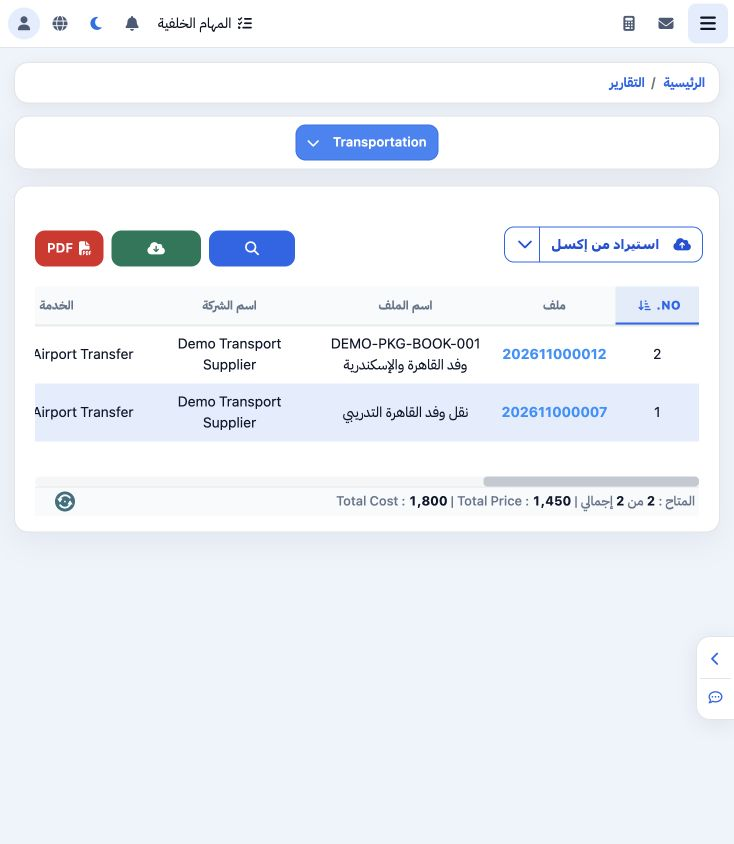
1 Open General Tourism → Reports → Reports and select Transportation. The example contains two transport service items, costing 1800 and selli...
Open General Tourism → Reports → Reports and select Transportation. The example contains two transport service items, costing 1800 and selling for 1450. Review file, company, service, vehicle class, driver and date.

2 Select a file in Search

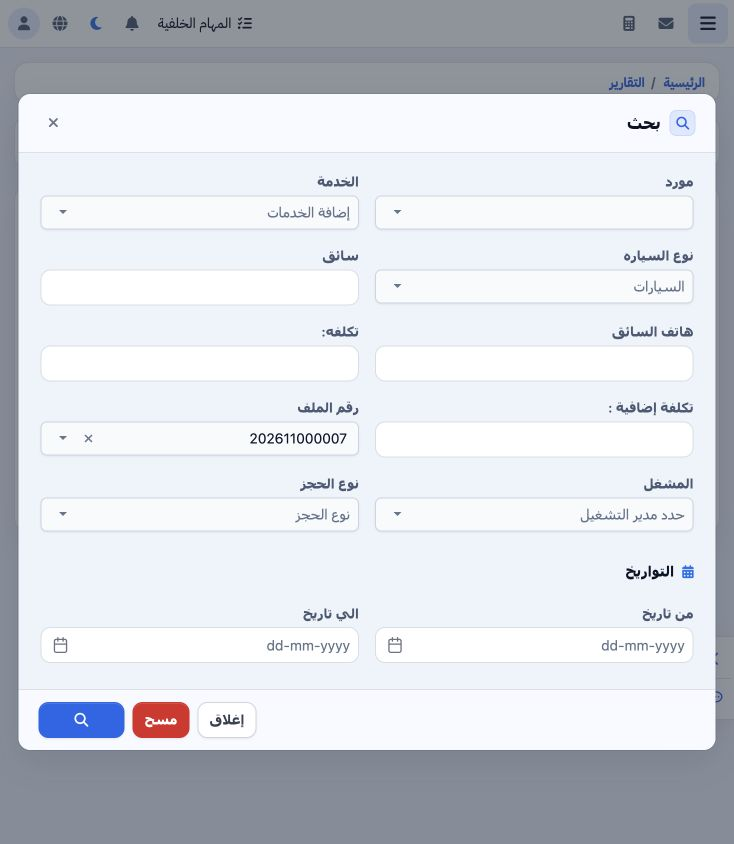
2 Open Search. Type 202611000007 in the File Number picker and select the matching result. Filters include supplier, service, vehicle class, d...
Open Search. Type 202611000007 in the File Number picker and select the matching result. Filters include supplier, service, vehicle class, driver/phone, cost, extra cost, operator, booking type and date range. Select the Search icon at the bottom.

3 Reconcile the service total

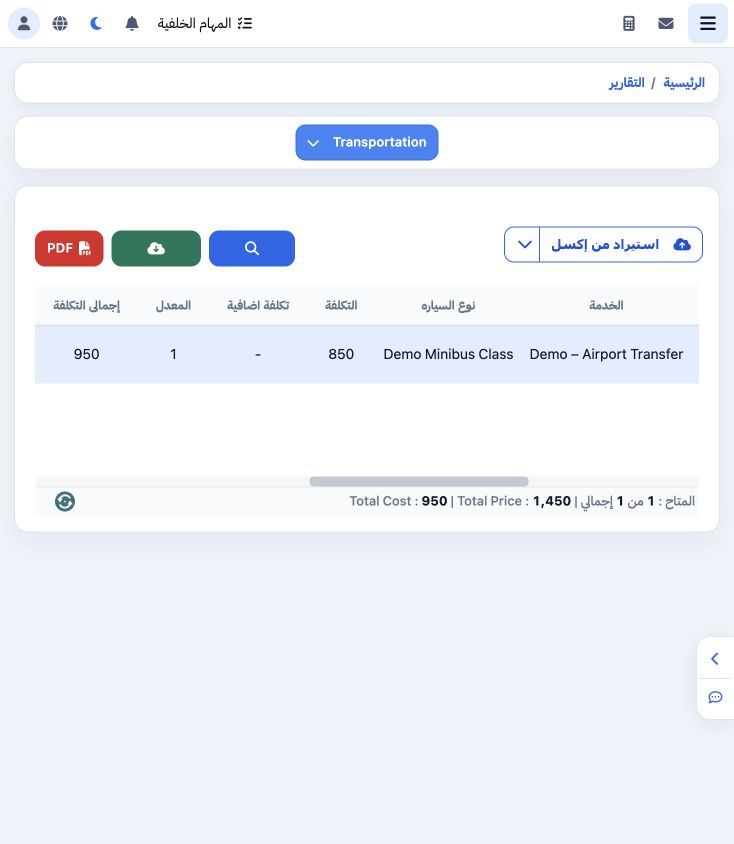
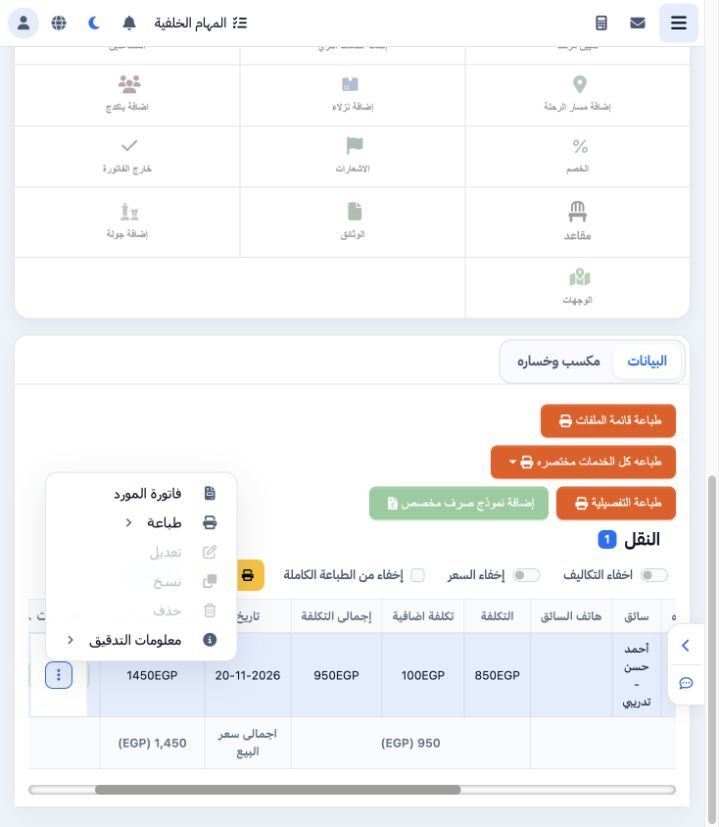
3 The file filter returned one Demo – Airport Transfer item using Demo Minibus Class. Cost total is 950 and selling total is EGP 1450. The rep...
The file filter returned one Demo – Airport Transfer item using Demo Minibus Class. Cost total is 950 and selling total is EGP 1450. The report footer matches the row totals.

4 Row actions

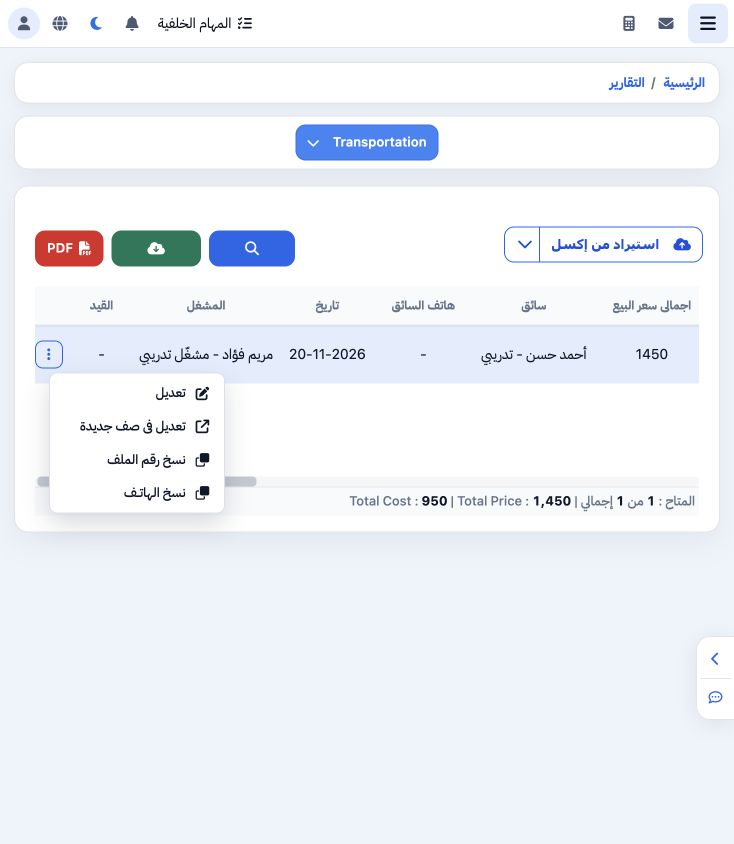
4 Open the row’s three-dot menu for Edit, Edit in New Page, Copy File Number and Copy Phone. The example successfully copied 202611000007. Sel...
Open the row’s three-dot menu for Edit, Edit in New Page, Copy File Number and Copy Phone. The example successfully copied 202611000007. Select Edit to open the file view and review the Transport service.

5 Review source cost details

5 In the file’s Transport section, item 47138986 is Confirmed. Base cost is 850, extra cost is 100, cost total is 950 and selling is EGP 1450....
In the file’s Transport section, item 47138986 is Confirmed. Base cost is 850, extra cost is 100, cost total is 950 and selling is EGP 1450. The item and file lock were not changed during this review.

6 Choose output columns

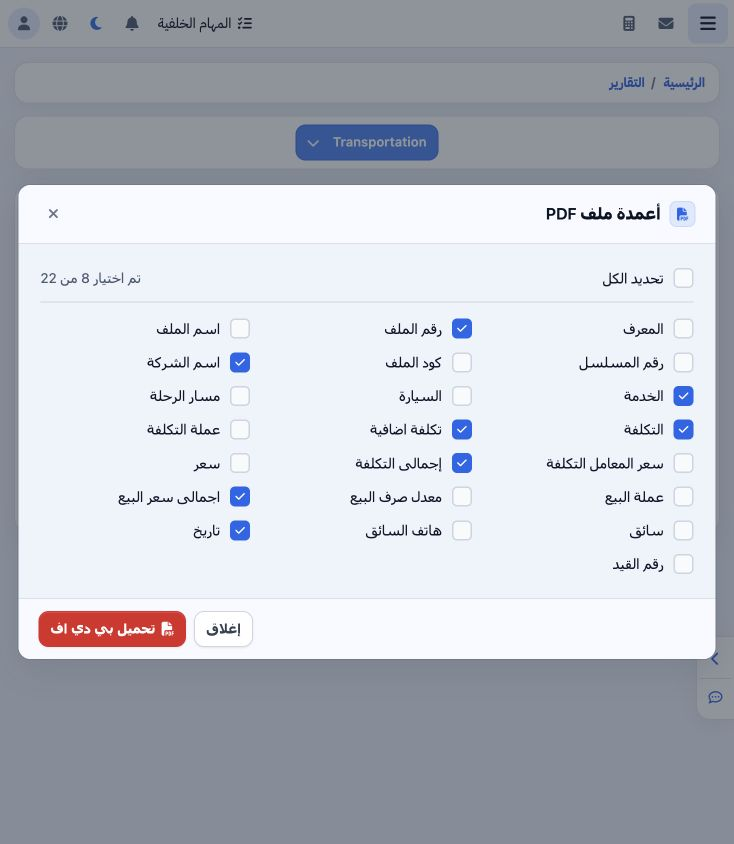
6 From the report, select PDF to open the 22-field list. This example selects file number, company, service, cost, extra cost, cost total, sel...
From the report, select PDF to open the 22-field list. This example selects file number, company, service, cost, extra cost, cost total, selling total and date. Driver, phone, currency and journal fields are also available. Download PDF appears at the bottom.

Sign in to record the lessons you have read. Sign in