Skip to content
Trio Travel guide

Booking Documents Service

On this page
  1. 1 Open the training file
  2. 2 Document details and dates
  3. 3 Supplier, quantity and costs
  4. 4 Review the saved service and actions
  5. 5 Edit the service
  6. 6 Verify the updated price
  7. 7 Open a copy of the document
  8. 8 Review deletion confirmation
  9. 9 View the voucher
  10. 10 Lock the file
  11. 11 Documents cost journal
  12. 12 File revenue journal

1 Open the training file
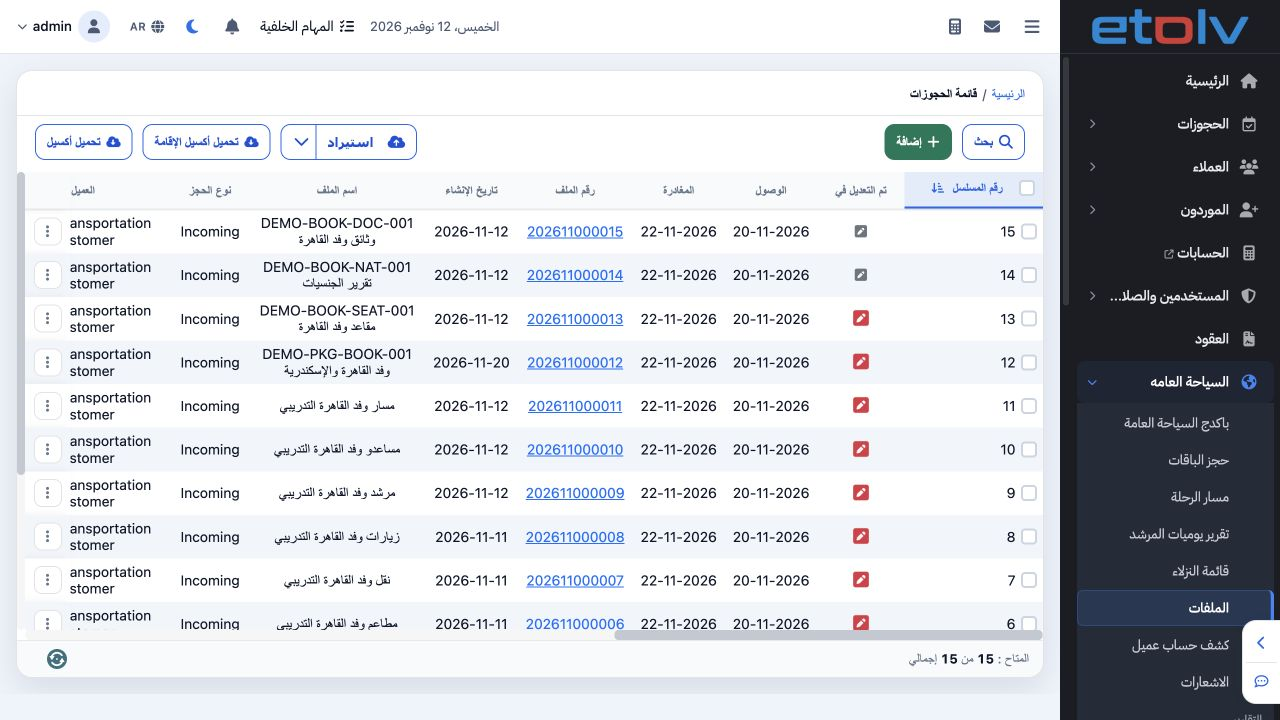
1 Open General Tourism file 202611000015, DEMO-BOOK-DOC-001, then select Documents. The example has two people, arrival 20 November and depart...
Open General Tourism file 202611000015, DEMO-BOOK-DOC-001, then select Documents. The example has two people, arrival 20 November and departure 22 November 2026, in EGP.

2 Document details and dates

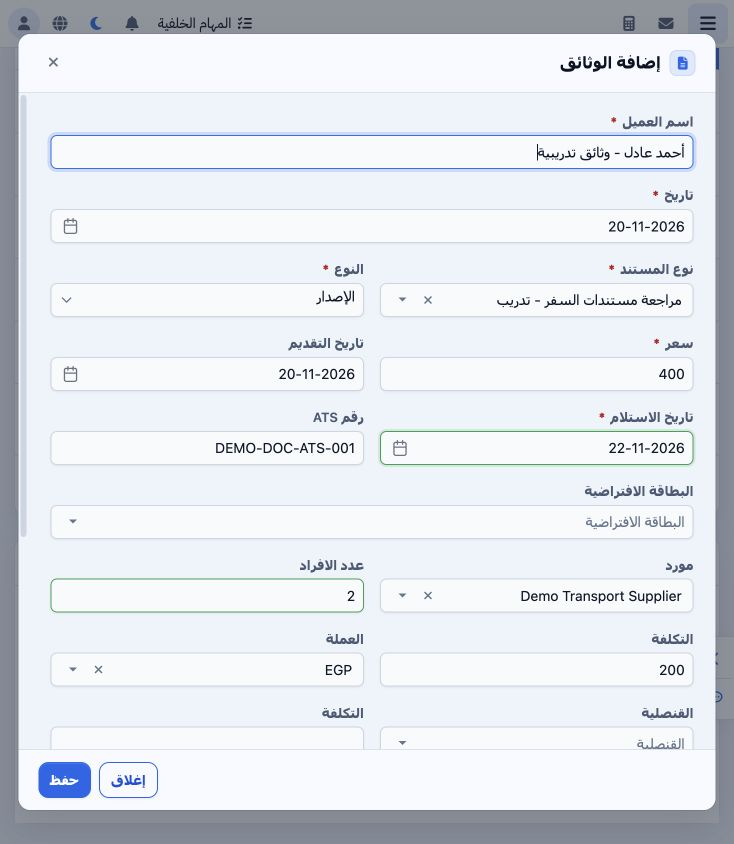
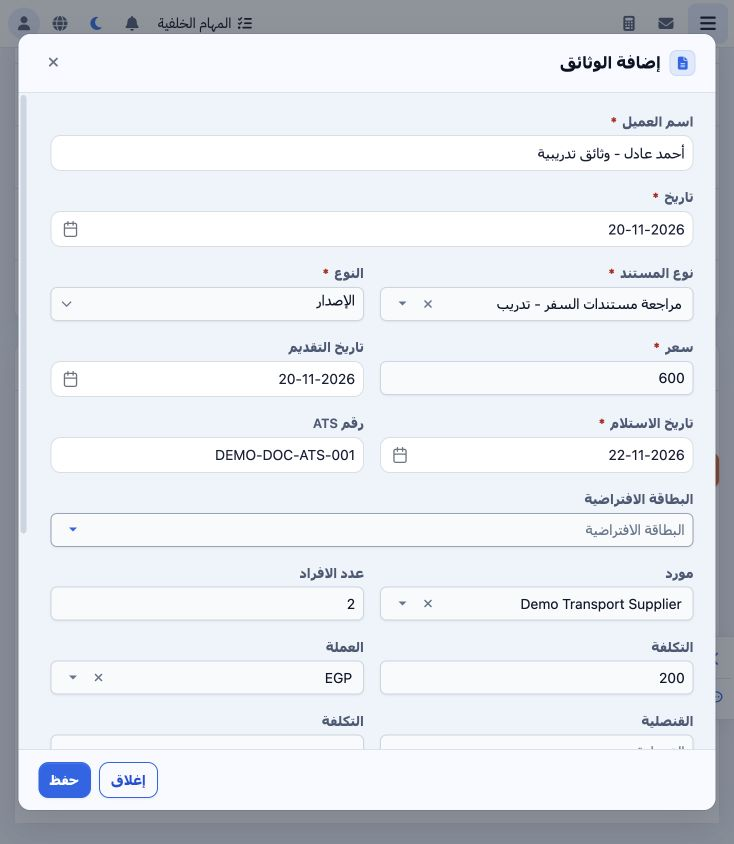
2 Enter the document owner, record date, document type and Issue type. Selecting the training Document Review type retrieves price 400, cost 2...
Enter the document owner, record date, document type and Issue type. Selecting the training Document Review type retrieves price 400, cost 200 and EGP from setup. Set submission to 20 November and receipt to 22 November. Enter an ATS reference when used.

3 Supplier, quantity and costs

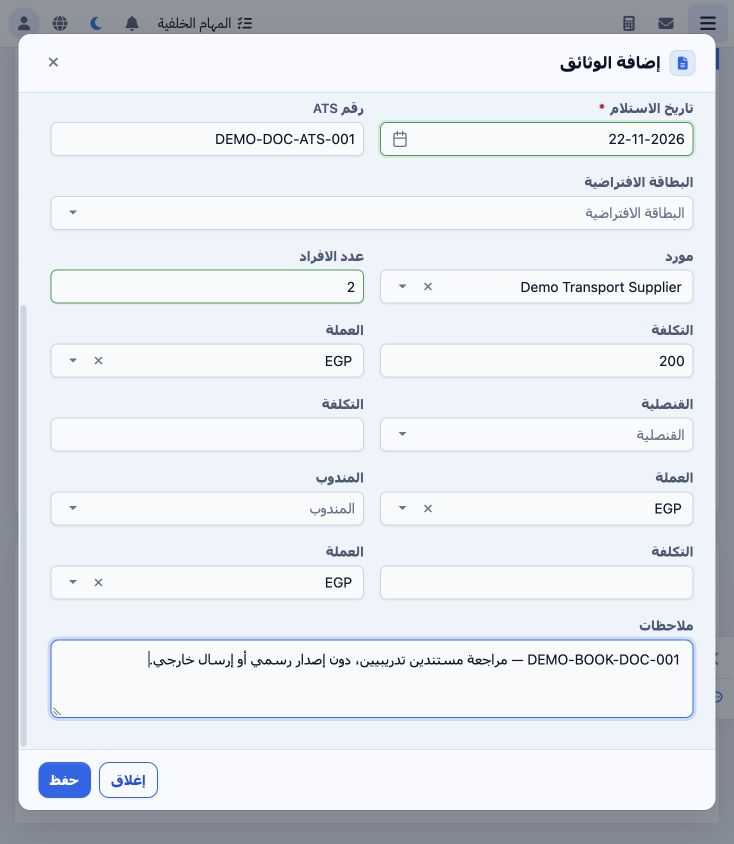
3 Choose Demo Transport Supplier, quantity 2, unit supplier cost 200 and EGP. Optional fields include virtual card, consulate and representati...
Choose Demo Transport Supplier, quantity 2, unit supplier cost 200 and EGP. Optional fields include virtual card, consulate and representative, with separate cost and currency fields for the latter two. Enter notes and Save. This example does not use a virtual card, consulate or representative.

4 Review the saved service and actions
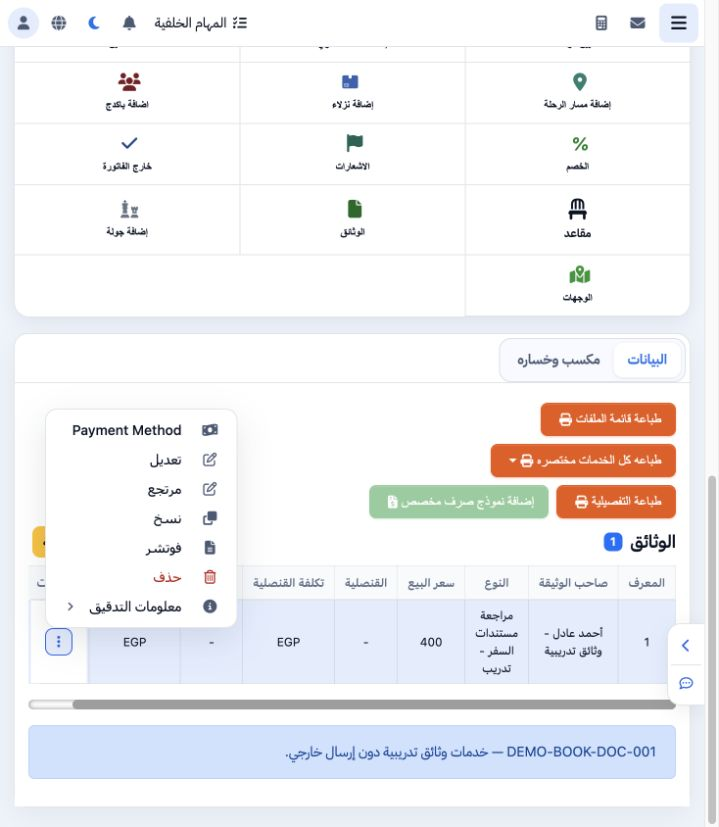
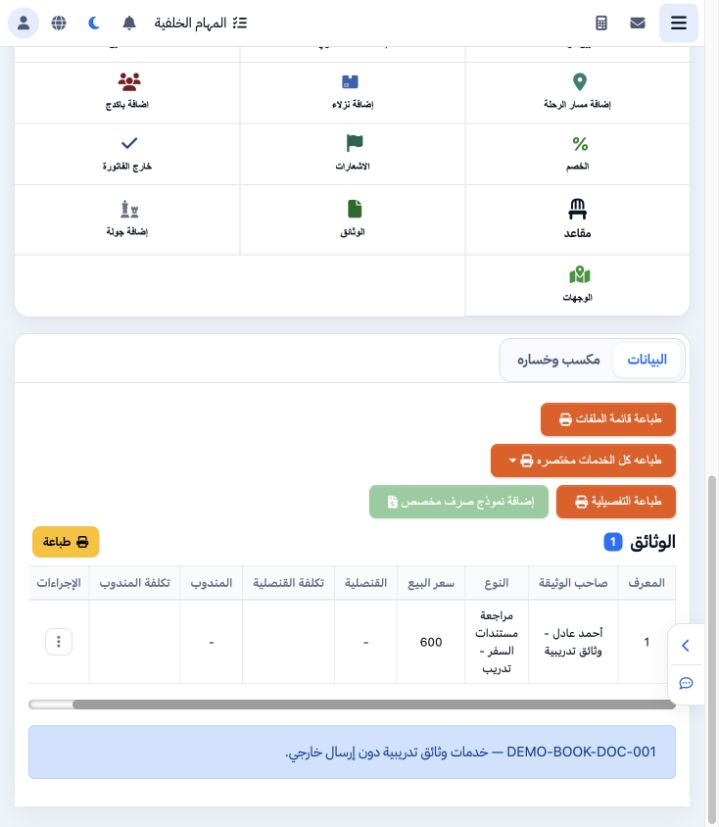
4 The saved item appears under Documents, showing owner, type and selling price. Actions include Payment Method, Edit, Return, Copy, Voucher,...
The saved item appears under Documents, showing owner, type and selling price. Actions include Payment Method, Edit, Return, Copy, Voucher, Delete and Audit Information.

5 Edit the service

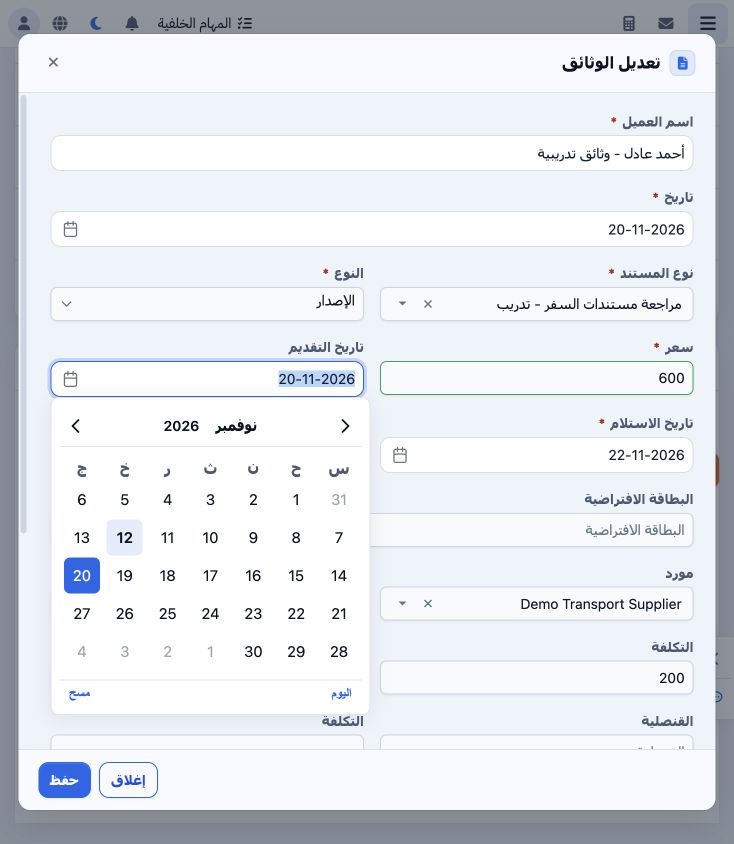
5 Choose Actions → Edit and wait for existing values to load. Change the selling price from 400 to 600, record the reason in notes and Save. Q...
Choose Actions → Edit and wait for existing values to load. Change the selling price from 400 to 600, record the reason in notes and Save. Quantity remains 2 and supplier unit cost 200.

6 Verify the updated price

6 The saved service now sells for EGP 600. The file total and customer outstanding are both 600. In this example selling price is the item tot...
The saved service now sells for EGP 600. The file total and customer outstanding are both 600. In this example selling price is the item total and is not multiplied by quantity.

7 Open a copy of the document

7 Actions → Copy opens an Add form populated with the current document. Review owner, dates, reference and prices before creating another item...
Actions → Copy opens an Add form populated with the current document. Review owner, dates, reference and prices before creating another item. Select Close to return without saving, as performed here.

8 Review deletion confirmation

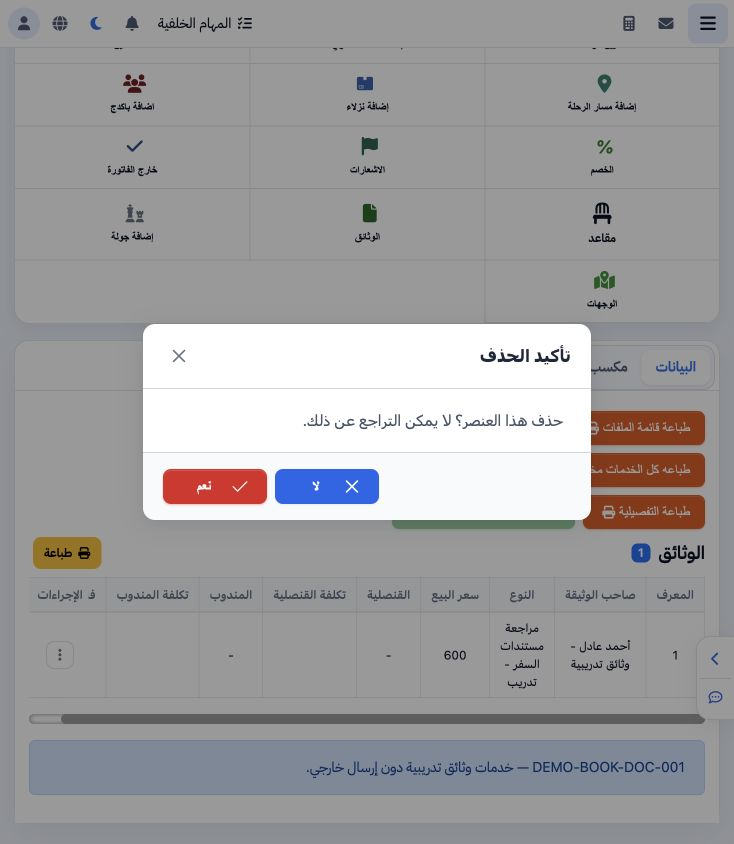
8 Choose Actions → Delete. The warning states that deletion cannot be undone. Select No to cancel and retain the item, as performed in this ex...
Choose Actions → Delete. The warning states that deletion cannot be undone. Select No to cancel and retain the item, as performed in this example.

9 View the voucher

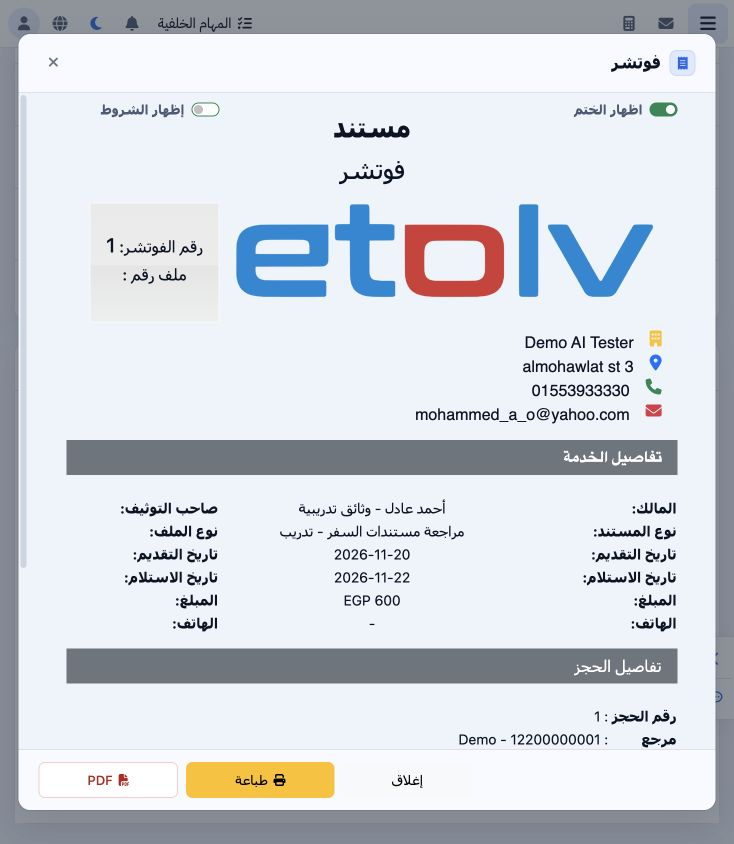
9 Choose Actions → Voucher. Review owner, document type, submission and receipt dates, EGP 600 and notes. Terms and stamp switches are availab...
Choose Actions → Voucher. Review owner, document type, submission and receipt dates, EGP 600 and notes. Terms and stamp switches are available, together with Print and PDF controls.

10 Lock the file

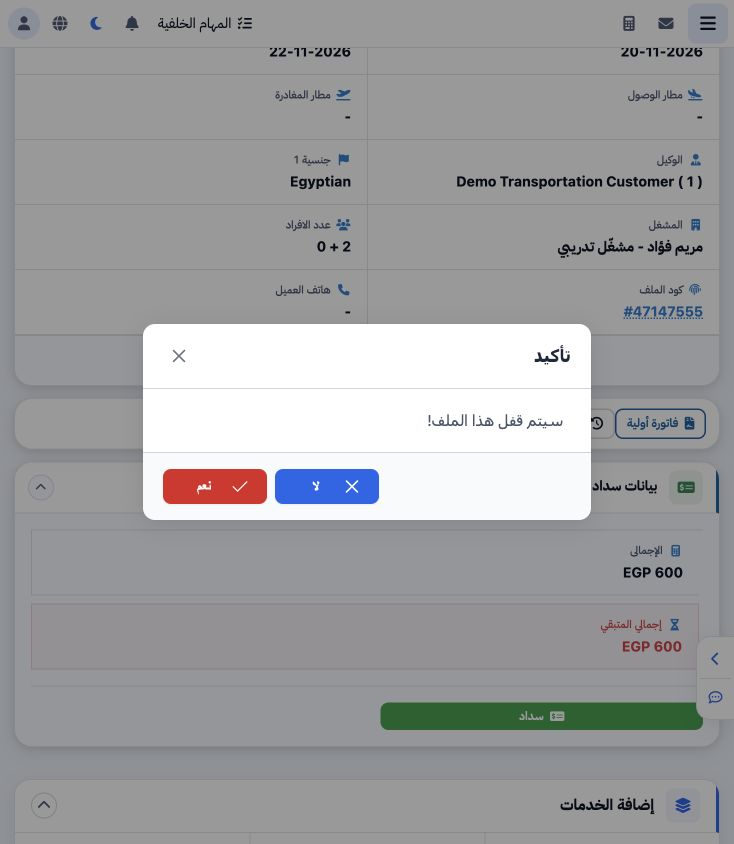
10 After reviewing the data, select Lock and confirm Yes. Unlock appears after completion and service addition is disabled for the locked file....
After reviewing the data, select Lock and confirm Yes. Unlock appears after completion and service addition is disabled for the locked file. Review the file’s accounting journals.

11 Documents cost journal

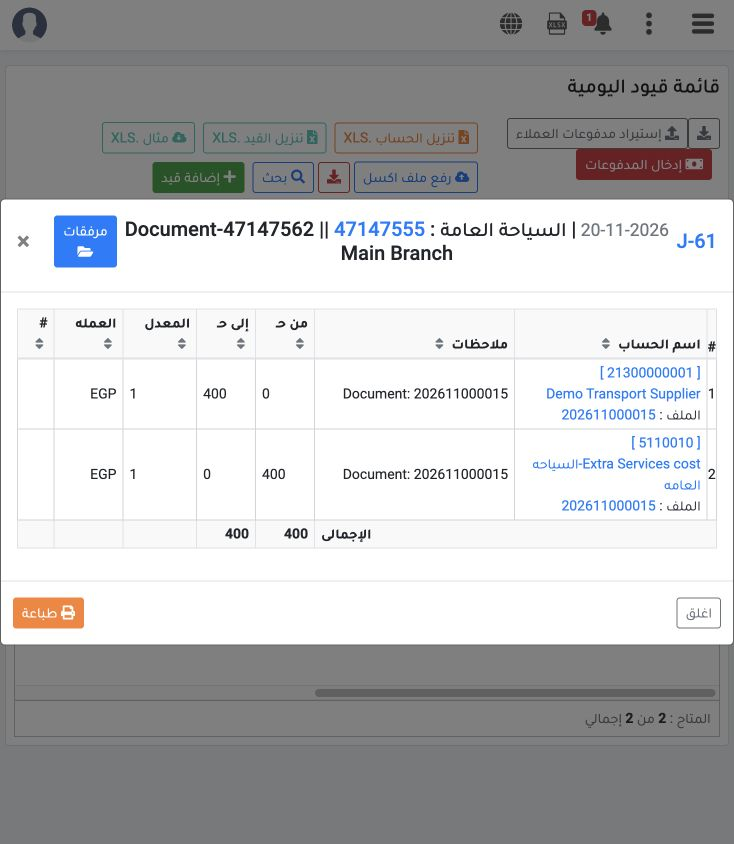
11 Locking created J-61 dated 20 November for item 47147562: debit 5110010 Extra Services Cost EGP 400; credit 21300000001 Demo Transport Suppl...
Locking created J-61 dated 20 November for item 47147562: debit 5110010 Extra Services Cost EGP 400; credit 21300000001 Demo Transport Supplier EGP 400. Cost is 2 × 200. The journal balances at exchange rate 1.

12 File revenue journal

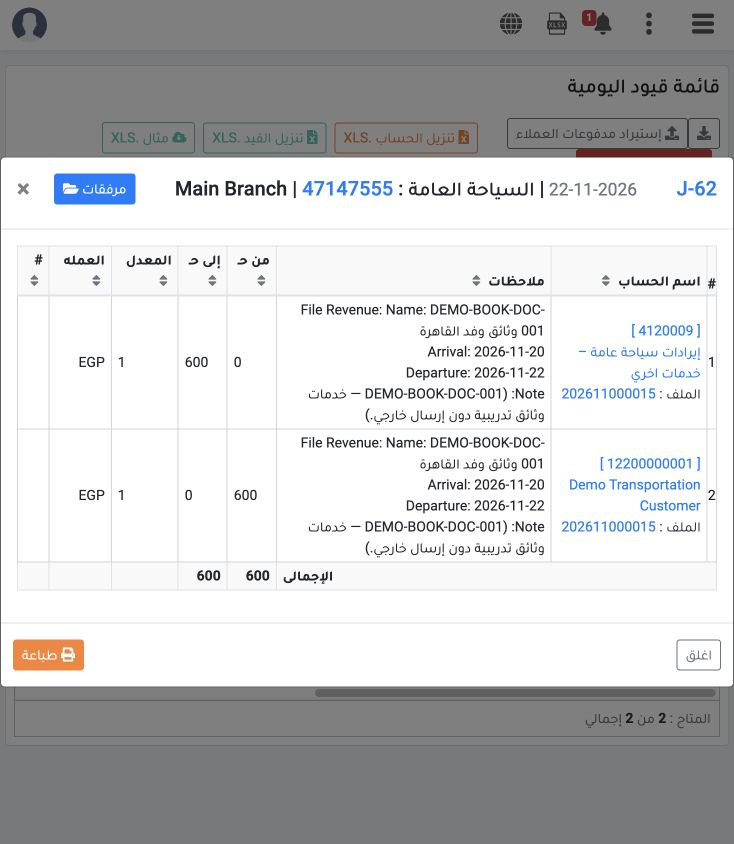
12 Locking created J-62 dated 22 November: debit customer 12200000001 Demo Transportation Customer EGP 600; credit 4120009 General Tourism Othe...
Locking created J-62 dated 22 November: debit customer 12200000001 Demo Transportation Customer EGP 600; credit 4120009 General Tourism Other Services Revenue EGP 600. The balanced journal references file 47147555. Outstanding remains 600 because no payment was recorded in this example.

Sign in to record the lessons you have read. Sign in