Skip to content
Trio Travel guide

Seat Housing Search and Bus Setup

On this page
  1. 1 Find passengers
  2. 2 Add a bus for allocation
  3. 3 Open the bus map

1 Find passengers

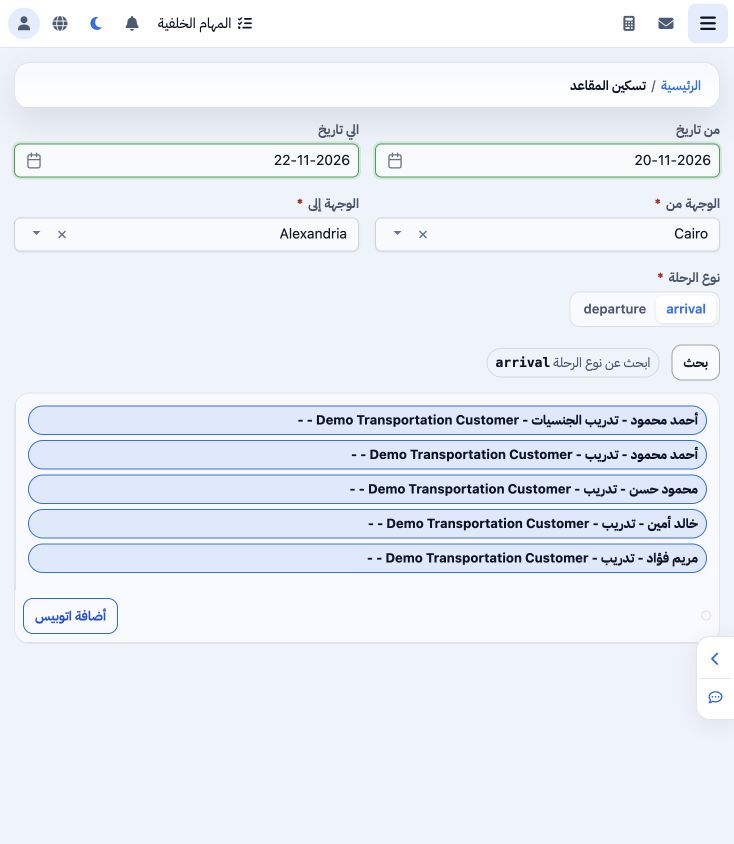
1 Open General Tourism → Reports → Seat Housing. Set dates, origin, destination and trip type, then Search. Cairo to Alexandria on 20–22 Novem...
Open General Tourism → Reports → Seat Housing. Set dates, origin, destination and trip type, then Search. Cairo to Alexandria on 20–22 November with arrival returns five passengers from saved Seats services.

2 Add a bus for allocation

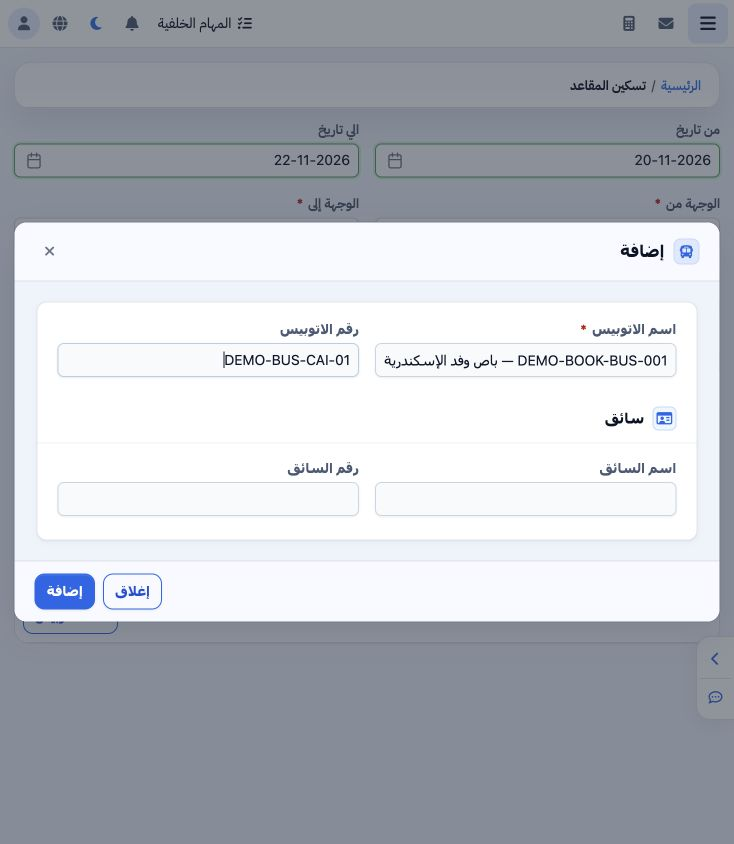
2 Select Add Bus and enter bus name, bus number, driver name and driver number, then Add. DEMO-BOOK-BUS-001 was saved with number DEMO-BUS-CAI...
Select Add Bus and enter bus name, bus number, driver name and driver number, then Add. DEMO-BOOK-BUS-001 was saved with number DEMO-BUS-CAI-01 and a training driver. It appears as a separate tab below the passenger list.

3 Open the bus map

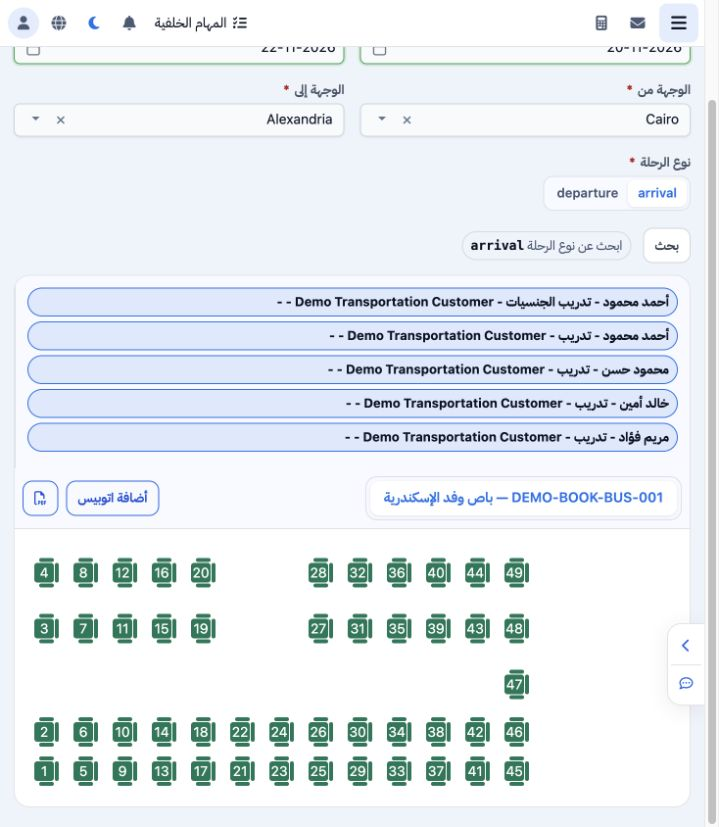
3 Select the bus tab to open its seat map. The example displays seats numbered 1–49 with the passenger list above. Review dates, both destinat...
Select the bus tab to open its seat map. The example displays seats numbered 1–49 with the passenger list above. Review dates, both destinations and trip type before continuing passenger allocation.

Sign in to record the lessons you have read. Sign in