Skip to content
Trio Travel guide

Opening a General Tourism File

On this page
  1. File details
  2. File number

File details

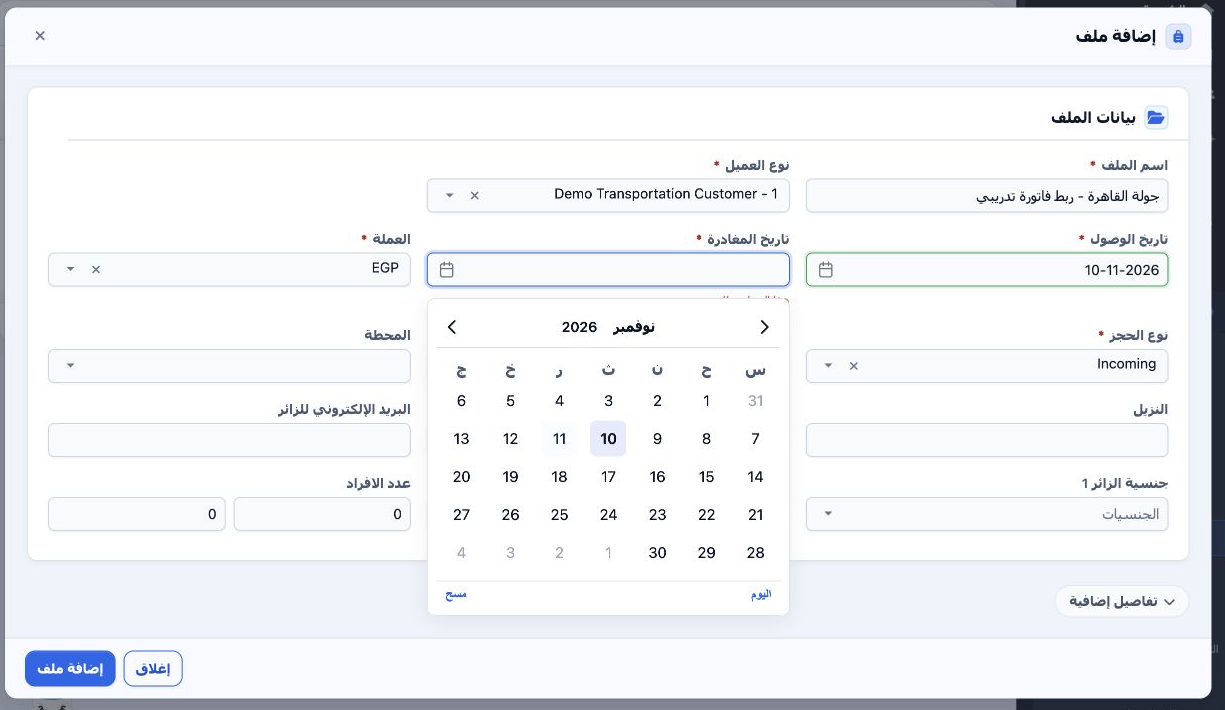
1 Open Portal → General Tourism → Files and select Add. Enter the name, customer, arrival and departure dates, currency, booking type and oper...
Open Portal → General Tourism → Files and select Add. Enter the name, customer, arrival and departure dates, currency, booking type and operator. The example uses Incoming, EGP and Maryam Fouad. Select Add File.

File number

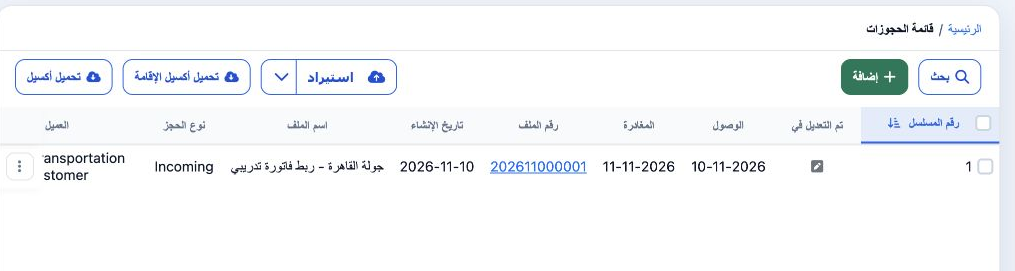
2 After saving, use the value in File Number. In this example, 202611000001 became available in File No. on the General Tourism invoice line.
After saving, use the value in File Number. In this example, 202611000001 became available in File No. on the General Tourism invoice line.

Sign in to record the lessons you have read. Sign in