Skip to content
Trio Travel guide

Booking Hotel Rooms Report

On this page
  1. 1 Open Hotel Rooms report
  2. 2 Search by accommodation details
  3. 3 Date ranges and applying the search
  4. 4 Reconcile the item and totals
  5. 5 Row actions and opening the source
  6. 6 Choose output columns
  7. 7 Review the generated PDF

1 Open Hotel Rooms report

1 Open General Tourism → Reports → Reports and choose Hotels (Rooms). The selected name is AccommodationFeature. The example contains two save...
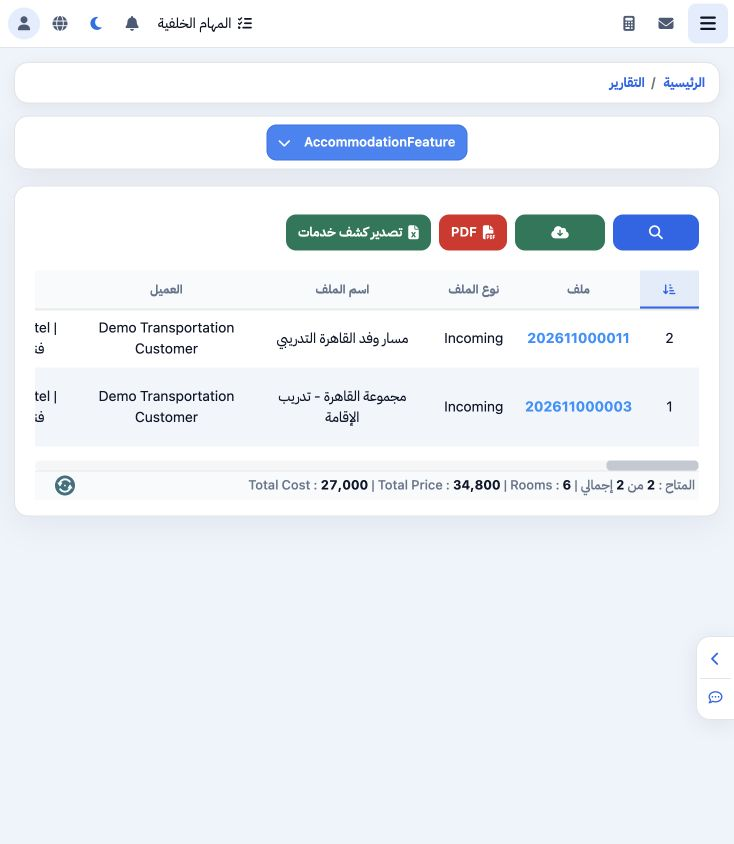
Open General Tourism → Reports → Reports and choose Hotels (Rooms). The selected name is AccommodationFeature. The example contains two saved Cairo Marriott accommodation items, costing 27000 and selling for 34800, with six rooms in total. Review file number, hotel, guest name, room type, meals, dates and supplier.

2 Search by accommodation details

2 Open Search. Filters include customer, supplier, city, currency, hotel, room type, Room View and meals. Other fields include confirmation nu...
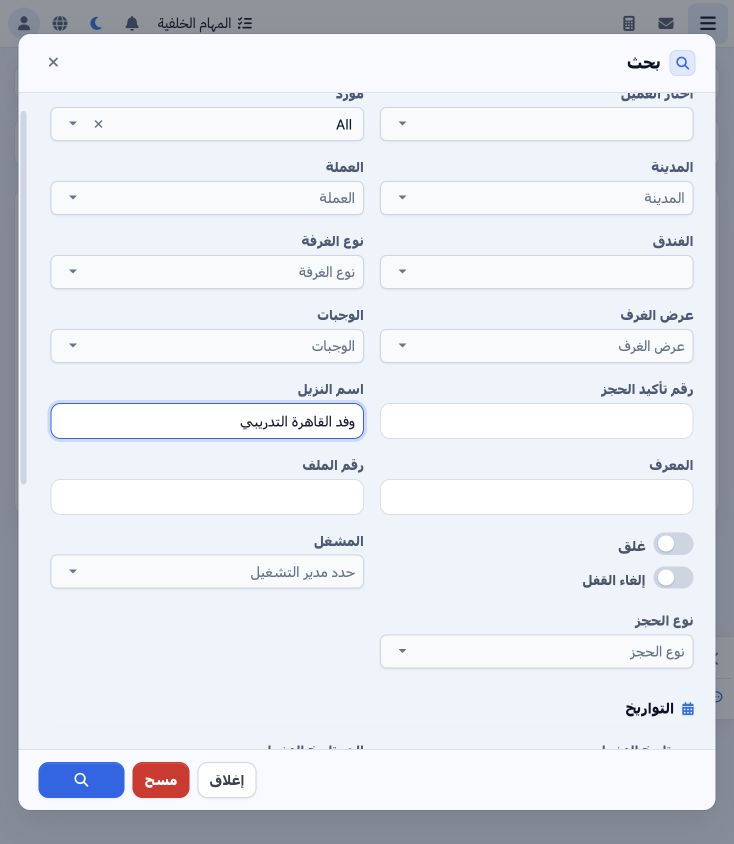
Open Search. Filters include customer, supplier, city, currency, hotel, room type, Room View and meals. Other fields include confirmation number, guest name, ID, file number, operator, booking type and lock options. Enter the training delegation name «وفد القاهرة التدريبي» in Guest Name to reproduce the example.

3 Date ranges and applying the search

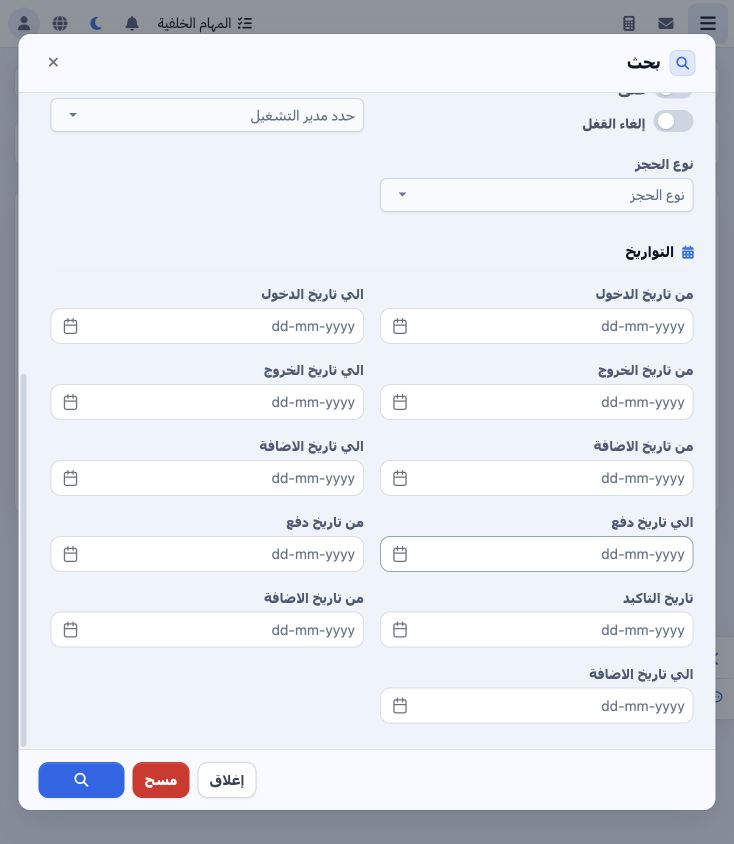
3 Review check-in, check-out, creation, payment and confirmation date filters. Choose the required boundaries from the calendar and leave unre...
Review check-in, check-out, creation, payment and confirmation date filters. Choose the required boundaries from the calendar and leave unrelated ranges blank. Select the Search icon at the bottom. Clear removes the criteria and Close leaves the dialog.

4 Reconcile the item and totals

4 The guest-name search returned one item for file 202611000003: three Double rooms, two nights, cost EGP 18000 and selling total 24000. The P...
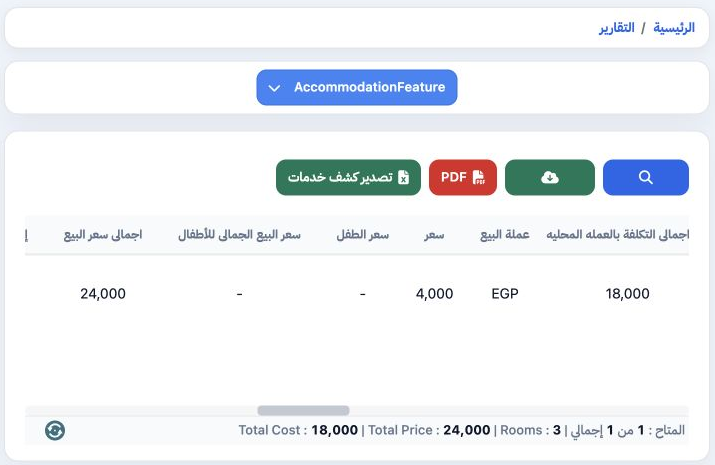
The guest-name search returned one item for file 202611000003: three Double rooms, two nights, cost EGP 18000 and selling total 24000. The Price column displays 4000. Supplier is Demo Transport Supplier and meal plan is Bed and Breakfast. The footer matches the row totals and room count. Scroll horizontally for local-currency values and the remaining columns.

5 Row actions and opening the source

5 Open the row’s three-dot menu. It offers Edit, Edit in New Page, Copy File Number and Copy Phone. The trial successfully copied 202611000003...
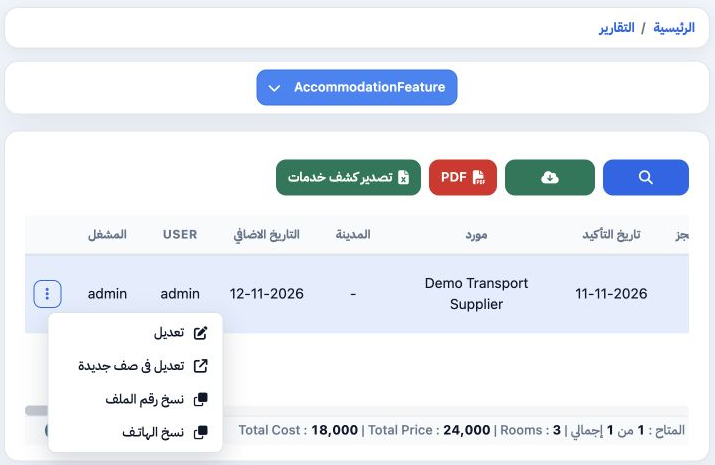
Open the row’s three-dot menu. It offers Edit, Edit in New Page, Copy File Number and Copy Phone. The trial successfully copied 202611000003. Edit navigates to the file view to review its service; no changes were saved in this example. Use the new-page option when you need to retain the report view.

6 Choose output columns

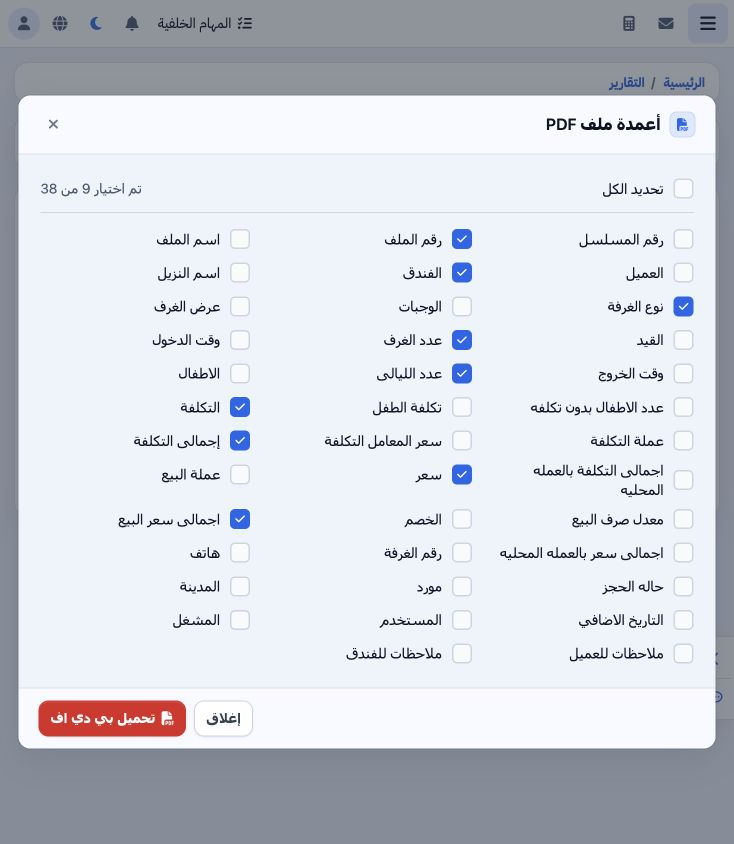
6 Select PDF to open the 38-column list. Use Select All or choose the fields needed. This internal review output uses nine columns: file numbe...
Select PDF to open the 38-column list. Use Select All or choose the fields needed. This internal review output uses nine columns: file number, hotel, room type, room/night quantities, cost/cost total and selling price/selling total. Select Download PDF. Excel and Export Service Statement are also available in the toolbar.

7 Review the generated PDF

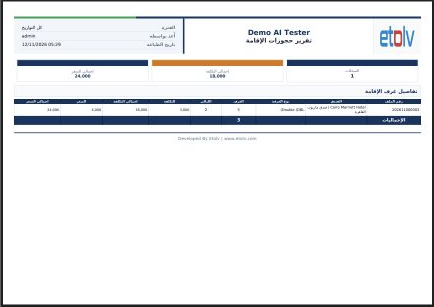
7 The Accommodation Booking Report was generated in a new tab. Reconcile file number, hotel, room type, nights and quantities. The example sho...
The Accommodation Booking Report was generated in a new tab. Reconcile file number, hotel, room type, nights and quantities. The example shows 18000 cost, 24000 sales and three rooms, matching the accommodation row and on-screen totals. After review, print or download from the PDF viewer.

Sign in to record the lessons you have read. Sign in