Skip to content
Trio Travel guide

Restaurants in a Package

On this page
  1. 1 Access and prerequisites
  2. 2 Fields editing and removal
  3. 3 Review the generated file service

1 Access and prerequisites

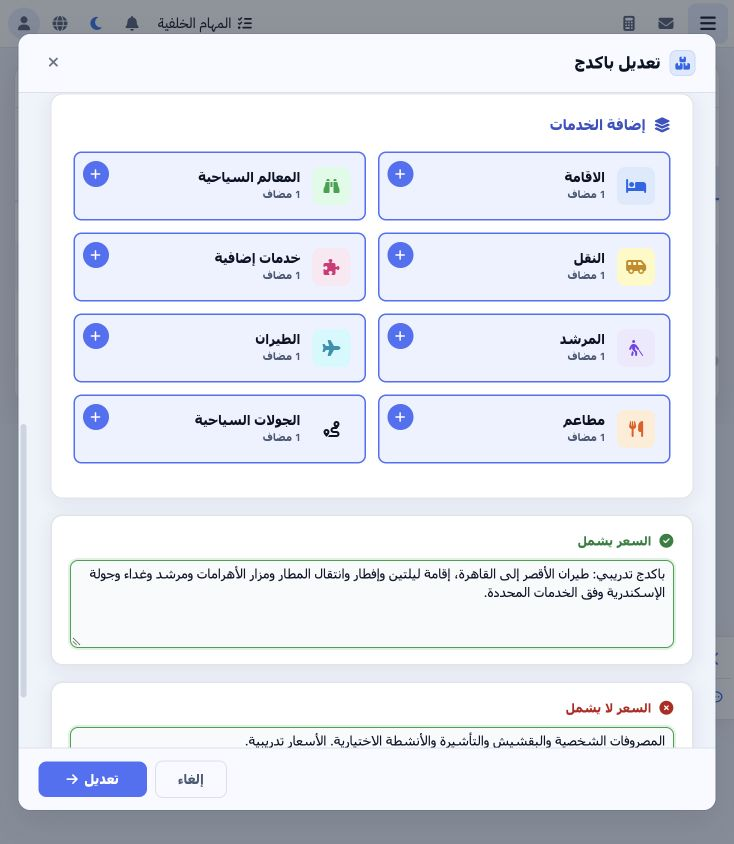
1 Edit the package and open Restaurants. Choose its plus to add a card or open the section to review a saved card. Define the restaurant in Se...
Edit the package and open Restaurants. Choose its plus to add a card or open the section to review a saved card. Define the restaurant in Settings → Restaurants and use its Prices action to define a meal and price. The example restaurant is مطعم النيل التدريبي in Al Dokki; its training Cairo lunch menu costs EGP 450.

2 Fields editing and removal

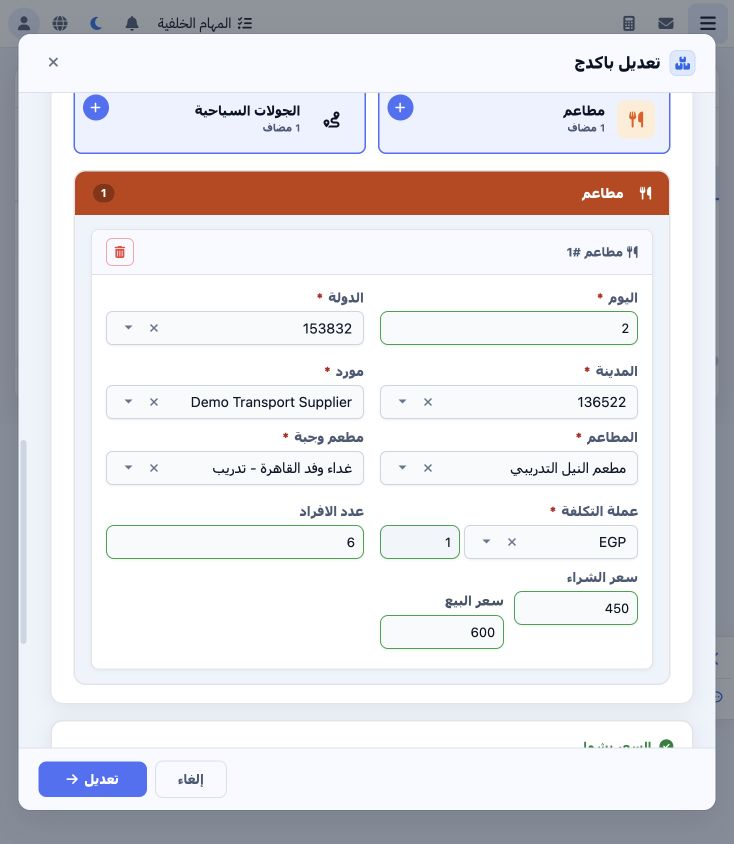
2 Select day 2, Egypt, Al Dokki and the supplier, then choose the restaurant and meal. Purchase price 450 loads from the menu. Set EGP at rate...
Select day 2, Egypt, Al Dokki and the supplier, then choose the restaurant and meal. Purchase price 450 loads from the menu. Set EGP at rate 1, quantity 6 and selling price 600, then save. If the restaurant is missing, verify the city stored in its definition.

3 Review the generated file service

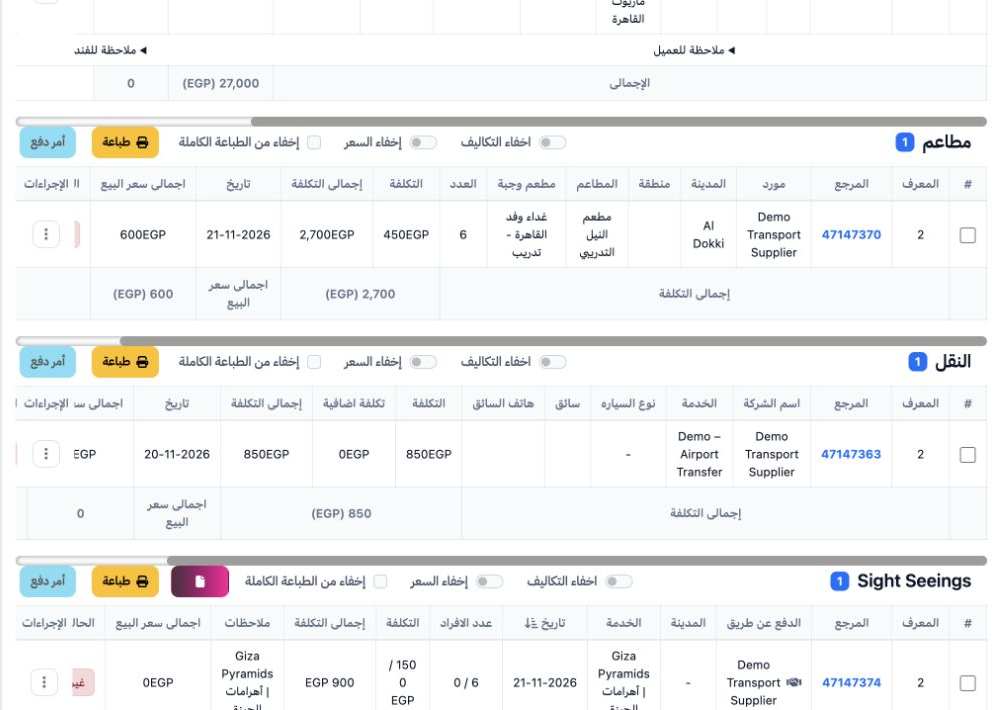
3 In the generated file’s Restaurants section, verify the restaurant, menu, quantity, date and status. The example item is 47147370; total cos...
In the generated file’s Restaurants section, verify the restaurant, menu, quantity, date and status. The example item is 47147370; total cost is 2700 from 6 × 450. Review the selling total in the file before posting.

Sign in to record the lessons you have read. Sign in