Skip to content
Trio Travel guide

Accommodation in a Package

On this page
  1. 1 Access and prerequisites
  2. 2 Fields editing and removal
  3. 3 Review the generated file service

1 Access and prerequisites

1 Edit the package and open Accommodation. Choose its plus to add a card or open the section to review a saved card. Define the hotel in Setti...
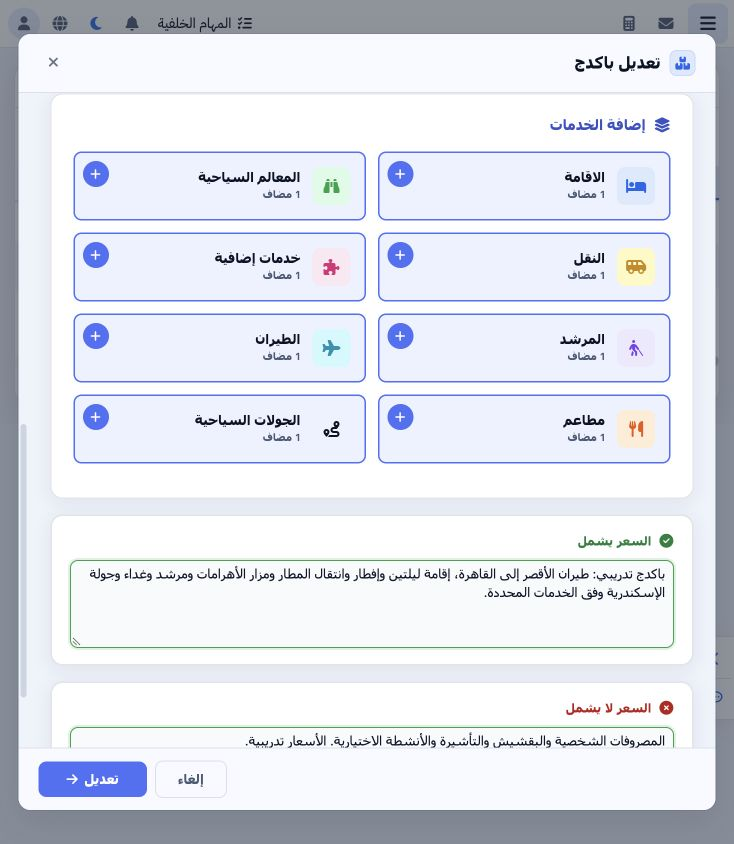
Edit the package and open Accommodation. Choose its plus to add a card or open the section to review a saved card. Define the hotel in Settings → Hotels and configure the room type, view and meal plan before adding accommodation. The example uses Cairo Marriott Hotel, Nile View, Bed and Breakfast (BB) and Double (DBL).

2 Fields editing and removal

2 Set day 1 and the hotel, then enter two nights. Select the view, meal plan and room type; choose EGP at rate 1. Enter purchase price 4500 an...
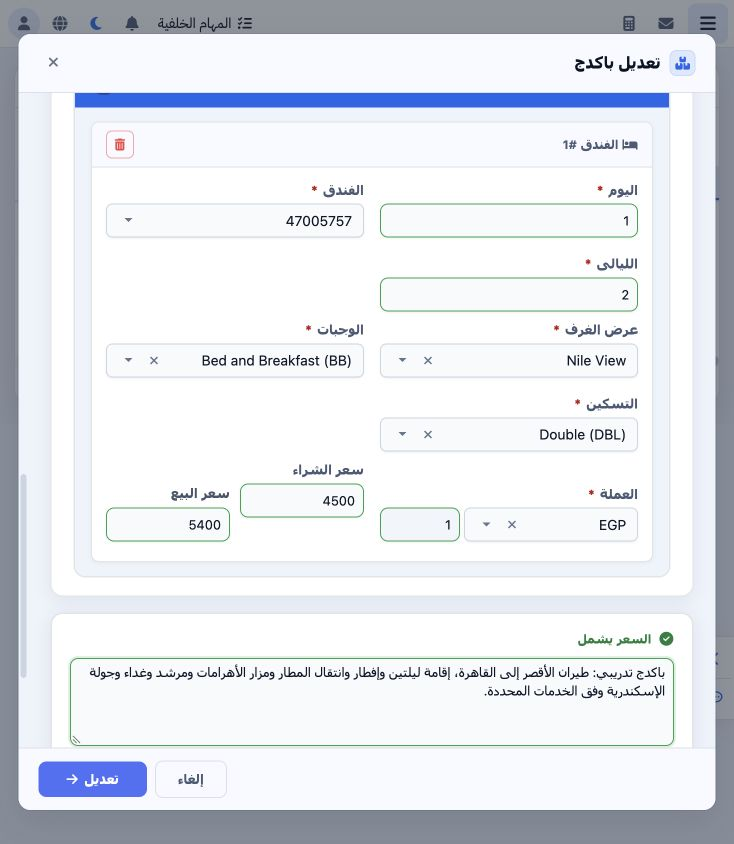
Set day 1 and the hotel, then enter two nights. Select the view, meal plan and room type; choose EGP at rate 1. Enter purchase price 4500 and selling price 5400. To edit, change the card values and save the package. The trash button removes the card from the current form; Cancel discards unsaved changes.

3 Review the generated file service

3 Confirming the package reservation created accommodation in file 202611000012. Open Accommodation and verify the hotel, 20–22 November dates...
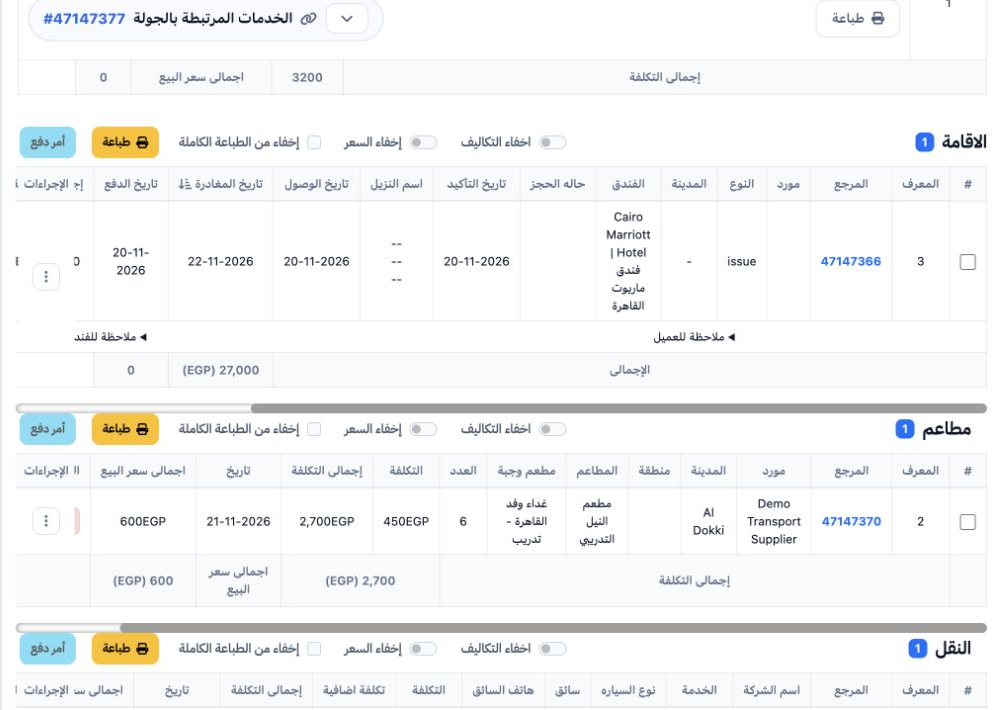
Confirming the package reservation created accommodation in file 202611000012. Open Accommodation and verify the hotel, 20–22 November dates, room count and status before locking the file. The generated item reference is 47147366.

Sign in to record the lessons you have read. Sign in