Skip to content
Trio Travel guide

Booking Restaurants Report

On this page
  1. 1 Open the Restaurant report
  2. 2 Search by file number
  3. 3 Reconcile quantity and values
  4. 4 Row actions
  5. 5 Choose output columns
  6. 6 Review the generated report

1 Open the Restaurant report

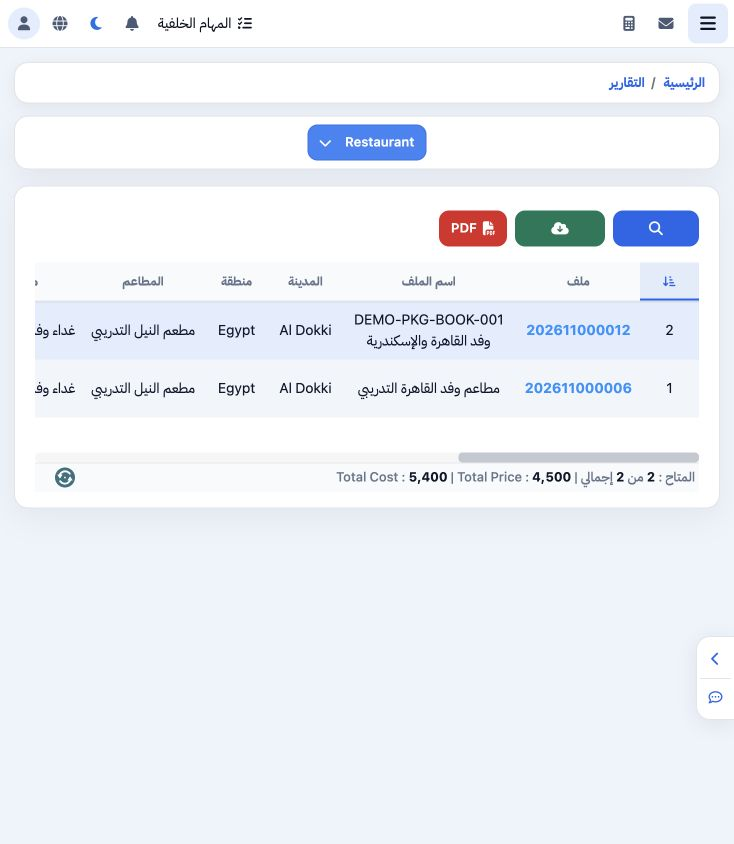
1 Open General Tourism → Reports → Reports and select Restaurants. The title becomes Restaurant. The example contains two training restaurant...
Open General Tourism → Reports → Reports and select Restaurants. The title becomes Restaurant. The example contains two training restaurant items with cost total 5400 and sales total 4500. Review file, restaurant, meal, supplier, quantity and service date.

2 Search by file number

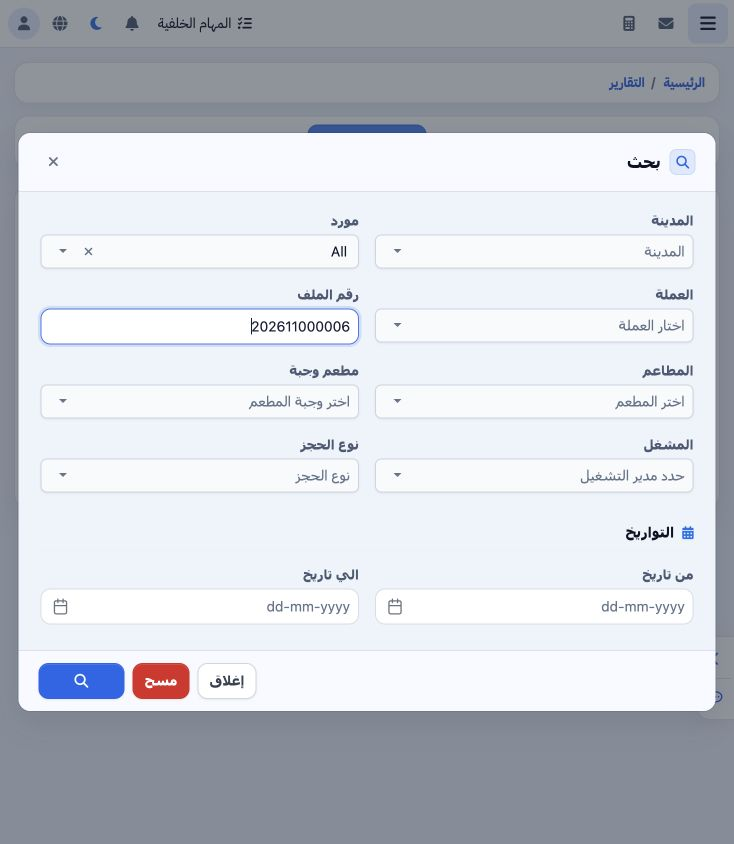
2 Open Search and enter 202611000006 in File Number. Filters also include city, supplier, currency, restaurant, meal, operator, booking type a...
Open Search and enter 202611000006 in File Number. Filters also include city, supplier, currency, restaurant, meal, operator, booking type and date range. Select the Search icon at the bottom.

3 Reconcile quantity and values

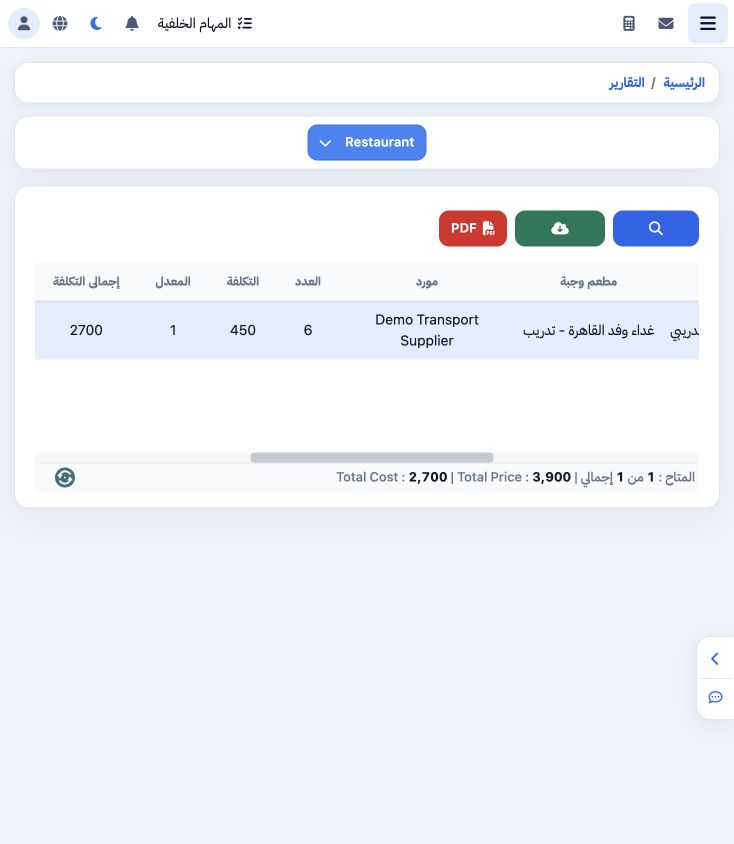
3 The search returned one item for six people: unit cost 450, total cost 2700 and selling total EGP 3900, dated 20 November 2026. The footer m...
The search returned one item for six people: unit cost 450, total cost 2700 and selling total EGP 3900, dated 20 November 2026. The footer matches the item. Restaurant and meal come from the file service; menus and their prices are defined in Restaurant settings.

4 Row actions

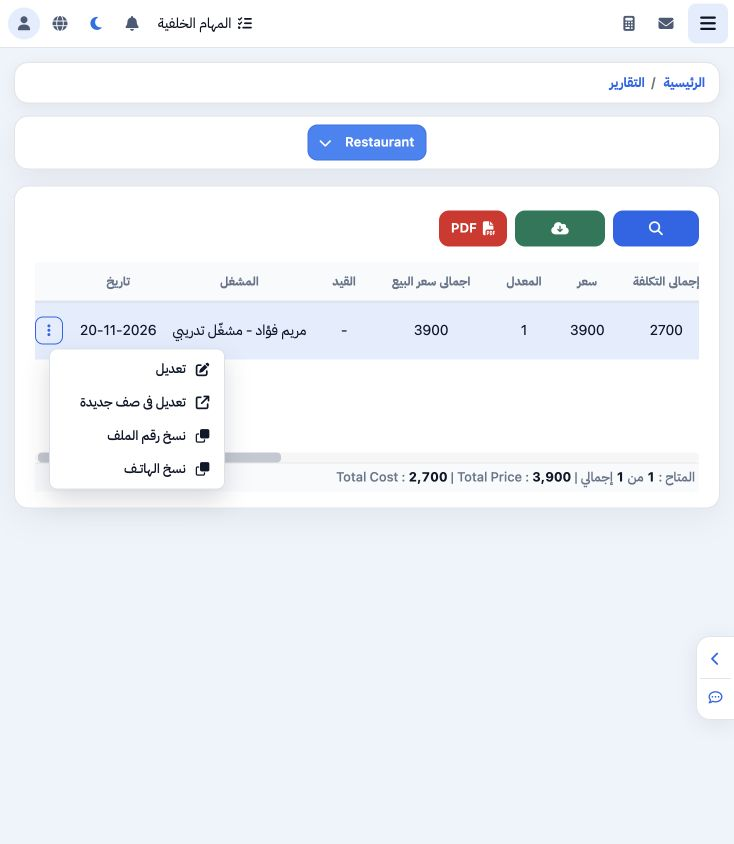
4 Open the item’s three-dot menu for Edit, Edit in New Page, Copy File Number and Copy Phone. The example successfully copied 202611000006.
Open the item’s three-dot menu for Edit, Edit in New Page, Copy File Number and Copy Phone. The example successfully copied 202611000006.

5 Choose output columns

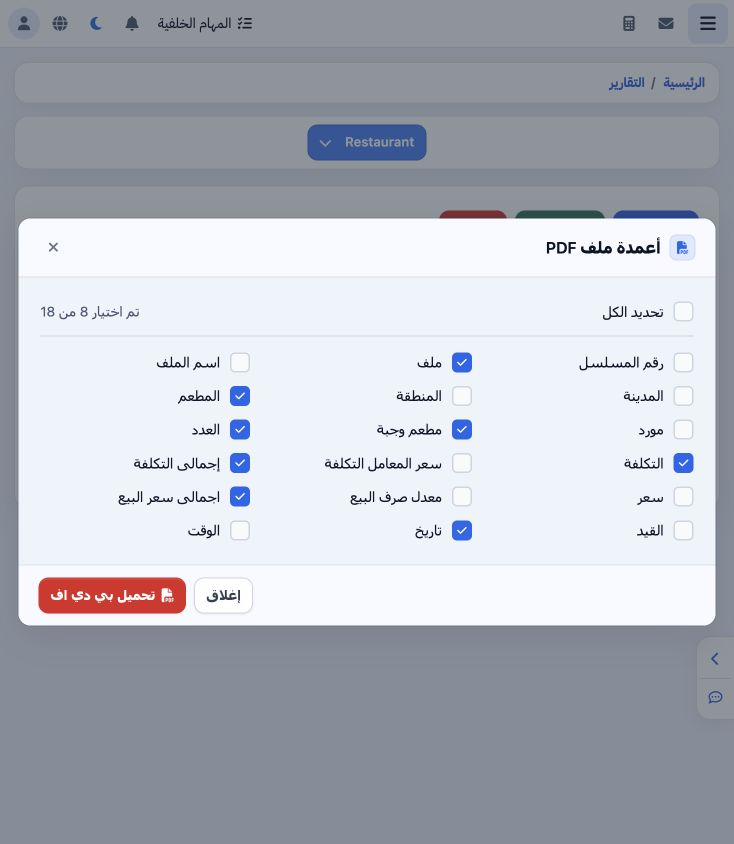
5 Select PDF and choose the required fields from 18 available columns. The example selects file, restaurant, meal, quantity, cost, cost total,...
Select PDF and choose the required fields from 18 available columns. The example selects file, restaurant, meal, quantity, cost, cost total, selling total and date. Select Download PDF.

6 Review the generated report

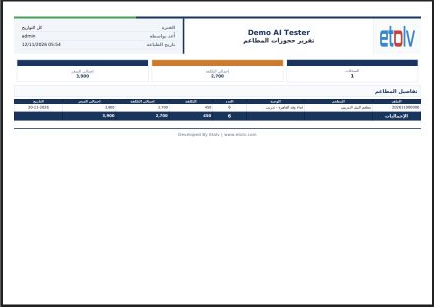
6 The Restaurant Booking Report opens in a new tab. The example matched: six people, cost 2700 and sales 3900. Review restaurant, meal and dat...
The Restaurant Booking Report opens in a new tab. The example matched: six people, cost 2700 and sales 3900. Review restaurant, meal and date before printing. Print and download are available in the PDF viewer; Excel is offered in the report toolbar.

Sign in to record the lessons you have read. Sign in