Skip to content
Trio Travel guide

Transportation in a Package

On this page
  1. 1 Access and prerequisites
  2. 2 Fields editing and removal
  3. 3 Review the generated file service

1 Access and prerequisites

1 Edit the package and open Transportation. Choose its plus to add a card or open the section to review a saved card. Define the trip type, ve...
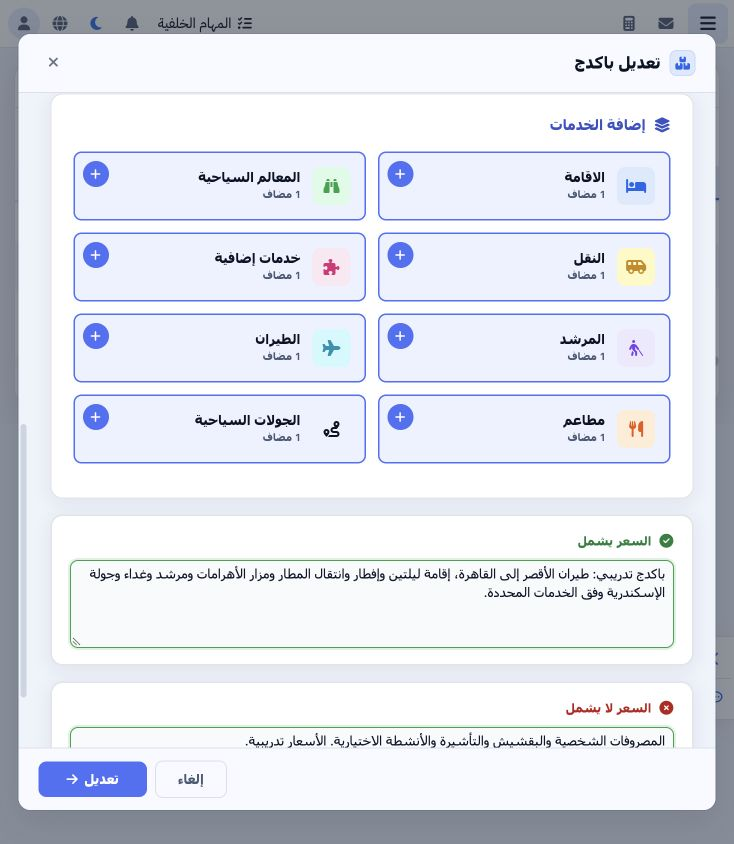
Edit the package and open Transportation. Choose its plus to add a card or open the section to review a saved card. Define the trip type, vehicle type and supplier first. Trip types are maintained in Transportation → Transportation Settings → Trip Type; vehicle types are maintained in Settings → Vehicle Types.

2 Fields editing and removal

2 Enter day 1 and select Demo – Airport Transfer, Demo Transport Supplier and Demo Minibus Class. Set capacity 14, EGP at rate 1, purchase pri...
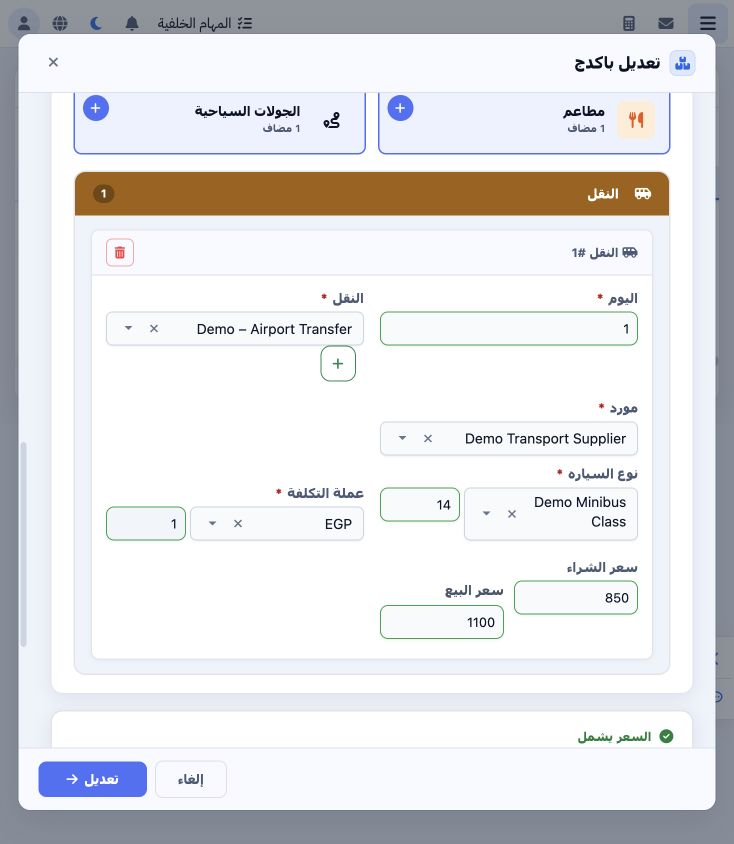
Enter day 1 and select Demo – Airport Transfer, Demo Transport Supplier and Demo Minibus Class. Set capacity 14, EGP at rate 1, purchase price 850 and selling price 1100. The plus beside the transport picker is separate from the plus that adds another service card. Review the values and save the package.

3 Review the generated file service

3 Open Transportation in the generated file. Verify the service, supplier, 20 November date and item 47147363. Edit the package definition to...
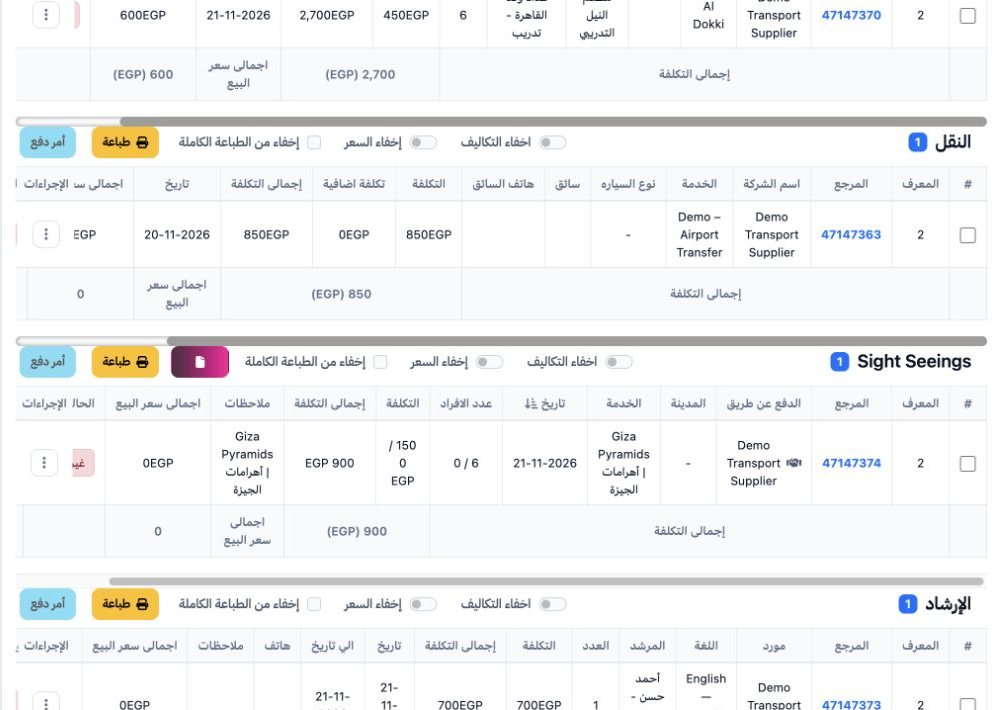
Open Transportation in the generated file. Verify the service, supplier, 20 November date and item 47147363. Edit the package definition to change the template service. Review or edit an already created reservation through that file’s own transport item actions.

Sign in to record the lessons you have read. Sign in