Skip to content
Trio Travel guide

General Tourism Sales Report

On this page
  1. 1 Open the Sales Report
  2. 2 File and customer filters
  3. 3 Lock status, outstanding balances and dates
  4. 4 Reconcile price and remaining amount
  5. 5 Reconcile cost and profit
  6. 6 Row actions and export controls
  7. 7 Review the generated PDF

1 Open the Sales Report

1 Open General Tourism → Reports → Sales Report. The page title is General Reports and combines file information with financial values. Column...
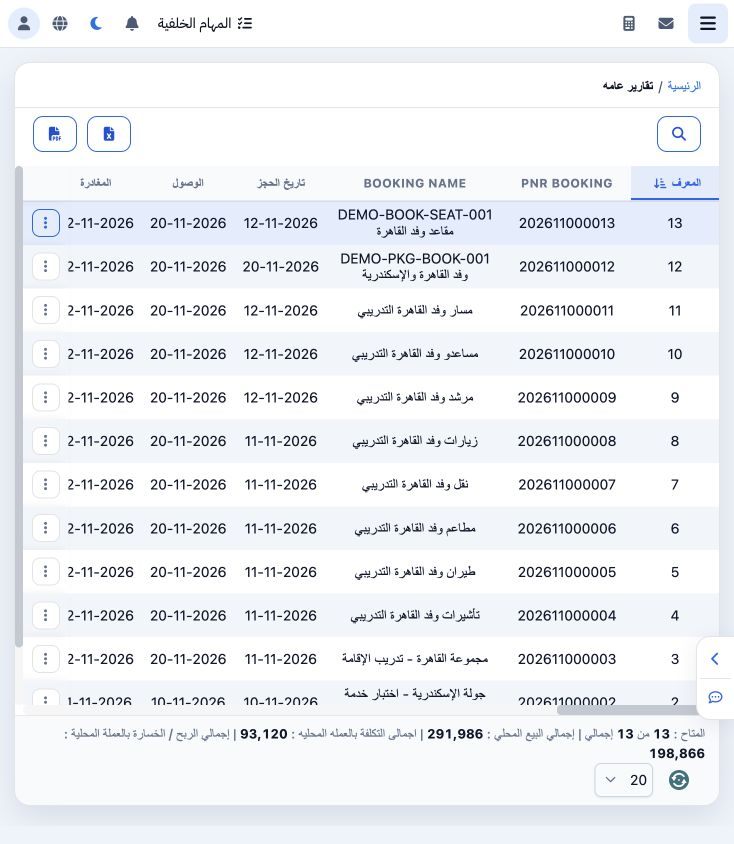
Open General Tourism → Reports → Sales Report. The page title is General Reports and combines file information with financial values. Columns include file number/name, dates, agent, price, paid, remaining, cost, profit, lock/invoice details and branch. Scroll horizontally to view the remaining columns.

2 File and customer filters

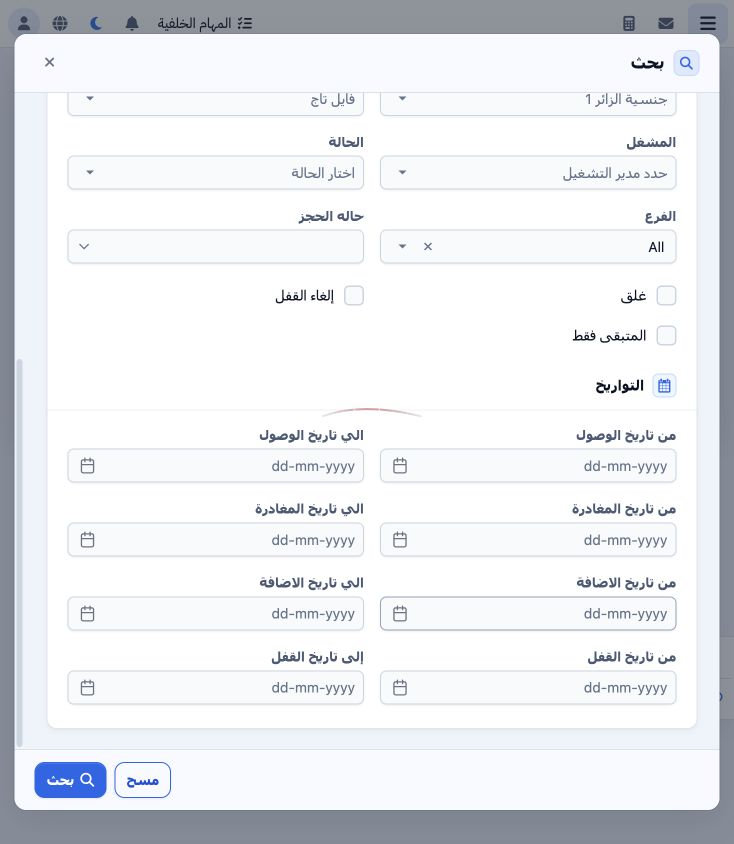
2 Open Search. Filters include departure/arrival airports, agent, customer code, offer, season, payment status and booking type. To review one...
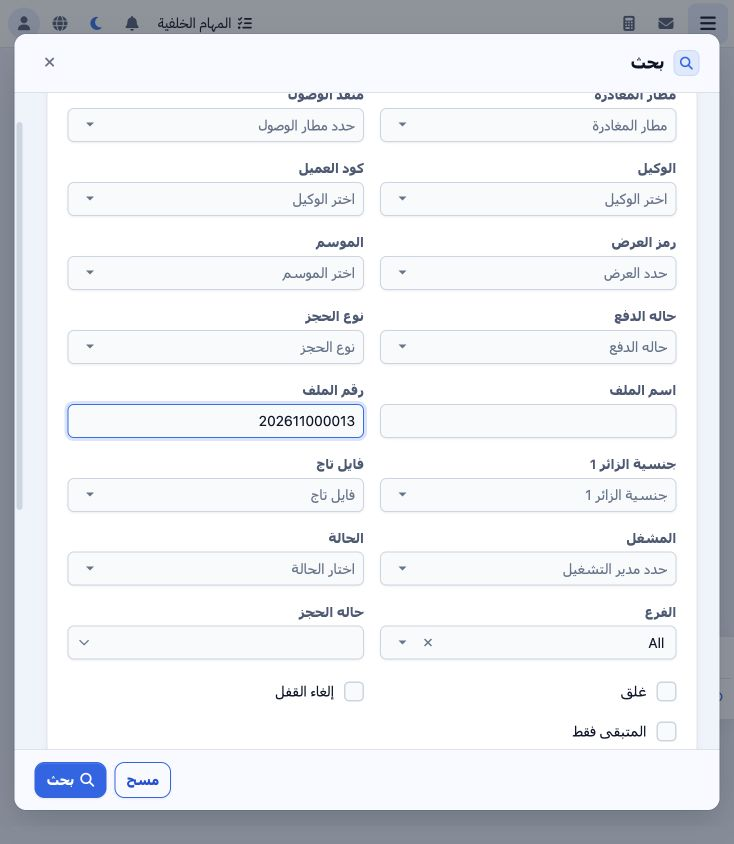
Open Search. Filters include departure/arrival airports, agent, customer code, offer, season, payment status and booking type. To review one file, enter its File Number; the example uses 202611000013. Name, nationality, File Tag, operator, status and branch filters are also available.

3 Lock status, outstanding balances and dates

3 Review Lock, Unlock and Remaining Only according to the required scope. Date ranges cover arrival, departure, creation and locking. Select S...
Review Lock, Unlock and Remaining Only according to the required scope. Date ranges cover arrival, departure, creation and locking. Select Search, then close the filter dialog to read the result. Clear removes the filters and returns to the general scope.

4 Reconcile price and remaining amount

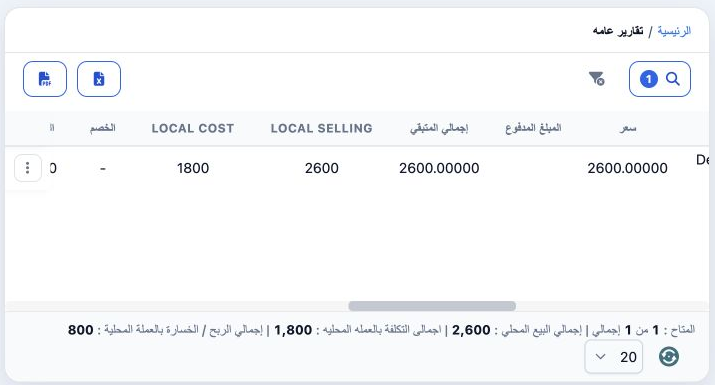
4 The search returned one row for the Seats file. Price and remaining amount are both EGP 2600; no payment was recorded for this example. Drag...
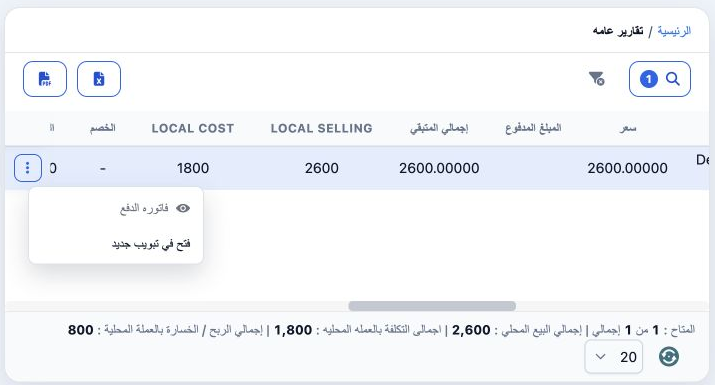
The search returned one row for the Seats file. Price and remaining amount are both EGP 2600; no payment was recorded for this example. Drag the horizontal scrollbar to display price, paid, remaining and local-currency values. Check the number of displayed files before interpreting the report totals.

5 Reconcile cost and profit

5 Local Selling is 2600, Local Cost is 1800 and profit is 800. Reconcile them with file journals J-57 and J-58 and the file’s Profit and Loss...
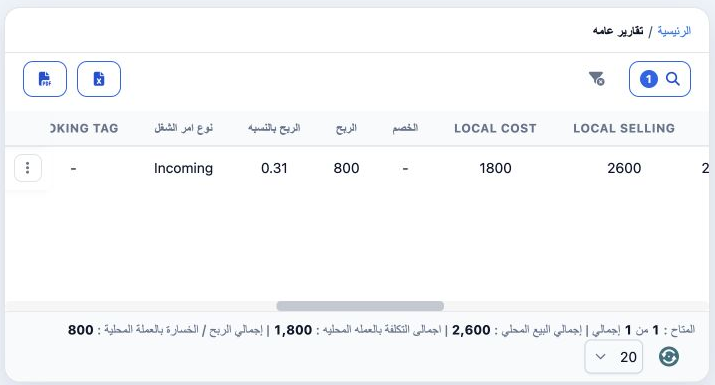
Local Selling is 2600, Local Cost is 1800 and profit is 800. Reconcile them with file journals J-57 and J-58 and the file’s Profit and Loss tab. This result displays a ratio of 0.31; 800 ÷ 2600 is approximately 0.3077, or 30.77% of sales.

6 Row actions and export controls

6 Open the row’s three-dot menu to see Payment Invoice and Open in New Tab. Verify the intended file before choosing an action. Excel and PDF...
Open the row’s three-dot menu to see Payment Invoice and Open in New Tab. Verify the intended file before choosing an action. Excel and PDF controls are available above the report. Apply filters first, request the required output and verify its scope and totals.

7 Review the generated PDF

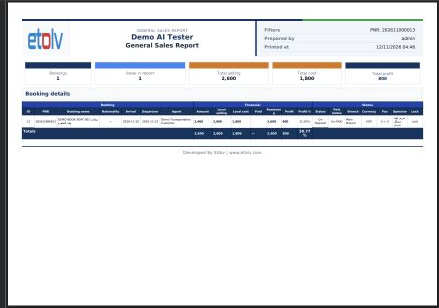
7 The PDF action generated an actual General Sales Report in a new tab. Its preview includes filtered file 202611000013, one booking, sales of...
The PDF action generated an actual General Sales Report in a new tab. Its preview includes filtered file 202611000013, one booking, sales of 2600, cost of 1800 and profit of 800. Review filters and totals before downloading or printing from the PDF viewer.

Sign in to record the lessons you have read. Sign in