Skip to content
Trio Travel guide

Booking Sightseeing Service

On this page
  1. 1 Review the attraction settings
  2. 2 Add the visit and select the cost party
  3. 3 Visitor counts cost and selling total
  4. 4 Complete details and save
  5. 5 Edit the visit
  6. 6 Review deletion confirmation
  7. 7 Lock the file
  8. 8 Visit cost entry
  9. 9 Visit revenue entry
  10. 10 Review profit and remaining balance
1 Review the attraction settings

1 Open Settings → Sightseeing (معالم سياحية). Add defines an attraction; right-click → Edit reviews a saved one. Fields include country, city,...
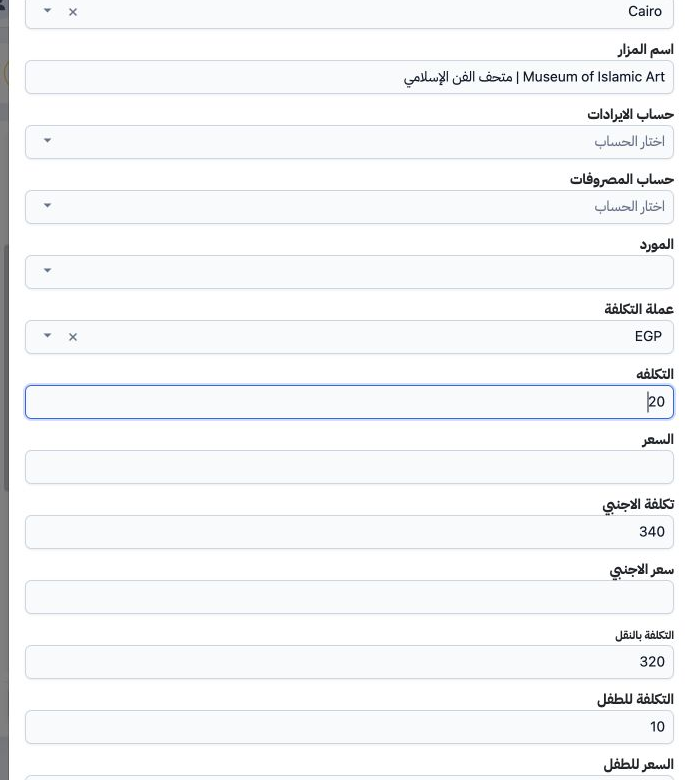
Open Settings → Sightseeing (معالم سياحية). Add defines an attraction; right-click → Edit reviews a saved one. Fields include country, city, name, revenue and expense accounts, supplier, currency and category prices. The existing Museum of Islamic Art record, serial 44, Egypt/Cairo, has adult cost 20, child 10 and foreign visitor 340 in EGP. It was reviewed and closed unchanged. These are training values, not an approved ticket tariff.

2 Add the visit and select the cost party

2 Open the Booking file and select Add Visit. The example uses file 202611000008, code 47139513, six adults, Incoming, EGP, 20–22 November 202...
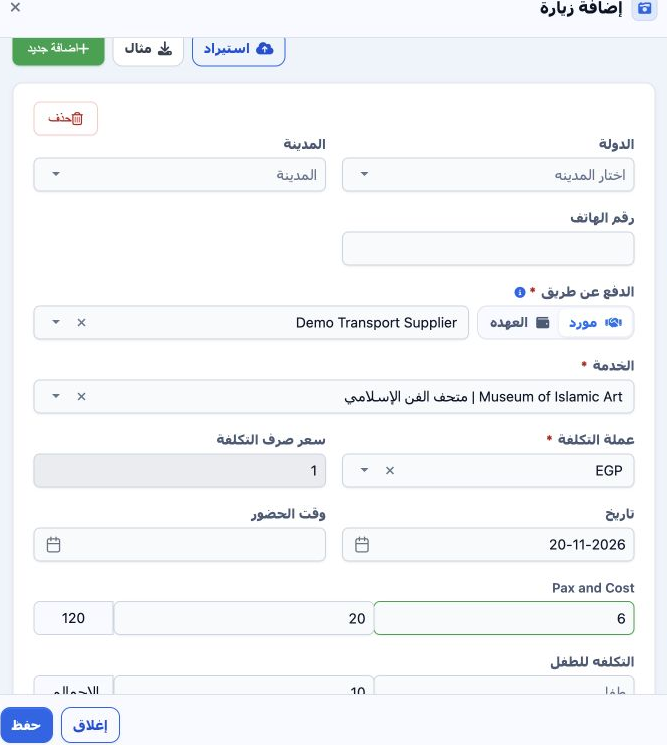
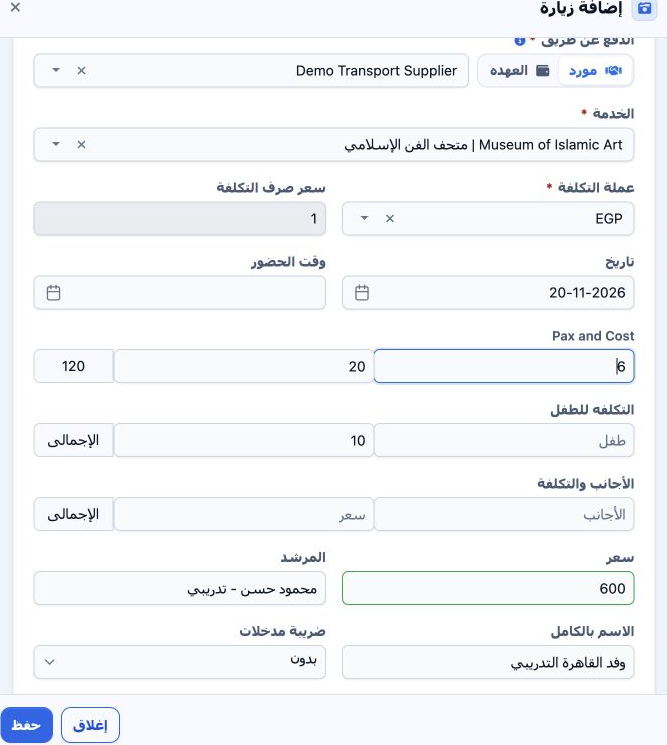
Open the Booking file and select Add Visit. The example uses file 202611000008, code 47139513, six adults, Incoming, EGP, 20–22 November 2026. Search for and select the attraction in Service. Under Payment Via, choose Supplier and Demo Transport Supplier. Custody (العهده) is an alternative; the interface allows only one cost party. Country, city and phone are available and remained blank here.

3 Visitor counts cost and selling total

3 Selecting the attraction retrieved adult cost 20, child cost 10 and EGP. Review exchange rate 1 and date 20 November. In Pax and Cost, enter...
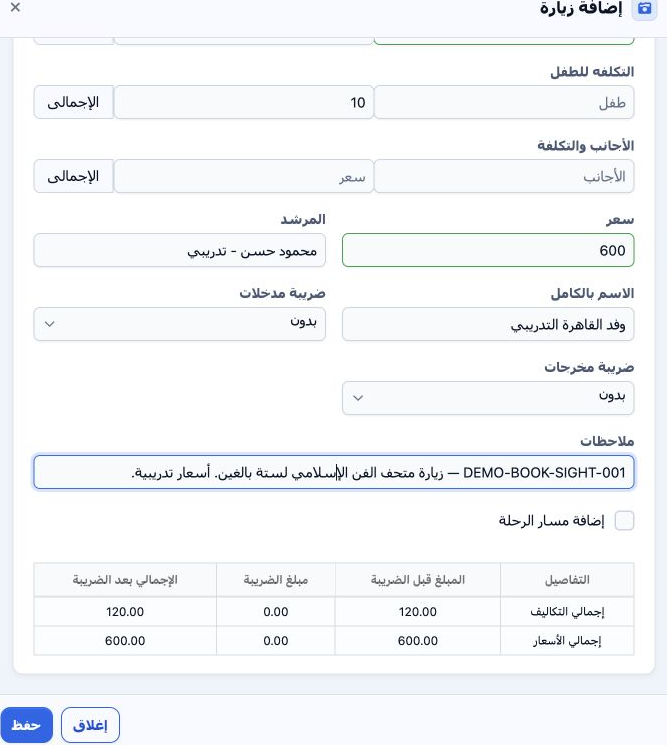
Selecting the attraction retrieved adult cost 20, child cost 10 and EGP. Review exchange rate 1 and date 20 November. In Pax and Cost, enter quantity 6 and review unit cost 20, giving 120. Separate child and foreign-visitor rows provide quantity, cost and total; their counts remained blank here. Enter 600 in Price as the visit selling total and review the summary.

4 Complete details and save

4 Enter pickup time, guide and full name when available. A fictional guide, group name and note DEMO-BOOK-SIGHT-001 were entered. Review input...
Enter pickup time, guide and full name when available. A fictional guide, group name and note DEMO-BOOK-SIGHT-001 were entered. Review input/output taxes and the amount summary, then Save. Both taxes were None and Add Itinerary remained off. The service was saved as 47139622, cost 120 and sale 600.

5 Edit the visit

5 Choose Actions → Edit on the visit row. Update the fields, Save and review the row. Price changed from 600 to 720 and the notes were updated...
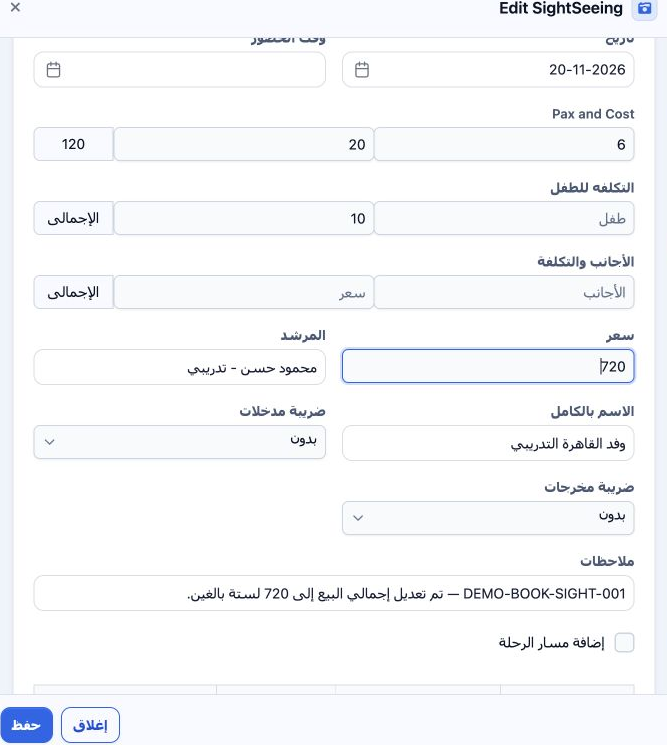
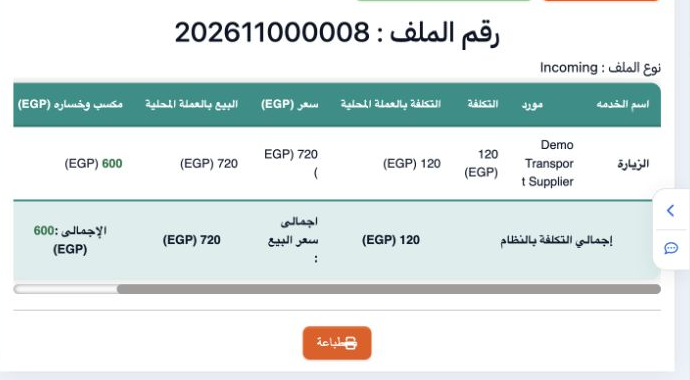
Choose Actions → Edit on the visit row. Update the fields, Save and review the row. Price changed from 600 to 720 and the notes were updated. The changed values persisted, while adult quantity 6, unit cost 20 and total cost 120 remained unchanged.

6 Review deletion confirmation

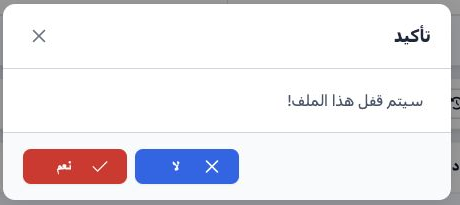
6 Choose Actions → Delete. The message states that deletion cannot be undone. Choose No to cancel or Yes to confirm removal of the intended it...
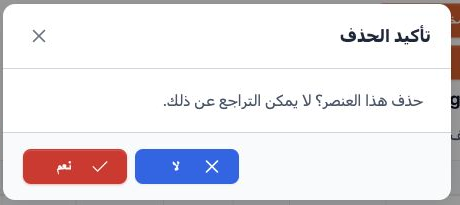
Choose Actions → Delete. The message states that deletion cannot be undone. Choose No to cancel or Yes to confirm removal of the intended item. No was selected here, preserving the visit for locking and journal review.

7 Lock the file

7 After reviewing the service, select Lock and confirm Yes. The visit accounting status became Confirmed and Unlock appeared. Open Accounting...
After reviewing the service, select Lock and confirm Yes. The visit accounting status became Confirmed and Unlock appeared. Open Accounting → Journal Entries and search Relative# 47139513 to review both entries.

8 Visit cost entry

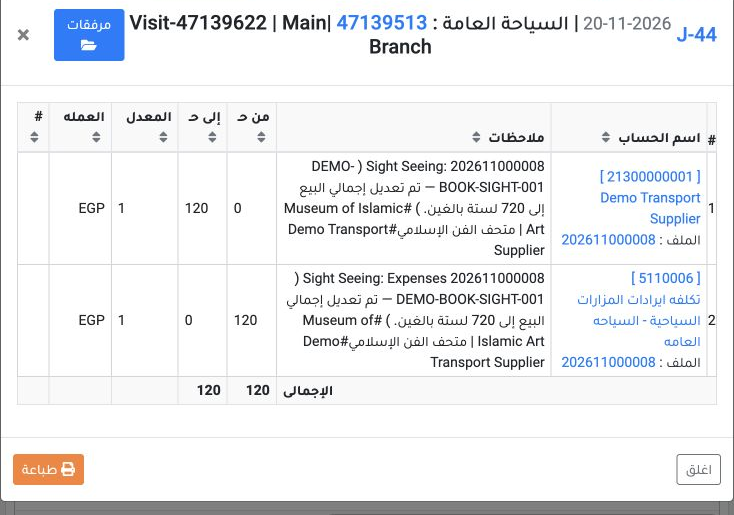
8 Right-click J-44 and select View. It is dated 20 November 2026, source Visit, service reference 47139622. Debit is 120 EGP to sightseeing-co...
Right-click J-44 and select View. It is dated 20 November 2026, source Visit, service reference 47139622. Debit is 120 EGP to sightseeing-cost account 5110006; credit is 120 to Demo Transport Supplier account 21300000001. Both sides balance in EGP at rate 1.

9 Visit revenue entry

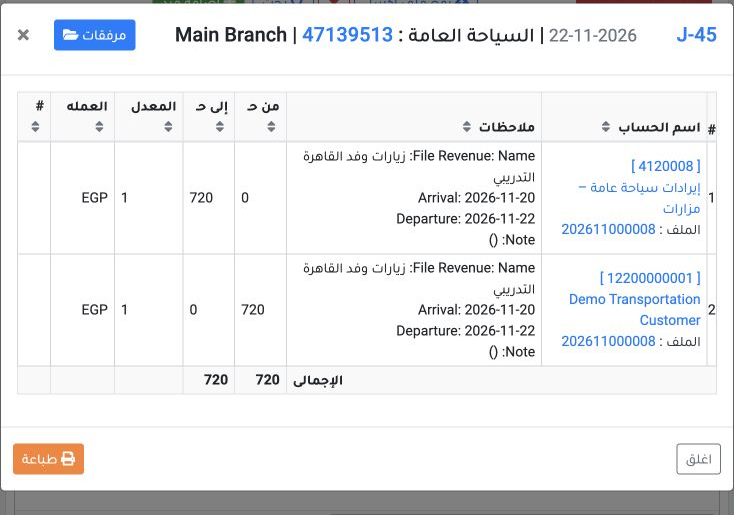
9 View J-45 for the same file reference. Dated 22 November 2026, source Booking Revenue, it debits 720 EGP to Demo Transportation Customer acc...
View J-45 for the same file reference. Dated 22 November 2026, source Booking Revenue, it debits 720 EGP to Demo Transportation Customer account 12200000001 and credits 720 to sightseeing-revenue account 4120008. Check the file number in the narrative and equal totals.

10 Review profit and remaining balance

10 Open Profit and Loss. Cost is 120, sale 720 and profit 600 EGP. The displayed 500% is calculated on cost. Customer remaining is still 720 be...
Open Profit and Loss. Cost is 120, sale 720 and profit 600 EGP. The displayed 500% is calculated on cost. Customer remaining is still 720 because no payment was recorded. Accounting confirmation does not mean that the amount has been collected.

Sign in to record the lessons you have read. Sign in