Skip to content
Trio Travel guide

Booking Flight Report

On this page
  1. 1 Open the Flight report
  2. 2 Search by flight number
  3. 3 Review the selected flight
  4. 4 Row actions
  5. 5 Choose output columns
  6. 6 Review the flight output

1 Open the Flight report

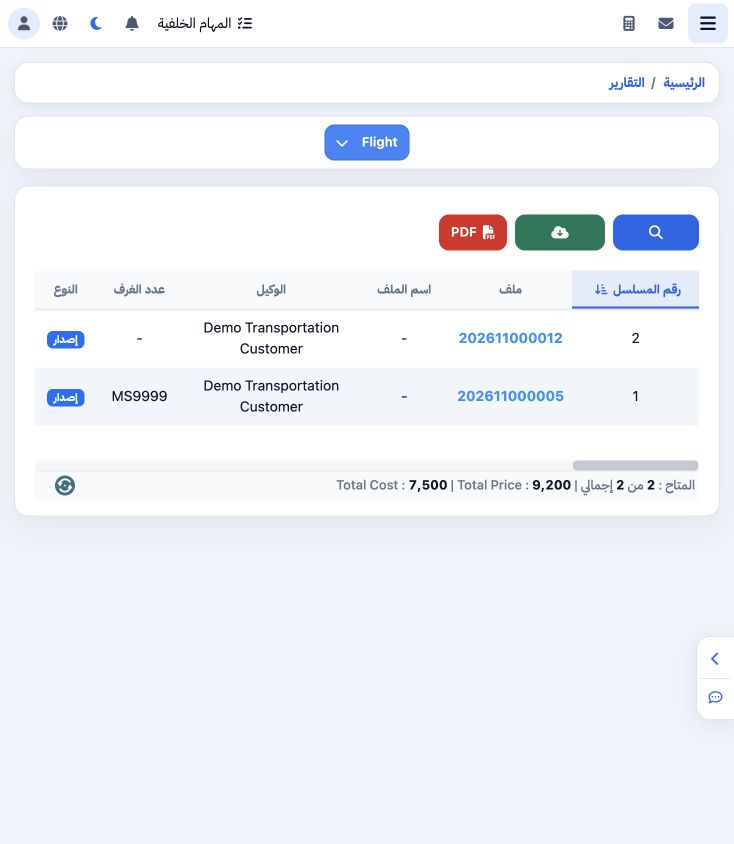
1 Open General Tourism → Reports → Reports and select Flight. Review file number, customer, supplier, PNR, airline and traveller details.
Open General Tourism → Reports → Reports and select Flight. Review file number, customer, supplier, PNR, airline and traveller details.

2 Search by flight number

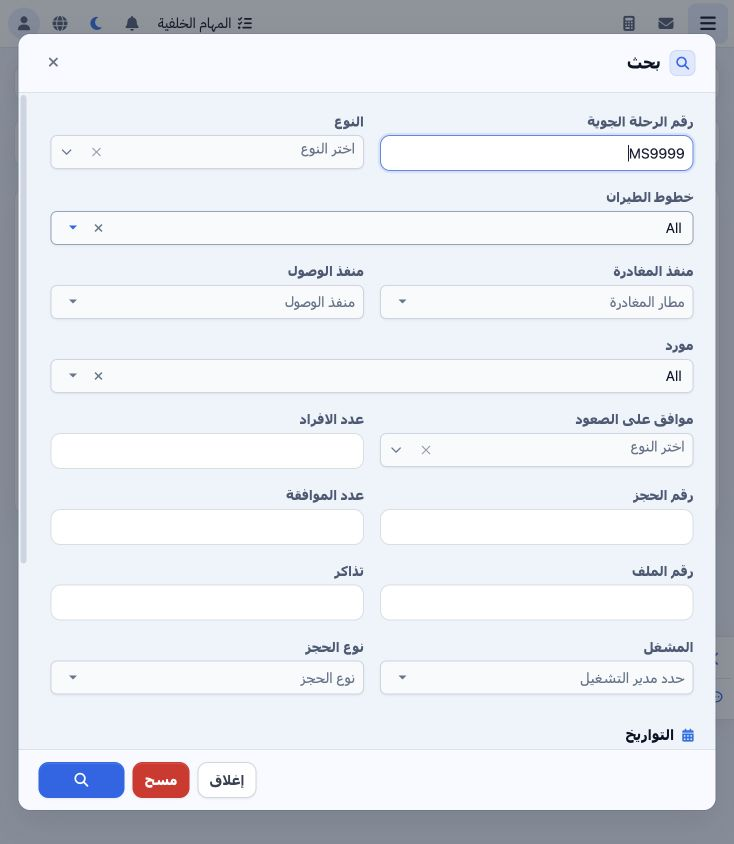
2 Open Search and enter MS9999 in Flight Number. Other filters include type, airline, departure/arrival airports, supplier, pax, PNR, file, ti...
Open Search and enter MS9999 in Flight Number. Other filters include type, airline, departure/arrival airports, supplier, pax, PNR, file, ticket and operator. Departure and arrival date ranges are available. Select the Search icon at the bottom.

3 Review the selected flight

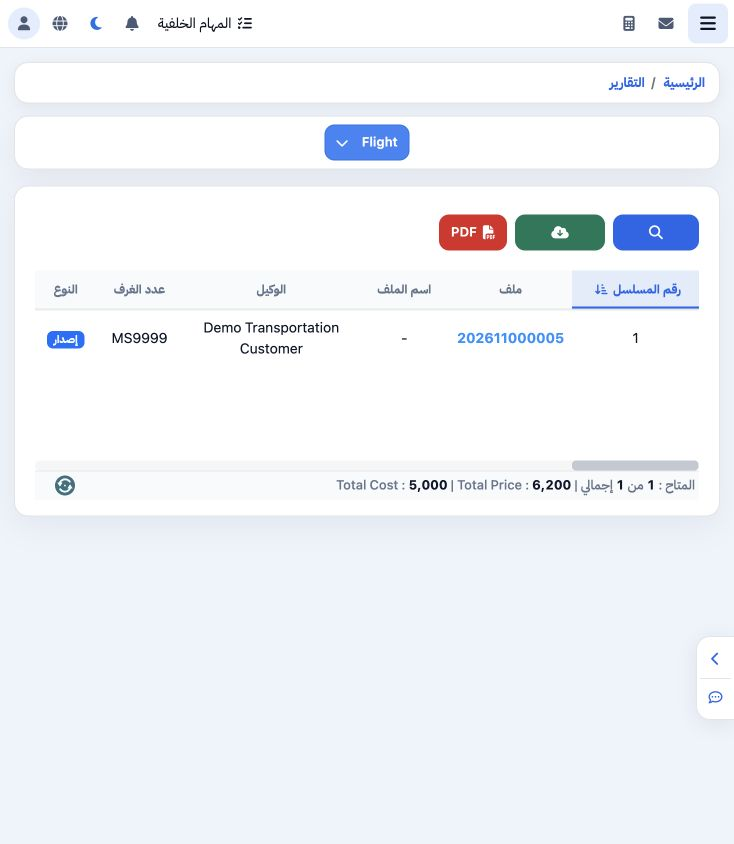
3 The search returned one item for file 202611000005. PNR is DMO502. The flight travels Cairo to Luxor on 20 November, 10:00–11:15, for one tr...
The search returned one item for file 202611000005. PNR is DMO502. The flight travels Cairo to Luxor on 20 November, 10:00–11:15, for one traveller. Cost is 5000, selling is 6200 and profit is 1200. Scroll horizontally to review the details.

4 Row actions

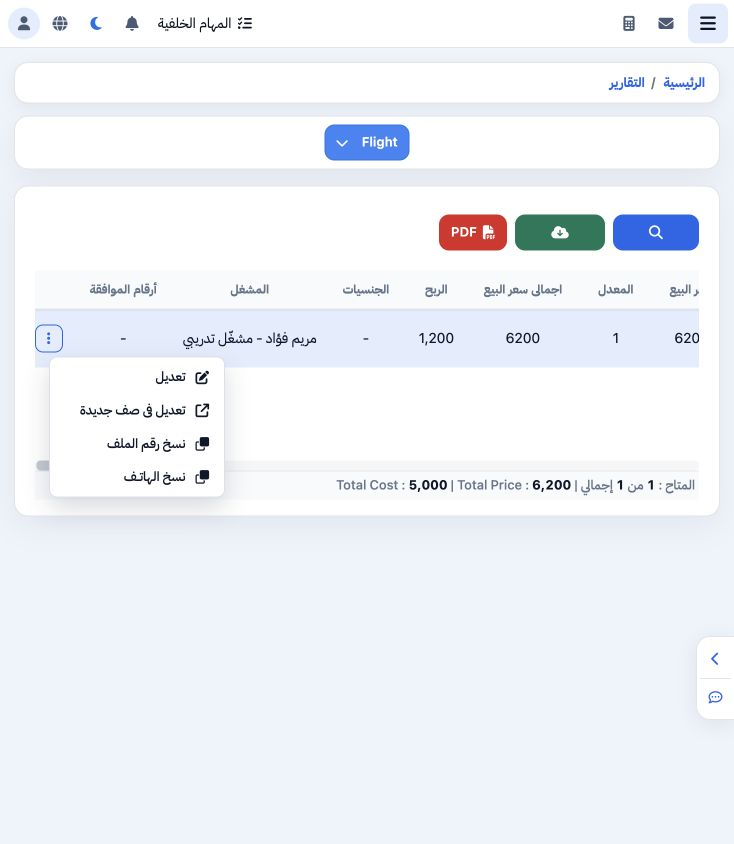
4 Open the row’s three-dot menu for Edit, Edit in New Page, Copy File Number and Copy Phone. The example successfully copied file number 20261...
Open the row’s three-dot menu for Edit, Edit in New Page, Copy File Number and Copy Phone. The example successfully copied file number 202611000005.

5 Choose output columns

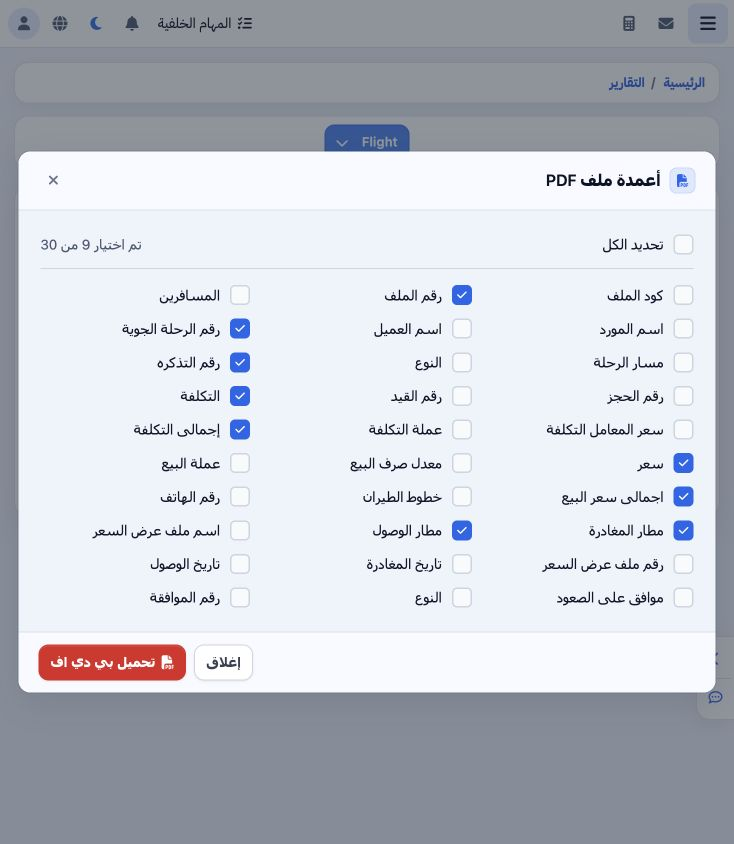
5 Select PDF to choose from 30 fields. Choose columns appropriate for the review. This example uses file, flight and ticket numbers, airports,...
Select PDF to choose from 30 fields. Choose columns appropriate for the review. This example uses file, flight and ticket numbers, airports, unit cost/cost total and selling price/selling total. Select Download PDF.

6 Review the flight output

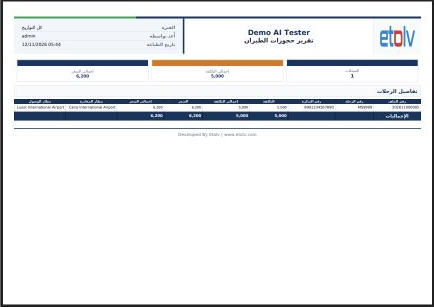
6 The Flight Booking Report opens in a new tab. Reconcile file, flight and ticket numbers, airports and values. The MS9999 output matched the...
The Flight Booking Report opens in a new tab. Reconcile file, flight and ticket numbers, airports and values. The MS9999 output matched the filtered result: cost 5000 and selling 6200. Print or download from the PDF viewer. Excel is also available in the report toolbar.

Sign in to record the lessons you have read. Sign in