Skip to content
Trio Travel guide

Booking Visa Report

On this page
  1. 1 Open the Visa report
  2. 2 Search by passport and status
  3. 3 Choose date ranges
  4. 4 Review the search result
  5. 5 Row actions
  6. 6 Choose PDF columns
  7. 7 Review the generated report

1 Open the Visa report

1 Open General Tourism → Reports → Reports and select Visa. This report combines visa, file, customer and supplier details with selling price,...
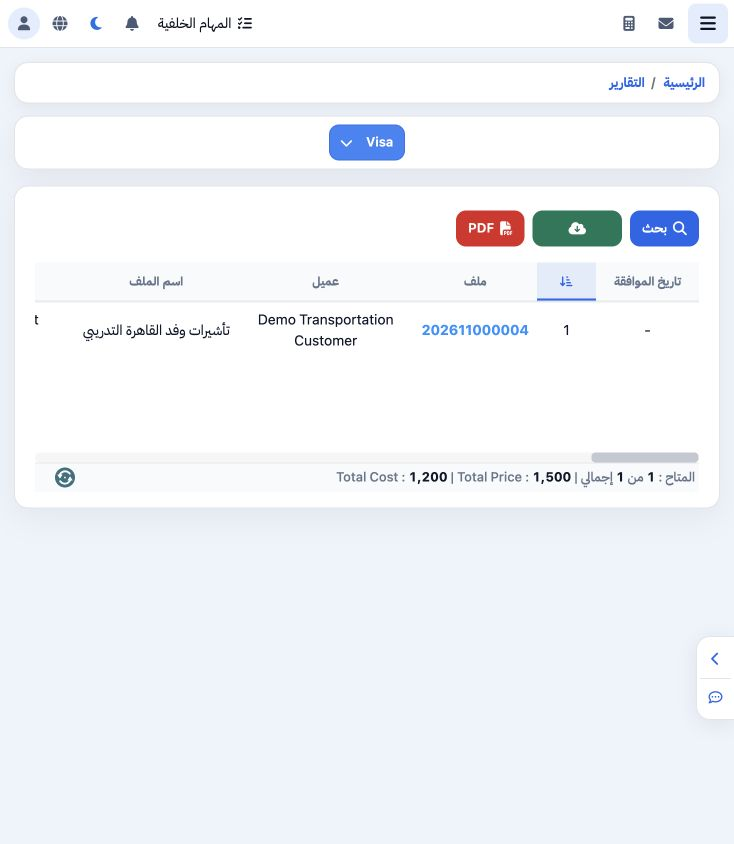
Open General Tourism → Reports → Reports and select Visa. This report combines visa, file, customer and supplier details with selling price, costs and request status. The saved example belongs to file 202611000004.

2 Search by passport and status

2 Open Search. Enter DEMO-VISA-001 in Passport and select Applied & Waiting, displayed as «المقدمة والمنتظرة», in Visa Status. Other filte...
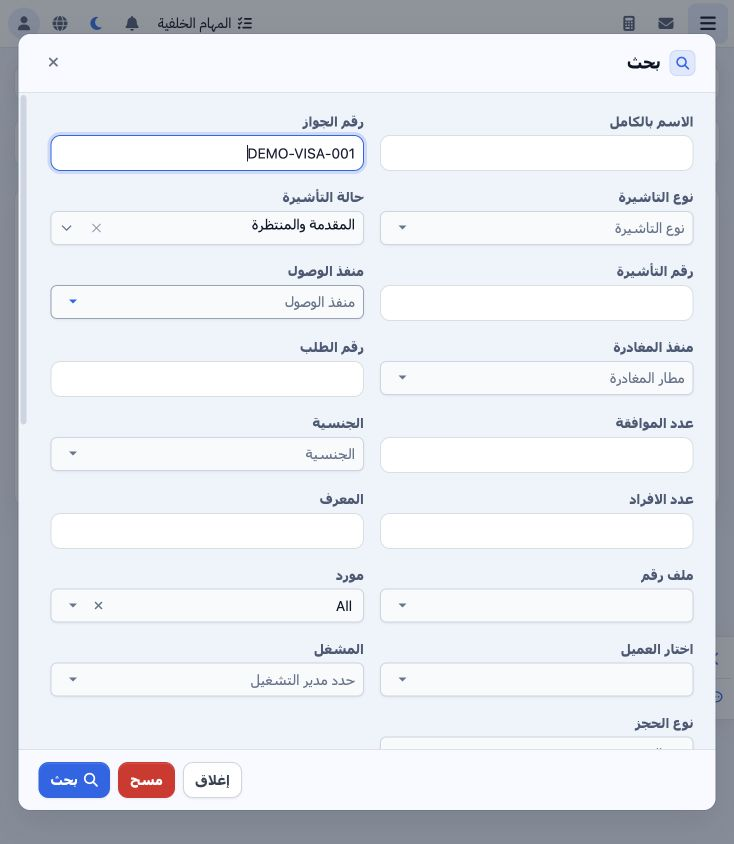
Open Search. Enter DEMO-VISA-001 in Passport and select Applied & Waiting, displayed as «المقدمة والمنتظرة», in Visa Status. Other filters include name, visa type/number, request number, nationality, pax, supplier, customer, operator, booking type and file.

3 Choose date ranges

3 The dialog includes creation, travel, birth, passport issue/expiry, arrival, departure, request, approval, validity and tourism-police dates...
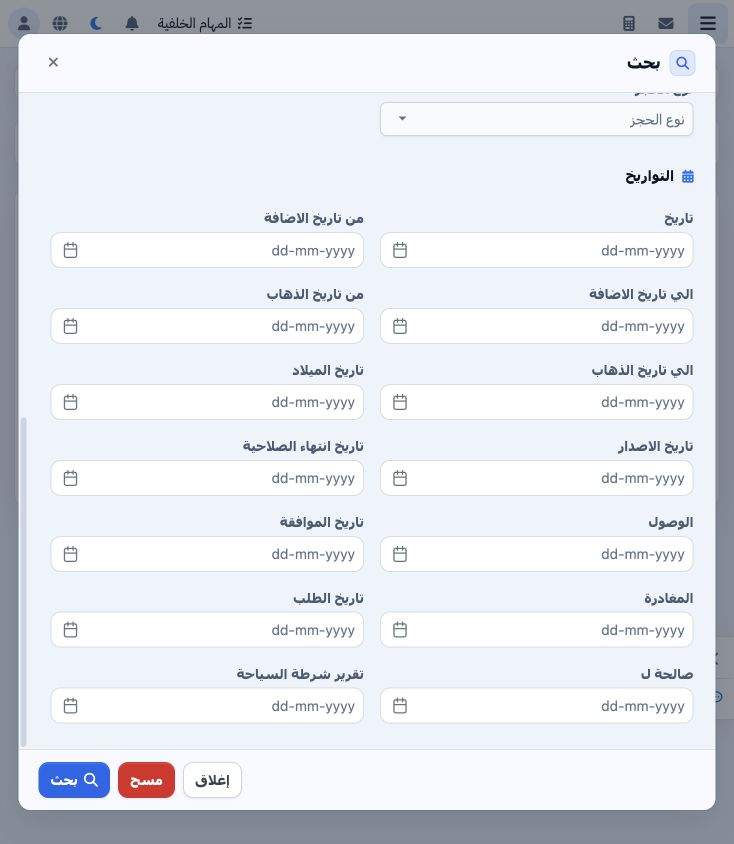
The dialog includes creation, travel, birth, passport issue/expiry, arrival, departure, request, approval, validity and tourism-police dates. Choose the relevant range and leave unrelated dates blank. Select Search to apply or Clear to remove the criteria.

4 Review the search result

4 The search returned one record for DEMO-VISA-001 with Applied & Waiting status. Request number is DEMO-REQ-VISA-001 and pax is one. Sell...
The search returned one record for DEMO-VISA-001 with Applied & Waiting status. Request number is DEMO-REQ-VISA-001 and pax is one. Selling price is 1500, supplier cost is 1200 and remaining is 1500. The report footer matches cost and selling values. Scroll horizontally to review the remaining fields.

5 Row actions

5 Open the row’s three-dot menu to find Edit, Edit in New Page, Copy File Number and Copy Phone. Use Copy File Number to reuse the identifier...
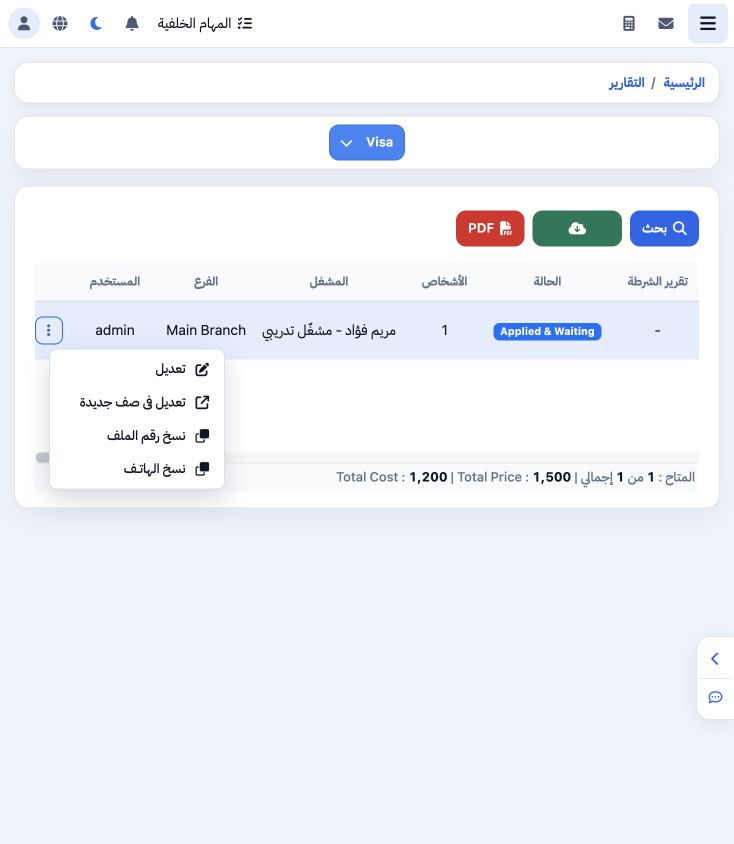
Open the row’s three-dot menu to find Edit, Edit in New Page, Copy File Number and Copy Phone. Use Copy File Number to reuse the identifier without retyping; the example successfully copied 202611000004.

6 Choose PDF columns

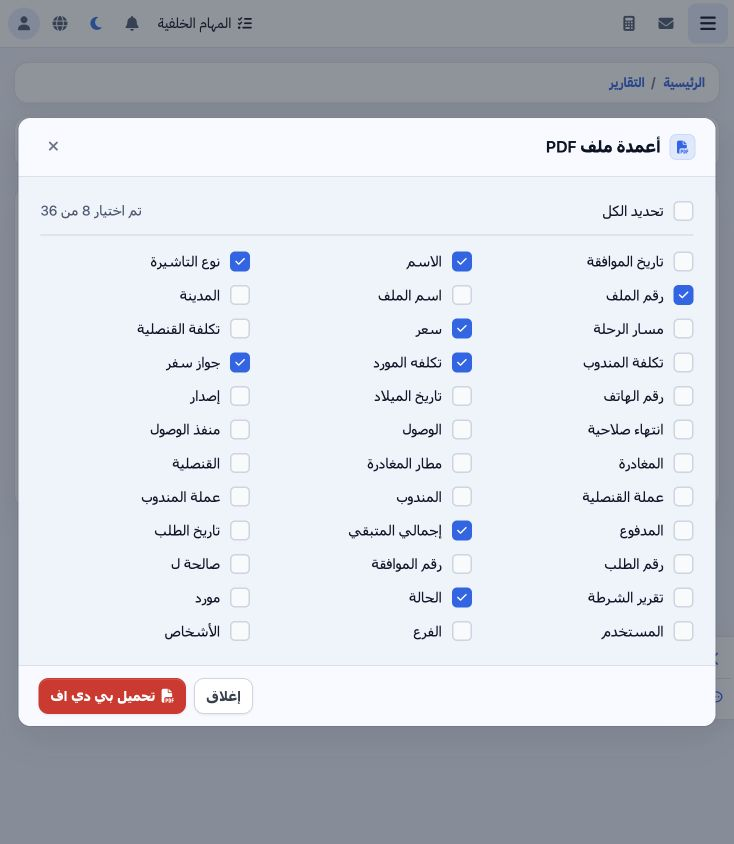
6 Select PDF. The dialog offers 36 output fields. Clear Select All and choose the required fields. This example uses file number, name, visa t...
Select PDF. The dialog offers 36 output fields. Clear Select All and choose the required fields. This example uses file number, name, visa type, passport, selling price, supplier cost, status and remaining amount. Select Download PDF.

7 Review the generated report

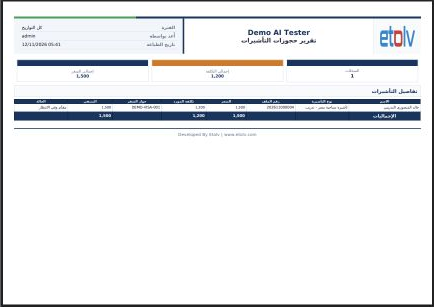
7 The Visa Booking Report opens in a new tab. Review request, passport and status details before printing. This example shows cost 1200 and se...
The Visa Booking Report opens in a new tab. Review request, passport and status details before printing. This example shows cost 1200 and selling price 1500 for one record, matching the screen. Use the PDF viewer’s print or download controls.

Sign in to record the lessons you have read. Sign in