Skip to content
Trio Travel guide

General Tourism Services Report

On this page
  1. 1 Open Services Report
  2. 2 Search and filters
  3. 3 Review results and export controls

1 Open Services Report

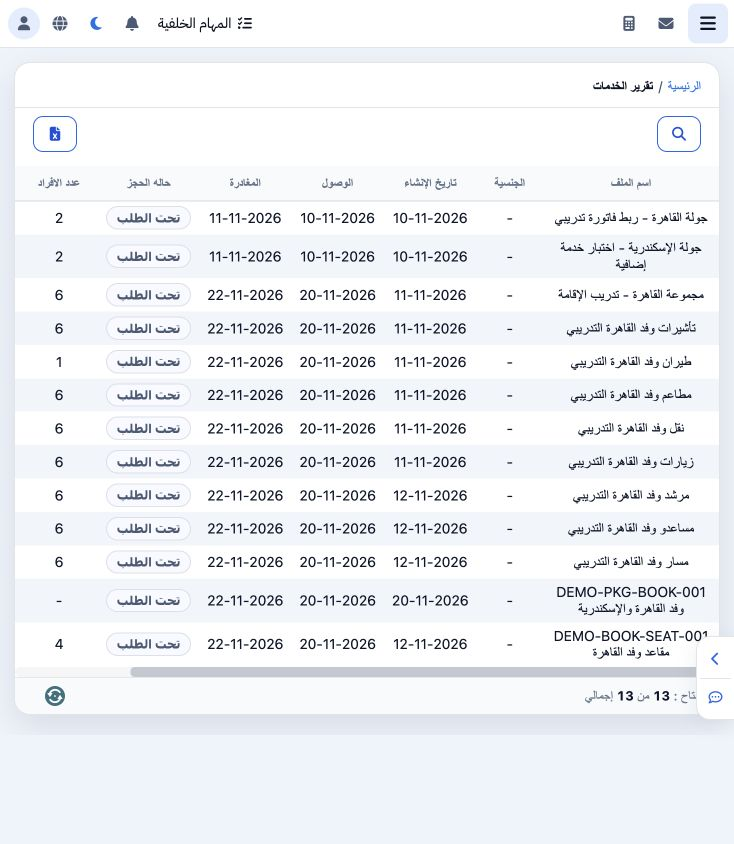
1 Open General Tourism → Reports → Services Report. The list shows file name, nationality, creation date, arrival, departure, booking status,...
Open General Tourism → Reports → Services Report. The list shows file name, nationality, creation date, arrival, departure, booking status, people, nights and price. The example contains saved training files, including the Seats file at EGP 2600.

2 Search and filters

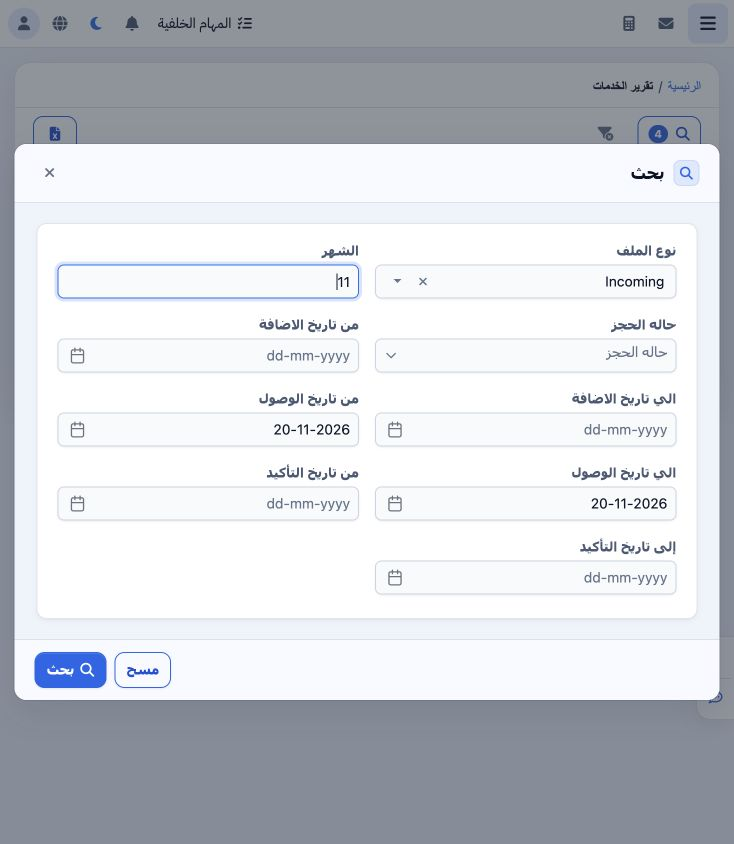
2 Select Search. Choose the file type from the picker, using Search inside its list if required to load results. Enter the month number; this...
Select Search. Choose the file type from the picker, using Search inside its list if required to load results. Enter the month number; this example uses 11 for November and Incoming. Filters also include booking status and creation, arrival and confirmation date ranges. Select arrival start/end dates from the calendar, then choose Search at the bottom of the dialog.

3 Review results and export controls

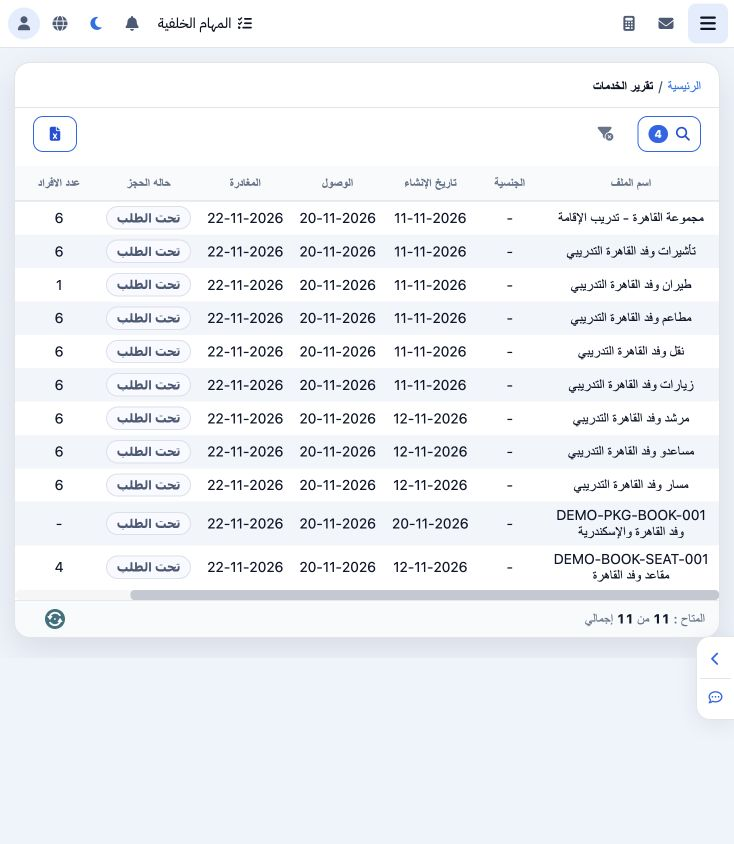
3 The search returned 11 files arriving on 20 November. Reconcile names, dates, people and prices with the source files. The Seats file shows...
The search returned 11 files arriving on 20 November. Reconcile names, dates, people and prices with the source files. The Seats file shows 2600, four people and two nights. The search badge shows the number of active filters. Use Clear Filters to return to all records. The Excel icon requests export; review file type and month first and verify the downloaded file.

Sign in to record the lessons you have read. Sign in