Skip to content
Trio Travel guide

Booking Guide Report

On this page
  1. 1 Open the Guide report
  2. 2 Search by guide
  3. 3 Review related files
  4. 4 Open the source in a new tab
  5. 5 Review the source Guide service
  6. 6 Choose PDF columns
  7. 7 Review the output

1 Open the Guide report

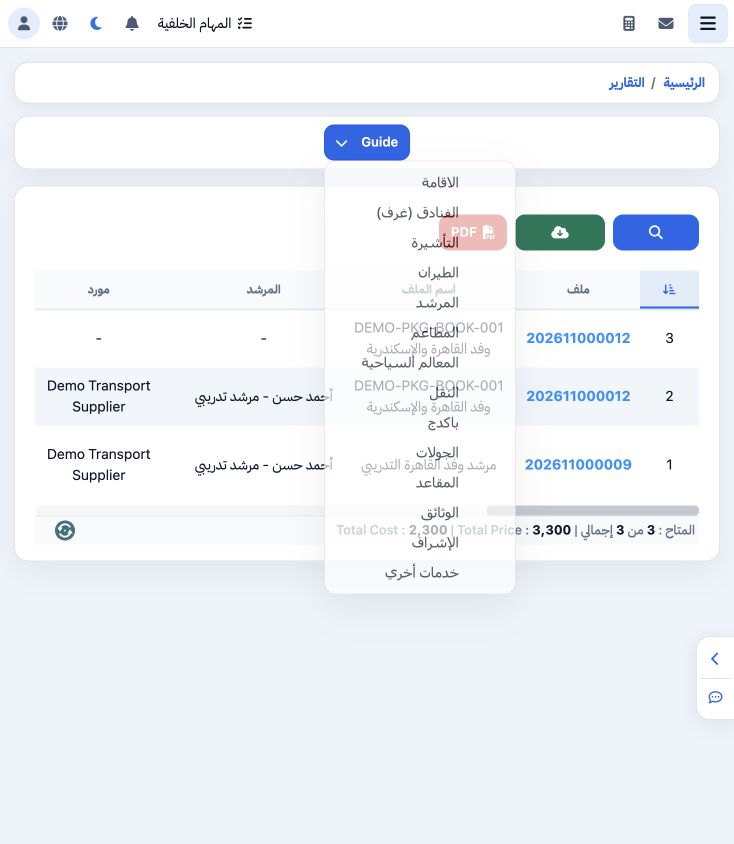
1 Open General Tourism → Reports → Reports and select Guide. Review file, guide, supplier, language, service dates, days, cost and selling val...
Open General Tourism → Reports → Reports and select Guide. Review file, guide, supplier, language, service dates, days, cost and selling values.

2 Search by guide

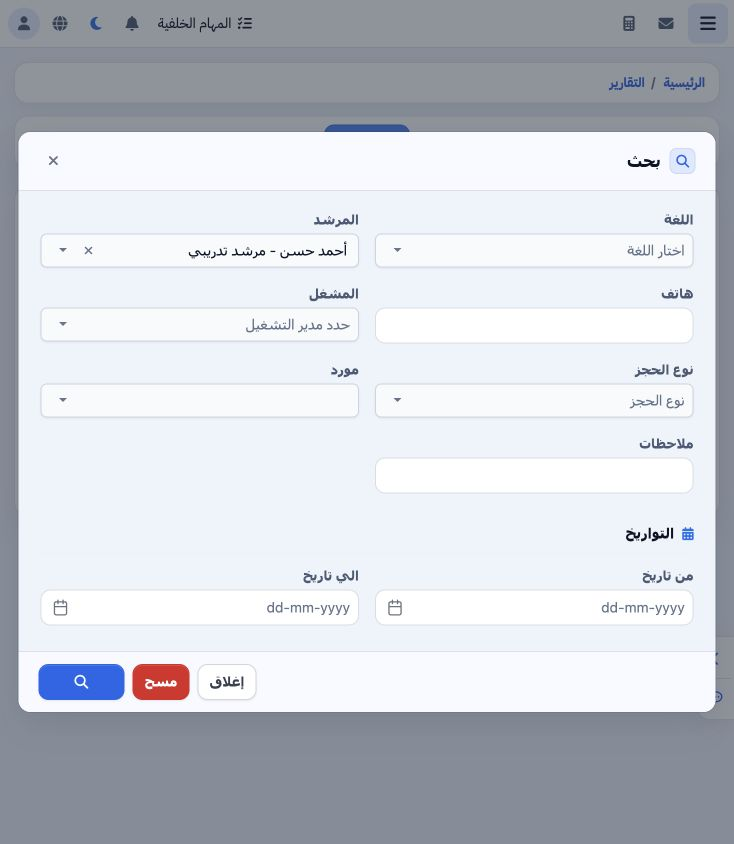
2 Open Search and select the training guide Ahmad Hassan from the Guide picker. Other filters include language, phone, operator, booking type,...
Open Search and select the training guide Ahmad Hassan from the Guide picker. Other filters include language, phone, operator, booking type, supplier, notes and date range. Select the Search icon at the bottom.

3 Review related files

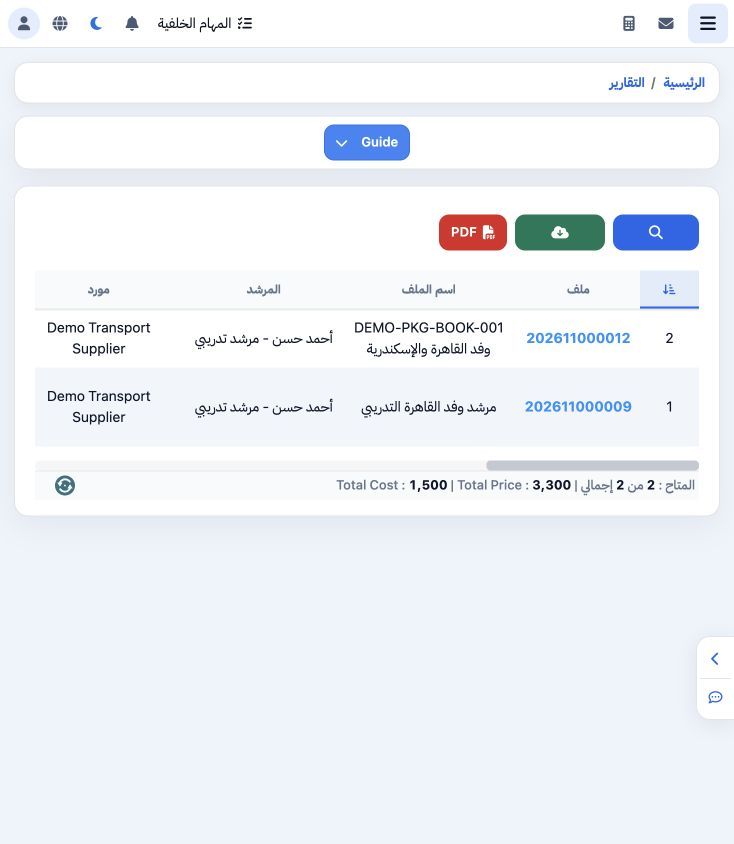
3 The guide filter returned two items belonging to files 202611000009 and 202611000012. Review each item’s dates, days and supplier. Scroll ho...
The guide filter returned two items belonging to files 202611000009 and 202611000012. Review each item’s dates, days and supplier. Scroll horizontally for financial columns and notes.

4 Open the source in a new tab

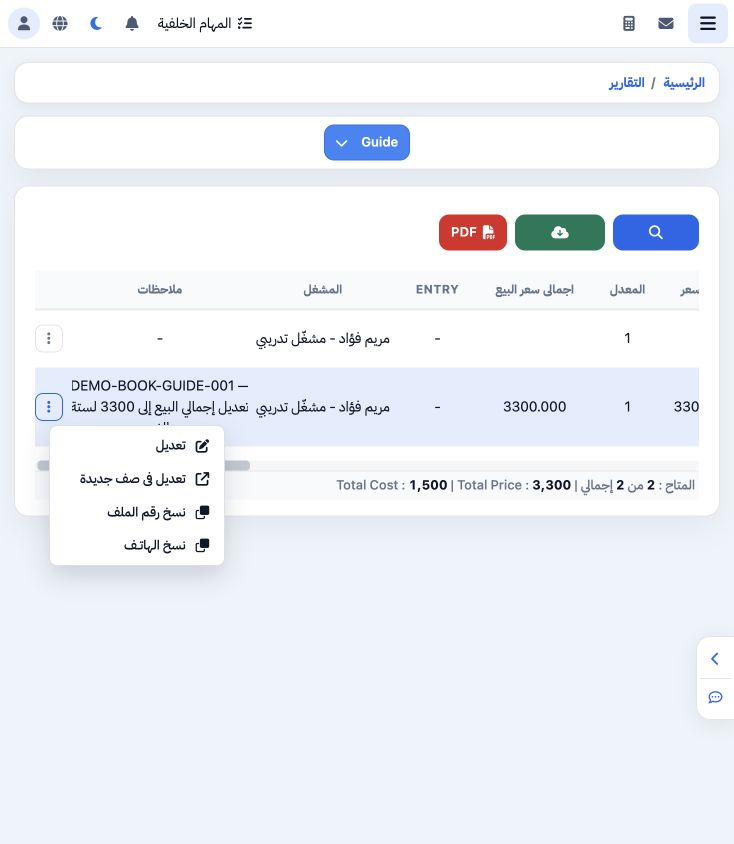
4 Open the three-dot menu for file 202611000009 and choose Edit in New Page. The file view opens in a new tab while the report remains availab...
Open the three-dot menu for file 202611000009 and choose Edit in New Page. The file view opens in a new tab while the report remains available. Edit, Copy File Number and Copy Phone are also offered.

5 Review the source Guide service

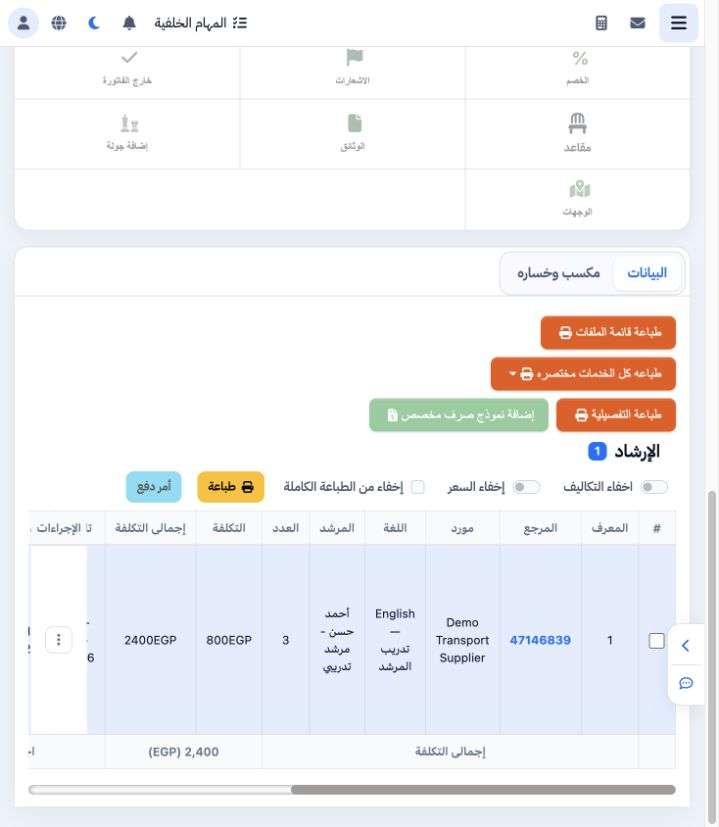
5 In the file’s Guide section, item 47146839 covers three days, 20–22 November. Daily cost is 800, total cost is 2400, selling total is EGP 33...
In the file’s Guide section, item 47146839 covers three days, 20–22 November. Daily cost is 800, total cost is 2400, selling total is EGP 3300 and status is Confirmed. No service changes were made during this review.

6 Choose PDF columns

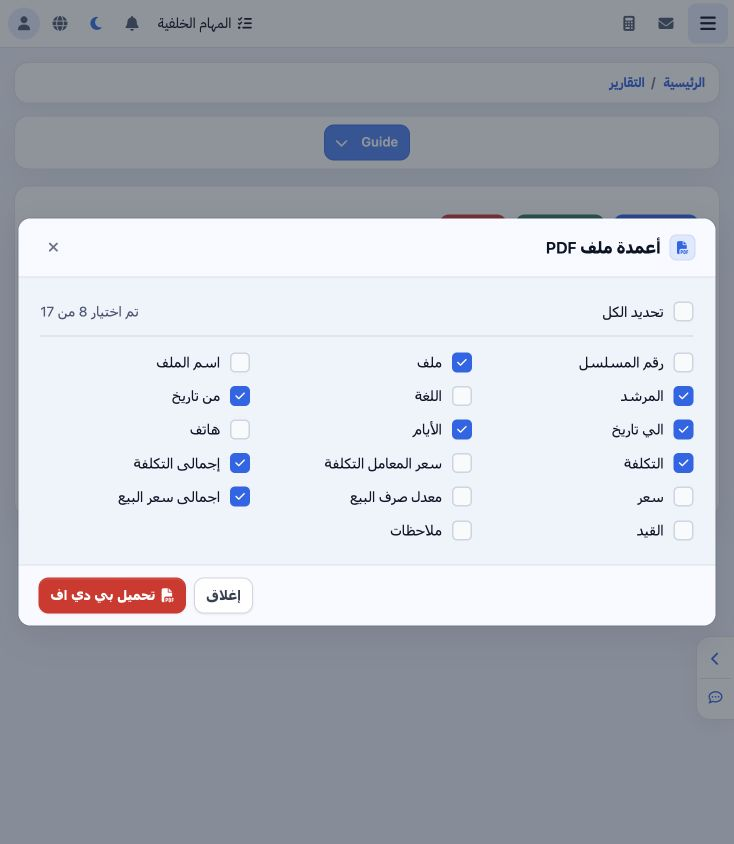
6 Return to the report tab and select PDF. Seventeen fields are available. The example selects file, guide, days, date range, cost, cost total...
Return to the report tab and select PDF. Seventeen fields are available. The example selects file, guide, days, date range, cost, cost total and selling total. Select Download PDF.

7 Review the output

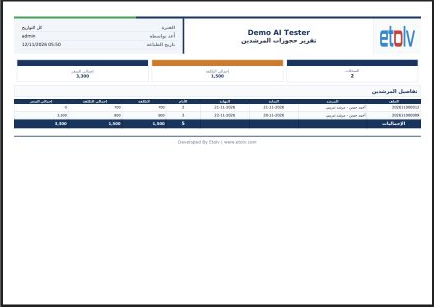
7 The Guide Booking Report opens in a new tab. Reconcile file numbers, guide, dates, quantities and values with each source service before app...
The Guide Booking Report opens in a new tab. Reconcile file numbers, guide, dates, quantities and values with each source service before approving the report. Print and download are available in the PDF viewer; Excel is offered in the report toolbar.

Sign in to record the lessons you have read. Sign in