Skip to content
Trio Travel guide

Package Reservation

On this page
  1. 1 Reservation details
  2. 2 Departure and rooms
  3. 3 Activities and add-ons
  4. 4 Calculate the total
  5. 5 Confirm and locate the file
  6. 6 Review services and itinerary

1 Reservation details

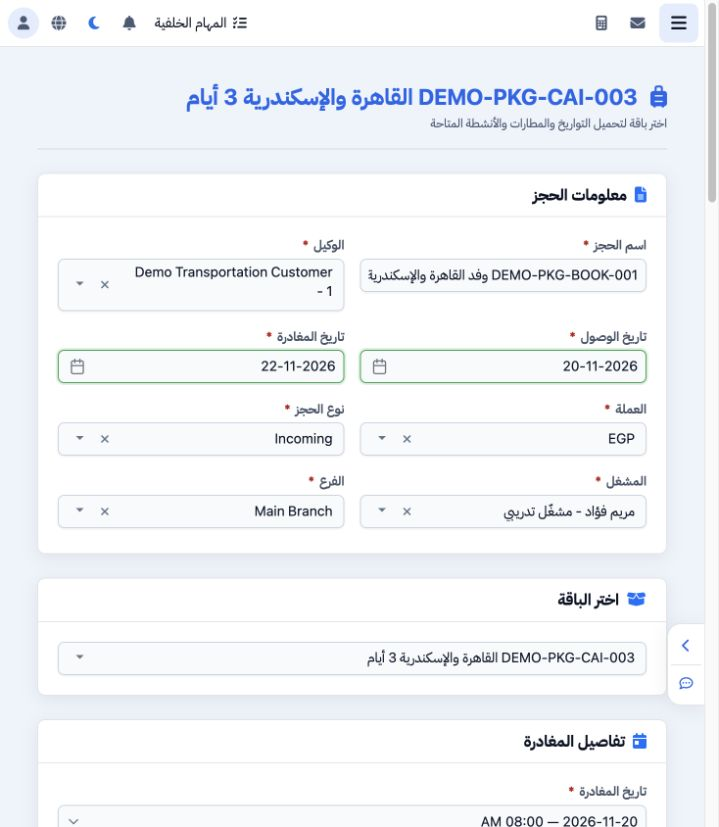
1 Open General Tourism → Package Reservations. Enter the reservation name, agent, arrival/departure dates, currency, file type, operator and b...
Open General Tourism → Package Reservations. Enter the reservation name, agent, arrival/departure dates, currency, file type, operator and branch. The example is Incoming for Demo Transportation Customer with operator Maryam, arriving 20 November and departing 22 November. Select the package to load its pricing.

2 Departure and rooms

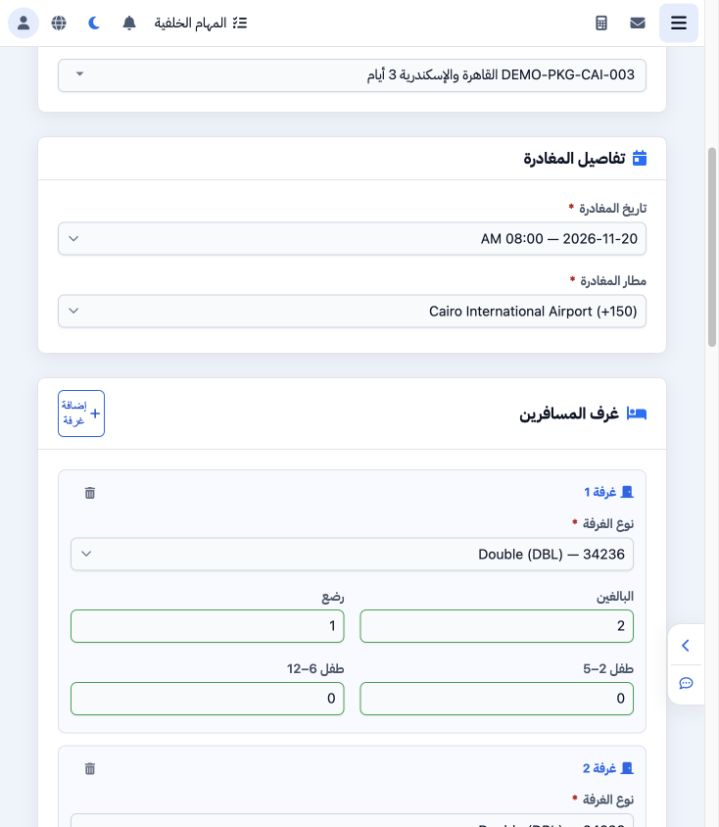
2 Select the package departure on 20 November at 08:00 and CAI. Add rooms and select the available category/type, then adult, infant and both...
Select the package departure on 20 November at 08:00 and CAI. Add rooms and select the available category/type, then adult, infant and both child counts per room. The final example has three Standard Double rooms with two adults each, plus one child aged 2–5, one aged 6–12 and one infant across the rooms. Resolve adult-count warnings before calculating.

3 Activities and add-ons

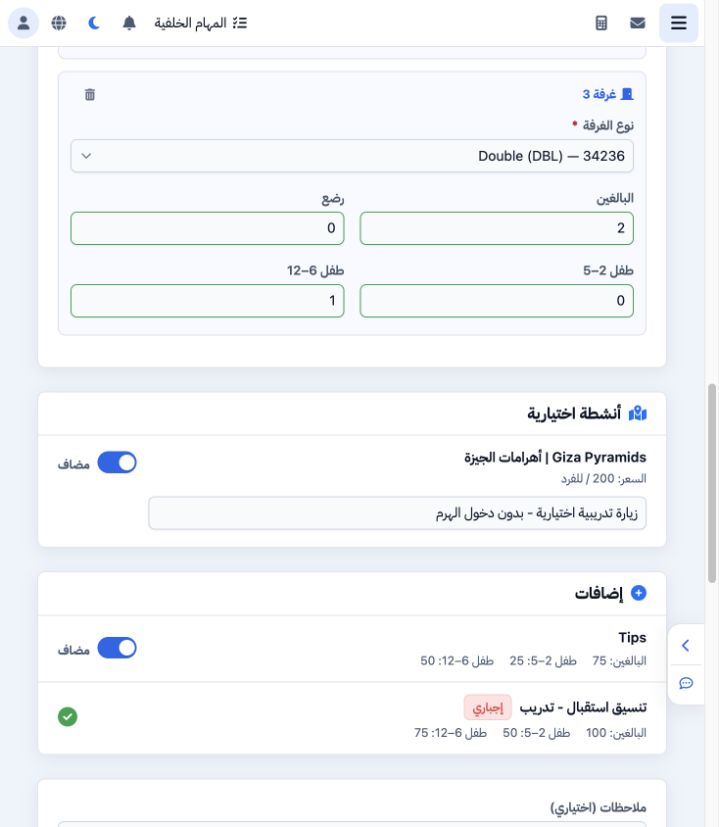
3 Enable the optional activity when required and add its note. Tips has an optional switch; the training reception add-on is mandatory. Review...
Enable the optional activity when required and add its note. Tips has an optional switch; the training reception add-on is mandatory. Review the displayed age-based prices and enter special requests in Notes. This example selects both the activity and Tips to demonstrate the calculation.

4 Calculate the total

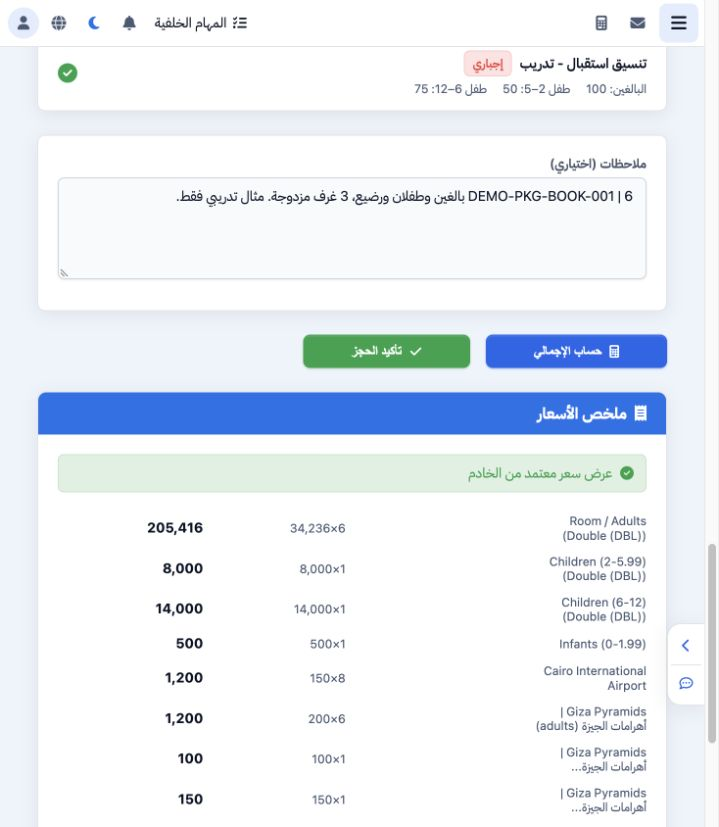
4 Choose Calculate Total. Distinguish the live estimate from the server-approved quote. Review adults, both child groups, infants, airport, ac...
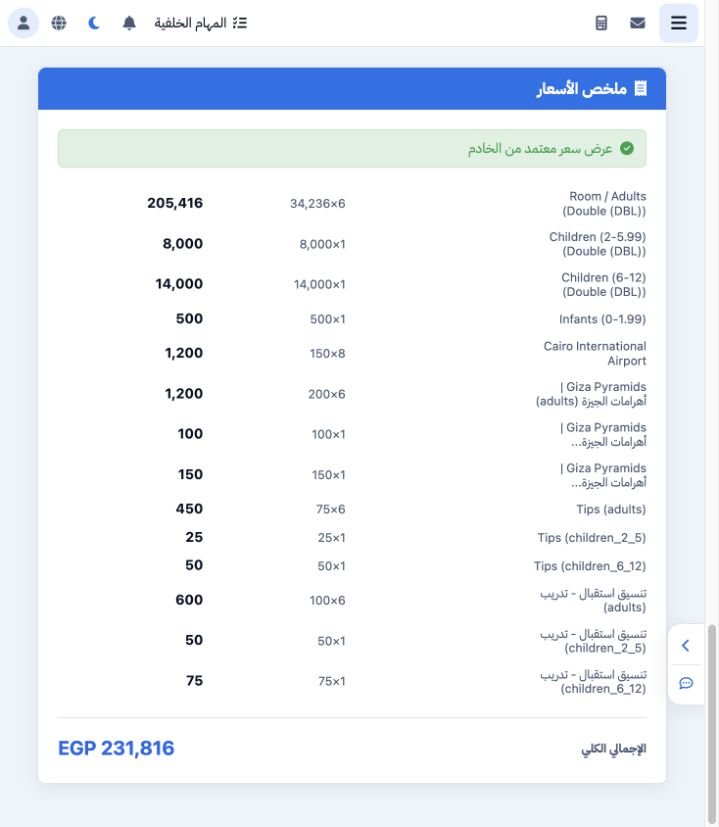
Choose Calculate Total. Distinguish the live estimate from the server-approved quote. Review adults, both child groups, infants, airport, activity and add-ons. The example shows six adults at 34236, child charges of 8000 and 14000 and an infant charge of 500, followed by the other items.

5 Confirm and locate the file

5 The approved quote totals EGP 231816. After reviewing it, click Confirm Reservation once and wait. Open General Tourism → Files and locate t...
The approved quote totals EGP 231816. After reviewing it, click Confirm Reservation once and wait. Open General Tourism → Files and locate the reservation by name before attempting another submission. The example created file 202611000012 named DEMO-PKG-BOOK-001.

6 Review services and itinerary

6 Open the generated file and review the service references, dates, quantities, costs and selling prices. The package item is 47147338, with t...
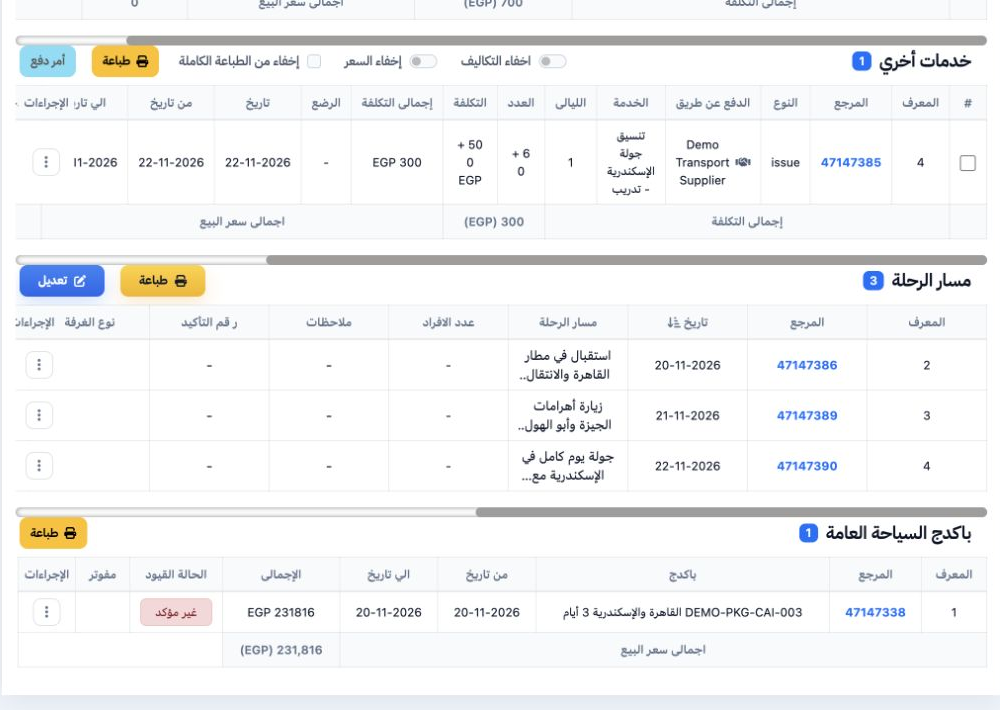
Open the generated file and review the service references, dates, quantities, costs and selling prices. The package item is 47147338, with three itinerary days. Reconcile the approved quote with the file total and complete required information before locking and posting.

Sign in to record the lessons you have read. Sign in