Skip to content
Trio Travel guide

Booking Documents Report

On this page
  1. 1 Open the Documents report
  2. 2 Read quantity, cost and sales
  3. 3 Search by ATS reference
  4. 4 Row actions
  5. 5 Edit the ATS reference
  6. 6 Reconcile total cost with its journal
1 Open the Documents report

1 Open General Tourism → Reports → Reports and select Documents. The selector displays Document. The example contains one saved item on file 2...
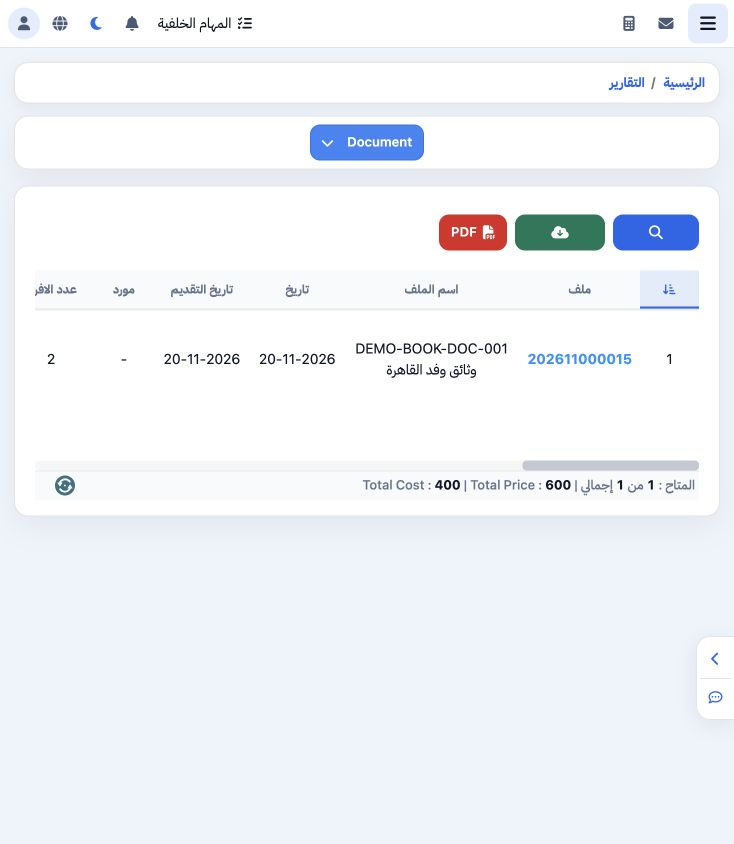
Open General Tourism → Reports → Reports and select Documents. The selector displays Document. The example contains one saved item on file 202611000015 for reviewing two training documents.

2 Read quantity, cost and sales

2 The item has quantity 2, supplier unit cost EGP 200, total cost 400 and total selling price EGP 600. Report totals match this row. Other col...
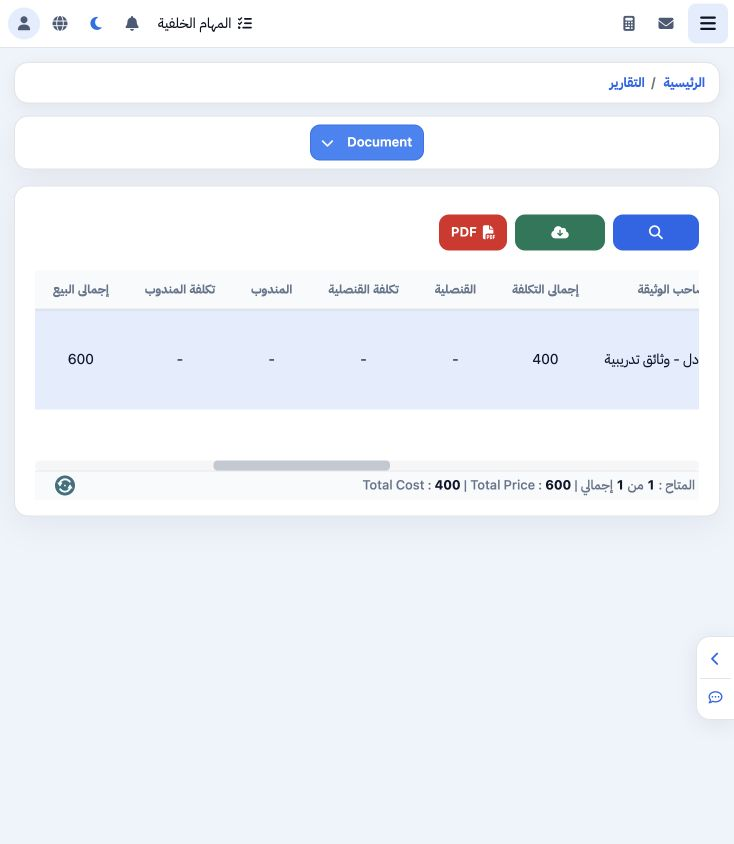
The item has quantity 2, supplier unit cost EGP 200, total cost 400 and total selling price EGP 600. Report totals match this row. Other columns include owner, document type, dates, operator, ATS and notes.

3 Search by ATS reference

3 Select Search, enter DEMO-DOC-ATS-002 in ATS and run the search inside the dialog. The example returns the saved Documents item. Other crite...
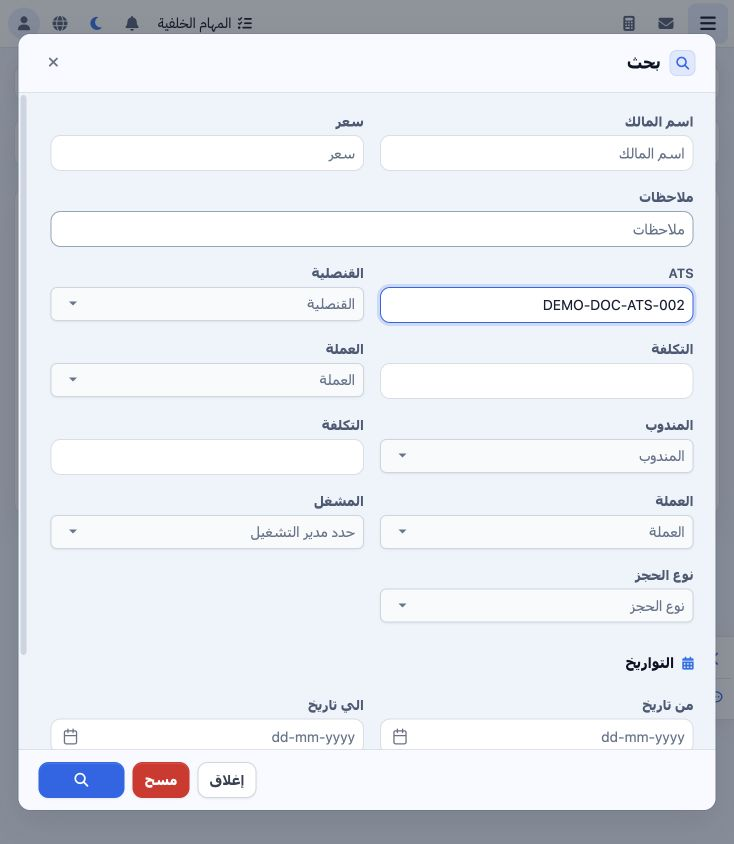
Select Search, enter DEMO-DOC-ATS-002 in ATS and run the search inside the dialog. The example returns the saved Documents item. Other criteria include owner, price, notes, consulate, representative, operator, booking type and dates. Clear removes search criteria.

4 Row actions

4 The row menu offers Edit, Edit in New Page, Copy File Number, Copy Phone and Edit ATS. Copy File Number returned 202611000015 in this exampl...
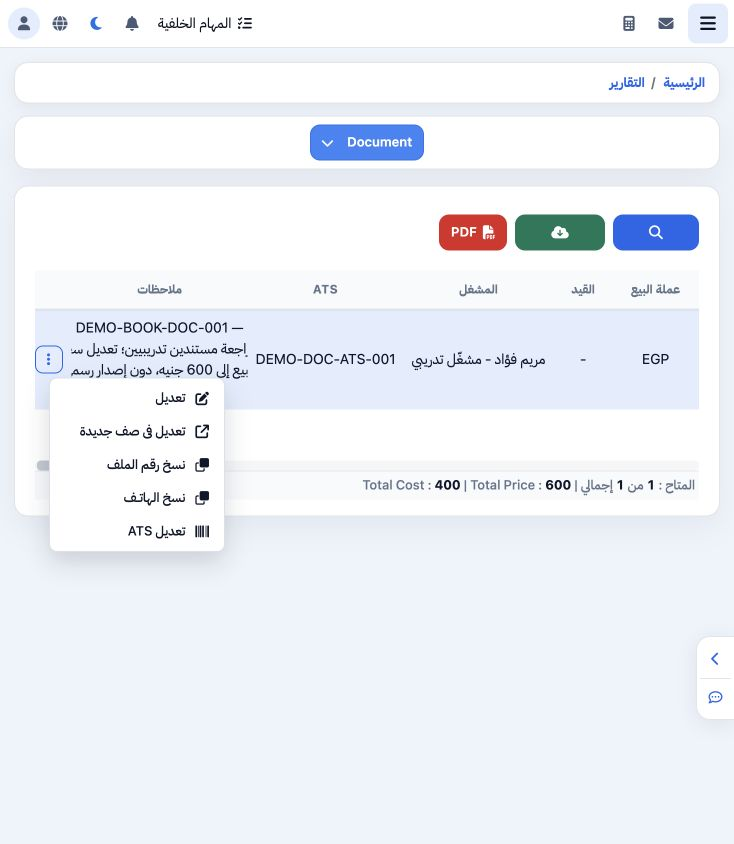
The row menu offers Edit, Edit in New Page, Copy File Number, Copy Phone and Edit ATS. Copy File Number returned 202611000015 in this example for follow-up and reconciliation.

5 Edit the ATS reference

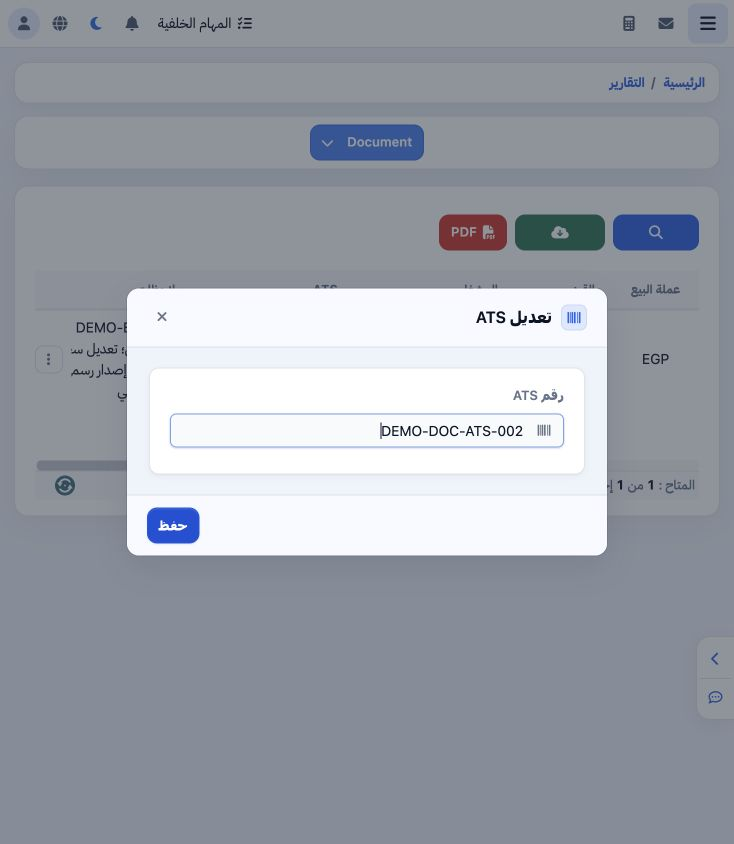
5 Choose Edit ATS, replace DEMO-DOC-ATS-001 with DEMO-DOC-ATS-002 and Save. The row displays the updated reference and a search for it returns...
Choose Edit ATS, replace DEMO-DOC-ATS-001 with DEMO-DOC-ATS-002 and Save. The row displays the updated reference and a search for it returns the item. Quantity and financial amounts remain unchanged.

6 Reconcile total cost with its journal

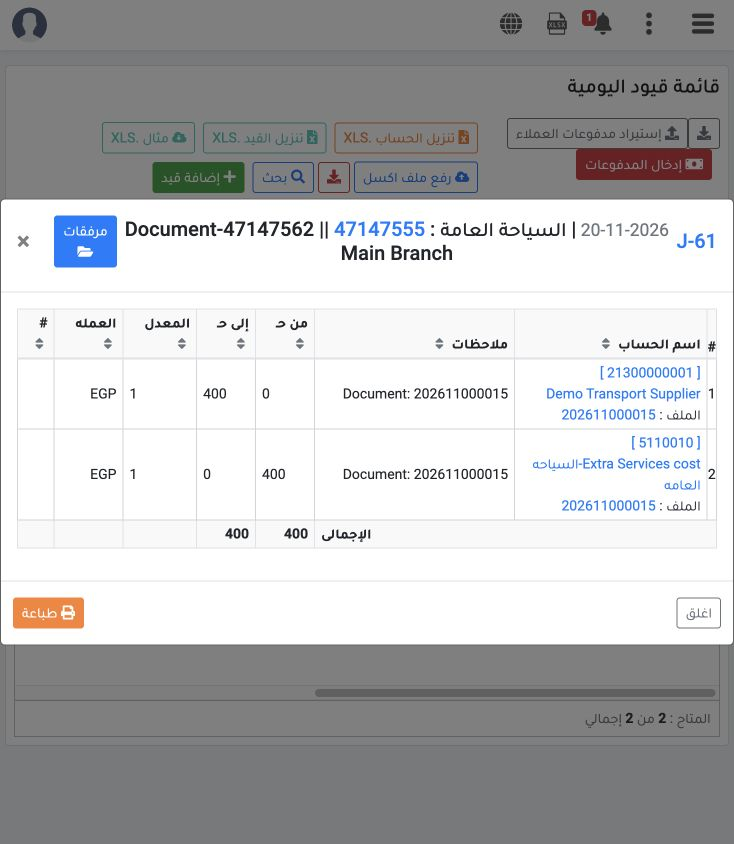
6 Locking created J-61 for document 47147562: debit 5110010 EGP 400 and credit supplier 21300000001 EGP 400, matching report cost 2 × 200. J-6...
Locking created J-61 for document 47147562: debit 5110010 EGP 400 and credit supplier 21300000001 EGP 400, matching report cost 2 × 200. J-62 records revenue 600: debit customer 12200000001 and credit 4120009, detailed in the Documents service guide.

Sign in to record the lessons you have read. Sign in