Skip to content
Trio Travel guide

Booking Assistants Service

On this page
  1. 1 Define the representative
  2. 2 Supplier representative and dates
  3. 3 Cost sale and assistance options
  4. 4 Edit the service
  5. 5 Review deletion confirmation
  6. 6 Lock the file
  7. 7 Find the generated entries
  8. 8 Assistants cost journal
  9. 9 Assistants revenue journal
  10. 10 Profit and remaining balance

1 Define the representative

1 Open Settings → Employees, then +. Enter the representative name and code, choose Delegator in Role, then Save. خالد أمين - مندوب استقبال تد...
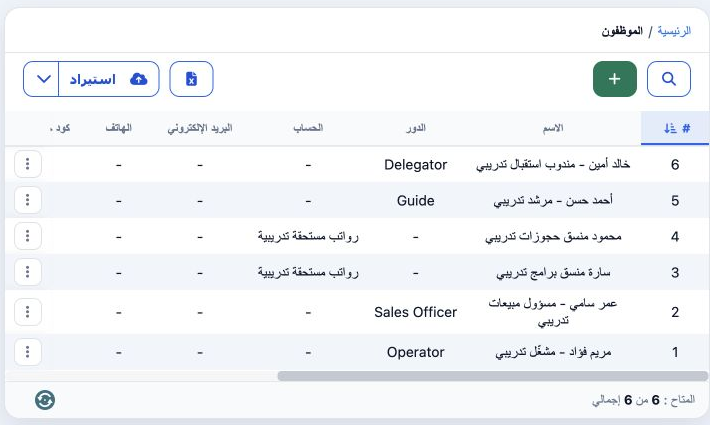
Open Settings → Employees, then +. Enter the representative name and code, choose Delegator in Role, then Save. خالد أمين - مندوب استقبال تدريبي was saved with code DEMO-BOOK-HELP-01 and ID 47147042. He appeared in Representative Name after reopening the service form. The definition also offers branch, phone, email, ledger, addresses and booking-system codes.

2 Supplier representative and dates

2 Open the Booking file and choose Assistants. The form is titled Add Meet and Assist (اضافة استقبال وتوديع). This example uses file 202611000...
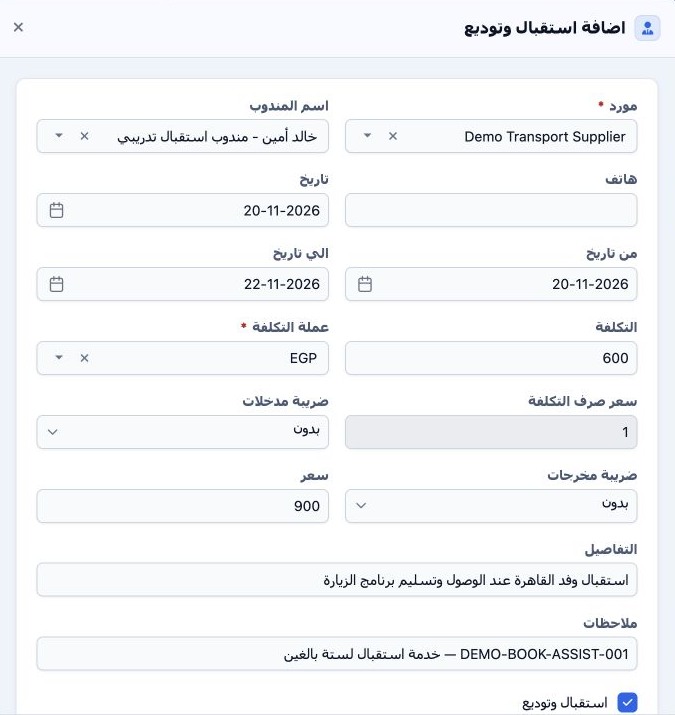
Open the Booking file and choose Assistants. The form is titled Add Meet and Assist (اضافة استقبال وتوديع). This example uses file 202611000010, code 47147035, six adults, Incoming and EGP. Search for and select Demo Transport Supplier, then the training representative. Review Date 20 November, From Date 20 November and To Date 22 November 2026. Enter a phone number when available; it remained blank here.

3 Cost sale and assistance options

3 Enter cost 600 and EGP and review exchange rate 1. Enter 900 in Price as the selling total, then Details and Notes. Available options are Me...
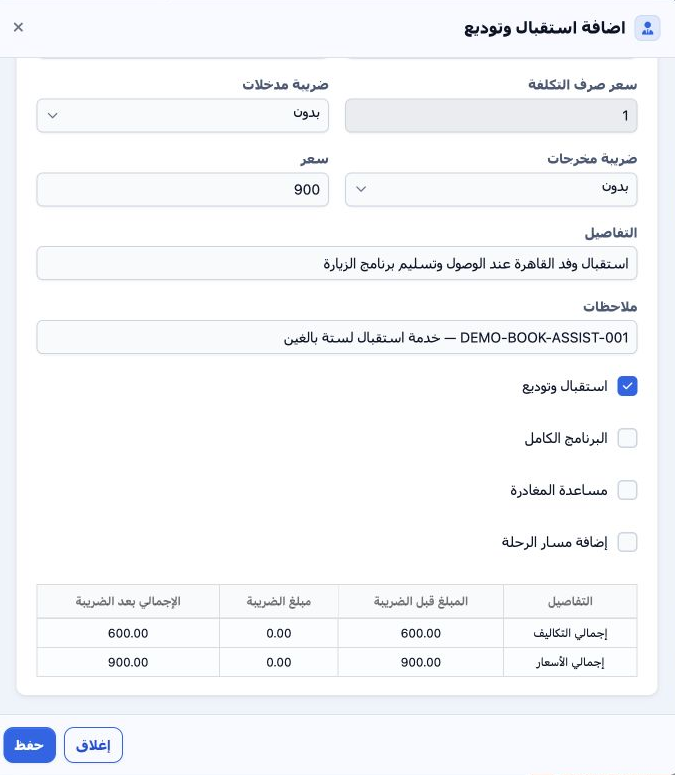
Enter cost 600 and EGP and review exchange rate 1. Enter 900 in Price as the selling total, then Details and Notes. Available options are Meet and Assist, Full Program and Departure Assist; Meet and Assist was selected for the initial addition. Add Itinerary is another option and remained off. Review input/output taxes and the summary, then Save. Both taxes were None. Service 47147043 was saved with cost 600 and sale 900.

4 Edit the service

4 On the Assistants row, choose Actions → Edit. Update values and details, Save and review the row. The example manually changed cost from 600...
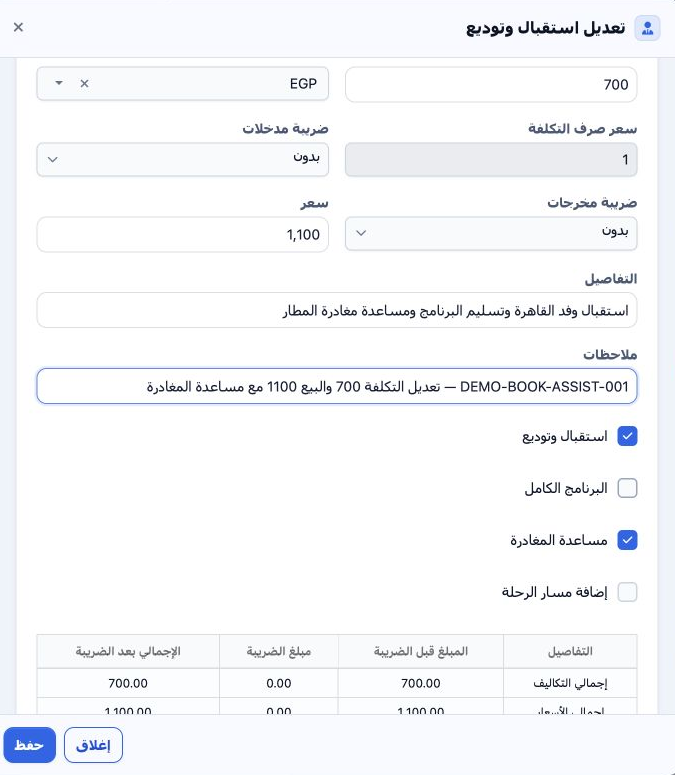
On the Assistants row, choose Actions → Edit. Update values and details, Save and review the row. The example manually changed cost from 600 to 700 and sale from 900 to 1,100. Departure Assist was selected alongside Meet and Assist. Details and note DEMO-BOOK-ASSIST-001 were updated, and the saved row showed the new values.

5 Review deletion confirmation

5 Choose Actions → Delete. The message asks whether to delete the item and states that the action cannot be undone. Choose No to cancel or Yes...
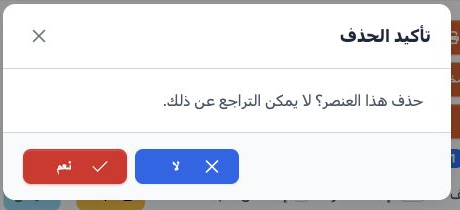
Choose Actions → Delete. The message asks whether to delete the item and states that the action cannot be undone. Choose No to cancel or Yes to confirm removal of the intended item. The full message was captured and No was selected. Service 47147043 remained intact for locking and journal review.

6 Lock the file

6 After reviewing the service, select Lock and confirm Yes. The Assistants row accounting status became Confirmed, Unlock appeared and service...
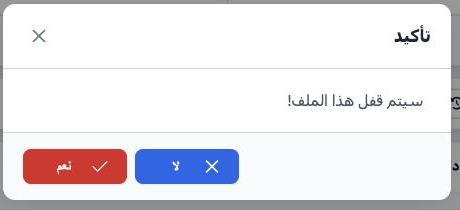
After reviewing the service, select Lock and confirm Yes. The Assistants row accounting status became Confirmed, Unlock appeared and service-addition buttons became disabled. Go to Accounting to review the cost and revenue entries.

7 Find the generated entries

7 Open Accounting → Journal Entries → Search, enter 47147035 in Relative# and run the search. J-50 appears with source Assistant and amount 70...
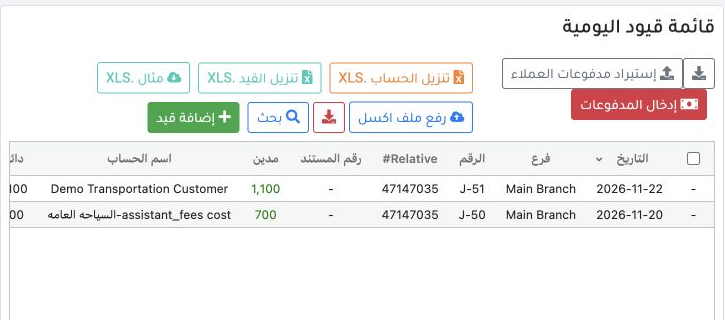
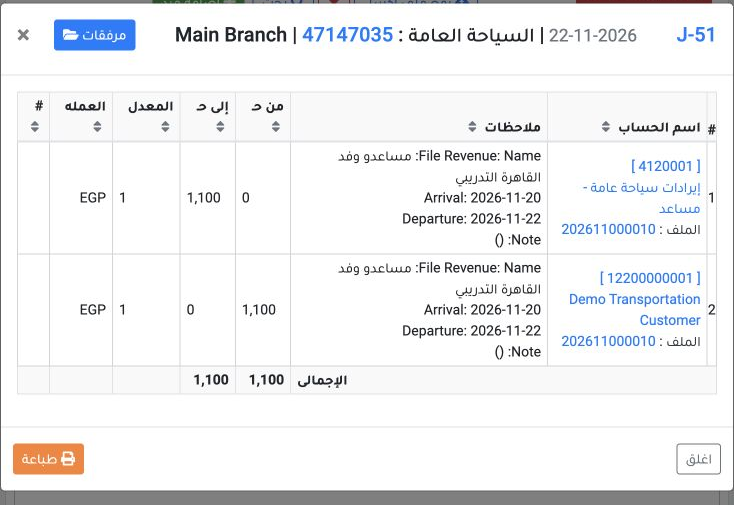
Open Accounting → Journal Entries → Search, enter 47147035 in Relative# and run the search. J-50 appears with source Assistant and amount 700; J-51 has source Booking Revenue and amount 1,100. Right-click each entry and select View to review its accounts and amounts.

8 Assistants cost journal

8 J-50 is dated 20 November 2026, source Assistant, service reference 47147043. Debit is 700 EGP to account 5110011, displayed as assistant_fe...
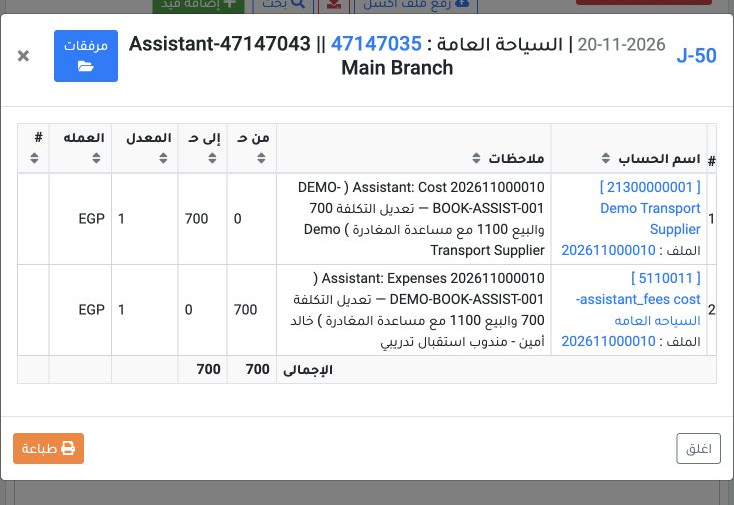
J-50 is dated 20 November 2026, source Assistant, service reference 47147043. Debit is 700 EGP to account 5110011, displayed as assistant_fees cost-السياحه العامه. Credit is 700 to Demo Transport Supplier account 21300000001. Both sides balance in EGP at rate 1.

9 Assistants revenue journal

9 J-51 is dated 22 November 2026, source Booking Revenue. Debit is 1,100 EGP to Demo Transportation Customer account 12200000001; credit is 1,...
J-51 is dated 22 November 2026, source Booking Revenue. Debit is 1,100 EGP to Demo Transportation Customer account 12200000001; credit is 1,100 to assistants-revenue account 4120001, displayed as إيرادات سياحة عامة - مساعد. Review file 202611000010 in the narrative and equal debit/credit totals in EGP at rate 1.

10 Profit and remaining balance

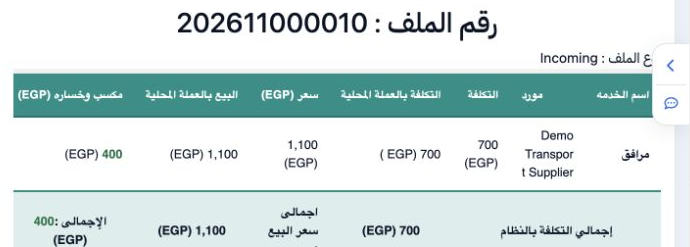
10 Open Profit and Loss. The service is displayed as مرافق, with cost 700, sale 1,100 and profit 400 EGP. The 57.14% ratio is calculated on cos...
Open Profit and Loss. The service is displayed as مرافق, with cost 700, sale 1,100 and profit 400 EGP. The 57.14% ratio is calculated on cost. Customer remaining is 1,100 because no payment was recorded. Locking the file and confirming its entries do not mean that the amount was collected.

Sign in to record the lessons you have read. Sign in