Skip to content
Trio Travel guide

Detailed Seats Service Report

On this page
  1. 1 Open the Seats report
  2. 2 Search and scope
  3. 3 Reconcile the service row
  4. 4 Choose PDF columns
  5. 5 Review the preview and download controls
1 Open the Seats report

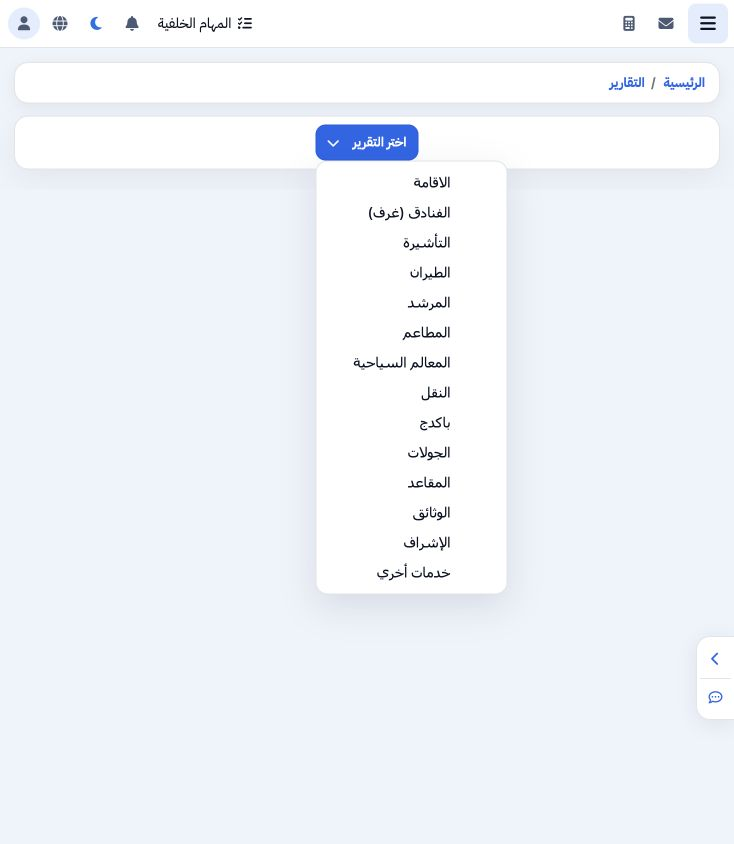
1 Open General Tourism → Reports → Reports, then Choose Report → Seats. The selected title becomes Seat. This menu also provides separate repo...
Open General Tourism → Reports → Reports, then Choose Report → Seats. The selected title becomes Seat. This menu also provides separate reports for accommodation, visa, flight, transportation and the other file services. This guide covers Seats service items.

2 Search and scope

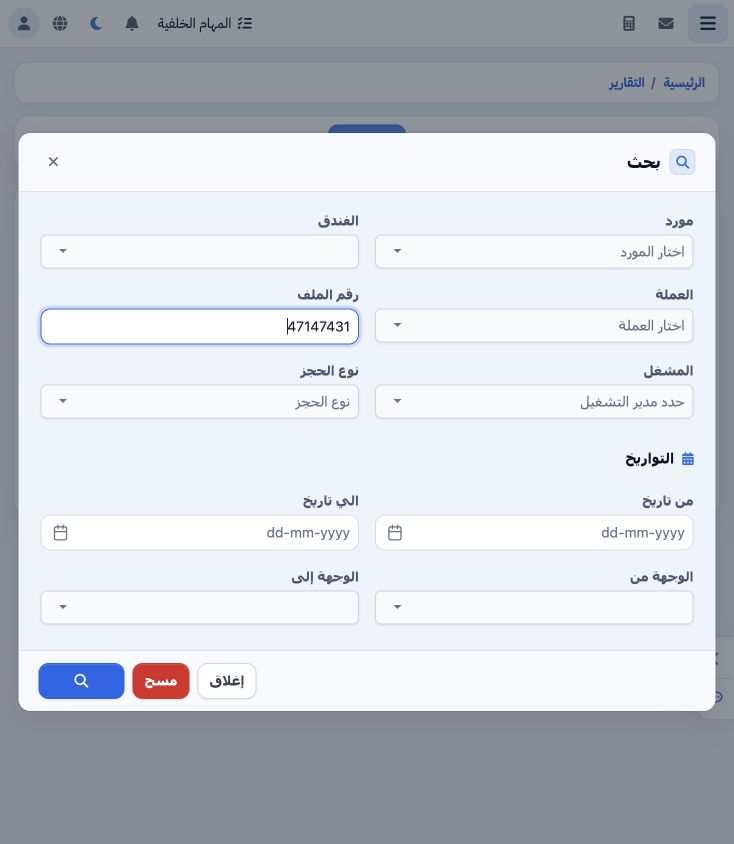
2 Open Search. Filters include supplier, hotel, currency, operator, booking type, date range and origin/destination. To reproduce this example...
Open Search. Filters include supplier, hotel, currency, operator, booking type, date range and origin/destination. To reproduce this example, enter 47147431 in File Number; it is the internal file code shown in the header of file 202611000013. Select Search at the bottom of the dialog.

3 Reconcile the service row

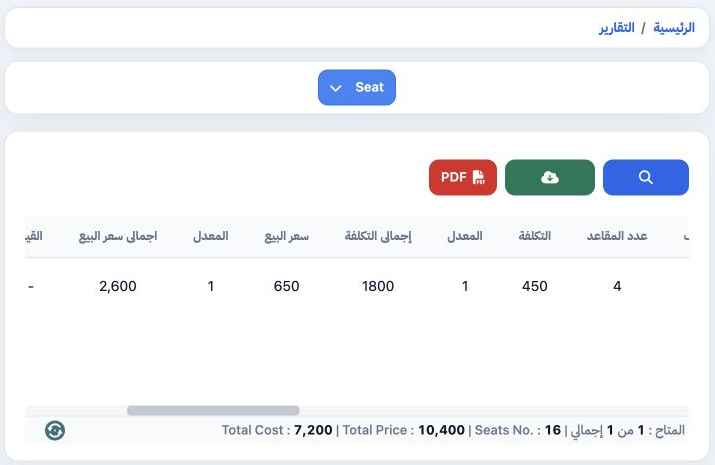
3 The result contains one item for the file. Drag the horizontal scrollbar to view quantity, cost and selling values: four seats, unit cost 45...
The result contains one item for the file. Drag the horizontal scrollbar to view quantity, cost and selling values: four seats, unit cost 450, row cost total 1800, unit selling price 650 and row selling total EGP 2600. Reconcile the row with the file service and its cost and revenue journals.

4 Choose PDF columns

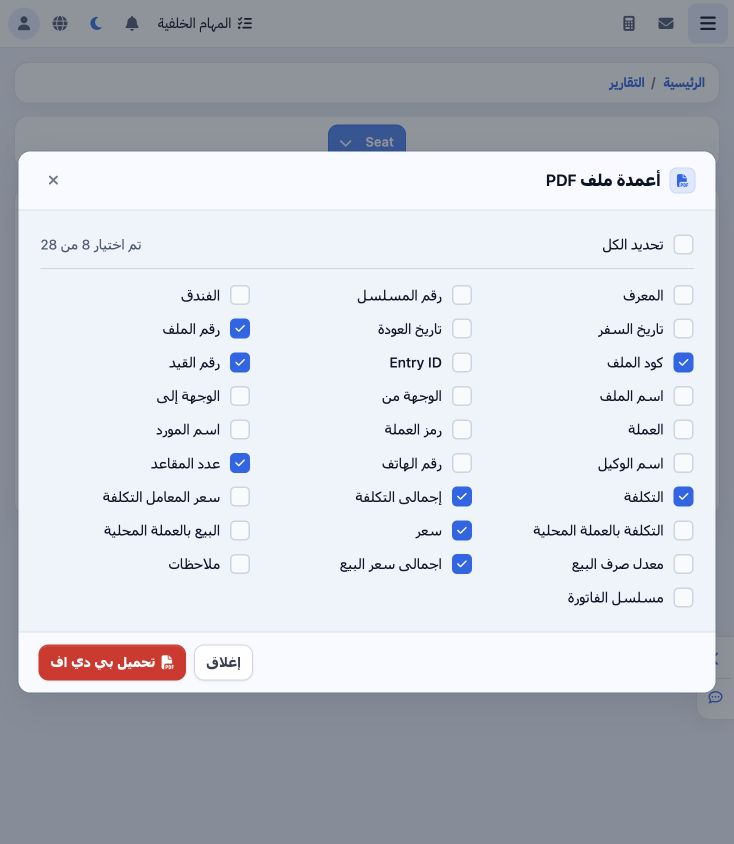
4 Select PDF to open the columns dialog, which shows the selected count out of 28 fields. Clear Select All if needed, then choose the required...
Select PDF to open the columns dialog, which shows the selected count out of 28 fields. Clear Select All if needed, then choose the required columns. This example selects file number/code, journal number, seat quantity, unit cost/cost total and unit selling price/selling total. Select Download PDF, or Close to return without generating it.

5 Review the preview and download controls

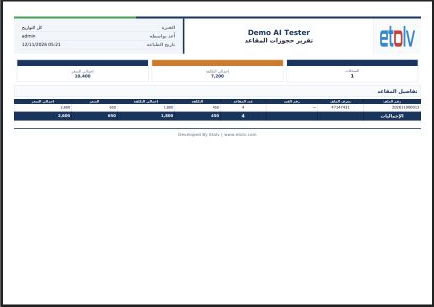
5 A new tab opens the Seats Booking Report preview. The example service row shows four seats, cost total 1800 and selling total 2600. Review t...
A new tab opens the Seats Booking Report preview. The example service row shows four seats, cost total 1800 and selling total 2600. Review the columns and filters and reconcile the values with the file before approval and printing. Download Excel is also available in the report toolbar.

Sign in to record the lessons you have read. Sign in