Skip to content
Trio Travel guide

Payment from a Zero Balance Safe

On this page
  1. 1 Prepare an independent test safe
  2. 2 Verify the balance before payment
  3. 3 Enter the test payment voucher
  4. 4 Save and review the voucher
  5. 5 Confirm posting
  6. 6 Find the posted voucher
  7. 7 Review the resulting journal
  8. 8 Reconcile the balance after payment
  9. 9 Payment by a limited user
  10. 10 Save the limited user voucher
  11. 11 Confirm and find the posted voucher
  12. 12 Review the limited user journal
  13. 13 Reconcile the balance in the user session

1 Prepare an independent test safe
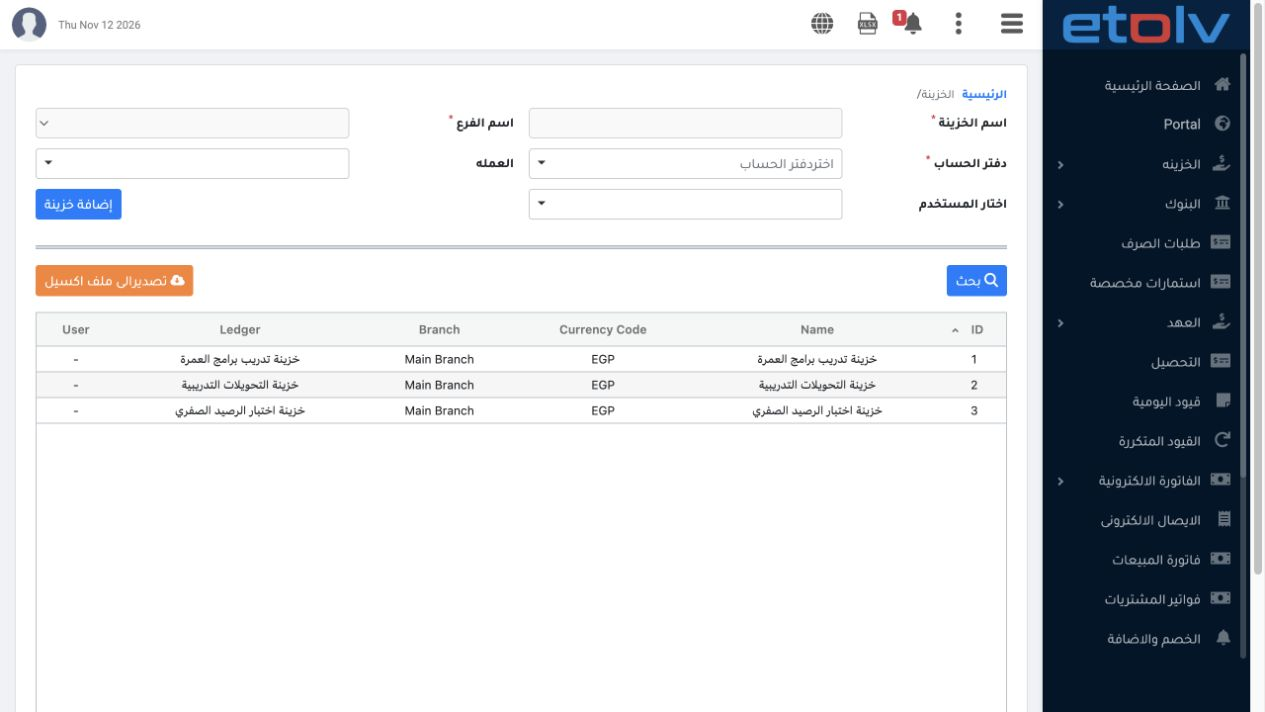
1 Define a cash ledger in the Chart of Accounts, then map it to a branch and currency under Settings → Safes. The example saves Zero Balance T...
Define a cash ledger in the Chart of Accounts, then map it to a branch and currency under Settings → Safes. The example saves Zero Balance Test Safe as serial 3, ledger 1211007, Main Branch and EGP, without entering an opening balance.

2 Verify the balance before payment

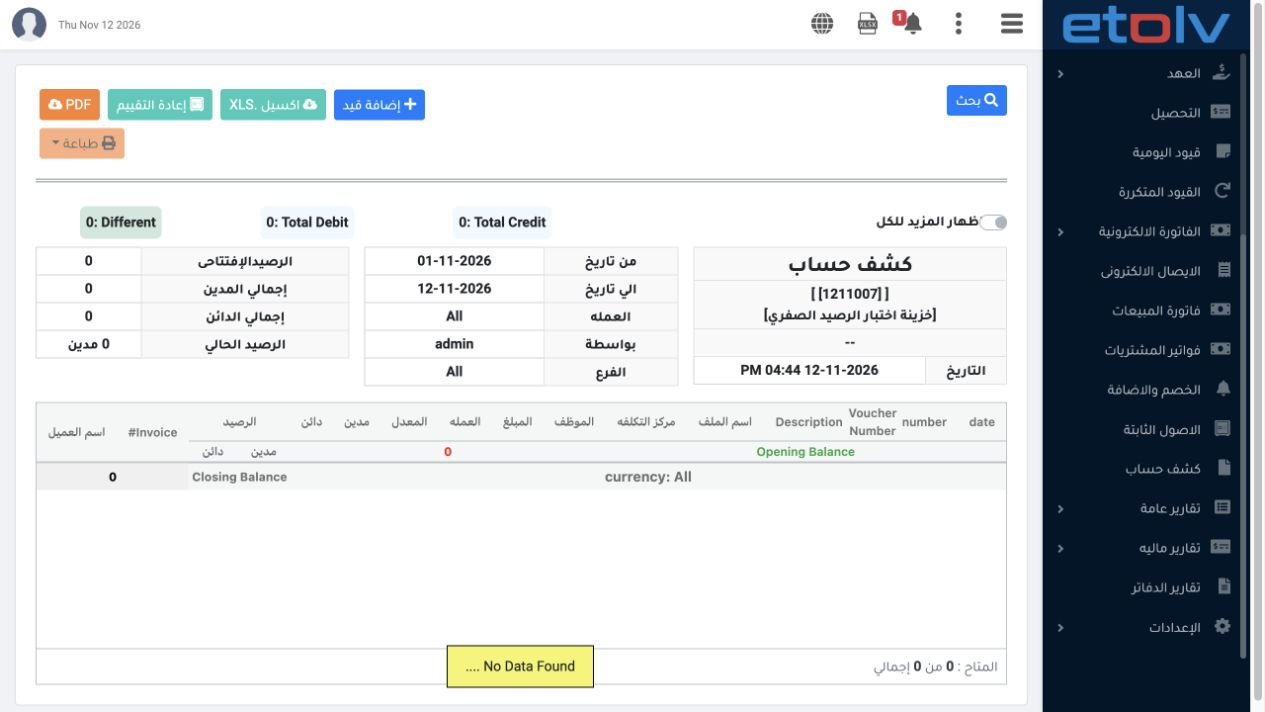
2 Open Ledger Statement, select ledger 1211007 and 1–12 November 2026, then Search. The statement shows opening balance 0, total debits 0, tot...
Open Ledger Statement, select ledger 1211007 and 1–12 November 2026, then Search. The statement shows opening balance 0, total debits 0, total credits 0 and current balance 0, with no movements.

3 Enter the test payment voucher

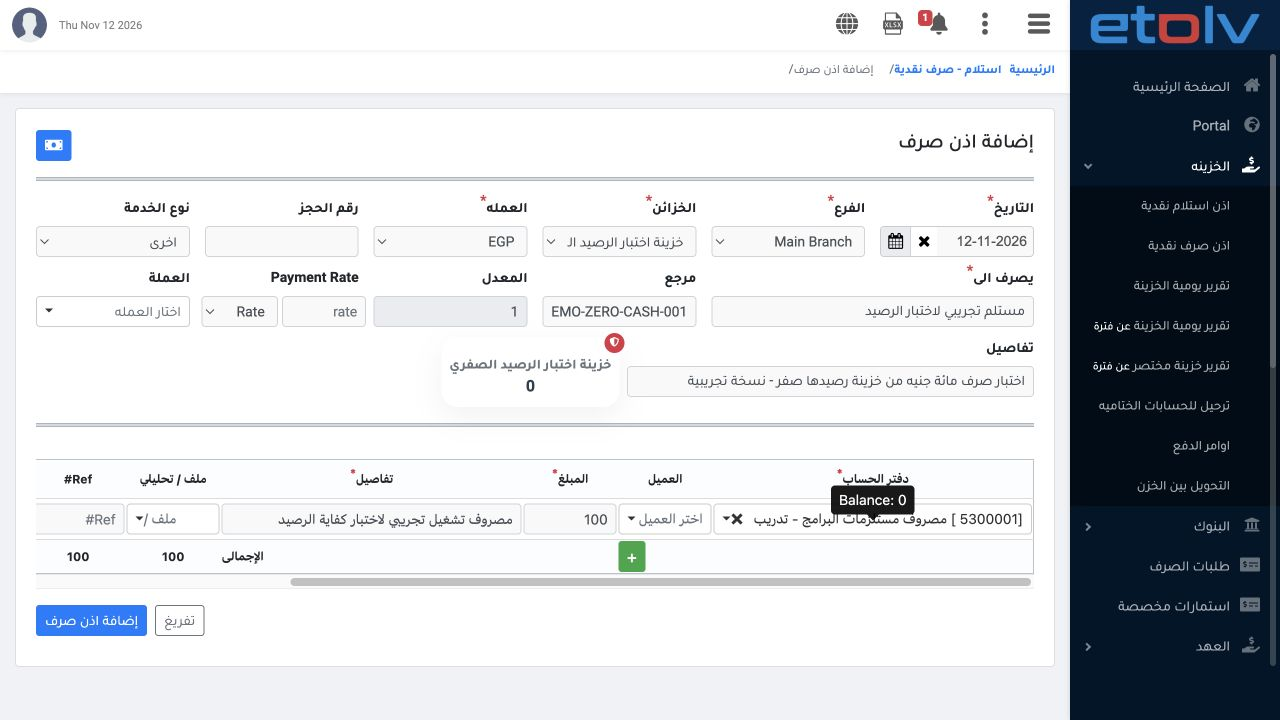
3 Open Treasury → Cash Payment. Choose 12 November, Main Branch, the test safe and EGP at rate 1. Enter a fictional recipient and reference DE...
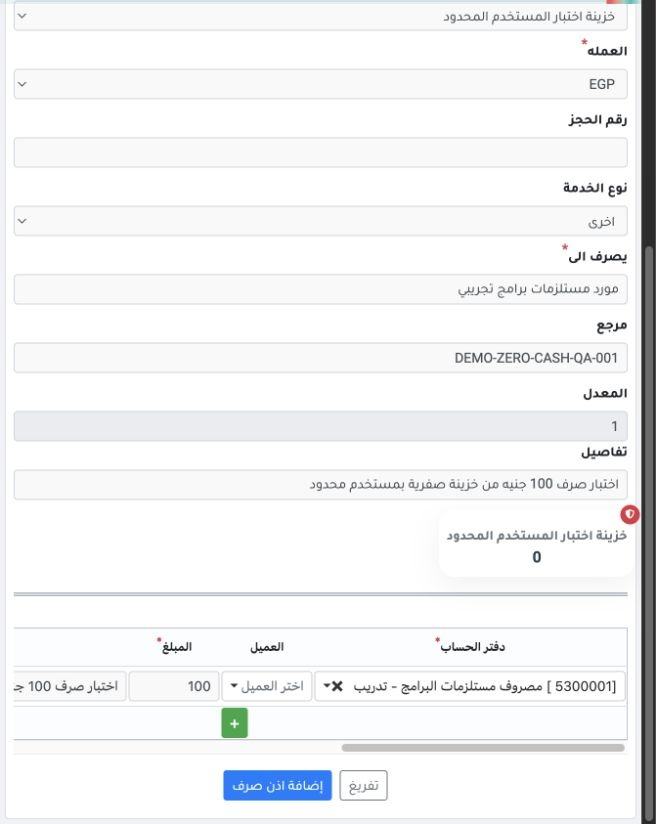
Open Treasury → Cash Payment. Choose 12 November, Main Branch, the test safe and EGP at rate 1. Enter a fictional recipient and reference DEMO-ZERO-CASH-001, with service type Other. Add an EGP 100 line to expense ledger 5300001 and enter its description. The safe balance card shows 0.

4 Save and review the voucher

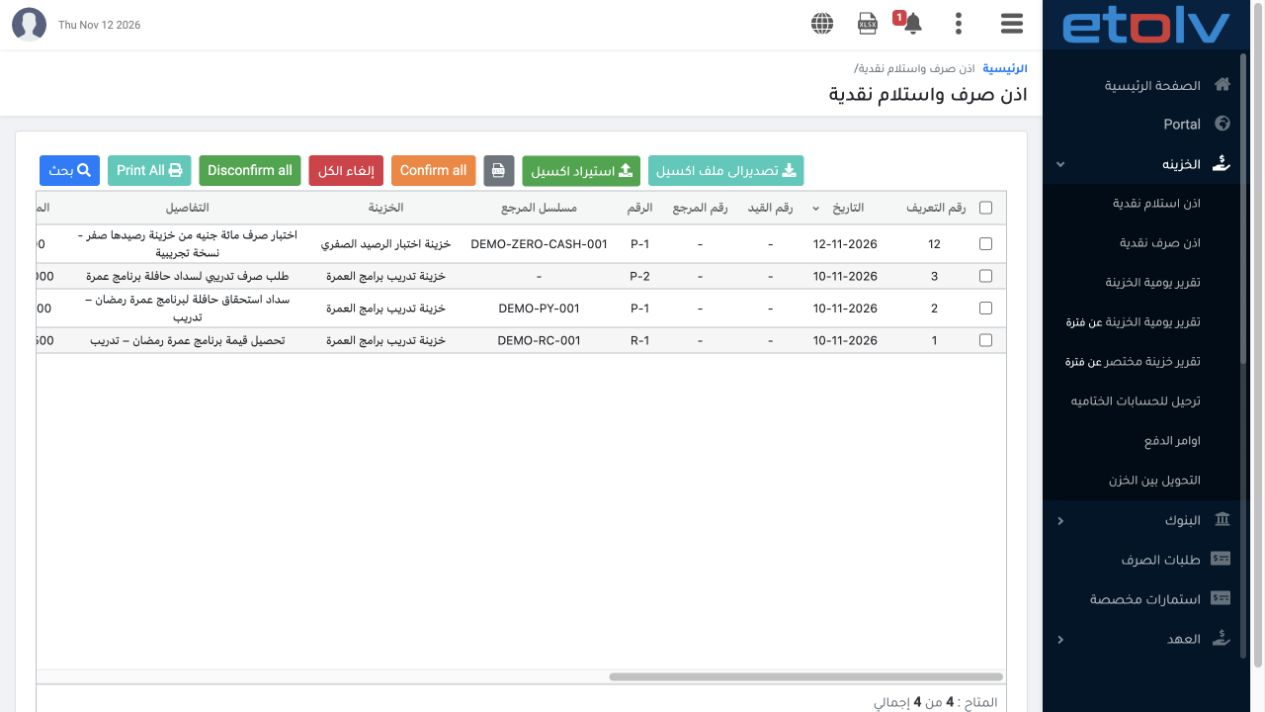
4 Choose Add Payment and review the save success message, then open the Cash Receipt and Payment register. The voucher is saved as displayed I...
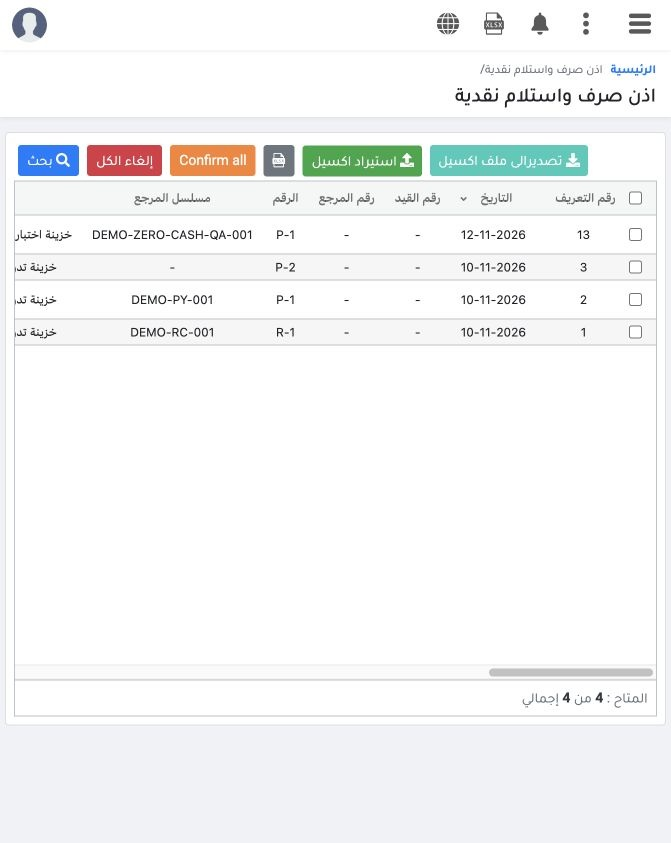
Choose Add Payment and review the save success message, then open the Cash Receipt and Payment register. The voucher is saved as displayed ID 12, number P-1 in the test safe, amount 100 and status Unconfirmed, with no journal number at this stage.

5 Confirm posting

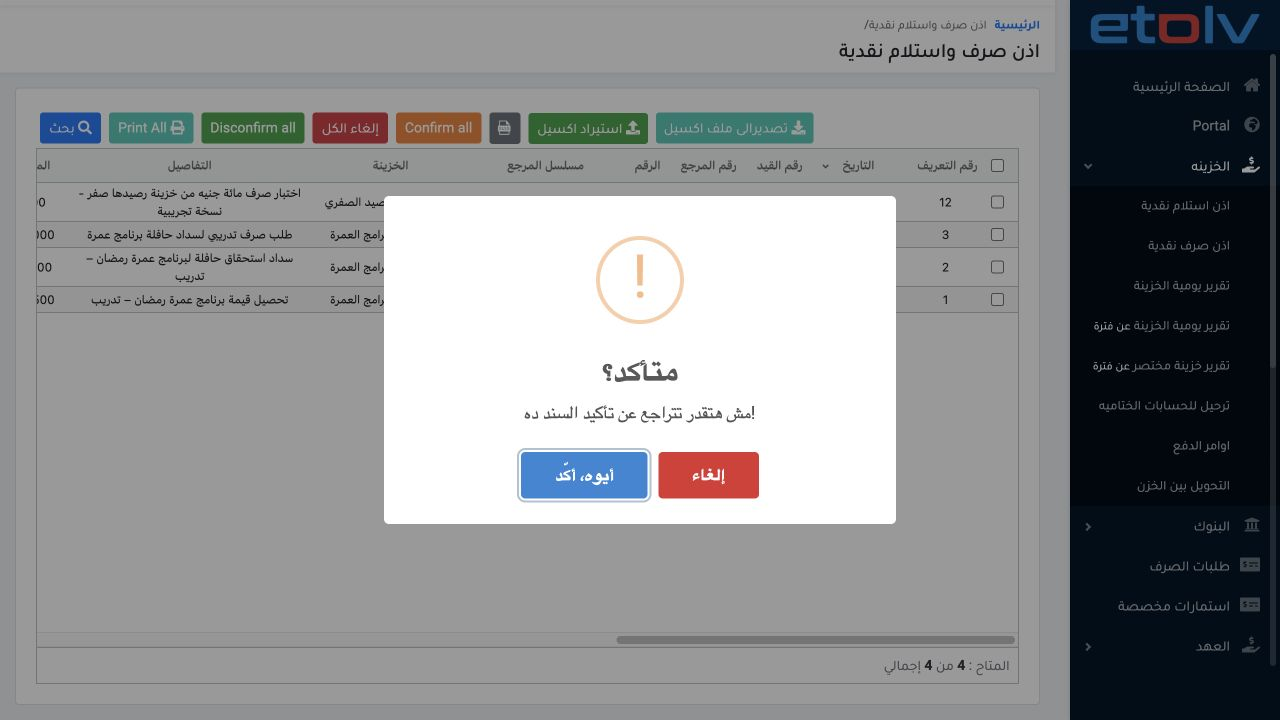
5 Choose Post from the selected voucher menu. Review the confirmation and choose Yes, Confirm to execute the test. The system reports that the...
Choose Post from the selected voucher menu. Review the confirmation and choose Yes, Confirm to execute the test. The system reports that the voucher has entered the confirmation queue. Wait for processing to complete before reviewing the result.

6 Find the posted voucher

6 Open Search, enter reference DEMO-ZERO-CASH-001 and set Confirmation Status to All. The voucher becomes Confirmed and Posted. The register d...
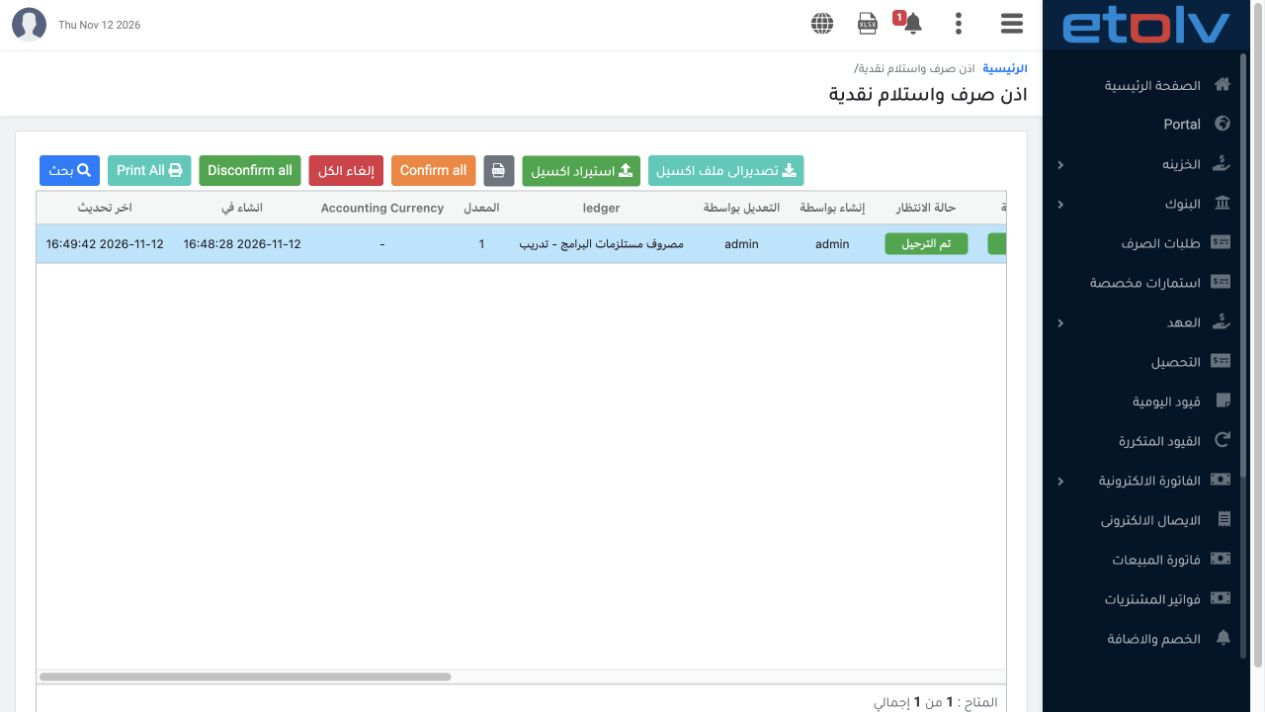
Open Search, enter reference DEMO-ZERO-CASH-001 and set Confirmation Status to All. The voucher becomes Confirmed and Posted. The register displays journal link 8; the journal list identifies it as P-8.

7 Review the resulting journal

7 Open the journal link and choose View. Journal P-8 is linked to internal source 47198505 and dated 12 November. It debits expense ledger 530...
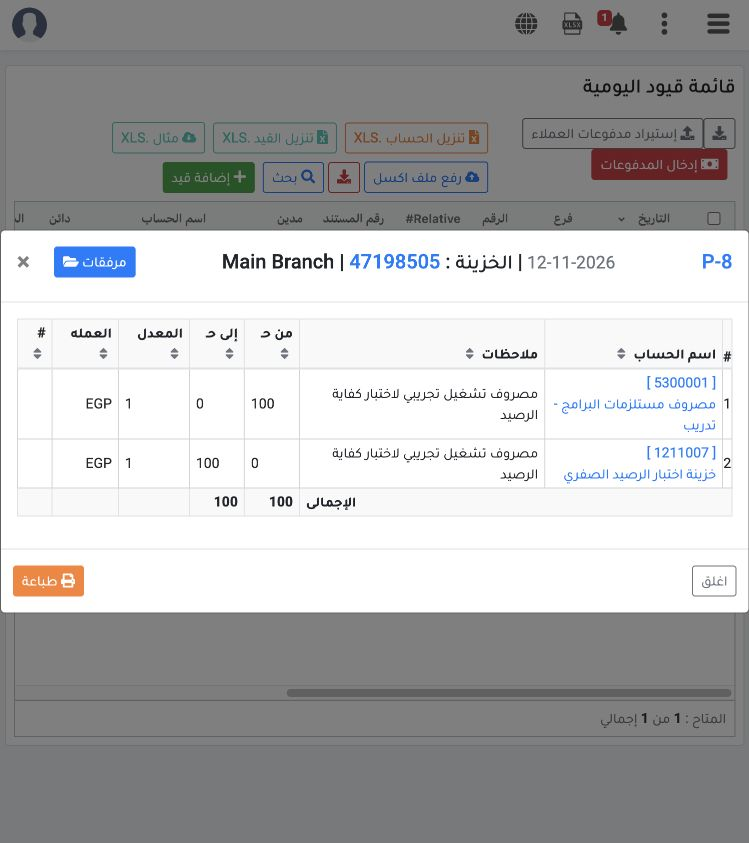
Open the journal link and choose View. Journal P-8 is linked to internal source 47198505 and dated 12 November. It debits expense ledger 5300001, Training Program Supplies Expense, by 100 and credits cash ledger 1211007 by 100. Currency is EGP, rate 1, and both totals balance.

8 Reconcile the balance after payment
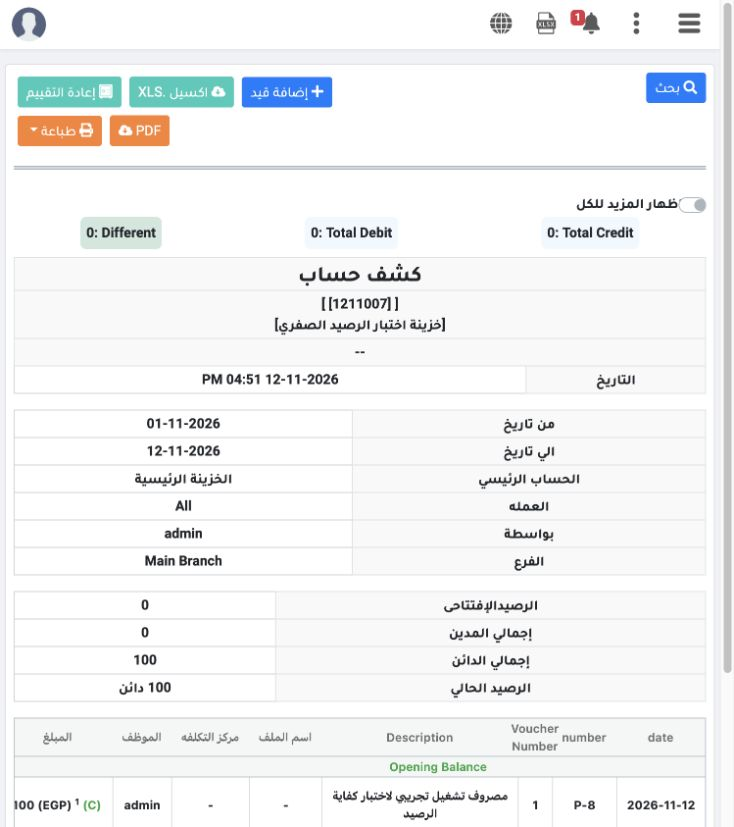
8 Open the cash ledger statement from the account link in the journal. Opening balance remains 0, total credits become 100 and the current bal...
Open the cash ledger statement from the account link in the journal. Opening balance remains 0, total credits become 100 and the current balance is 100 Credit, meaning cash is negative EGP 100. In this test, the demo system accepted both saving and posting under admin even though the safe had no opening funds.

9 Payment by a limited user

9 In the demo_approval_15000 session, open Cash Payment and choose the independent Limited User Test Safe, Main Branch and EGP. Its balance ca...
In the demo_approval_15000 session, open Cash Payment and choose the independent Limited User Test Safe, Main Branch and EGP. Its balance card shows zero. Enter reference DEMO-ZERO-CASH-QA-001 and EGP 100 against expense ledger 5300001. The user needs permission to add and confirm vouchers.

10 Save the limited user voucher

10 After permissions are complete, choose Add Payment. The success message is followed by displayed ID 13, voucher P-1 and Unconfirmed status i...
After permissions are complete, choose Add Payment. The success message is followed by displayed ID 13, voucher P-1 and Unconfirmed status in the register. Created By is demo_approval_15000. This is a separate voucher from the earlier admin test.

11 Confirm and find the posted voucher
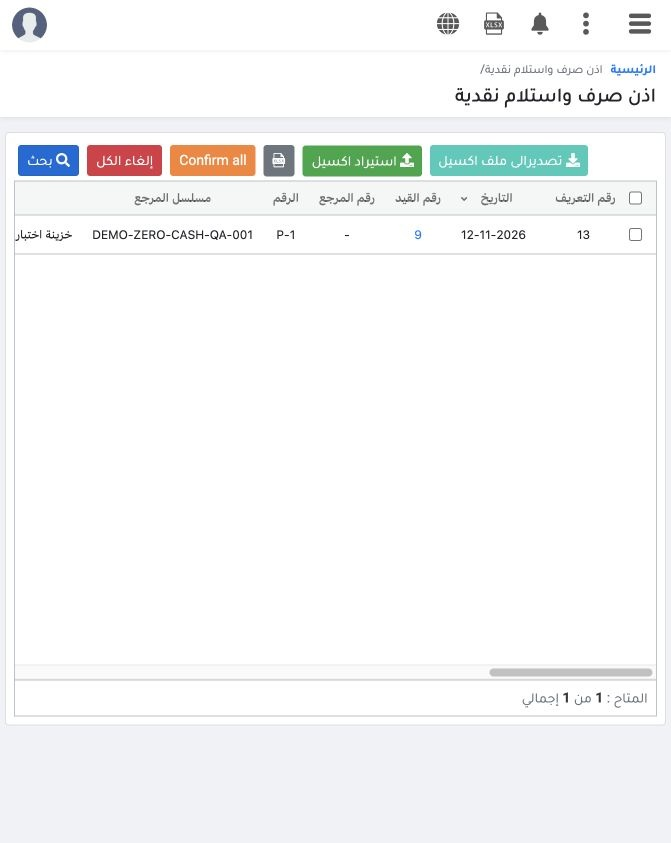
11 Choose Post on displayed voucher 13 and confirm once. After processing, search for DEMO-ZERO-CASH-QA-001 with Confirmation Status All. The v...
Choose Post on displayed voucher 13 and confirm once. After processing, search for DEMO-ZERO-CASH-QA-001 with Confirmation Status All. The voucher is Confirmed and Posted with journal link 9. Both Created By and Updated By show demo_approval_15000.

12 Review the limited user journal

12 An accountant authorized to view entries reviews journal P-9, internal source 47202042. It debits expense ledger 5300001 by 100 and credits...
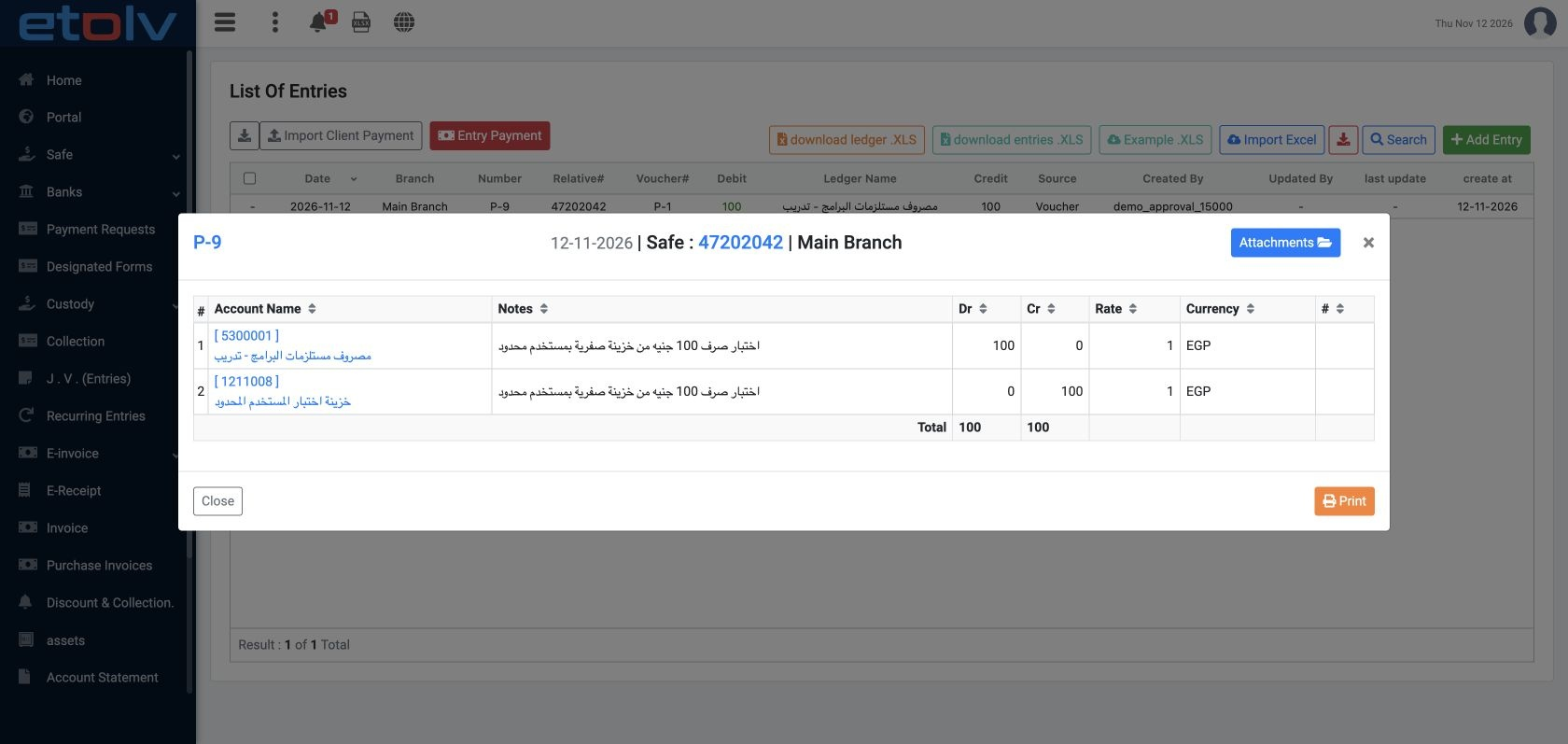
An accountant authorized to view entries reviews journal P-9, internal source 47202042. It debits expense ledger 5300001 by 100 and credits Limited User Test Safe ledger 1211008 by 100, in EGP at rate 1. This screenshot was reviewed through the admin session, which is authorized to view entries.

13 Reconcile the balance in the user session
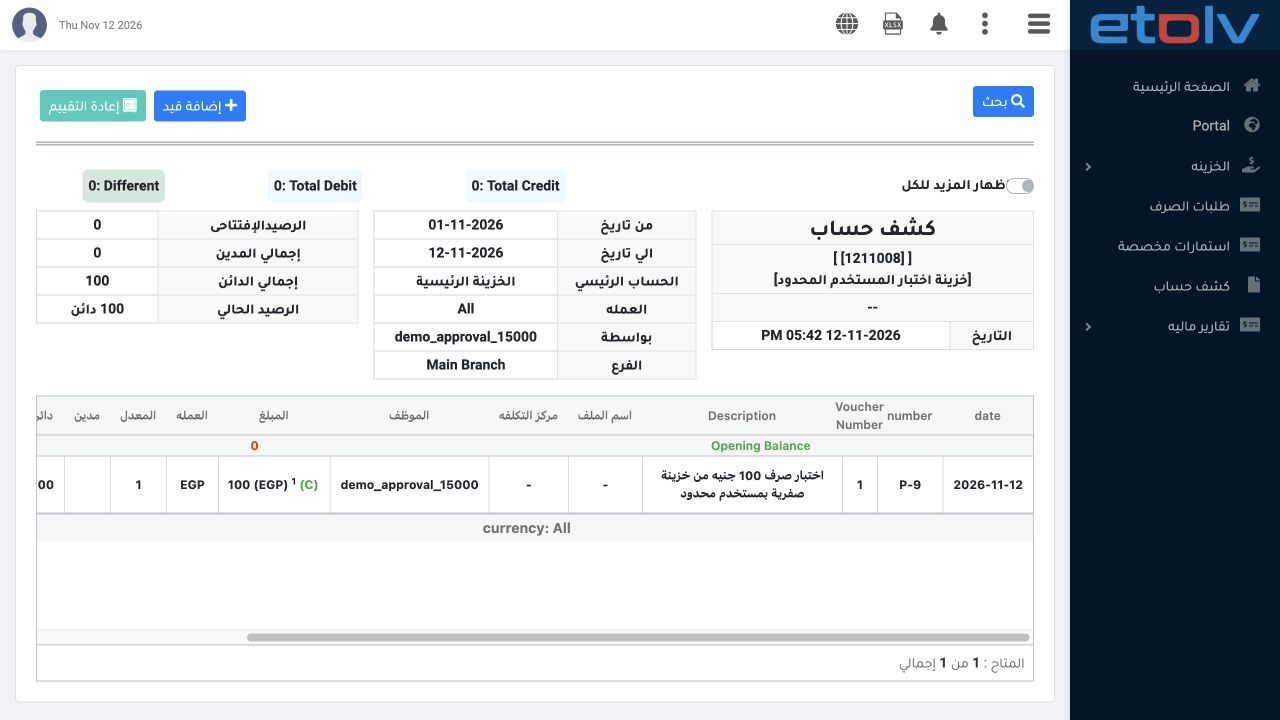
13 Ledger 1211008, viewed in the demo_approval_15000 session, shows opening balance zero and a single EGP 100 credit from P-9. Current balance...
Ledger 1211008, viewed in the demo_approval_15000 session, shows opening balance zero and a single EGP 100 credit from P-9. Current balance is 100 Credit, meaning negative EGP 100 cash. In this test, saving and posting were accepted for the limited user after the voucher permissions were granted.

Sign in to record the lessons you have read. Sign in