Skip to content
Trio Travel guide

Ledger Statement

On this page
  1. Choose the ledger and period
  2. Review and export account activity

Choose the ledger and period

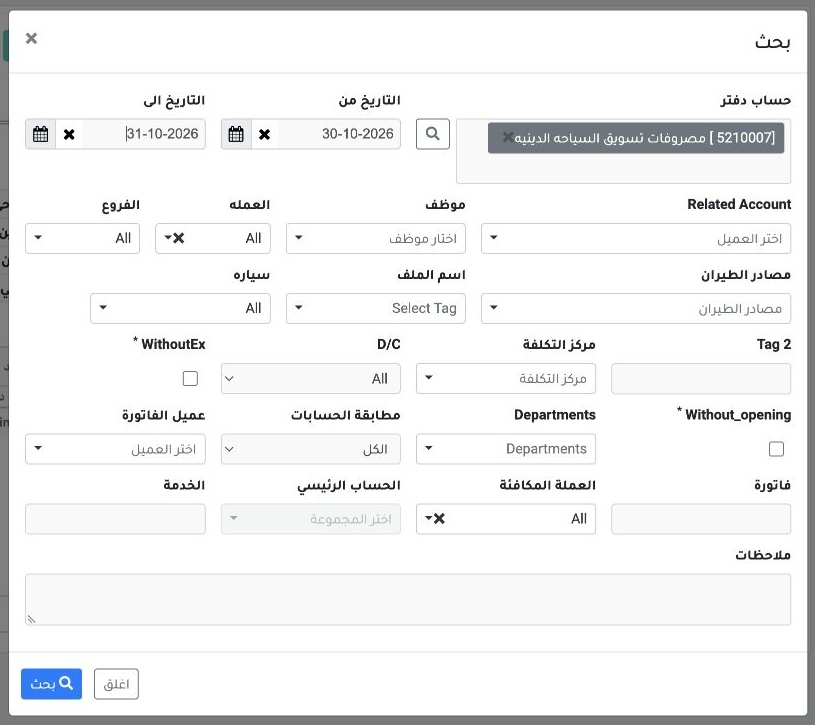
1 Open Ledger Statement from Accounting or from an account link in a report. In Search, choose the ledger and period. Use currency, branch and...
Open Ledger Statement from Accounting or from an account link in a report. In Search, choose the ledger and period. Use currency, branch and Tag2 as needed.

Review and export account activity

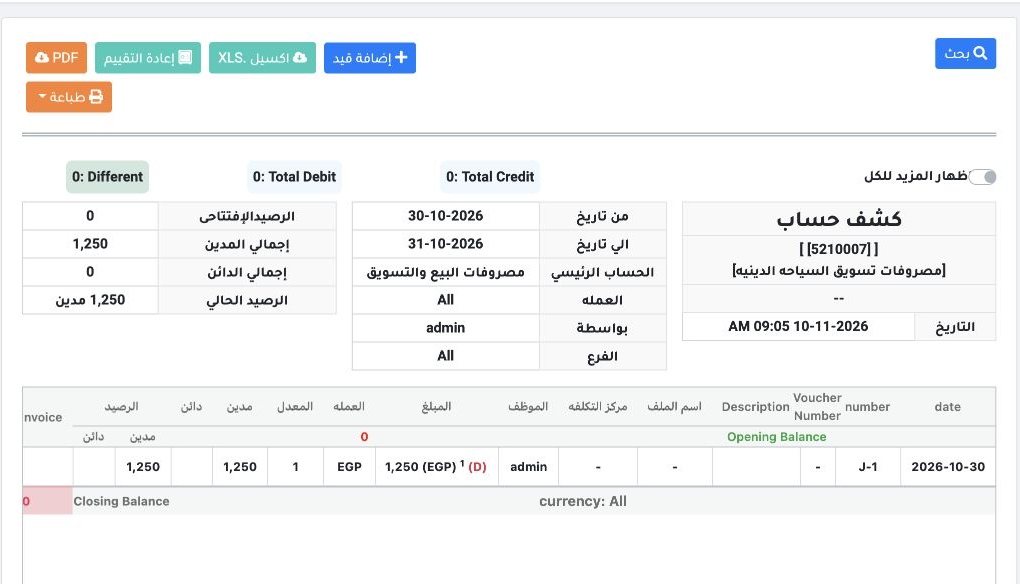
2 The example uses the Religious Tourism Marketing Expense ledger and 30–31 October. Entry J-1 appears with a debit of EGP 1,250. Review openi...
The example uses the Religious Tourism Marketing Expense ledger and 30–31 October. Entry J-1 appears with a debit of EGP 1,250. Review opening and current balances, then use XLS or PDF to export.

Sign in to record the lessons you have read. Sign in