Skip to content
Trio Travel guide

Treasury Voucher Action Permissions

On this page
  1. Before enabling permissions 1 User and test scope
  2. Before enabling permissions 2 Add and find a test voucher
  3. Before enabling permissions 3 Test editing an unconfirmed voucher
  4. Before enabling permissions 4 Test cancelling the voucher
  5. Before enabling permissions 5 Test unconfirming a posted voucher
  6. Before enabling permissions 6 Review the journal balance and test result
  7. 7 After enabling permissions confirm cancellation
  8. 8 Review the cancelled voucher and retained number
  9. 9 After enabling permissions confirm unconfirmation
  10. 10 Voucher status after unconfirmation
  11. 11 Review the journal after unconfirmation
  12. 12 Reconcile the balance after unconfirmation
  13. 13 Edit data rejected before adding View Voucher
  14. 14 Edit the description after View Voucher is enabled
  15. 15 Verify the saved edit
  16. 16 Confirm the balance stays zero without posting

Before enabling permissions 1 User and test scope
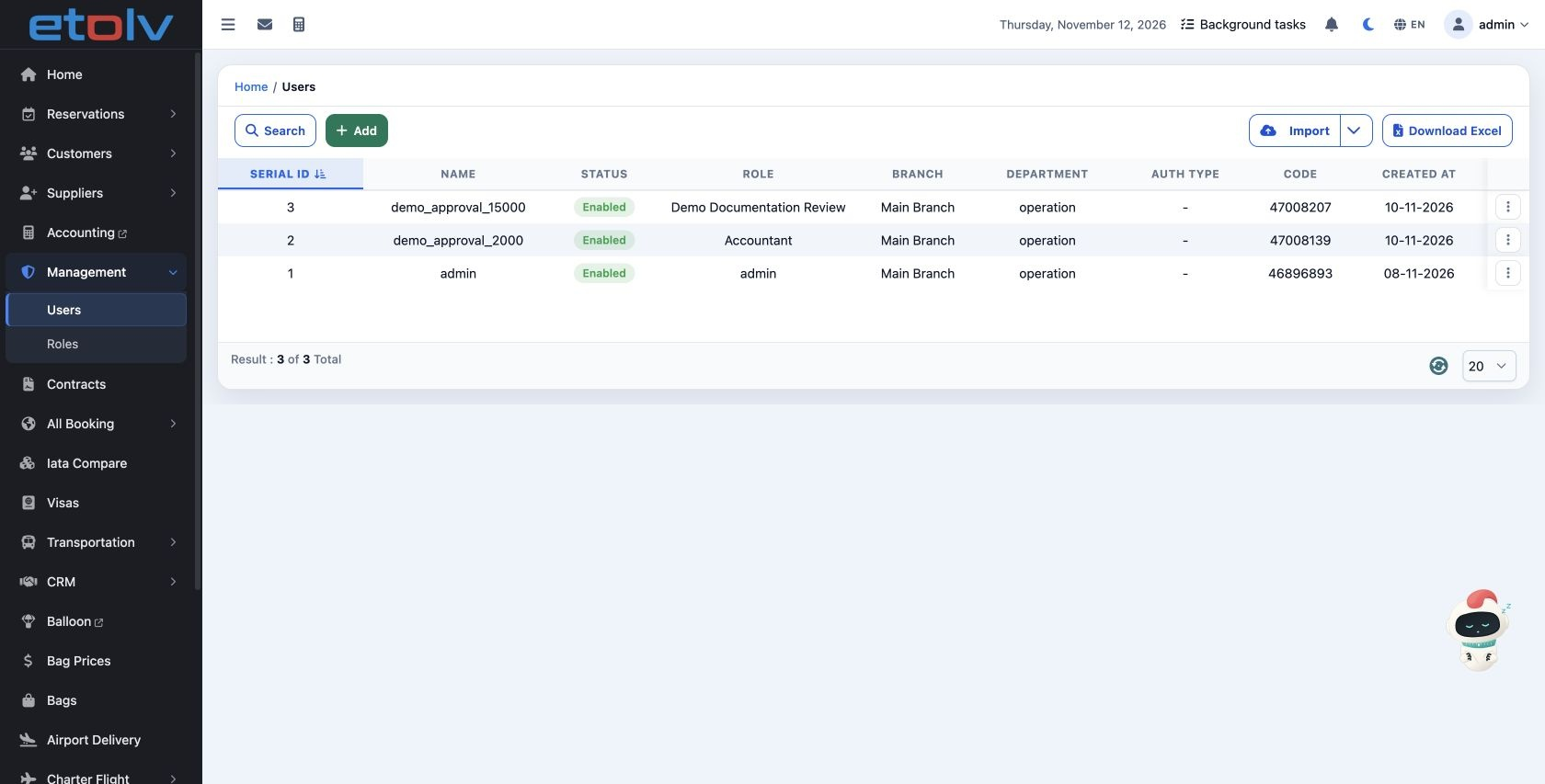
1 The first six pages record user demo_approval_15000, ID 47008207, before Edit Voucher, Cancel Voucher and Unconfirm Voucher were enabled. De...
The first six pages record user demo_approval_15000, ID 47008207, before Edit Voucher, Cancel Voucher and Unconfirm Voucher were enabled. Demo Documentation Review then held seven permissions. The following pages compare the results after adding those three permissions and reviewing the voucher, journal and cash balance.

Before enabling permissions 2 Add and find a test voucher
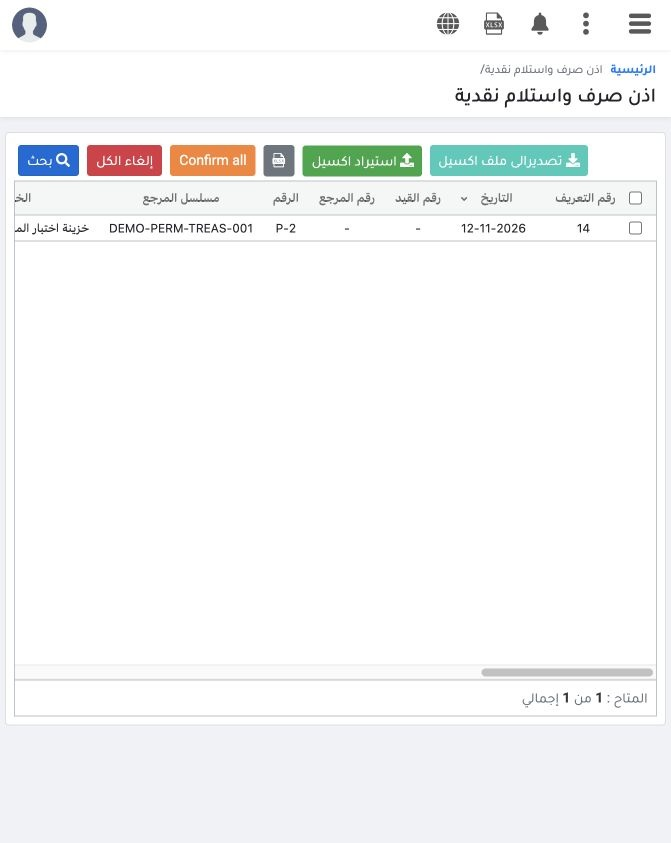
2 Add a separate EGP 10 payment with reference DEMO-PERM-TREAS-001, Limited User Test Safe and expense ledger 5300001. After saving, search by...
Add a separate EGP 10 payment with reference DEMO-PERM-TREAS-001, Limited User Test Safe and expense ledger 5300001. After saving, search by reference. It appears as displayed ID 14, voucher P-2, Unconfirmed and without a journal number. Adding and searching succeeded for this user. This voucher was not posted in this test.

Before enabling permissions 3 Test editing an unconfirmed voucher
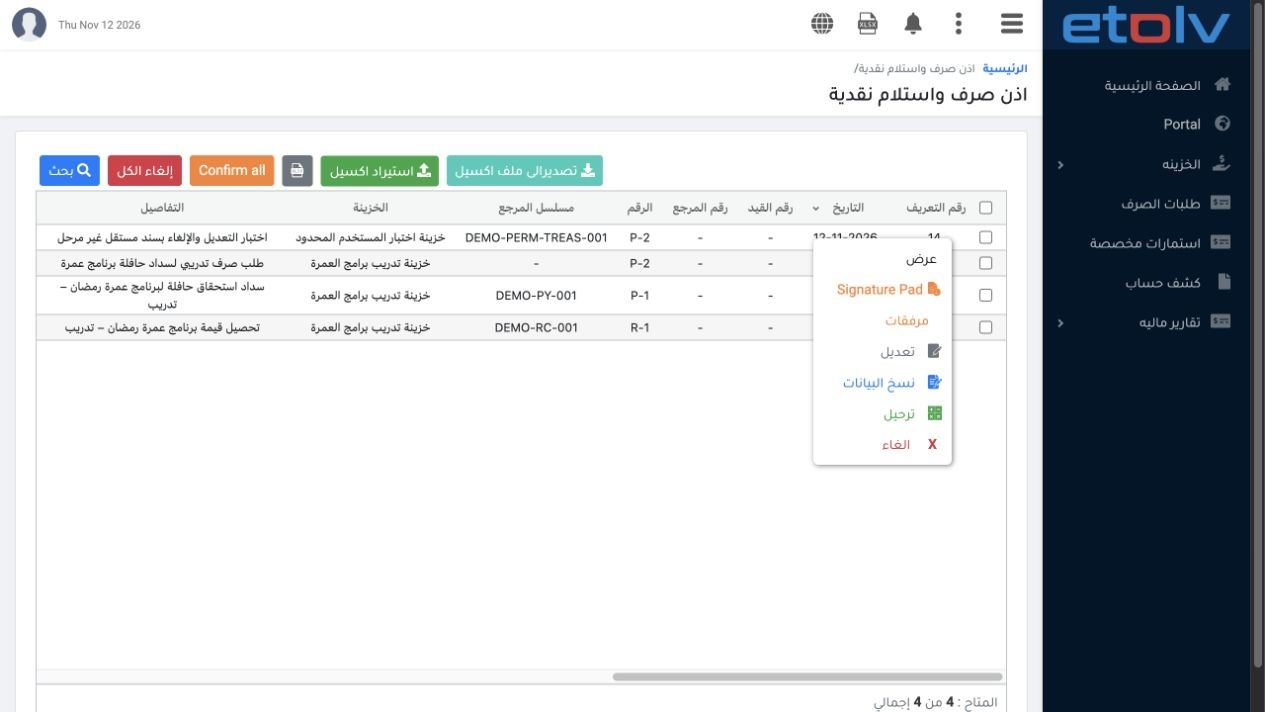
3 Right-click voucher 14 and choose Edit. With the current role, the edit form did not open and the voucher data did not change. Refreshing an...
Right-click voucher 14 and choose Edit. With the current role, the edit form did not open and the voucher data did not change. Refreshing and searching again showed the same EGP 10 amount, reference and description. If the action is unavailable, ask your permissions administrator to review Edit Voucher access.

Before enabling permissions 4 Test cancelling the voucher
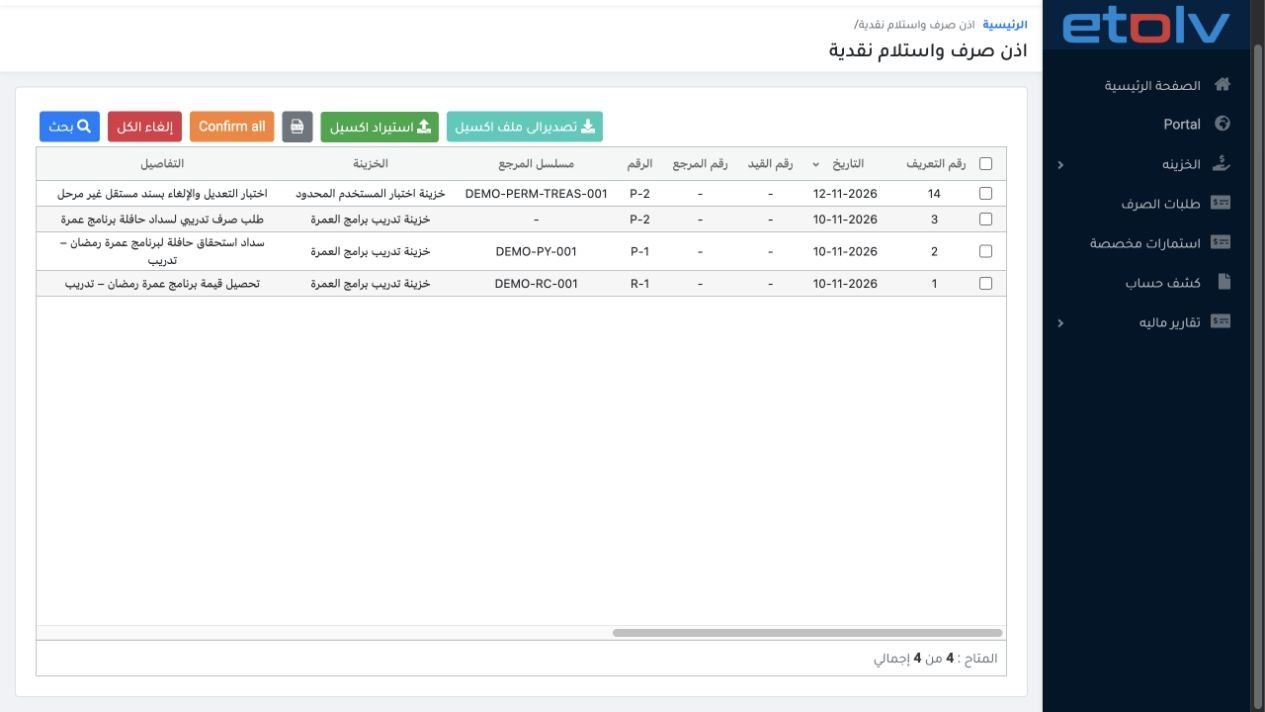
4 Choose Cancel from unconfirmed voucher 14’s menu. No confirmation opened and cancellation was not executed with the current role. After refr...
Choose Cancel from unconfirmed voucher 14’s menu. No confirmation opened and cancellation was not executed with the current role. After refreshing, P-2 remained present, Unconfirmed and at the same amount. A closed menu does not mean cancellation succeeded; review the voucher status after the action.

Before enabling permissions 5 Test unconfirming a posted voucher
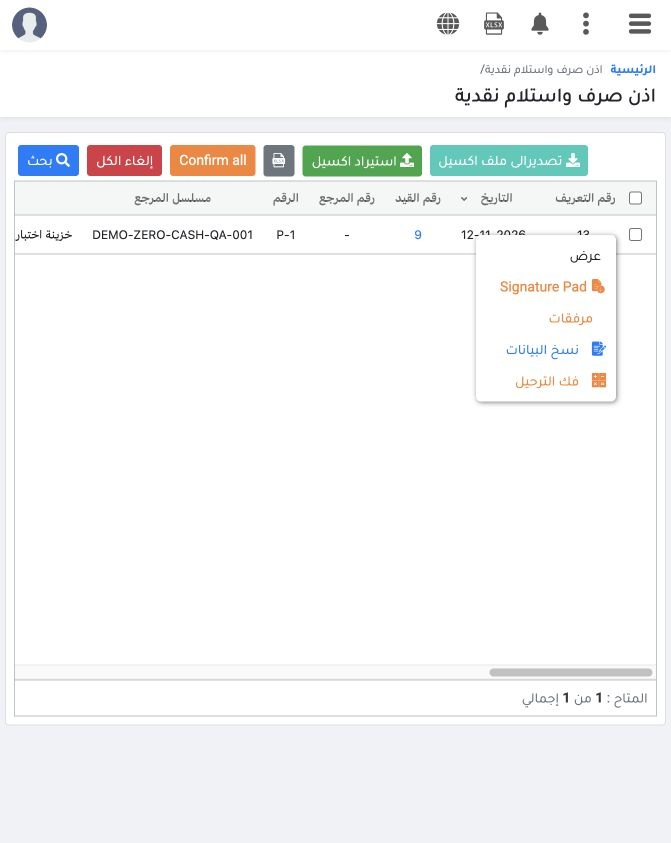
5 Search for DEMO-ZERO-CASH-QA-001 with Confirmation Status All. Open displayed voucher 13’s menu and choose Unconfirm. No confirmation opened...
Search for DEMO-ZERO-CASH-QA-001 with Confirmation Status All. Open displayed voucher 13’s menu and choose Unconfirm. No confirmation opened and the action did not execute with the current role. After refreshing, P-1 remained Confirmed and Posted, with journal link 9 still attached.

Before enabling permissions 6 Review the journal balance and test result
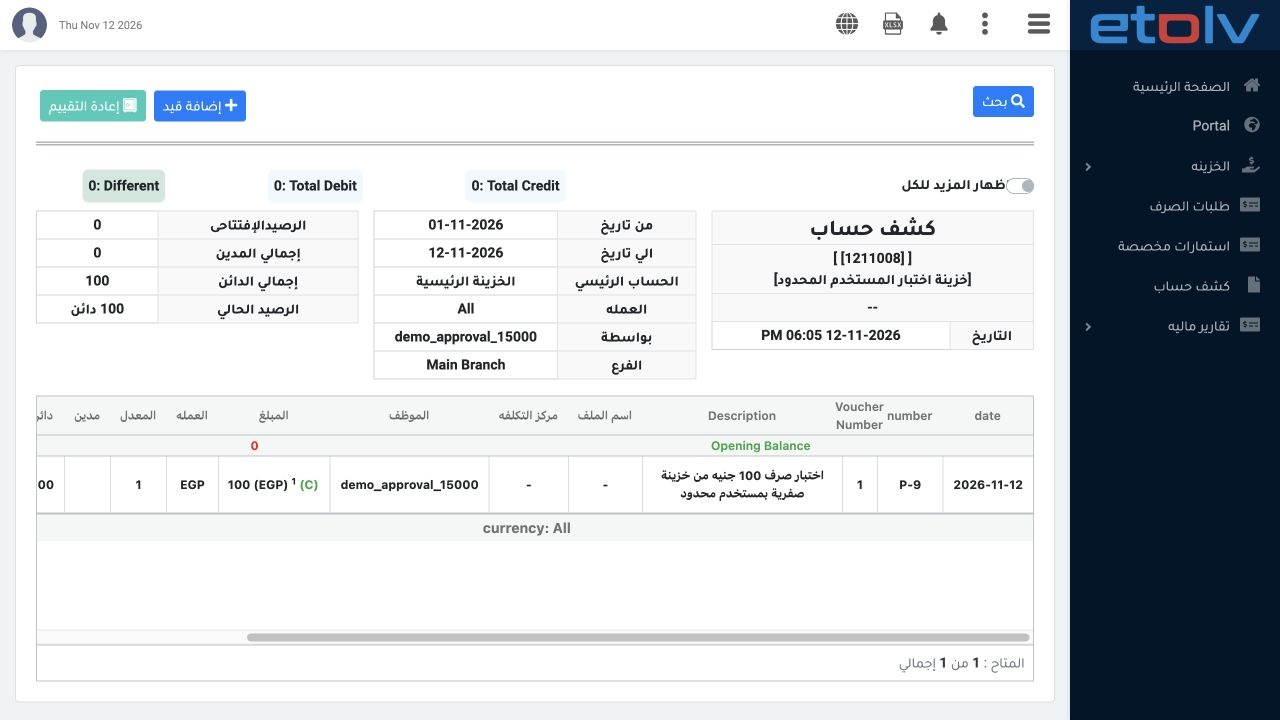
6 Open safe ledger 1211008 for 1–12 November 2026. P-9 still appears as a single EGP 100 credit and the balance remains 100 Credit. Unconfirme...
Open safe ledger 1211008 for 1–12 November 2026. P-9 still appears as a single EGP 100 credit and the balance remains 100 Credit. Unconfirmed voucher 14 added no accounting movement. Adding, posting in the earlier test, searching and the statement succeeded. Editing, cancellation and unconfirmation did not execute with the current permissions.

7 After enabling permissions confirm cancellation
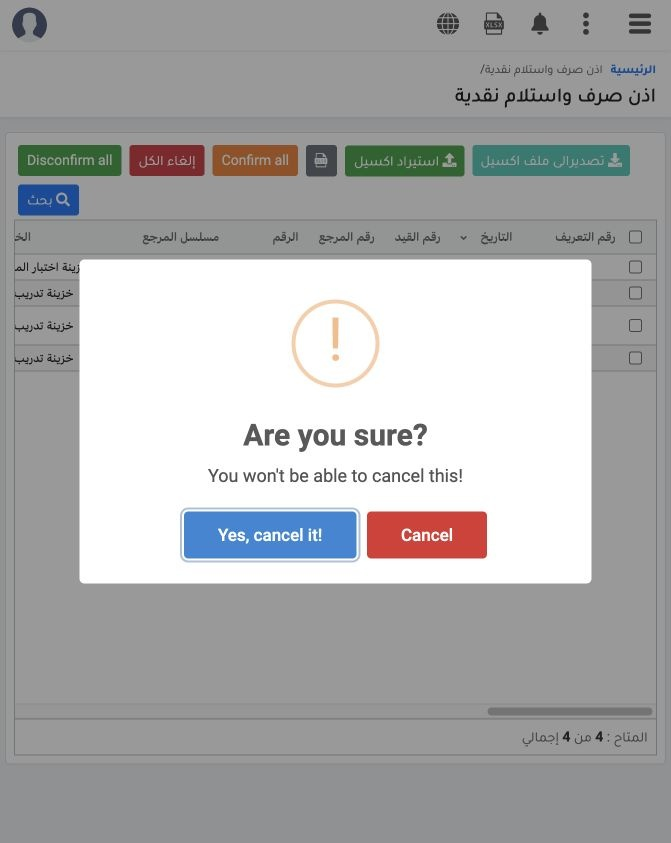
7 After Edit, Cancel and Unconfirm Voucher permissions are added, refresh the user session. Choose Cancel on displayed voucher 14, P-2. A conf...
After Edit, Cancel and Unconfirm Voucher permissions are added, refresh the user session. Choose Cancel on displayed voucher 14, P-2. A confirmation now opens, whereas it did not open before access was enabled. Verify the selected voucher, then choose Yes, cancel it to cancel or Cancel to return without cancelling.

8 Review the cancelled voucher and retained number
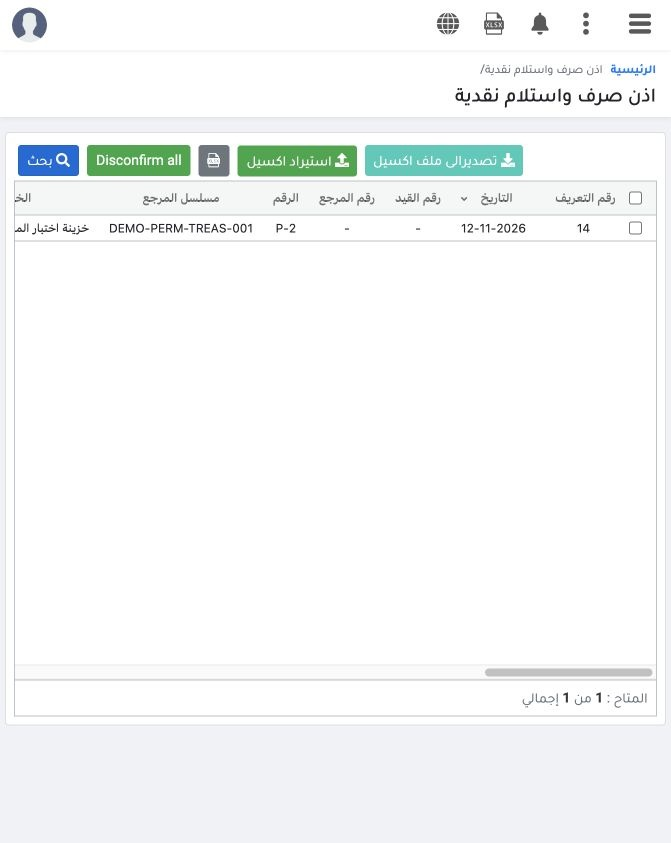
8 After cancellation succeeds, open Search, set Confirmation Status to Cancelled and enter DEMO-PERM-TREAS-001. Displayed voucher 14 now shows...
After cancellation succeeds, open Search, set Confirmation Status to Cancelled and enter DEMO-PERM-TREAS-001. Displayed voucher 14 now shows Cancelled, retaining P-2 and EGP 10. Cancellation did not remove the voucher or change its serial number. This voucher was unconfirmed and had no journal before cancellation.

9 After enabling permissions confirm unconfirmation
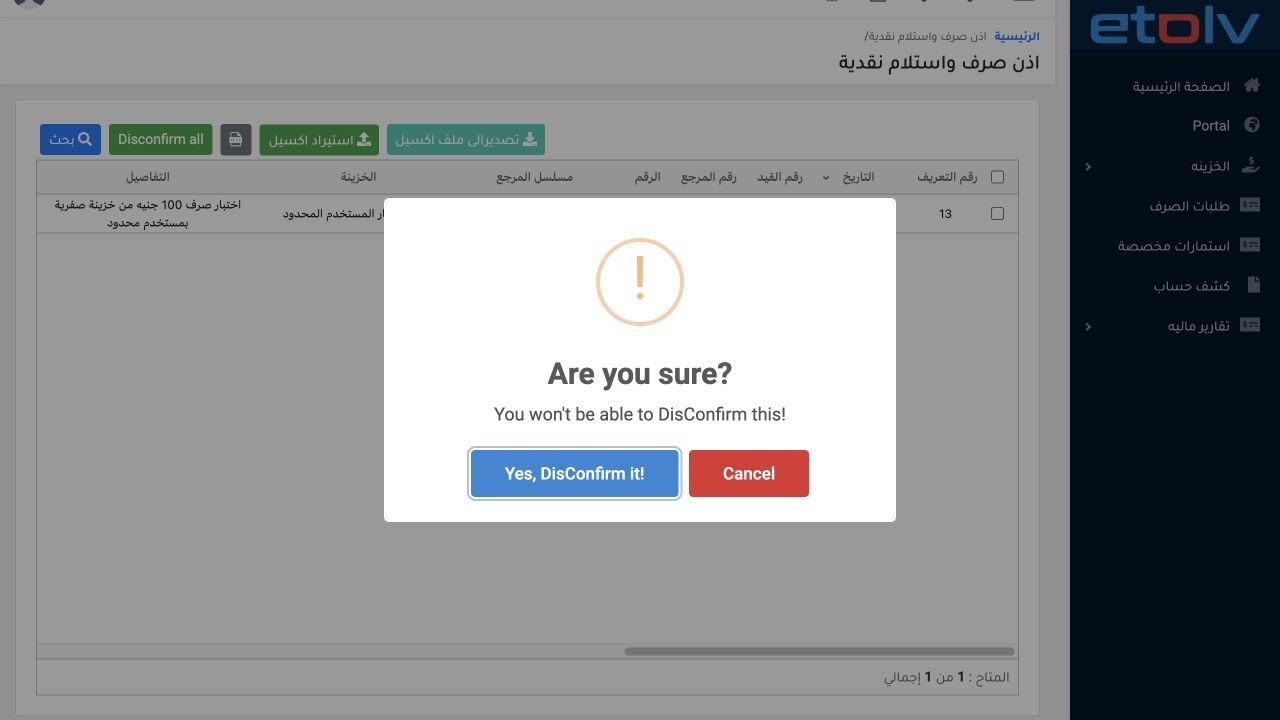
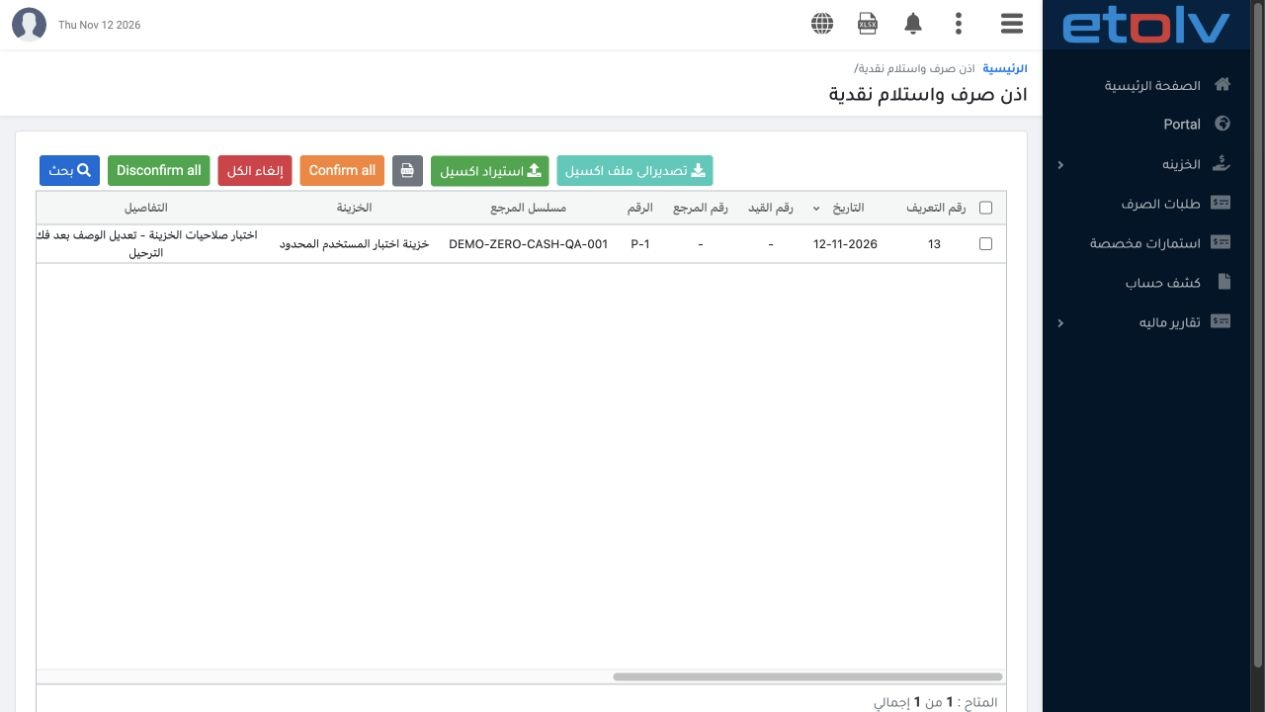
9 Find displayed voucher 13, reference DEMO-ZERO-CASH-QA-001, and choose Unconfirm. After its permission was enabled, the confirmation opened....
Find displayed voucher 13, reference DEMO-ZERO-CASH-QA-001, and choose Unconfirm. After its permission was enabled, the confirmation opened. Choose Yes, DisConfirm it once. The system displayed DisConfirmed. This action is separate from cancellation; in this example it returns the voucher to Unconfirmed.

10 Voucher status after unconfirmation
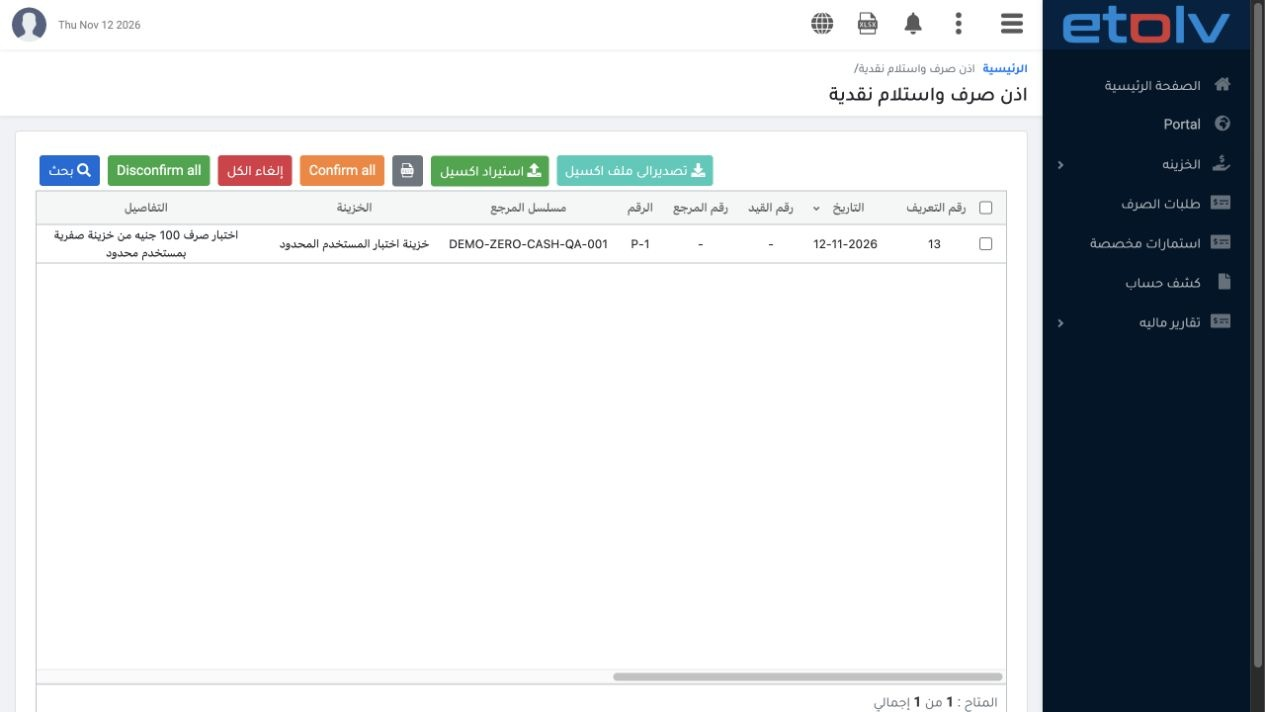
10 Search by reference with Confirmation Status All. Displayed voucher 13, P-1, is now Unconfirmed, and the journal number is a dash instead of...
Search by reference with Confirmation Status All. Displayed voucher 13, P-1, is now Unconfirmed, and the journal number is a dash instead of link 9. The EGP 100 amount and voucher number remain unchanged. A Confirmed-only search will hide it after unconfirmation; choose Unconfirmed or All.

11 Review the journal after unconfirmation
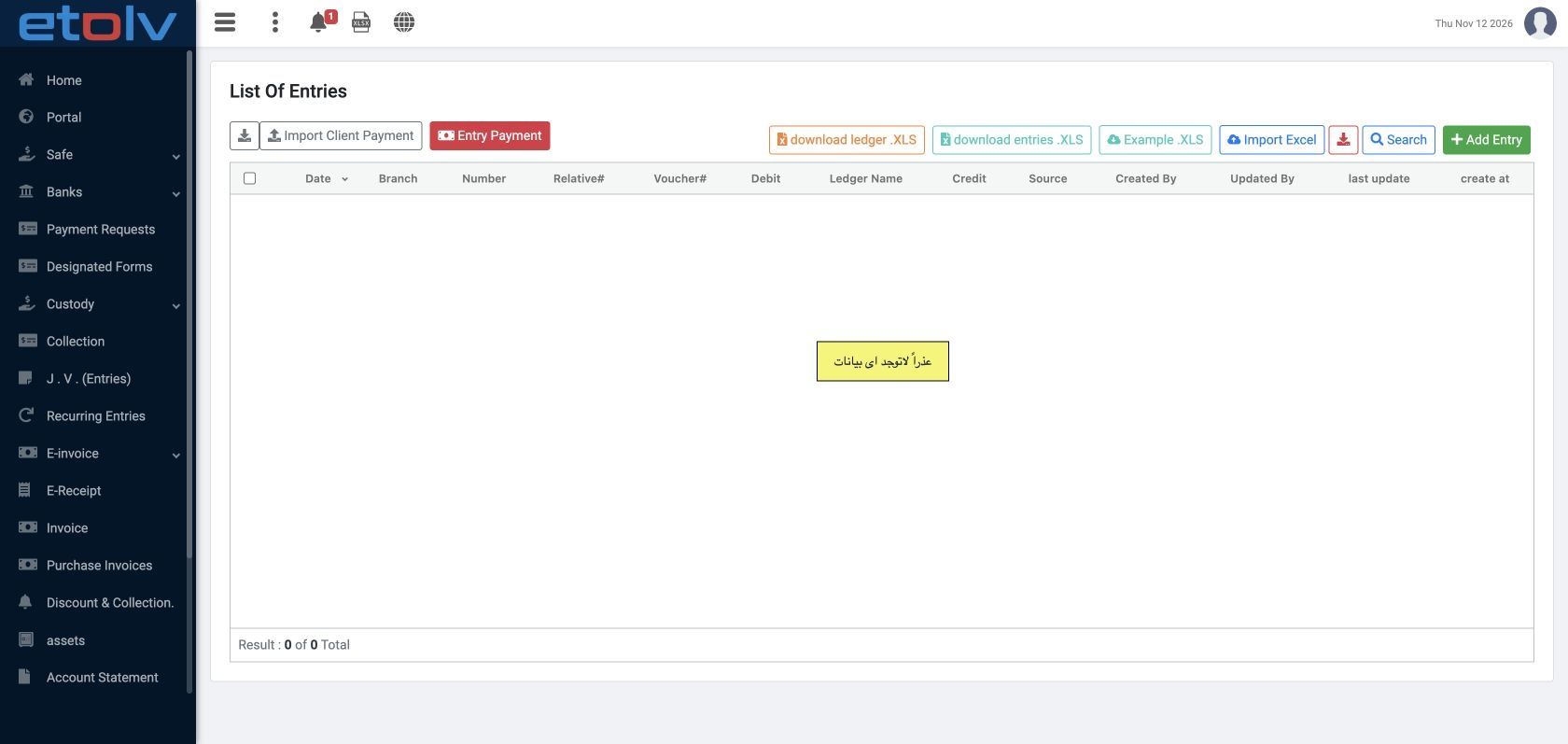
11 An accountant authorized to view entries searches for source 47202042. After unconfirmation, P-9 no longer appears and the result count is z...
An accountant authorized to view entries searches for source 47202042. After unconfirmation, P-9 no longer appears and the result count is zero. Before unconfirmation it debited expense 5300001 and credited cash 1211008 by 100. This screen was reviewed through the admin session authorized to view entries.

12 Reconcile the balance after unconfirmation
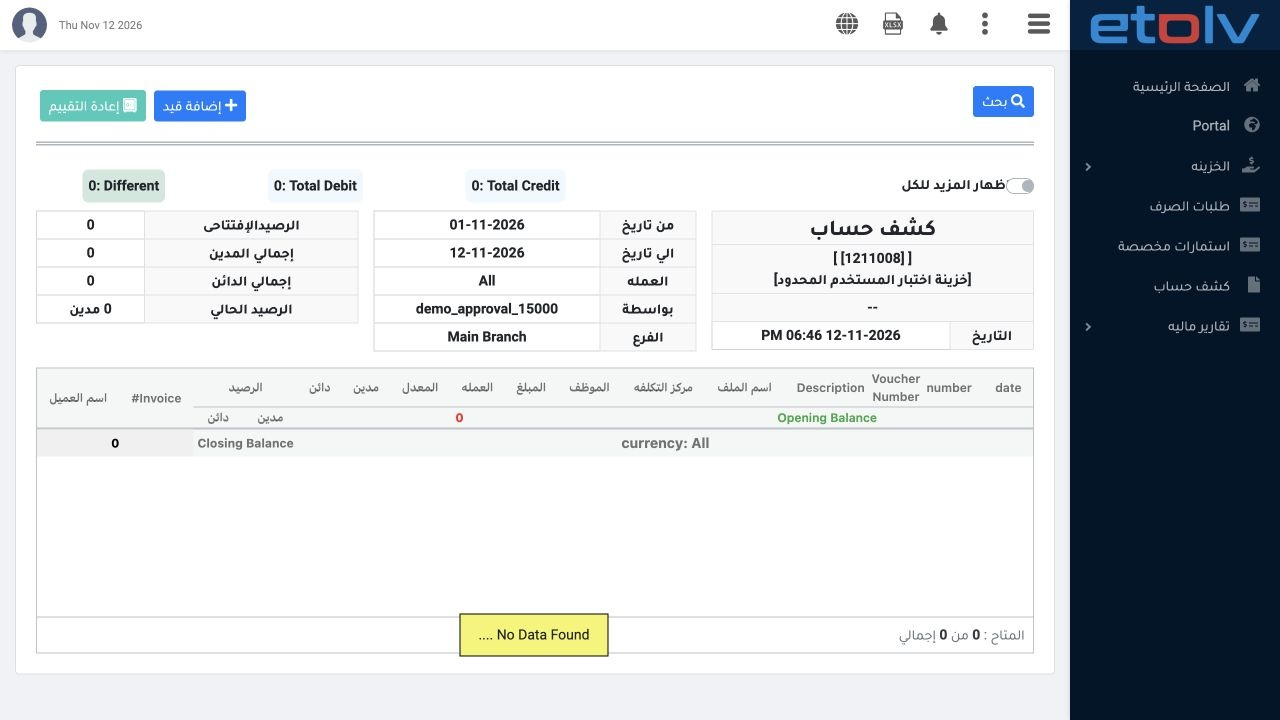
12 In the test user session, refresh ledger 1211008 for the same 1–12 November period. Total debit, total credit and current balance return to...
In the test user session, refresh ledger 1211008 for the same 1–12 November period. Total debit, total credit and current balance return to zero, and P-9 is no longer shown. Before unconfirmation the balance was 100 Credit; afterwards it is zero. The voucher was not reposted in this comparison.

13 Edit data rejected before adding View Voucher
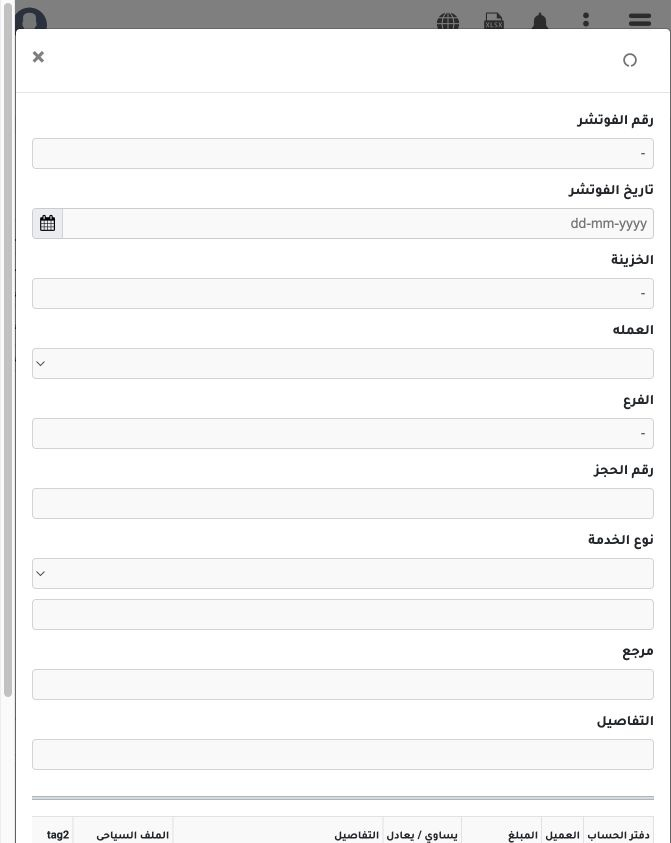
13 After Edit Voucher was enabled, the form opened but loading its data was rejected with “You do not have permission: view voucher”. This rout...
After Edit Voucher was enabled, the form opened but loading its data was rejected with “You do not have permission: view voucher”. This route also requires View Voucher. No edit was saved at this stage. Close the form if data has not loaded and ask the administrator to review both viewing and editing access.

14 Edit the description after View Voucher is enabled
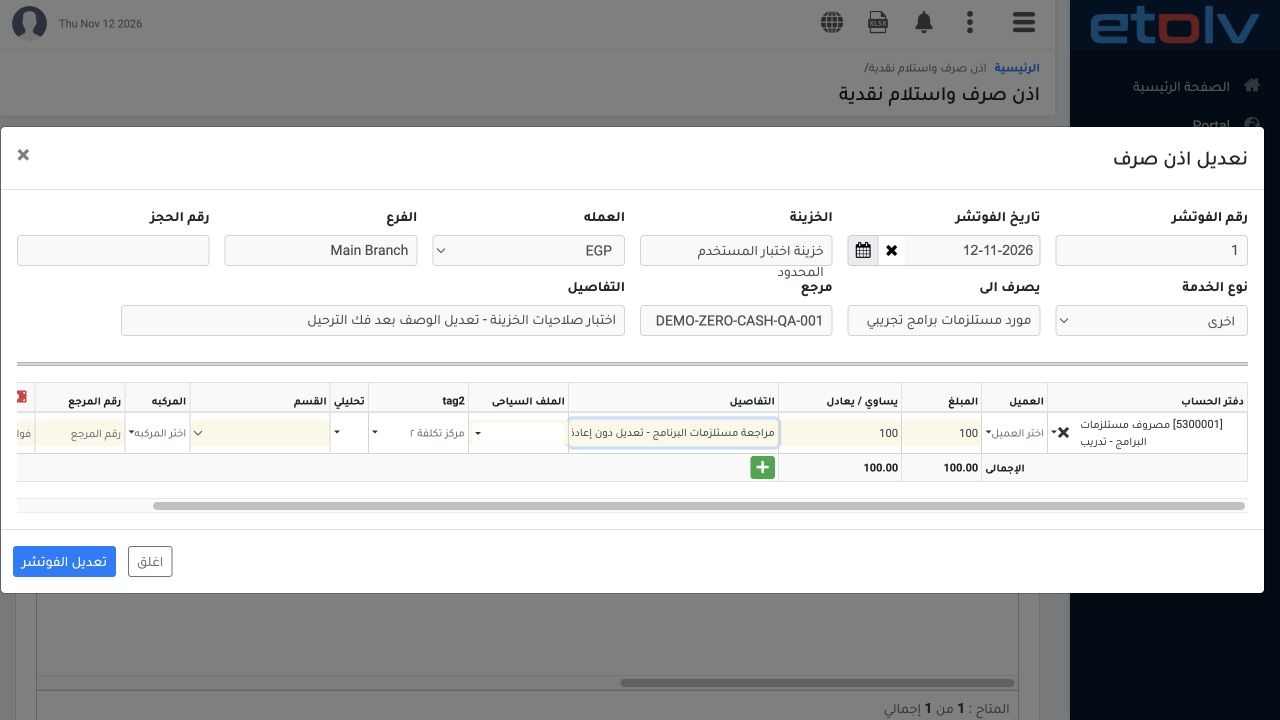
14 After View Voucher is enabled alongside Edit Voucher, refresh the user session and find displayed voucher 13, P-1, by reference DEMO-ZERO-CA...
After View Voucher is enabled alongside Edit Voucher, refresh the user session and find displayed voucher 13, P-1, by reference DEMO-ZERO-CASH-QA-001. Choose Edit. Its data now loads. Change the header description to “اختبار صلاحيات الخزينة - تعديل الوصف بعد فك الترحيل” and the line description to “مراجعة مستلزمات البرنامج - تعديل دون إعادة ترحيل”. Keep the amount at EGP 100 and choose Edit Voucher.

15 Verify the saved edit

15 The system reports Voucher has been successfully edited. Refresh and search by reference with Confirmation Status All. The new header descri...
The system reports Voucher has been successfully edited. Refresh and search by reference with Confirmation Status All. The new header description appears, while P-1 remains EGP 100, Unconfirmed and without a journal number. Reopening Edit also confirms that the new line description was retained. Close the form without another save after reviewing it.

16 Confirm the balance stays zero without posting
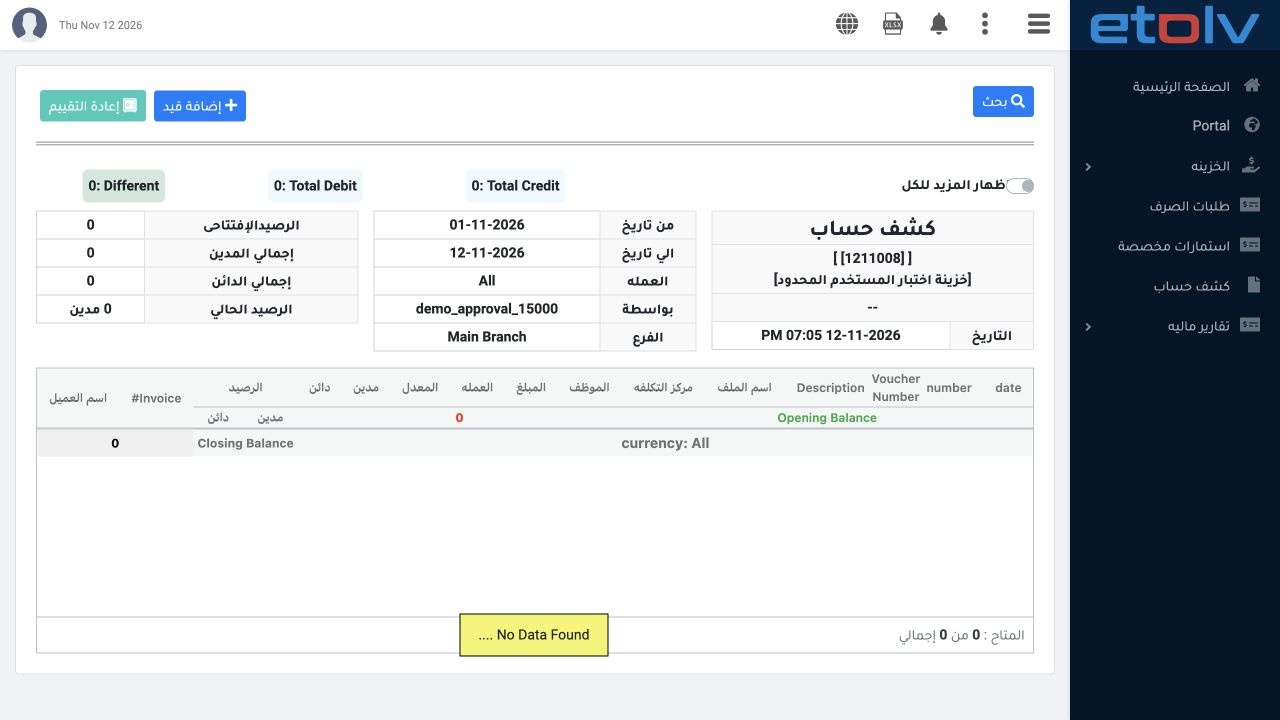
16 Refresh ledger 1211008 for 1–12 November 2026. Opening balance, total debit, total credit and current balance remain zero, with no movements...
Refresh ledger 1211008 for 1–12 November 2026. Opening balance, total debit, total credit and current balance remain zero, with no movements. P-9 remains absent, and no new journal was created for the edited voucher. The description was saved without reposting. P-2 from the separate cancellation test remains cancelled.

Sign in to record the lessons you have read. Sign in