Skip to content
Trio Travel guide

Supplier Aging

Use this report to see how a supplier’s outstanding balance is distributed across time buckets as of the report date.
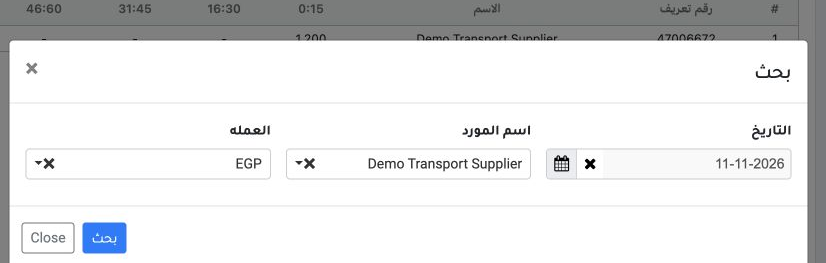
1 Open Accounting → General Reports → Supplier Aging and select Search. Set the date to 11 November 2026, select Demo Transport Supplier and E...
Open Accounting → General Reports → Supplier Aging and select Search. Set the date to 11 November 2026, select Demo Transport Supplier and EGP, then choose Search.
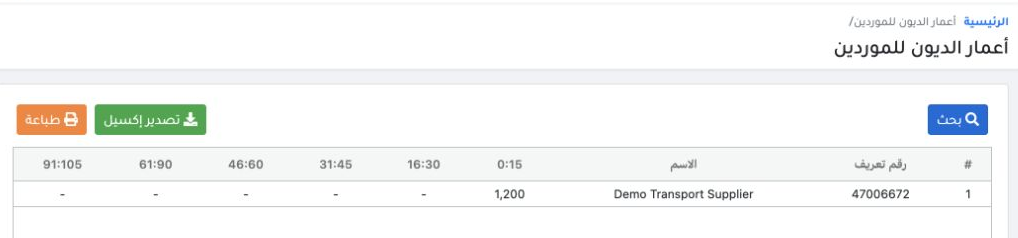
2 Read the day buckets on the supplier row. In this example, the EGP 1,200 outstanding invoice DEMO-PUR-003 falls in the 0–15 day bucket. Comp...
Read the day buckets on the supplier row. In this example, the EGP 1,200 outstanding invoice DEMO-PUR-003 falls in the 0–15 day bucket. Compare the bucket total with the supplier statement’s credit balance as of the same date. Use Export to Excel or Print as needed.

Sign in to record the lessons you have read. Sign in