Skip to content
Trio Travel guide

Recurring Journal Entries

Use a recurring template to define the accounts and amounts for a journal entry and schedule its posting.
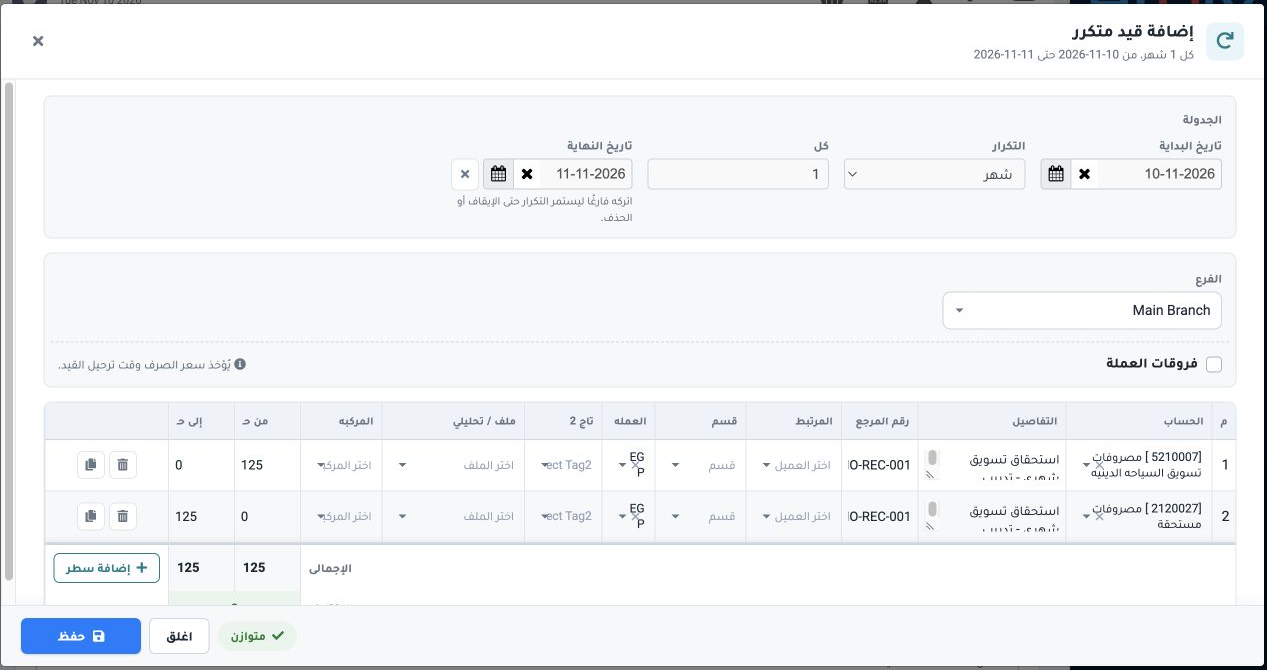
1 Open Accounting → Recurring Entries and select Add Recurring Entry. Choose Month, Every 1 and Main Branch. Set the demo start to 10 November...
Open Accounting → Recurring Entries and select Add Recurring Entry. Choose Month, Every 1 and Main Branch. Set the demo start to 10 November 2026 and end to 11 November to allow one scheduled occurrence. Select debit account 5210007 and credit account 2120027 from the chart of accounts. Enter EGP 125 on each side and reference DEMO-REC-001. Verify that the totals match, then save.
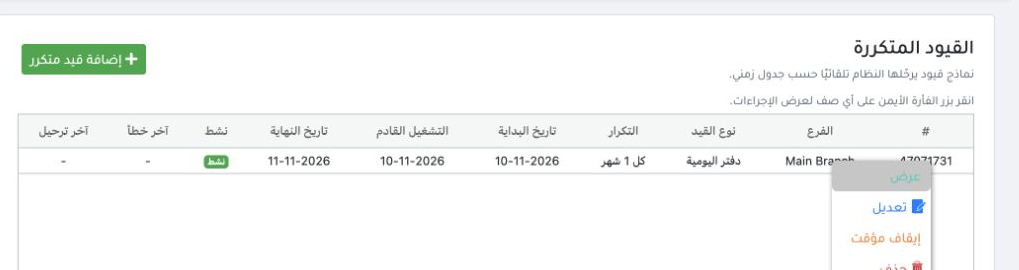
2 Check the template’s Active status and Next Run. Right-click the row to View, Edit or Pause. A paused template can be resumed from the same...
Check the template’s Active status and Next Run. Right-click the row to View, Edit or Pause. A paused template can be resumed from the same menu.

Check the generated journal

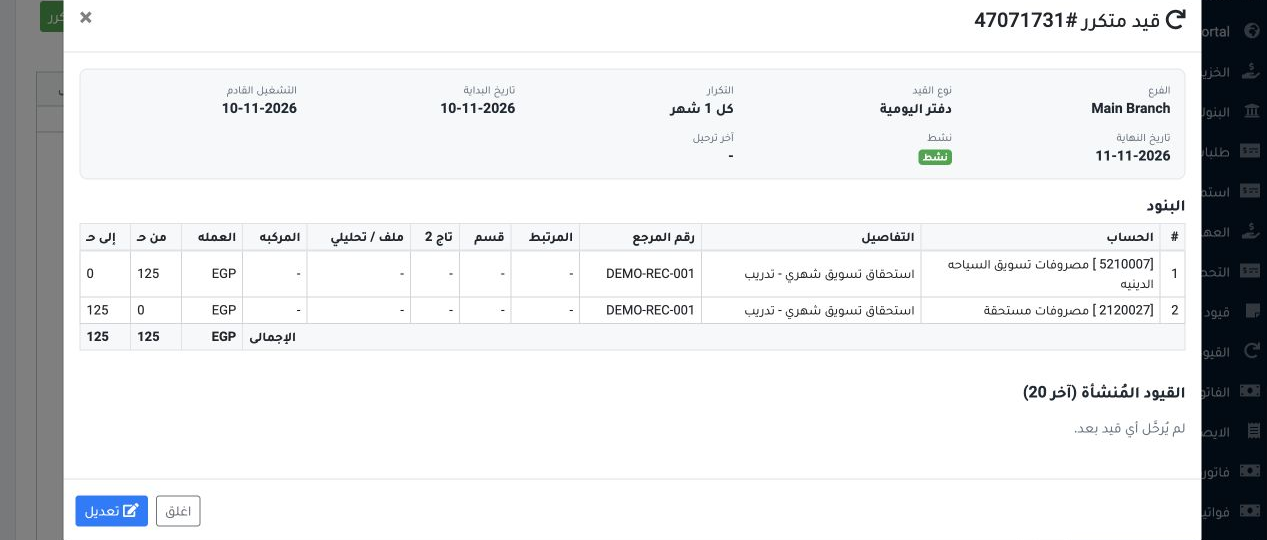
3 Select View and review the template lines and Generated Entries. When a journal appears, verify its number, date and both sides in Journal E...
Select View and review the template lines and Generated Entries. When a journal appears, verify its number, date and both sides in Journal Entries. In this test, template 47071731 was saved and balanced. Its history showed that no entry had posted yet.

Sign in to record the lessons you have read. Sign in