Skip to content
Trio Travel guide

Safes Setup

On this page
  1. Review the saved safe
  2. Create the cash ledger
  3. Link the ledger to the safe
  4. Choose the safe in a voucher

Review the saved safe

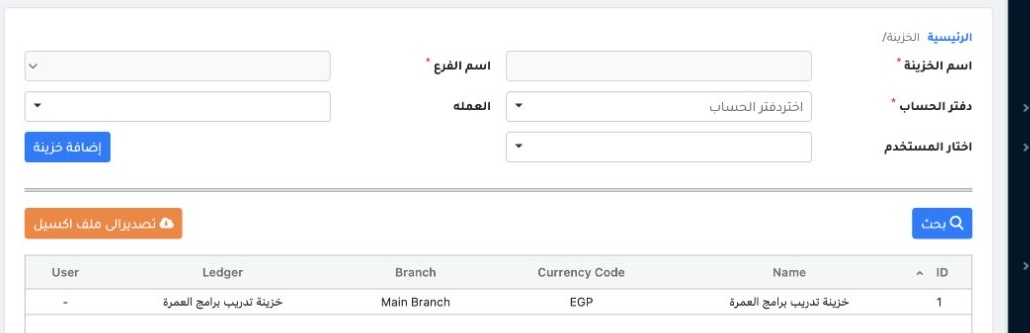
1 Open Accounting → Settings → Safes. The example shows the Umrah Programs Training Safe for Main Branch in EGP. Use Search by name or branch...
Open Accounting → Settings → Safes. The example shows the Umrah Programs Training Safe for Main Branch in EGP. Use Search by name or branch and the Excel export link as needed.

Create the cash ledger

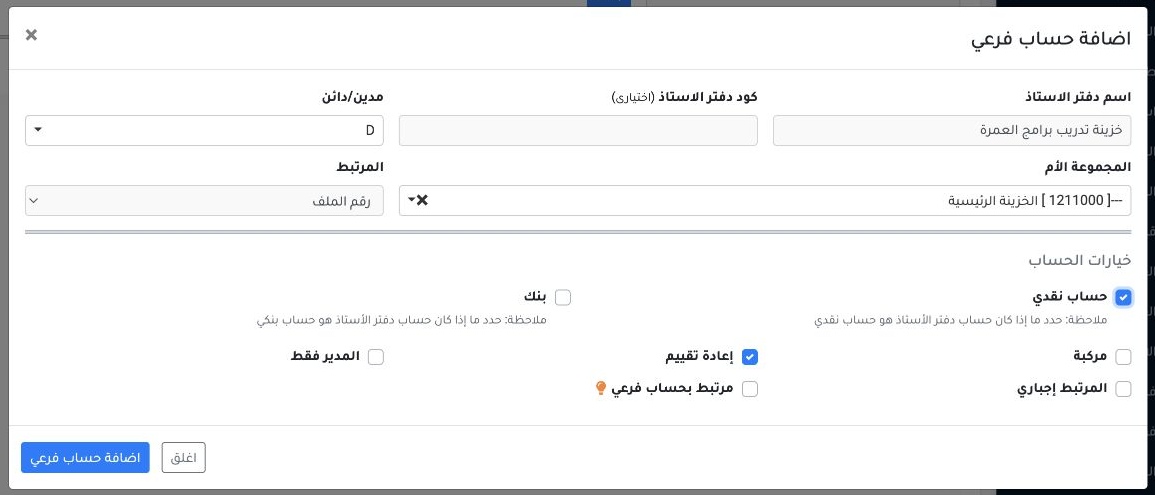
2 In Chart of Accounts, select Add Subaccount. In the example, the parent is Main Treasury, the nature is debit D, and Cash Account is selecte...
In Chart of Accounts, select Add Subaccount. In the example, the parent is Main Treasury, the nature is debit D, and Cash Account is selected.

Link the ledger to the safe

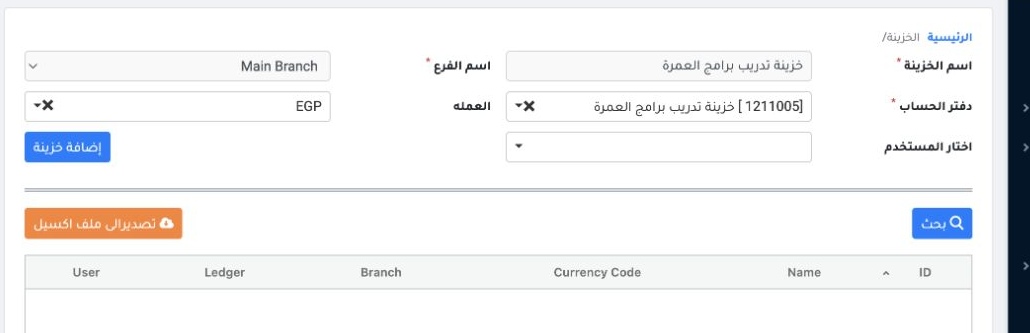
3 In Safes, enter the name and select the branch and ledger. The example uses ledger 1211005 and EGP. Assign a user when needed. Select Add Sa...
In Safes, enter the name and select the branch and ledger. The example uses ledger 1211005 and EGP. Assign a user when needed. Select Add Safe.

Choose the safe in a voucher

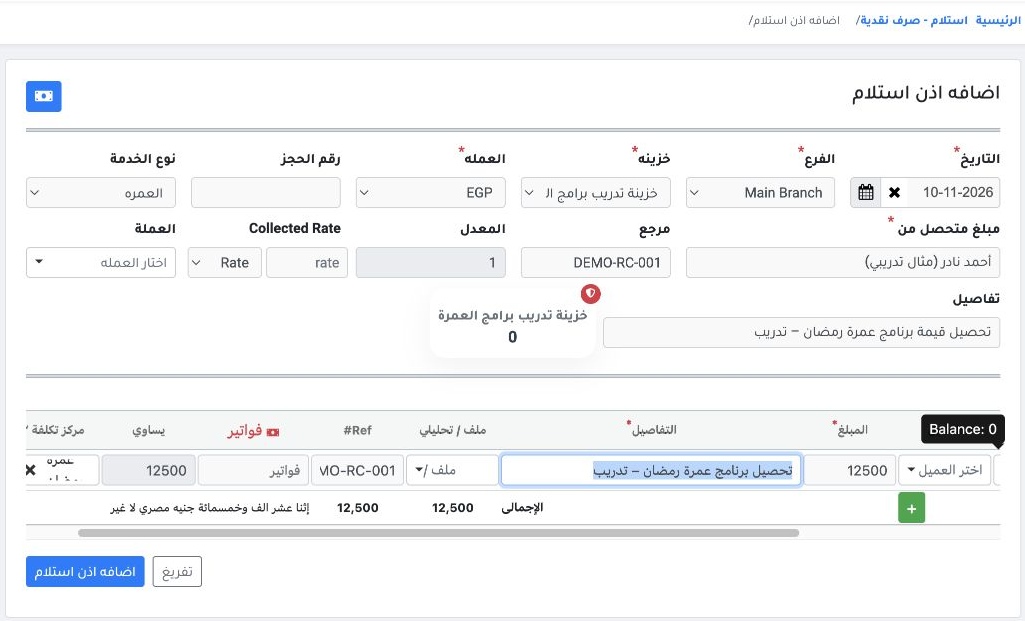
4 Open a receipt or payment voucher in the same branch. Select the safe and check its currency before entering the lines.
Open a receipt or payment voucher in the same branch. Select the safe and check its currency before entering the lines.

Sign in to record the lessons you have read. Sign in