Skip to content
Trio Travel guide

Cheque Templates

On this page
  1. Create a template
  2. Edit and preview the template

Create a template

1 Open Banks → Cheques → Cheque Templates and select Add Template. Choose Import Default Template and CIB Bank cheque. Enter the name and refe...
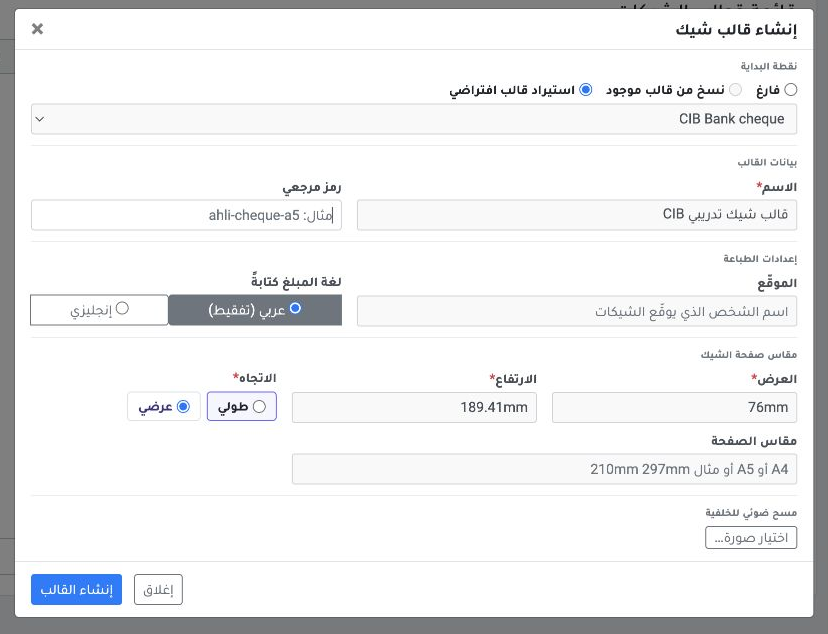
Open Banks → Cheques → Cheque Templates and select Add Template. Choose Import Default Template and CIB Bank cheque. Enter the name and reference code, then choose Create Template.
2 The saved CIB training template appears in landscape orientation with five fields.
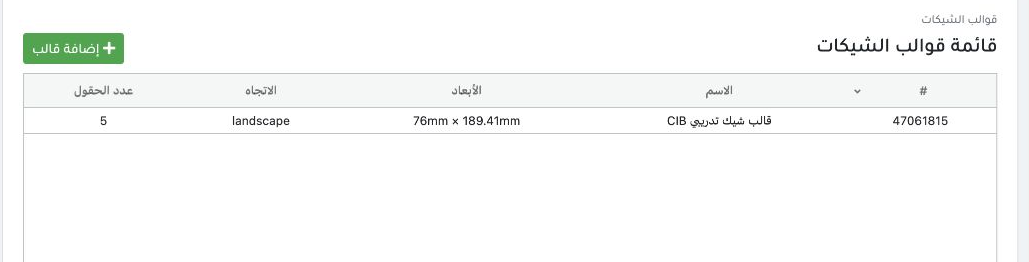
The saved CIB training template appears in landscape orientation with five fields.

Edit and preview the template

3 Right-click the template. Choose Edit Layout for fields or Edit Settings for template details. The menu also includes Delete.
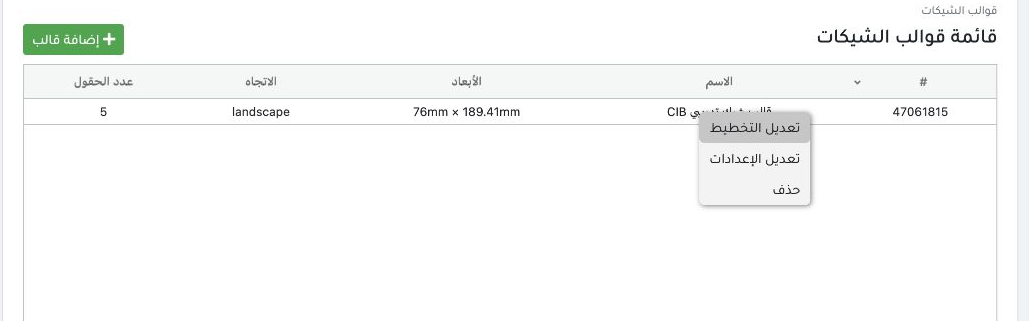
Right-click the template. Choose Edit Layout for fields or Edit Settings for template details. The menu also includes Delete.
4 In the Cheque Editor, review date, amount, payee and amount in words in Live Preview. Use Save Layout after changes and Print when needed.
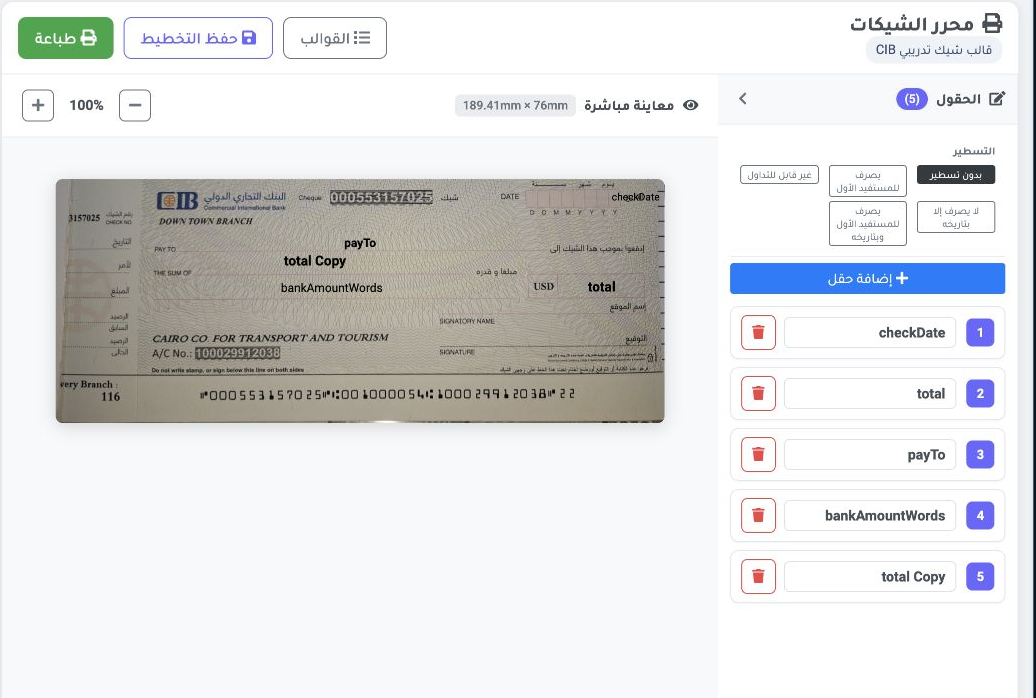
In the Cheque Editor, review date, amount, payee and amount in words in Live Preview. Use Save Layout after changes and Print when needed.

Sign in to record the lessons you have read. Sign in