Skip to content
Trio Travel guide

Transfers Between Safes

On this page
  1. Set up the receiving safe
  2. Create the transfer and post both vouchers
  3. Verify the two entries

Set up the receiving safe

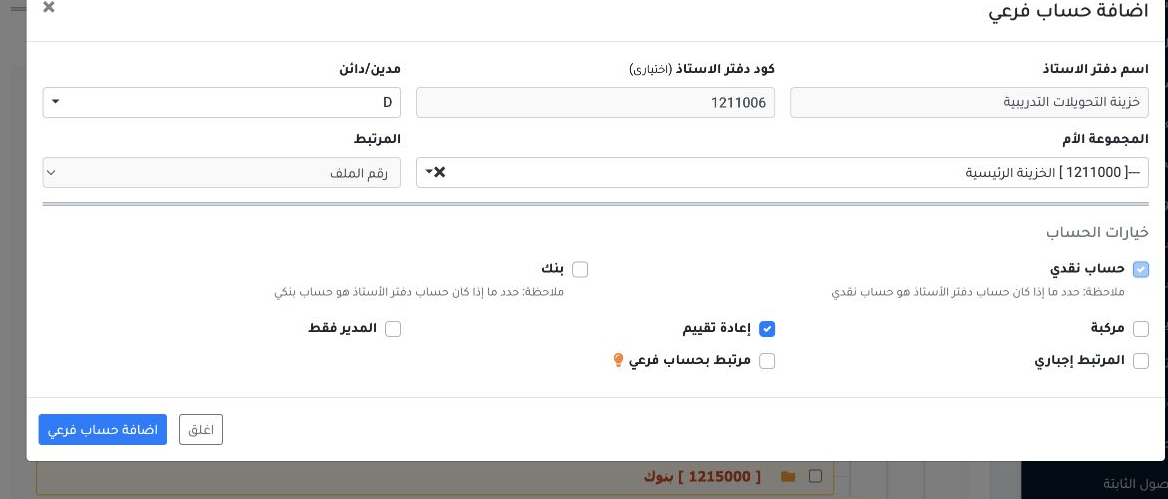
1 In Settings → Chart of Accounts, add a subaccount under Main Treasury. The example uses 1211006 with debit nature D and Cash Account selecte...
In Settings → Chart of Accounts, add a subaccount under Main Treasury. The example uses 1211006 with debit nature D and Cash Account selected.
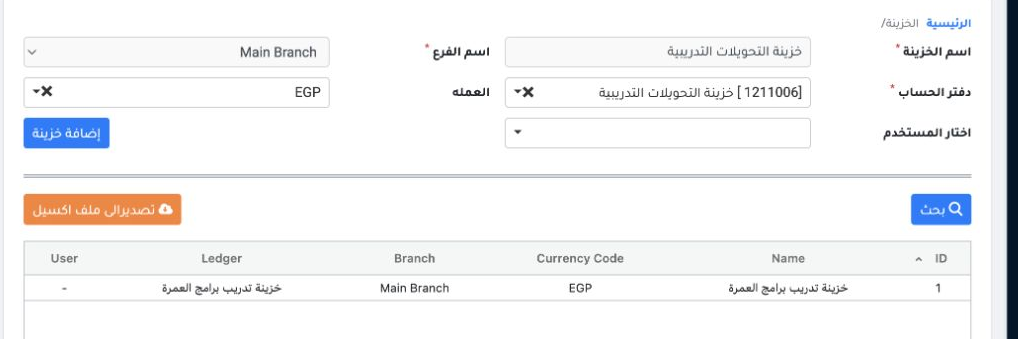
2 In Settings → Safes, add the safe and link it to ledger 1211006, Main Branch and EGP.
In Settings → Safes, add the safe and link it to ledger 1211006, Main Branch and EGP.

Create the transfer and post both vouchers
3 In Treasury → Transfers Between Safes, set the date and select each branch and safe. Enter EGP 100 on each side and DEMO-SAFE-TRF-01 in both...
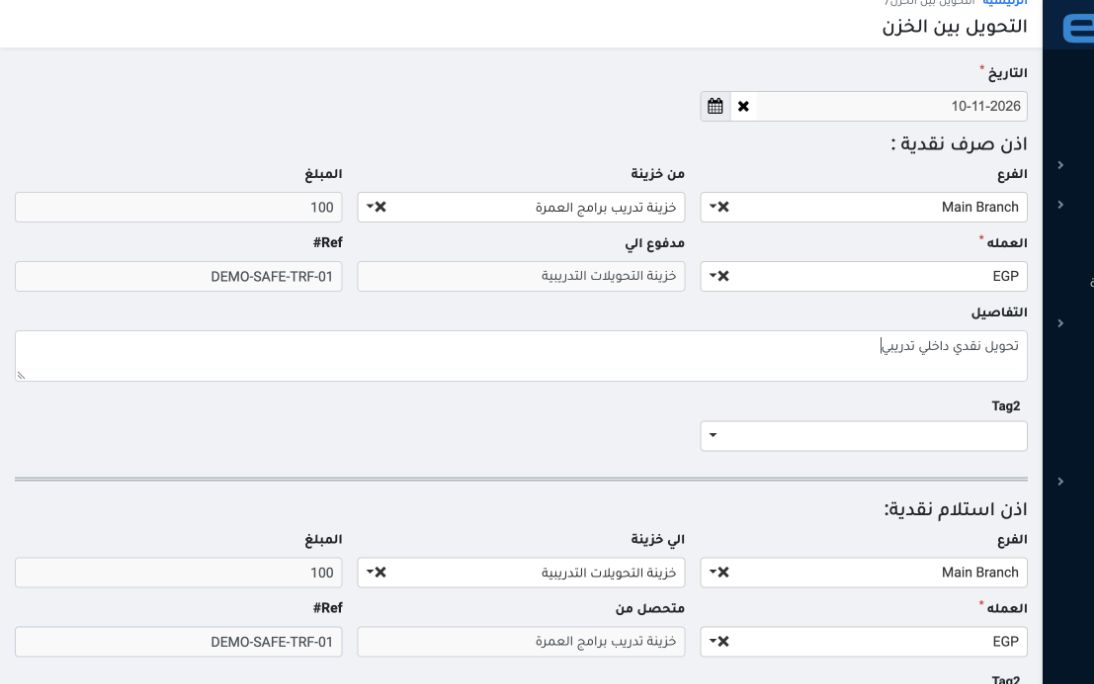
In Treasury → Transfers Between Safes, set the date and select each branch and safe. Enter EGP 100 on each side and DEMO-SAFE-TRF-01 in both Ref# fields, then save.
4 In the receipt and payment register, match the reference and select only the two transfer vouchers. Choose Confirm all and confirm. Once pos...
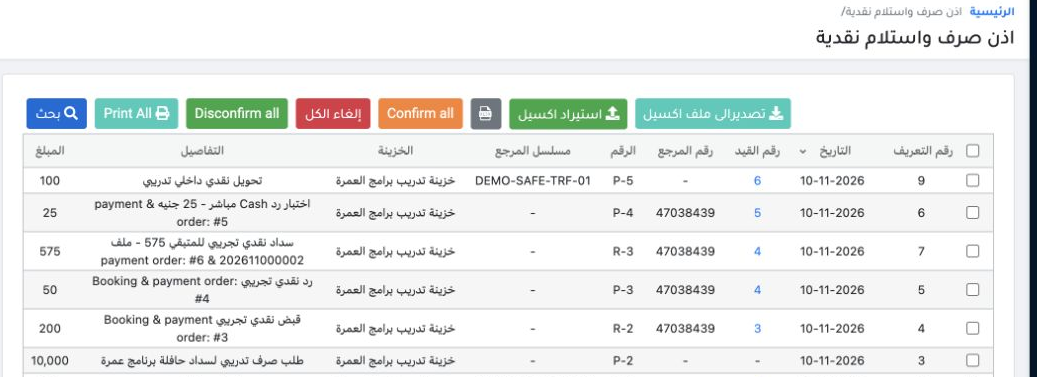
In the receipt and payment register, match the reference and select only the two transfer vouchers. Choose Confirm all and confirm. Once posting finishes, P-5 and R-1 show Confirmed.

Verify the two entries

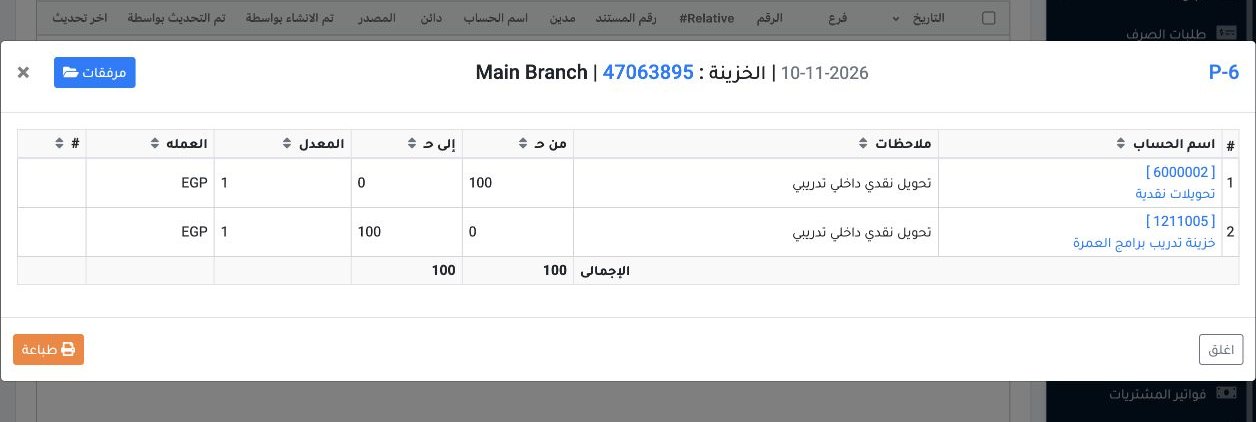
5 Payment entry P-6 debits cash transfers 6000002 and credits the sending safe 1211005 by EGP 100.
Payment entry P-6 debits cash transfers 6000002 and credits the sending safe 1211005 by EGP 100.
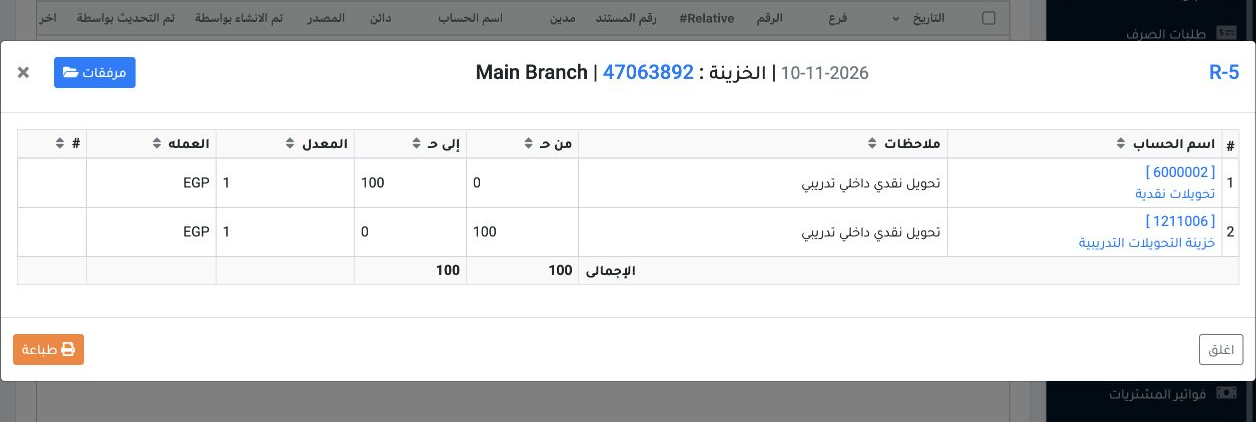
6 Receipt entry R-5 debits receiving safe 1211006 and credits cash transfers 6000002 by EGP 100. The two sides offset in the transfer account.
Receipt entry R-5 debits receiving safe 1211006 and credits cash transfers 6000002 by EGP 100. The two sides offset in the transfer account.

Sign in to record the lessons you have read. Sign in