Skip to content
Trio Travel guide

Accounting Periods

On this page
  1. Review periods
  2. Add a period
  3. Open the period actions
  4. Close a period
  5. Check the journal entry restriction
  6. Reopen the period
  7. Search periods

Review periods

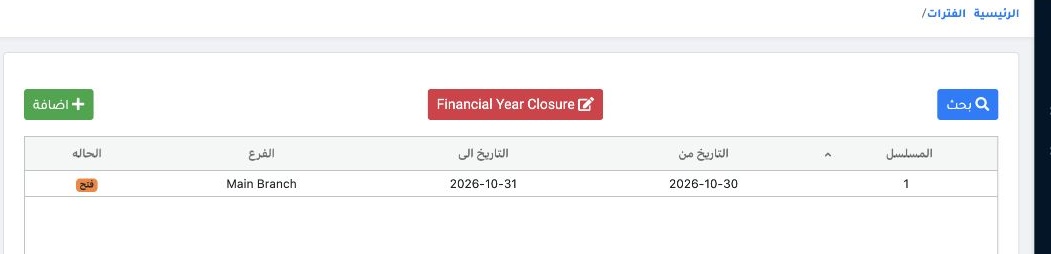
1 Open Accounting → Settings → Periods. Review the branch, start and end dates, and status. The example shows period 1 for Main Branch, 30–31...
Open Accounting → Settings → Periods. Review the branch, start and end dates, and status. The example shows period 1 for Main Branch, 30–31 October 2026.

Add a period

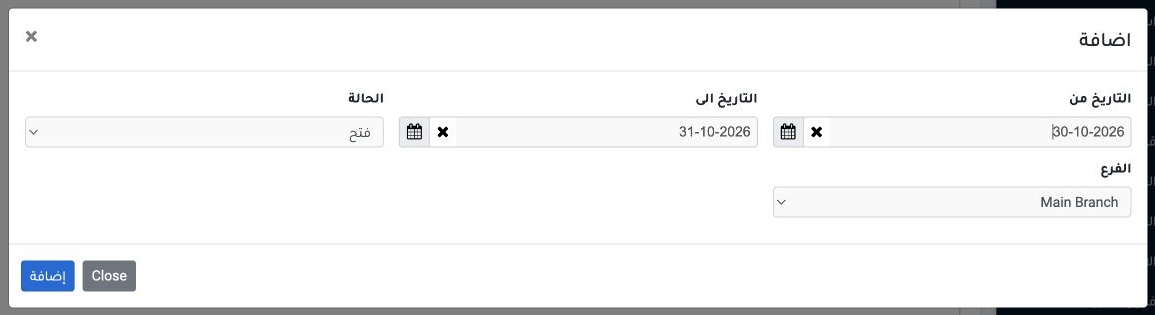
2 Select Add. Set the start date and a later end date, choose the branch and Open status, then select Add in the dialog.
Select Add. Set the start date and a later end date, choose the branch and Open status, then select Add in the dialog.

Open the period actions

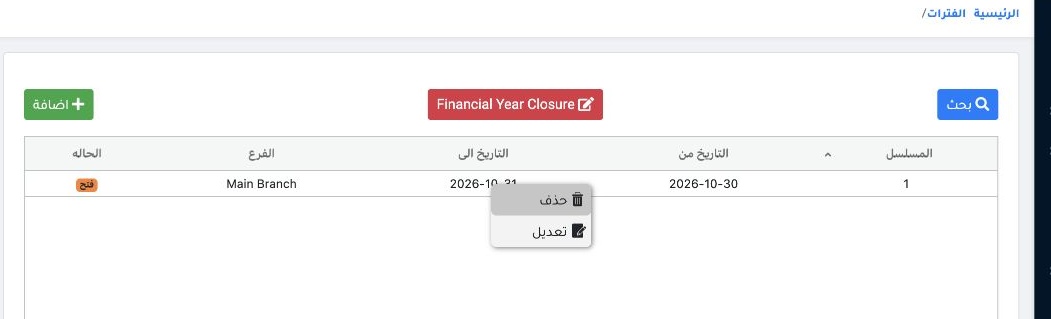
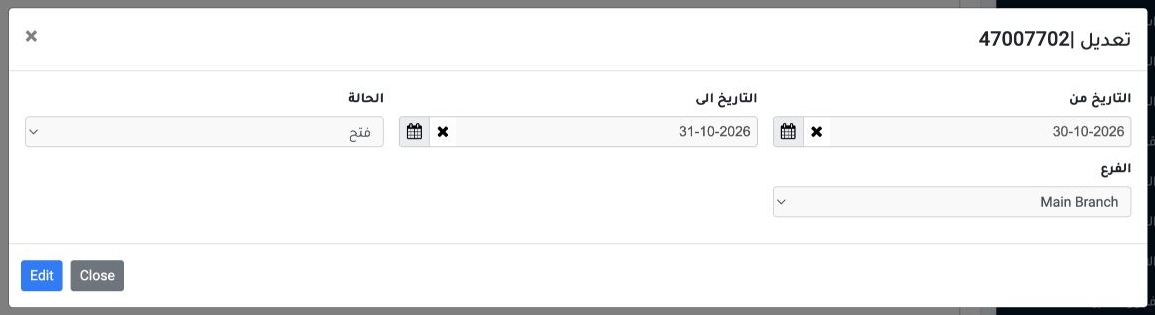
3 Right-click the period row and choose Edit to change its status.
Right-click the period row and choose Edit to change its status.

Close a period

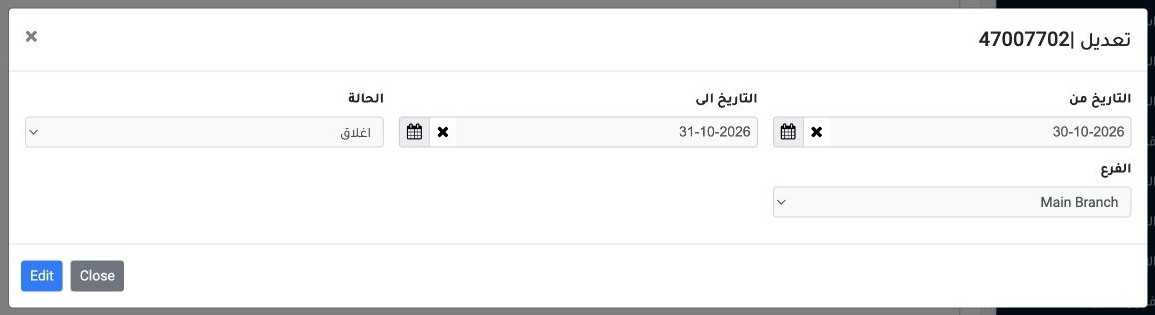
4 Change the status to Closed and select Edit. Closing prevents additions and edits for journal entries, vouchers and bookings in the locked p...
Change the status to Closed and select Edit. Closing prevents additions and edits for journal entries, vouchers and bookings in the locked period. It protects the reviewed period and creates no closing entry.

Check the journal entry restriction

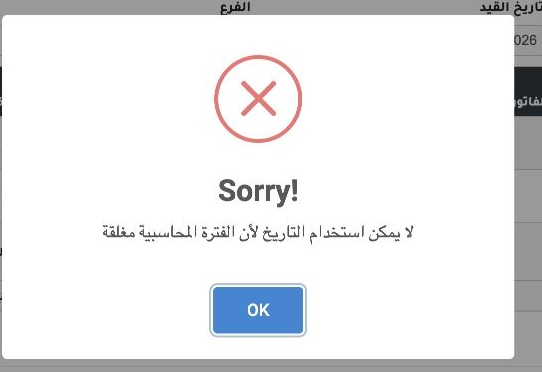
5 The attempt to save an entry dated 30 October returned the message that the accounting period is closed. Check the date and branch before pr...
The attempt to save an entry dated 30 October returned the message that the accounting period is closed. Check the date and branch before proceeding.

Reopen the period

6 Open Edit on the same row, choose Open and select Edit. After reopening, the training entry saved with the same date.
Open Edit on the same row, choose Open and select Edit. After reopening, the training entry saved with the same date.

Search periods

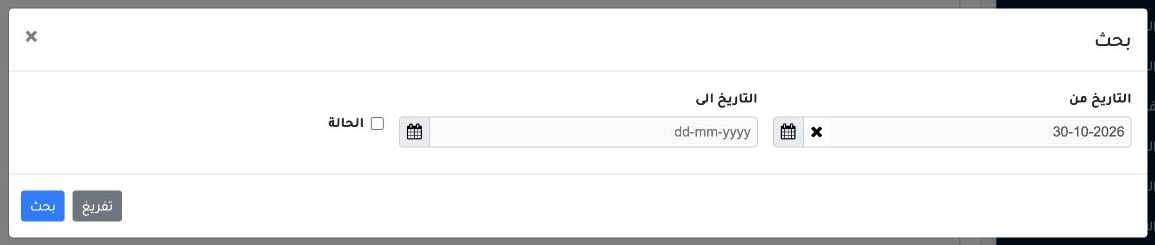
7 Open Search, set the dates or status, then select Search. Use Clear to reset the criteria.
Open Search, set the dates or status, then select Search. Use Clear to reset the criteria.

Sign in to record the lessons you have read. Sign in