Skip to content
Trio Travel guide

Bank Transactions

On this page
  1. Search and read the register
  2. View the voucher and its entry

Search and read the register

1 Open Banks → Bank Transactions and select Search. Set confirmation status to All to show vouchers across all statuses. Narrow the results by...
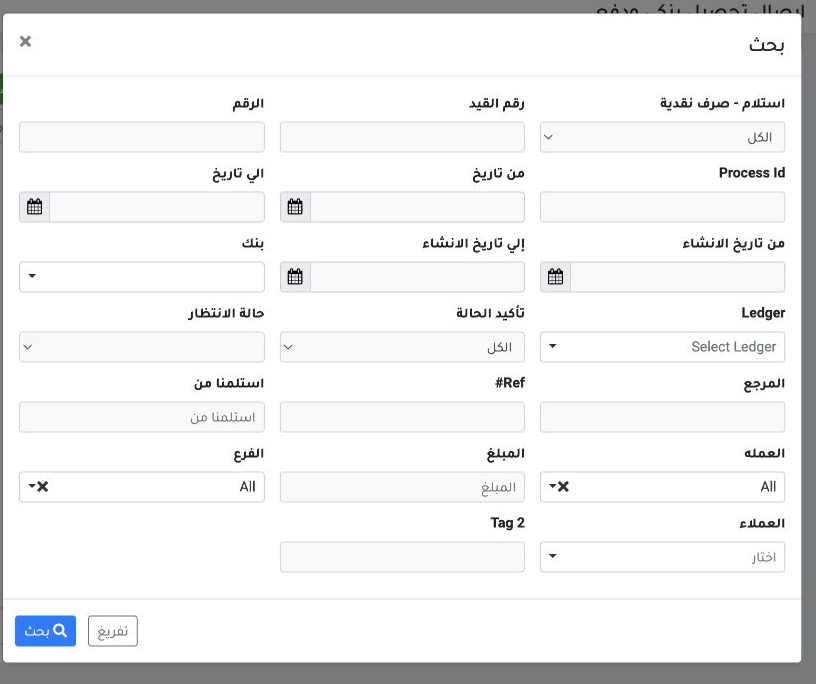
Open Banks → Bank Transactions and select Search. Set confirmation status to All to show vouchers across all statuses. Narrow the results by bank, date or entry number.
2 Five posted training vouchers appeared. Receipt and Payment identify incoming and outgoing movements. If a voucher number repeats, match ban...
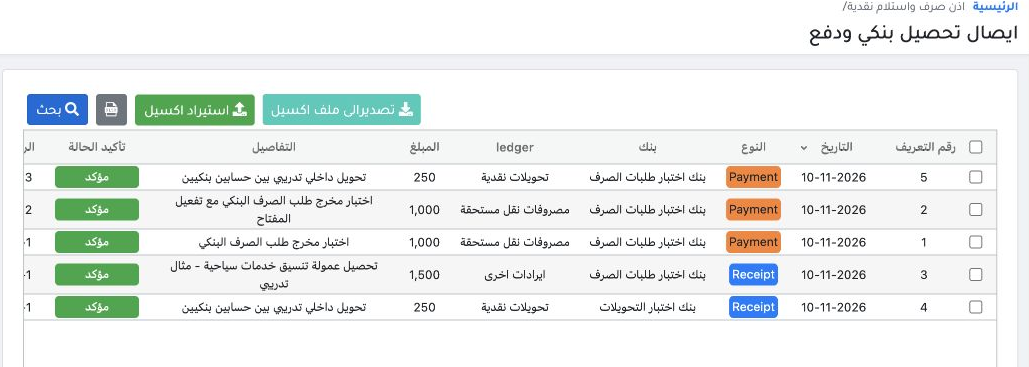
Five posted training vouchers appeared. Receipt and Payment identify incoming and outgoing movements. If a voucher number repeats, match bank, amount and reference. Use Export to Excel for the results.

View the voucher and its entry

3 Right-click the voucher row for its actions. The posted voucher offers View, attachments, print templates and unposting. To create a manual...
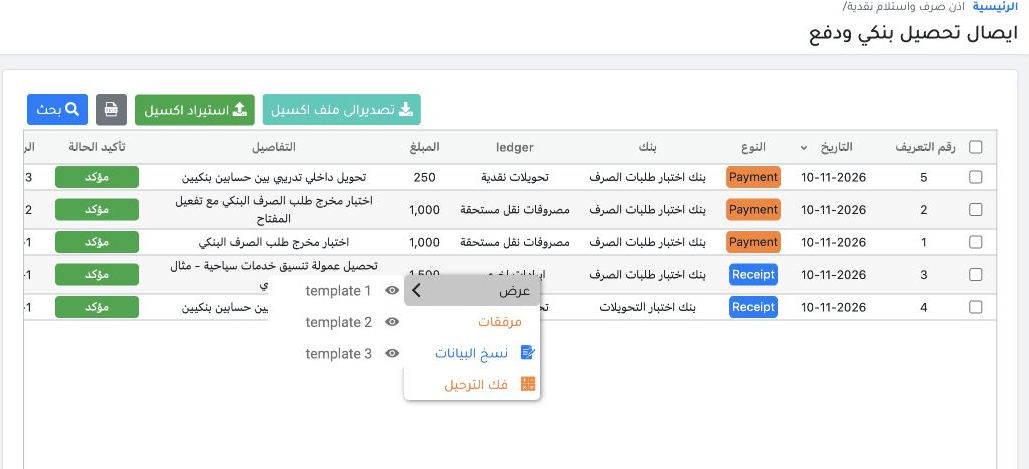
Right-click the voucher row for its actions. The posted voucher offers View, attachments, print templates and unposting. To create a manual voucher, use Bank Receipts and Payments.
4 Open the journal link on receipt R-1 with reference DEMO-BANK-REC-01. RB-1 shows EGP 1,500 debit to bank 12150000001 and credit to other rev...
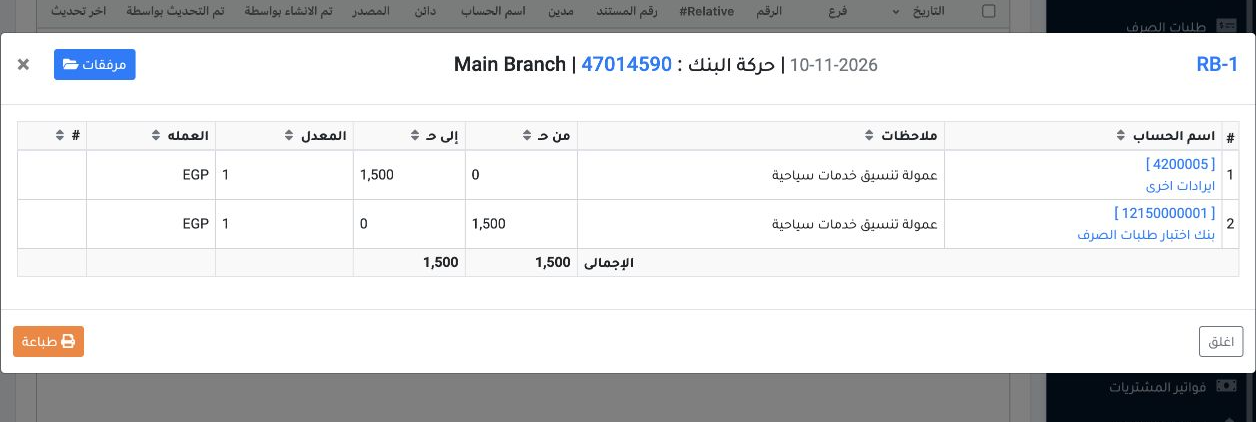
Open the journal link on receipt R-1 with reference DEMO-BANK-REC-01. RB-1 shows EGP 1,500 debit to bank 12150000001 and credit to other revenue 4200005.

Sign in to record the lessons you have read. Sign in