Skip to content
Trio Travel guide

Financial Year Closure

On this page
  1. Open the closure dialog
  2. Review the date and branch

Open the closure dialog

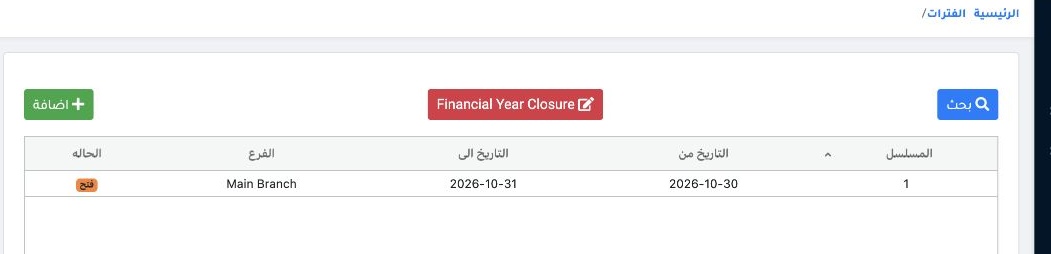
1 From Accounting → Settings → Periods, select Financial Year Closure. This operation closes the year’s revenue and expense accounts and has a...
From Accounting → Settings → Periods, select Financial Year Closure. This operation closes the year’s revenue and expense accounts and has an accounting effect. Closing a period restricts additions and edits within its dates.

Review the date and branch

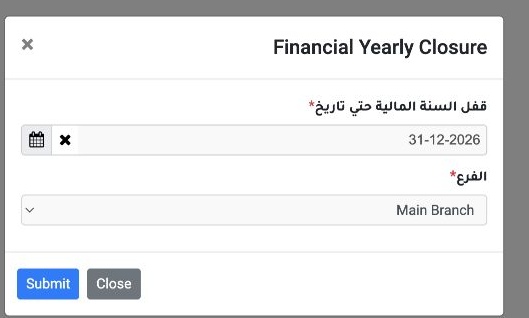
2 Set the Closure Through Date and choose the Branch. The example uses 31 December 2026 and Main Branch. Review the scope before selecting Sub...
Set the Closure Through Date and choose the Branch. The example uses 31 December 2026 and Main Branch. Review the scope before selecting Submit. Use Close to exit the dialog.

Sign in to record the lessons you have read. Sign in